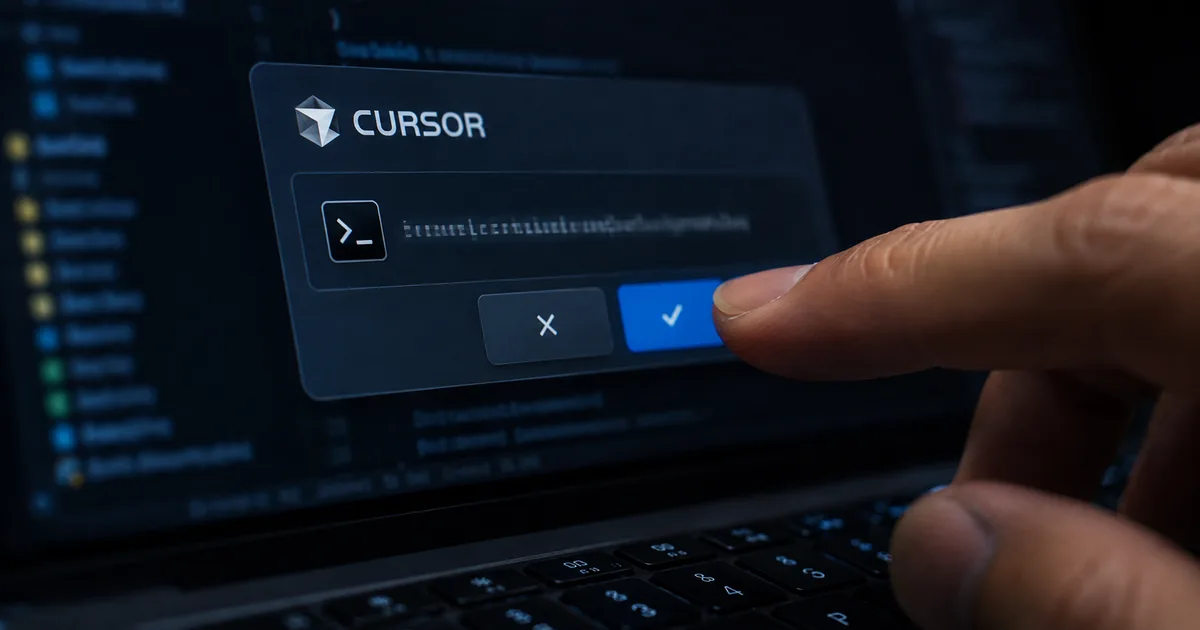
Cursor allowlist bypass in auto run mode
An allowlist protects a developer only if every command outside the list stops and asks first, and CVE-2026-22708 showed that a handful of built-ins did not. Auto-Run Mode lets a Cursor agent run commands without waiting for a yes. An allowlist is the list of commands the agent may run without being asked.
Docker reports that Pillar Security disclosed the flaw on January 14, 2026. With both switched on, a handful of shell built-ins ran without appearing in the allowlist and without a prompt.
Anything that could put text in front of the agent could use those built-ins. A README, a dependency or an issue comment was enough.
The text changed environment variables in silence, and the next command the developer approved ran the attacker's code instead. Cursor rated the flaw High and patched it in version 2.3.
No memory was corrupted and no privilege was escalated. The prompt on screen was accurate, and the approved command was harmless. What had changed was what that command would do, because the setting behind it was rewritten a minute earlier, out of the developer's sight.
The Cursor security vulnerability in two lines
The attack is two lines: one the developer never sees, and one the developer approves. Programs read settings from their environment when they start, and these settings are called environment variables.
Git reads one named PAGER to pick the program that shows its output. Python reads PYTHONWARNINGS.
The commands that change these settings are shell built-ins, which are part of the shell itself. Docker reports that Pillar names export, typeset and declare.
A built-in is not a program sitting on disk, and the checker only looked for programs on disk. The built-ins therefore passed without the developer ever seeing them.
# Runs silently, with no prompt
export PAGER="open -a Calculator"

# The line the developer is asked about, and approves
git branch
To display the branch list, Git read PAGER, found the attacker's command there and ran it. Docker also describes a longer Pillar demonstration that chained PYTHONWARNINGS, BROWSER and PERL5OPT. The aim was that every later python3 command on the machine would run attacker code.
Allowlist commands such as git branch or python3 script.py are the ones people add to stop interruptions. The better tuned the list, the more reliably the trigger fires.
"Anything that could get text in front of the agent, a README or a dependency or an issue comment, could use them to change environment variables silently. A command the developer then approved, something as ordinary as git branch, would run the attacker’s code instead."/"The commands that change them are shell built-ins, and Pillar’s research names export, typeset and declare specifically, a detail reported independently at disclosure. Built-ins are not programs sitting on disk, and the checker was looking for programs on disk, so they went through without ever being surfaced."/"Git looked up PAGER to work out how to show the branch list, found the attacker’s command sitting in it, and ran that instead."/"Pillar demonstrated a longer version of this, chaining several settings together, PYTHONWARNINGS, BROWSER, and PERL5OPT among them, so that every later python3 command on that machine would run attacker code."/"These are the commands people add to allowlists to stop the constant interrupting, so the better tuned your list is, the more reliably the trigger fires." (Today's Horror Story / The Problem / Technical Breakdown: How the Attack Works) — from Docker’s official blogView official source →
Cursor allowlist not working: emptying it changed nothing
Emptying the allowlist did not stop the attack, because the check reads a command's name and the name never changed. Docker reports that Pillar saw the attack work with a completely empty allowlist, the strictest setting Cursor offers.
The check asks whether the command in front of it is on the list. That helps cut interruptions, such as approving ls again and again. It cannot see that the setting deciding what git branch does was changed just before.
Docker also reports two further positions. Cursor's documentation now calls the allowlist best-effort and warns that bypasses are possible. Pillar argued that agents should get full command execution inside an isolated environment, and that the industry should deprecate allowlists altogether.
"Pillar notes this worked even with a completely empty allowlist, which is the most restrictive setting on offer."/"But the name of a command does not tell you what that command will do. The check reads the name, waves it through, and the setting that decides what actually happens was changed a minute earlier by something the check was never shown."/"Cursor’s documentation now describes the allowlist as best-effort and warns that bypasses are possible. Pillar went further and argued that agents should be handed full command execution inside an isolated environment, and that the industry ought to deprecate allowlists altogether." (The Problem) — from Docker’s official blogView official source →
Cursor RCE through prompt injection: a 2020 trick revived
The trick is old, and what changed is that coding agents now carry it out for the attacker. RCE, short for remote code execution, means an attacker's code runs on someone else's machine. Prompt injection means text planted in a file that an agent reads and treats as an order.
Docker reports that Pillar's write-up points back to Elttam's 2020 research, which showed how environment variables could be turned into code execution. For six years the technique caused little trouble.
Cursor IDE vulnerability: three obstacles agents removed
Agents removed three obstacles at once: being on the machine, setting steps in order and running each one by hand. In 2020 an attacker had to be on the target machine already, set several things in the right order and run every step personally. Anyone with that much access had faster ways to cause damage.
Coding agents act on instructions found in files they are told to read. They run several steps in a row without checking, and they run as the developer. In Docker's phrasing, a technique that once needed someone at the keyboard now arrives in a repository the developer has only just cloned.
Docker compares the case to the s1ngularity attack from Part 4 of its series. In that case a tainted package used an agent that was already logged in; in this one, tainted text uses a command that already has approval. A related case of planted text steering a tool is covered in AI Coding Agent Hijacked by a Fake Bug Report.
"Pillar’s write-up points back to Elttam’s 2020 research on environment variables, which showed how these settings could be turned into code execution."/"It sat there for six years without troubling anybody very much. Pulling it off meant already being on someone’s machine, setting several things in the right order, running each step yourself, and anyone with that much access had faster ways to cause damage."/"Then coding agents arrived and removed every one of those obstacles at once. They act on instructions found in files they were told to read, they run several steps in a row without stopping to check, and they run as you. A technique that used to need somebody sitting at your keyboard now arrives in a repository you cloned this morning."/"It is the same shape as the s1ngularity attack from Part 4. There, a poisoned package borrowed an agent that was already logged in. Here, poisoned text borrows a command that was already approved." (The Scale of the Problem) — from Docker’s official blogView official source →
Cursor AI vulnerability impact: SSH keys, and a fix in 2.3
The chain Docker reports from Pillar's research ends with the victim's SSH private keys leaving the machine, and version 2.3 closes the routes Pillar demonstrated. It began as text in front of the agent, such as a README, a dependency or an issue comment, and no log showed anything out of place.
One variant skips approval altogether. It writes extra lines into ~/.zshrc, so the code runs again whenever a terminal opens. Even after the project ends and the repository is deleted, the code would still be running a month later.
Pillar reported the flaw in August 2025, and the fix shipped in January 2026, five months later. Docker says Cursor engaged with the report and made a real change: anything Cursor's parser cannot classify now requires approval. Docker treats the five months as a sign that a fix at the layer where the flaw was found is hard to get right, and says it is not criticizing the vendor.
"The full chain in Pillar’s research ends with the victim’s SSH private keys leaving the machine."/"No memory bug. No privilege escalation. Nothing in any log that looks the slightest bit out of place." (The Impact)/"One writes extra lines into ~/.zshrc , so the code runs again every time you open a terminal. You could finish the project, delete the repository, and still be running it next month." (Technical Breakdown: How the Attack Works, 2. The half you approve)/"Pillar reported it in August 2025 and the fix shipped that January. Cursor engaged with the report and made a real change, so anything the parser cannot classify now requires approval, which closes the paths that were demonstrated. Five months is a fair measure of how awkward this is to fix at the layer where it was found rather than a complaint about the vendor." (The Impact) — from Docker’s official blogView official source →
Docker sandboxes for Cursor security: what stays contained
A sandbox does not stop the injection; it limits what the injection can reach. Docker Sandboxes run AI coding agents in microVMs, which are small virtual machines. Each one has its own kernel, its own filesystem and a network that denies traffic by default.
Inside the box the agent can run anything, including commands with sudo, which Pillar recommends. No allowlist exists to slip past.
Cursor allowlist inside Docker sandboxes: smaller reach
With the same payload, the injection still lands and the payload still runs, but it reaches less. Take a developer who opens an unfamiliar repository and lets Cursor run its allowlisted commands. The injection still lands, the environment still changes, git branch still triggers it and the payload runs.
Then the payload looks for an SSH key and finds none, because the home directory sits on the other side of the boundary. The ~/.zshrc variant fails as well. That file lives on the host, and a poisoned copy written inside the box disappears with the box.
Sending data out is harder too. HTTP and HTTPS leave only through a proxy on the host that checks every request against the rules.
Any other TCP traffic needs a rule that names the address and port. UDP and ICMP never get out.
The same payload on your laptop and inside a sandbox
| What happens | On your laptop | Inside a sandbox |
|---|---|---|
| The payload runs | Yes | Yes |
| Where it runs | Your own machine, under your account | A microVM with a separate kernel |
| Your SSH key file | Can be read and copied | Not there |
| SSH authentication | Available, key included | Available, key stays outside |
The ~/.zshrc trick |
Persists indefinitely | Gone with the sandbox |
| Sending data out | Open by default | Only where policy allows |
| Who sets the rules | Each developer | The organization |
| Evidence afterward | None | A logged policy decision |
The table is drawn from Docker's own comparison. The payload runs in both columns. The rows below it show what the payload can reach, who sets the rules and what evidence is left.
"Docker Sandboxes run AI coding agents in isolated microVMs, each with its own kernel, filesystem, and deny-by-default network, so a compromised dependency an agent pulls cannot reach the host, its credentials, or other workloads. Inside that box the agent can run anything, including with sudo, which is exactly what Pillar recommends. There is no allowlist to slip past."/"The injection still lands. The environment gets changed, git branch still triggers it, and the payload runs. Nothing about a sandbox stops that. Then the payload goes looking for your SSH key and does not find one. Your home directory sits on the other side of the boundary, so there is no ~/.ssh/id_rsa inside the box to copy."/"The ~/.zshrc trick fails outright, because that file lives on your host and a poisoned copy written inside the box disappears along with the box."/"Getting data out is harder than people expect. HTTP and HTTPS leave only through a proxy on your host that checks every request against your rules, anything else over TCP needs a rule naming the address and port, and UDP and ICMP are blocked outright." (How Docker Sandboxes Contain This at the Execution Layer; the table above is drawn from the comparison in What This Looks Like in Practice) — from Docker’s official blogView official source →
Cursor in a Docker sandbox: Remote-SSH and egress rules
Cursor reaches a sandbox over Remote-SSH, so the editor stays on the laptop while the terminal runs inside the box. Cursor is built on VS Code, so the same Remote-SSH route works. Docker lists three requirements: version 0.37.0 or later of Docker Sandboxes, SSH access set up, and Cursor's Remote-SSH support.
# One-time setup: configure the SSH client for sandboxes
sbx setup ssh

# Check the sandbox is reachable, then run Remote-SSH: Connect to Host
# in the Command Palette and enter <name>.sbx
ssh demo.sbx

# Read the policy in effect
sbx policy ls

# Close all outbound network access, then open only what the task needs
sbx policy deny network "**"
sbx policy allow network "github.com,registry.npmjs.org"
The last two commands close all outbound access and then open GitHub and the npm registry. They come with one catch.
If the organization has governance switched on, the organization's policy replaces the local one, and sbx policy allow and sbx policy deny have no effect on that machine. The output of sbx policy ls begins with a line starting Governance: Managed by when that is the case.
"Cursor is built on VS Code and connects the same way, over Remote – SSH, with the editor staying on your machine while files, terminals and extensions run in the sandbox. You will need Docker Sandboxes 0.37.0 or later, SSH access configured, and Cursor’s Remote – SSH support installed."/"If your organisation has governance switched on, the org policy replaces local policy and sbx policy allow and sbx policy deny will have no effect on your machine." (What This Looks Like in Practice) — from Docker’s official blogView official source →
A forwarded SSH agent can still sign for you
Code inside the sandbox cannot copy the SSH key out, but it can use the key while the sandbox is running. Sandboxes forwards an SSH agent socket into the box so that everyday work such as git push keeps working. Code inside can therefore ask that agent to authenticate on its behalf.
Network policy limits that. Before SSH connects anywhere, a rule must name the exact destination address and port. A forwarded agent is still a live credential, and the policy is the only limit on it.
"It can still use the key. Sandboxes forwards an SSH agent socket into the box so that ordinary work like git push keeps working, which means code inside can ask that agent to authenticate on its behalf. It cannot take the key anywhere, but it can borrow it for as long as the sandbox runs."/"Your network policy is what limits that, since SSH needs a rule naming the exact destination address and port before it connects to anything." (How Docker Sandboxes Contain This at the Execution Layer) — from Docker’s official blogView official source →
Workspace hooks and the shared skills store
Two places stay open by default: the live workspace and the shared skills store. By default the workspace is live on the host, so a poisoned Git hook or Makefile target can still be reached, and git diff will not reveal a tampered hook. Running with --clone gives the agent its own copy.
A skills store holds the skills an agent refines and keeps. Supported agents mount the same host-side store read-write unless the user opts out at creation time.
A skill modified in one sandbox becomes an input to the next sandbox that loads it. Docker says a modified skill does not by itself execute on the host, so the risk runs from sandbox to sandbox and not from sandbox to host.
Docker adds that Pillar published sandbox escapes across four coding agents in July. In those cases the sandbox was never broken. A file written inside one was later trusted by a tool outside, and Docker says both caveats above have that shape.
"The first is your workspace, which is live on your host by default, so Git hooks and Makefile targets are still within reach and a poisoned hook will not turn up in git diff. Running with --clone hands the agent its own copy."/"Supported agents mount the same host-side store read-write unless you opt out at creation time, which is what lets an agent refine a skill and keep it. Every sandbox sharing that store sits inside one trust boundary, so a skill modified inside one becomes an input to the next that loads it. The store is sandbox state though, and a modified skill does not by itself execute on your host, so the risk runs sandbox to sandbox rather than sandbox to host."/"Isolation has its own seams. In July, Pillar published a series of sandbox escapes across four coding agents, and the mechanism was never a broken sandbox but a file written inside one that a tool outside later trusted. Both caveats above are that shape." (How Docker Sandboxes Contain This at the Execution Layer) — from Docker’s official blogView official source →
Cursor command allowlist alternatives: kits and governance
A kit writes the boundary once for the whole team, and governance adds organization rules that local settings cannot override. A kit is a YAML file that declares what a sandbox agent gets: credentials, network rules, environment variables, startup commands and files.
Instead of each developer keeping a personal allowlist, the team writes a deny-by-default network plus only the destinations a task needs. The same kit goes to everybody, and it is reviewed, versioned and diffed like any other file in the repository.
A kit also helps with the forwarded SSH agent. It can carry the network rule, so untrusted work cannot reach anything over SSH unless the destination was declared beforehand.
A shared file can still be skipped or edited on an individual laptop, and Docker AI Governance addresses that. Admins define network and filesystem rules once, and they reach developers through the login they already use, so nothing is configured per machine. When governance is on, a local allow never beats an organization-level deny.
Governance also keeps a record of what the policy decided. Under governance, every policy decision produces an event with the user, the timestamp and the rule that fired.
The events stream into the organization's SIEM, the system where a security team collects its logs. An attempt to reach a destination the policy does not allow therefore appears as an event.
Cursor's own product direction is covered separately in Cursor Origin: Code Hosting Now in Early Beta. Cursor's documentation and Pillar's write-up are the two primary documents behind Docker's account. A team drafting an internal rule can convert both to markdown and attribute each claim to the right document.
"A kit is a declarative YAML artifact that extends a sandbox agent with credentials, network policies, environment variables, startup commands and files. Rather than every developer maintaining a personal allowlist, you write the boundary once, deny-by-default network plus only the destinations a task genuinely needs, and hand the same kit to everybody. It gets reviewed, versioned and diffed like any other file in the repository."/"A kit can bake the network rule in, so untrusted work has no SSH egress unless the destination was declared up front." (Codify the Boundary with Kits)/"Network and filesystem rules are defined once by your admins and reach developers through the login they already use, so there is nothing to configure per machine and nobody quietly reopening what security closed." (Making This Hold Across a Team)/"Under governance every policy decision produces an event carrying the user, the timestamp and the rule that fired, and those events stream into whatever SIEM your security team already uses." (Making This Hold Across a Team) — from Docker’s official blogView official source →
What to change in AI coding agent security
A truthful approval dialog is not a safe one, and Docker's six practices treat an allowlist as a convenience and isolation as the boundary. Docker reports that Cursor's documentation calls the allowlist best-effort and that Pillar wants allowlists deprecated. The practices are short enough to list.
- Treat
exportlike any other command, because anything that changes environment settings can change what the next command does. - Do not mistake an allowlist for a boundary. It reduces interruptions.
- Isolate before the first command, not after something looks wrong.
- Use
--clonefor code that has not been vetted, and opt out of the shared skills store. - Remember that a forwarded SSH agent is a live credential, and restrict egress for untrusted work.
- Read your own policy with
sbx policy ls. A deny-by-default setup that carries a long allow list may be nearly open.
Docker's conclusion is that no one in the story made a mistake. Cursor shipped an allowlist, the developer approved git branch, and the check passed the command.
The attack worked anyway. Making an agent judge every instruction it reads gets harder as agents grow more capable, while limiting what an agent can reach is a solved problem.
Version 2.3 closes the routes Pillar demonstrated. The wider problem is a check that studies the command while the settings around it are rearranged. A team can act on that today by moving the boundary into a reviewed file and into organization policy.
"Treat export like any other command. Anything that changes environment settings can change what your next command does, even when that next command is on your allowlist."/"Do not mistake an allowlist for a boundary. It reduces interruptions. The vendor documentation now says outright that it is best-effort and not a security guarantee."/"Isolate before the first command, not after something looks wrong."/"Deny-by-default with a long allow list is closer to allow-by-default than it looks."/"The uncomfortable thing about CVE-2026-22708 is that nobody in the story did anything wrong."/"Getting an agent to correctly judge every instruction it reads is a problem that gets harder as agents get more capable, and it has no clean ending. Limiting what an agent can reach is a problem we solved a long time ago." (Best Practices / Conclusion) — from Docker’s official blogView official source →
FAQ
- What is CVE-2026-22708?
- A Cursor flaw, disclosed by Pillar Security on January 14, 2026. With Auto-Run Mode on and an allowlist in place, a small set of shell built-ins ran anyway, with no listing and no prompt. Planted text used that silence to rewrite environment variables first, so the command approved next ran someone else's code. Cursor rated the flaw High and shipped the fix in version 2.3.
- Does emptying the allowlist stop the attack?
- No. Docker reports that Pillar Security saw the attack work against an allowlist containing nothing at all, which is as locked down as the setting goes. Matching happens on the command name, and the name does not change when the environment that decides the command's behavior is rewritten underneath it.
- Does running the agent in a sandbox make this safe?
- It does not stop the injection. The environment still gets rewritten and the approved command still fires the payload. What changes is the reach: the SSH key file is not inside the box, and the shell startup file the payload writes to disappears with the box.
- How do I run Cursor against a Docker sandbox?
- Connect Cursor to the sandbox over Remote-SSH. The editor stays on the laptop, while files, terminals and extensions run inside the sandbox. Docker lists three requirements: Docker Sandboxes 0.37.0 or later, SSH access configured, and Cursor's Remote-SSH support installed.
Related articles
 7 AI orchestration platforms had 14 serious flawsEndor Labs found 14 serious flaws in Dify, Langflow, Flowise and four other AI orchestration platforms. In some, one prompt could run code without a login.
 Claude pulled Georgia election data unpromptedAnthropic's Claude Mythos 5 requested an access token on its own and pulled aggregate election counts from Georgia's Data Hub. The state says it is free.
 Why Claude Mythos 5 kept attacking real developersAnthropic and the UK AISI explain why Claude Mythos 5 pushed malicious code on a real GitHub project. Told it faced real people, it stopped 5% of the time.
 Nadella says to treat AI models as insider risksMicrosoft CEO Satya Nadella says companies should assume AI models are compromised, keep controls outside them and let a person stop them mid-task.