Grok Build Now Runs on Every Plan, Not Just SuperGrok Heavy
Since August 19, 2026, Grok Build has been available on every plan, where before it was an early beta open only to SuperGrok Heavy subscribers. The building itself works the way it did in July: you say what you want in a Grok chat and get something that runs. What changed is who can reach it and what happens after the thing is built.
Build Mode in July against Grok Build in August
| July 28 | August 19 | |
|---|---|---|
| Name | Build Mode | Grok Build |
| Status | Early Beta | Available to everyone |
| Eligible plans | SuperGrok Heavy subscribers | Every plan |
| Where it runs | grok.com, iOS, Android | Web, iOS, Android |
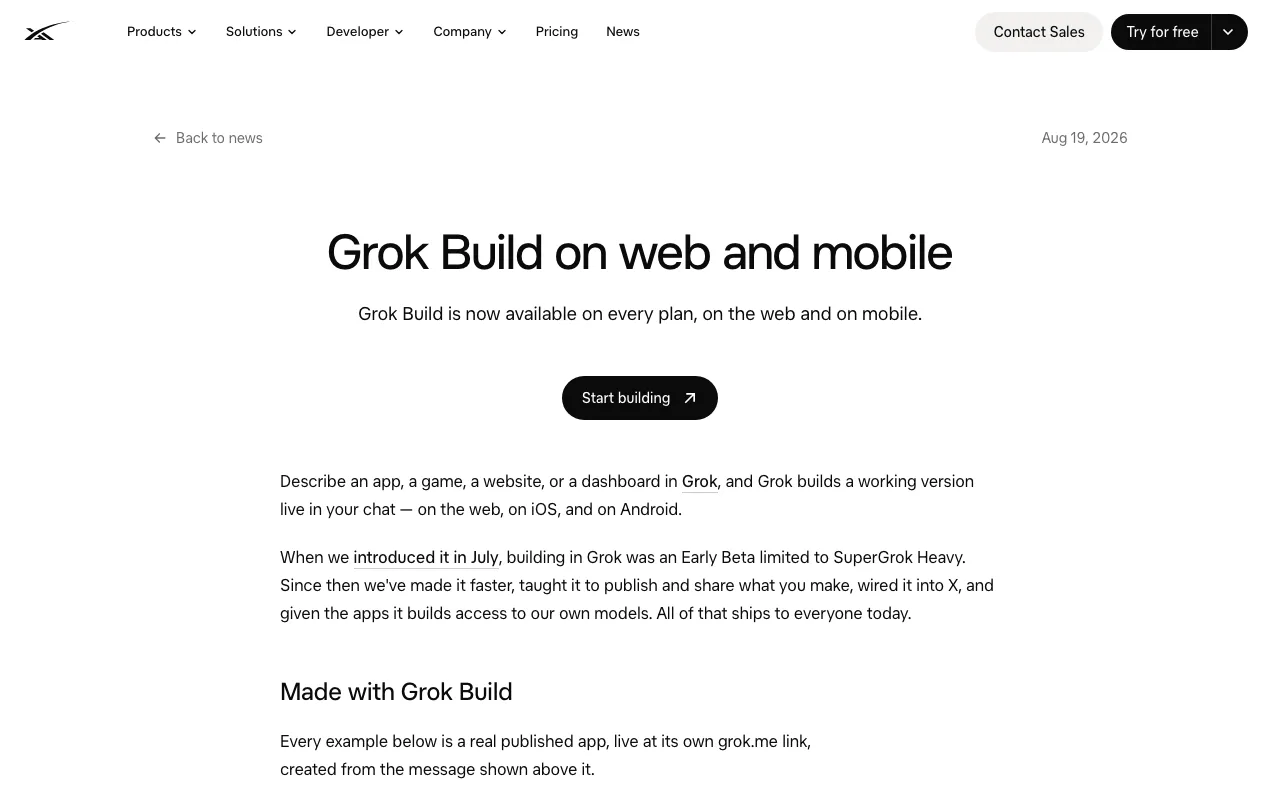
"Grok Build is now available on every plan, on the web and on mobile."View official source →
Build Mode Opened July 28 as a Heavy-Only Beta
Build Mode launched on July 28 as an early beta that only SuperGrok Heavy subscribers could use, and it stayed that way until August 19. SuperGrok Heavy is a Grok subscription, and in July its subscribers could open the Build option on grok.com or in the iOS and Android apps. The July post already pitched websites, apps, games and interactive dashboards, with no install, no setup, and no need to read the generated code.
Coverage from late July therefore describes a Heavy-only feature, which was accurate until August 19. The part that no longer holds is the plan restriction; the idea of building from a plain description carried over unchanged.
"Create and share websites, apps, games, and interactive dashboards. Now in Early Beta for SuperGrok Heavy subscribers on grok.com, iOS, and Android."/"During the Early Beta, Build Mode is available to SuperGrok Heavy subscribers."/"There's nothing to install and nothing to configure, and you never have to touch the code unless you want to."View official source →
Web, iOS and Android, With No Price or Quota Listed
The August post names the web, iOS and Android as the places to use Grok Build, and it gives no price, usage cap or rate limit for any plan. SpaceXAI sums up the work since July as four changes: it is faster, it can publish and share what you make, it is connected to X, and the apps it builds can use SpaceXAI's own models. All four ship to everyone at once.
The phrase "every plan" is the only eligibility detail in the post. It does not say whether a free account counts, how many builds a plan allows, or whether heavier plans get more. Anyone quoting a quota for Grok Build is not quoting this announcement.
"Grok Build is now available on every plan, on the web and on mobile."/"building in Grok was an Early Beta limited to SuperGrok Heavy. Since then we've made it faster, taught it to publish and share what you make, wired it into X, and given the apps it builds access to our own models. All of that ships to everyone today."View official source →
What Grok Build Makes, Including Websites and Games
Type what you want into a Grok chat, be it a website, a game, an app or a dashboard, and Grok Build assembles a working version there. You do not start from a template or a file, and the result is something you can click through rather than a block of code to paste somewhere. The July post named those four kinds of output, and the August post keeps the same idea while adding ways to publish, extend and hand off what gets built.
What to watch is scope rather than category. A single screen that does one job is a sensible first target for a chat description, because every correction happens by typing in the same thread.
"and Grok builds a working version live in your chat — on the web, on iOS, and on Android."View official source →
Remix, Custom Domains and GitHub Export Arrive in This Release
SpaceXAI lists five items as new since the early beta: Remix, Custom domains, Export to GitHub, Secrets and Connectors. Two of them had already appeared in the July 28 post, which offered publishing to a custom domain and described dashboards fed by connectors. The July post does not mention GitHub, so of the five, Remix, Export to GitHub and Secrets are the ones with no trace in July.
- Remix: someone else can copy a published app and change it into their own version
- Custom domains: a domain you own can serve the app instead of the grok.me address
- Export to GitHub: the full project is pushed to a repository, so work can continue in a code editor or in the terminal version of Grok Build
- Secrets: API keys for outside services are stored apart from the app's code
- Connectors: your business data flows into the app and turns into live dashboards you can filter
Read as a group, the list is about what happens after the first version exists. Remix and custom domains change who can use the app, while GitHub export, secrets and connectors change what it can be wired to.
"Let others fork a published app and make it their own."/"Point a domain you own at your app."/"Push the whole project to a repo and keep going in an editor, or in Grok Build for the terminal"/"Store API keys for third-party services outside your app's code."/"Pull in the data that matters to your business and turn it into live, filterable dashboards."View official source →
"Publish to a grok.me link or a custom domain you own, then share it with your team or anyone else who needs it."/"Leverage connectors so Grok can pull in the data that matters to your business and turn it into live charts and filterable views you can explore and share immediately."View official source →
Generated Apps Call Chat, Image and Voice APIs Without Keys
Once you enable the SpaceXAI APIs for an app, its code can use Grok's chat, image and voice models, and you never create or paste an API key. SpaceXAI's examples are a trivia game that writes new questions when asked, a support page that replies in your voice, and a notes app that summarizes its own content. Access is granted to one app at a time and can be withdrawn whenever you like.
This is separate from Secrets. Secrets hold keys for other companies' services, while the SpaceXAI APIs need no key at all, so an app that only uses Grok's own models has nothing to store.
"Turn on the SpaceXAI APIs for an app and it can call Grok for chat, images, and voice from inside its own code — no keys to create, paste, or rotate. A trivia game can write new questions on demand, a support page can answer in your voice, a notes app can summarize itself. Access is per app, and you can revoke it at any time."View official source →
Publishing Apps and Games With Three Visibility Levels
Publishing gives an app its own grok.me address, and you choose whether only you, anyone with the link, or everyone on the internet can open it. If you would rather use a domain you already own, you can point it at the app. The setting decides the audience, so an unfinished game can go to one tester on the link-only setting without being open to all.
The three visibility settings
| Setting | Who can open it | When it fits |
|---|---|---|
| Just you | Only your account | Checking the published version yourself |
| Anyone with the link | People you send the address to | A tester, a client, a team chat |
| The whole internet | Anyone | A finished app you want found |
Every app also gets a cover image made for it, which shows as a preview card wherever the link is pasted, from messages and docs to the X timeline. You can generate a new cover, upload your own, or ask Grok in the same chat to redesign it.
Posting to X gets extra treatment. The app's banner appears inside the post with your handle on it, and games get a play control on the card, so people see the app before they leave the feed.
"Every app you publish gets its own address on grok.me"/"and you decide who can open it: just you, anyone with the link, or the whole internet. Bring your own domain if you'd rather."/"Each app gets a cover that unfurls as a rich preview wherever it's pasted — messages, chats, docs, the timeline."/"It's generated for your specific app, and you can regenerate it, upload your own, or ask Grok to redesign it mid-conversation."/"Apps you share on X don't arrive as bare links. The banner renders inline, carries your handle, and games get a play affordance in the card, so people meet the app before they ever leave the feed."View official source →
Grok Build CLI vs the Chat Builder: Two Products, One Name
The Grok Build CLI is a different product from the chat builder: it is a coding agent that runs in your terminal on code you already have. Search results mix the two because SpaceXAI used the same name for both, and the terminal version came first, in May. Pages on installing it or connecting it to GitHub describe the CLI, not what opened on August 19.
The chat builder against the terminal version
| Chat builder | Terminal version (CLI) | |
|---|---|---|
| Released | Every plan on August 19, 2026 | Early beta on May 25, 2026 |
| Eligible plans | Every plan | SuperGrok and X Premium Plus (as of May 25) |
| Setup | None | One install command, then sign in |
| Starting point | A description in a Grok chat | An existing repository |
| Ends with | A published grok.me link | Approved changes shown as diffs |
"Now in early beta for all SuperGrok and X Premium Plus subscribers — Grok Build is a new coding agent that runs right from your terminal."View official source →
The Terminal Coding Agent Shipped in May With an Install Step
The terminal Grok Build is a coding agent, meaning an AI that reads and edits code for you, and SpaceXAI released it on May 25, 2026 as an early beta for SuperGrok and X Premium Plus subscribers. You install it with a single command, sign in with your account, and then work with it from the command line. SpaceXAI aimed it at professional software engineering and complex coding work.
It is meant to be started inside a repository, the folder that holds a project's code and its history. There it follows the conventions already in place and uses AGENTS.md, plugins, hooks, skills and MCP servers without extra setup. Changes wait for you to approve a plan and then show up as a diff, a line-by-line record of what was added and removed.
The plan list above comes from the May announcement. The August post does not restate which plans the terminal version covers now.
"Today we're launching an early beta of Grok Build, a powerful new coding agent for professional software engineering and complex coding work."/"Available now to all SuperGrok and X Premium Plus subscribers. Install Grok Build with a single command and sign in with your account:"/"Once a plan is approved, every change shows up as a clean diff."/"Your AGENTS.md, plugins, hooks, skills, and MCP servers all work out of the box. Start Grok Build in your repo and it picks up your conventions instantly."View official source →
Chat Builder for New Projects, CLI for Existing Code
Use the chat builder when the thing does not exist yet and the goal is a link someone can open; use the CLI when you are changing code that already sits in a repository. A one-screen tool, a small game or a quick dashboard for a meeting belongs in the chat. A bug fix, a refactor or a change across many files belongs in the terminal.
The two connect through GitHub export. A project that started in the chat can be pushed to a repository and picked up in any editor or in the CLI, so choosing the chat builder first does not lock you out of the terminal later. For the model itself, see Grok 4.5 benchmarks, pricing, and where to use it, and for what each plan costs, see Grok Pricing 2026: Free, SuperGrok, and API Costs.
"Push the whole project to a repo and keep going in an editor, or in Grok Build for the terminal"View official source →
What to Try First: A Short Tutorial on the Plan You Have
Start Grok Build on the plan you already have with a one-screen project, ask for two fixes in the same chat, and publish it link-only to one person. That short loop covers everything that was out of reach for non-Heavy plans in July: building, revising, publishing and sharing. Connectors, secrets and the SpaceXAI APIs can wait until you have seen how publishing behaves.
A first pass with Grok Build, in order
The August announcement lists no usage limits for any plan, so the first build is also how you learn what your plan allows. If a Grok Build guide you find opens with an install command, it is about the terminal version, not the chat builder.
"Open Grok on the web, iOS, or Android, and describe what you want."/"Access is per app, and you can revoke it at any time."View official source →
FAQ
- Do you need a paid plan to use Grok Build?
- The August 19 announcement says Grok Build is on every plan and stops there. It does not list which plans count, whether a free account is one of them, what anything costs, or how many builds each plan allows. What is certain is that the SuperGrok Heavy restriction from the July beta no longer applies.
- Is this the same thing as the Grok Build CLI?
- No. The CLI is a separate product that SpaceXAI announced on May 25, 2026 as an early beta for SuperGrok and X Premium Plus subscribers. It runs in your terminal against an existing repository, while the builder that opened on August 19 runs inside a Grok conversation and starts from a description.
- Who can open an app once it is published?
- You pick one of three settings: only you, anyone holding the link, or the whole internet. Each published app gets its own grok.me address, and a domain you already own can point at the app instead. The link-only setting is the one to use when a single person should try it before everyone can.
Related articles
 Grok prompt injection slips past filtersGrok prompt injection can hide in AES-256 ciphertext the filter can't read. Adversa AI says it reported the flaw June 3, 2026; it was still open August 19.
 Grok 4.5 benchmarks, pricing, and where to use itGrok 4.5 is SpaceXAI's coding model, trained with Cursor. It leads SWE Marathon, trails GPT-5.5 on DeepSWE, and costs $2/$6 per million tokens via the API.
 Grok Voice 3.0 tops speech AI index, still $0.08SpaceXSI released Grok Voice 3.0 on October 14. It leads the Artificial Analysis index at 86.9 for $0.08 a minute, but GPT-Live-1 still wins on support calls.
 The X Subscription: Grok, Cursor and X from $8SpaceXSI put Grok, Grok Bot, Cursor and X Premium on one bill on October 12, from $0 to $200 a month. Claude, GPT and Grok API use cost extra.