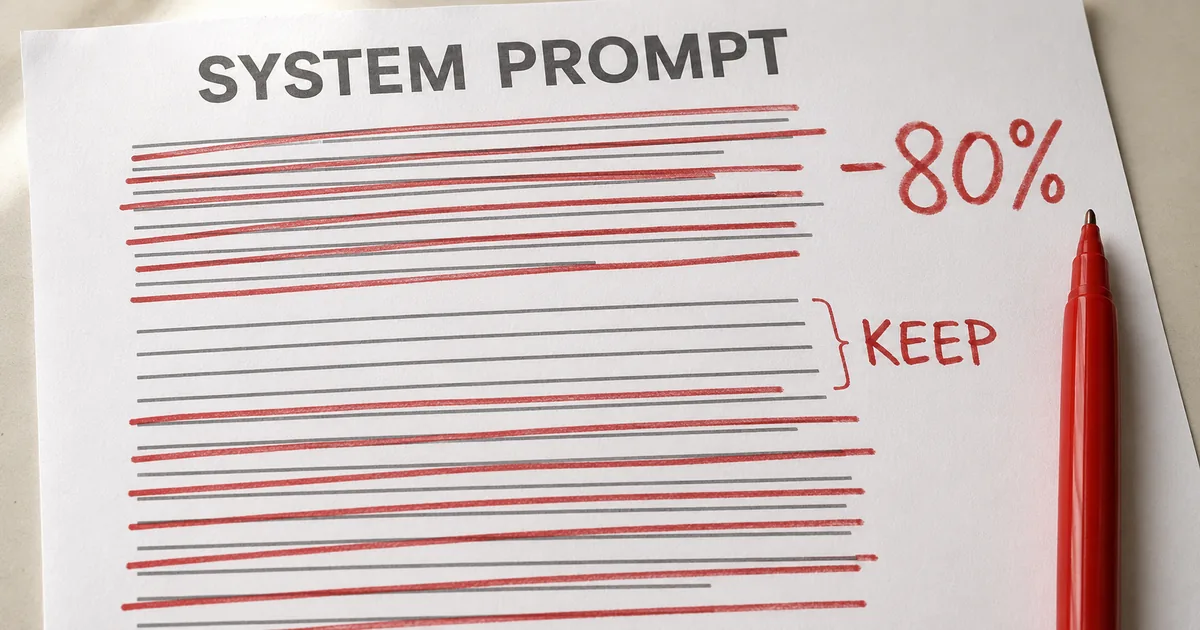
Claude Codeはシステムプロンプト8割減でも評価維持
どの製品の中で何をしているのかをClaudeに伝えるため製品側が用意しておく文章を、システムプロンプトと呼びます。このうちClaude Codeのシステムプロンプトは新世代モデル向けに80%超を削っても、自社で実施したコーディング評価の結果は落ちなかったとAnthropicは報告しています。
報告は2026年7月24日に公式ブログで公開され、書いたのはAnthropicで技術スタッフを務めるThariq Shihipar氏です。削ったのはClaude Opus 5やFable 5といったモデル向けで、最新世代のモデルでは指示の出し方に大きな変化が見られたとのこと。
Anthropicは削る前のClaude Codeについて、制約をかけすぎていたと振り返っています。対象はシステムプロンプトだけでなく、CLAUDE.mdやスキルにも及んでいました。
"Jul 24, 2026"/"Most recently, we noticed a large jump in the way we prompt the newest generation of Claude models."/"We removed over 80% of Claude Code’s system prompt for models like Claude Opus 5 and Claude Fable 5 with no measurable loss on our coding evaluations."/"Overall, we found that we were overconstraining Claude Code, both through our system prompt and in our CLAUDE.md files and skills."/"This article was written by Thariq Shihipar, member of technical staff, Anthropic." — Anthropic 公式ブログ(2026年7月24日)の日付欄・冒頭・Unhobbling Claude 節・末尾の署名より公式情報を見る →
コンテキストの中身はシステムプロンプトやメモリなど
Claudeがメッセージを受け取るときに一緒に届く情報のまとまりを、コンテキストと呼びます。その中でユーザーが打ち込むプロンプトは一部にすぎず、多くはシステムプロンプト・スキル・CLAUDE.md・メモリなどから組み立てられるとのこと。
コンテキストエンジニアリングは、AIに入力する情報(指示・資料・過去のやり取り・ツールの結果など)を取捨選択して並べ方まで設計し、AIによる回答の精度をアップさせる考え方のことです。Claude Codeを使うときや、自分でエージェントを作るときの結果を大きく左右します。
プロンプトとは異なり、コンテキストは多数のリクエストにまたがって使われるため、プロンプトほど具体的には書くことができません。ユーザーが何を打ち込むか分からないまま汎用の指針を用意する必要があり、Claudeの能力も変わり続けるため思った以上に難しい作業だとAnthropicは書いています。
"But when you send a message to Claude, the prompt is only a small part of the context it gets. Much of your context is assembled from your system prompt, Skills, CLAUDE.md files, memory, and other sources."/"We call this context engineering"/"Unlike a prompt, context is used generally across many requests, so it cannot be as specific."/"How do you build these general prompts and guidance for Claude, especially when you don’t know what a user’s prompt might be?"/"This can be surprisingly difficult as Claude’s own capabilities evolve." — Anthropic 公式ブログ(2026年7月24日)冒頭の段落より公式情報を見る →
過剰な制約で指示同士が矛盾
指示同士の矛盾は、Anthropicが社内でのClaude Codeの利用記録を読むうちに見つかりました。1回のリクエストの中に「ドキュメントを適宜残す」と「コメントを追加するな」のような矛盾する指示が複数混ざっていたとのこと。その原因は、システムプロンプトとスキルとユーザーの指示が互いにぶつかっていたことです。
Claudeは一般にユーザーの意図をくみ取って正しい回答を出すことができますが、重なり合って矛盾する指示があると何をするか判断する前により慎重に考えなければなりません。強い制約はかつて最悪のケースを避けるために必要だったものの、いまは多くを削除して周囲の文脈とモデルの判断に任せられると分かったそうです。
"For example, when we read transcripts of our own internal usage of Claude Code, we see several conflicting messages in a single request like “leave documentation as appropriate,” or “DO NOT add comments” as our system prompt, skills, and user requests clash with each other."/"Generally, Claude can interpret the user’s intent to get to the right answer, but Claude must think more carefully about these overlapping and conflicting messages before deciding what to do."/"And while these constraints were once needed to avoid worst case scenarios, we have since found we can delete many of them and let the model use surrounding context and judgement instead." — Anthropic 公式ブログ(2026年7月24日)Unhobbling Claude 節より公式情報を見る →
コンテキストエンジニアリングは6組でルールから判断へ移行
公式ブログはいまでは通用しなくなった以前の定番を6つ例に出し、それぞれいまの書き方と並べています。Anthropicは6つで全部だとは書いていません。
背景にはClaude Codeのツールが大幅に増えたことがあります。かつてClaudeは記憶や情報や指針をCLAUDE.mdに頼っていましたが、いまはメモリやスキルなどでセッションをまたいで情報を共有できるとのこと。下の表では、Anthropicが例に出した6組について以前の書き方といまの書き方を並べています。
| # | 以前の書き方(Then) | いまの書き方(Now) |
|---|---|---|
| 1 | ルールを与えて縛る | 判断に任せる |
| 2 | 使い方の例を見せる | ツールとパラメータを設計する |
| 3 | 最初に全部を書き込む | 必要なときに読み込ませる |
| 4 | 同じ指示を繰り返す | ツールの説明を簡潔にする |
| 5 | CLAUDE.mdに記憶を書き込む | Claudeが自動で記憶を保存する |
| 6 | 単純な仕様書を与える | 情報量の多い参照を与える |
表の順番は、公式ブログに出てくる順番のとおりです。続く説明でも同じ順番で、1組ずつAnthropicの説明を取り上げます。
"Additionally, Claude Code now has many more tools. Claude used to rely on CLAUDE.md as a source of memory, information, and guidance. Now we have memory, artifacts, and skills, which Claude can use to create new ways of loading and sharing context across sessions."/"There were a number of previous context engineering best practices that had become myths."/"Then: Give Claude rules"/"Now: Let Claude use judgement"/"Then: Give Claude examples"/"Now: Design interfaces"/"Then: Put it all upfront"/"Now: Use progressive disclosure"/"Then: Repeat yourself"/"Now: Simple tool descriptions"/"Then: Memory in CLAUDE.md files"/"Now: Auto-memory"/"Then: Simple specs"/"Now: Rich references" — Anthropic 公式ブログ(2026年7月24日)Unhobbling Claude 節と Then and now 節の各見出しより公式情報を見る →
コメント禁止のルールと周囲に合わせる判断の違いは?
コメントを禁じるルールは一部の依頼で誤りになり、新しいシステムプロンプトでは周囲のコードに合わせるという基準に替わりました。Claude Codeを出した当初はファイルの削除のような最悪のケースを避ける必要があり、いつも正しいとは限らない強いルールを課していたとのこと。
旧システムプロンプトには「コードではデフォルトでコメントを書かない」「複数行にわたるコメントは書かず短い1行までにする」といった文言がありました。ユーザーがドキュメントに独自の好みを持つ場合や複雑なコードで複数行のコメントが必要な場合は、旧来の文言が誤りになります。
古いモデルではガードレール(AIが大きな失敗をしないよう外側から課す強制的なルール)がないと、Claudeの書くコメントが多くの場合に不正確になりました。そのため一部の依頼では誤りになると分かっていても、強いルールを残すしかなかったとAnthropicは振り返っています。
新しいモデルは判断力が上がったので、明示的なルールがなくてもコメントの要否をうまく判断できます。新しいシステムプロンプトには「周囲のコードと同じ書きぶりのコードを書き、コメントの量・命名・書きぶりを合わせる」という一文があるとのこと。
公式のプロンプトガイドも禁止事項の列挙より、してほしいことや指示の理由を伝える書き方を勧めています。同ガイドによればClaudeは理由の説明から目的をくみ取り、他の状況にも応用できます。
"When we first rolled out Claude Code, we needed to be sure that Claude avoided worst case scenarios, such as deleting files."/"In code: default to writing no comments. Never write multi-paragraph docstrings or multi-line comment blocks — one short line max."/"But for a certain subset of prompts, this guidance would be wrong. In the case of documentation, the user may have their own preferences, or specific parts of very complex code might need multi-line comment blocks."/"Still, without these guardrails for older models, the comments Claude wrote would be incorrect in many cases and we had to accept this tradeoff. But newer models have better judgement and can handle these decisions well without explicit rules."/"In the new system prompt we say: Write code that reads like the surrounding code: match its comment density, naming, and idiom." — Anthropic 公式ブログ(2026年7月24日)Then: Give Claude rules の節より公式情報を見る →
"Providing context or motivation behind your instructions, such as explaining to Claude why such behavior is important, can help Claude better understand your goals and deliver more targeted responses."/"Claude is smart enough to generalize from the explanation."/"Tell Claude what to do instead of what not to do" — Claude Platform Docs「Prompting best practices」の Add context to improve performance 節と Control the format of responses 節より公式情報を見る →
使用例を書くよりツールとパラメータを設計
ツールの使わせ方ではClaudeに使用例を見せるのが第一のルールでした。最新のモデルでは例を見せると、かえって例に近いやり方しか試さなくなると分かったとのこと。そこでAnthropicは、例を見せる代わりにツール・スクリプト・ファイルの設計を見直すよう勧めています。
設計するときはClaudeが受け取るパラメータ(ツールを呼び出すときに指定できる値)を何にするかと、その値でどこまで細かく指示を表せるかを考えます。Anthropicの例ではTodoツールの状態を列挙型にしており、状態はpending(未着手)・in_progress(作業中)・completed(完了)の3つだけです。
この3つに限るだけでClaudeに使い方が伝わるというのが、Anthropicの説明です。「in_progressのタスクは同時に1つまで」という指示を添えれば求める動き方も定めやすくなります。
使用例をやめる話はツールの使い方に限ったものです。公式プロンプトガイドは少数の良い例を見せるやり方を、出力の形式・口調・構成を導く確実な方法の代表格と位置づけています。
"The number one rule for tool usage was to give Claude examples on how to use them. With our newest models, we’ve found that giving examples actually constrains them to a certain exploration space."/"Instead of using examples, think more about the design of your tools, scripts and files- what parameters does Claude have and how can they be more expressive?"/"For example, in the Todo tool example, just listing status as an enumeration between pending, in_progress, and completed, hints to Claude about how to use it. The instruction on keeping one item in_progress helps define our requested behavior." — Anthropic 公式ブログ(2026年7月24日)Then: Give Claude examples の節より公式情報を見る →
"Examples are one of the most reliable ways to steer Claude's output format, tone, and structure. A few well-crafted examples (known as few-shot or multishot prompting) improve accuracy and consistency." — Claude Platform Docs「Prompting best practices」の Use examples effectively 節より公式情報を見る →
検証とコードレビューは段階的開示で必要な時の読み込みへ移行
適切なときに適切なコンテキストだけを読み込ませる進め方を、段階的開示と呼びます。コーディングに特化していたClaude Codeは、コードレビューと検証のやり方をシステムプロンプトに細かく書き込んでいたとのこと。いつも使う情報ではないものの、必要な状況では欠かせなかったとAnthropicは書いています。
Claude Codeは段階的開示をうまく使うことができるようになり、Anthropicは一例として検証とコードレビューを必要なときに選んで呼び出すことができるスキルへ移しました。同じ考え方はスキルだけでなくツールにも使われています。
ツールの完全な定義を使う直前まで読み込まない方式を、遅延読み込みと呼びます。エージェントは使う前にToolSearchで定義を検索するため、Taskツールのように必要になるまでコンテキストを占めないツールを増やせるとのこと。作業前に読み込まれる情報の量は、起動時のトークン数として整理されています。
Claudeが見落とさないようCLAUDE.mdやSkill.mdへ作法をすべて1か所に集めるべきだという考えは、よくある誤解だとAnthropicは書いています。代わりにAnthropicは、必要なときに読み込めるようファイルを階層に分けて置くよう勧めています。
"Because Claude Code was focused on coding, our system prompt included detailed information on how to do code review and verification. These were not always needed, but when they were, it was crucial information."/"Since then, Claude Code has gotten very competent at using progressive disclosure- loading the right context at the right times. For example, we moved verification and code review into their own skills that Claude Code could selectively call."/"But progressive disclosure is not just for skills, we also use it for tools. Some of our tools are ‘deferred loading,’ which means the agent must search for their full definitions using ToolSearch before using them. This allows us to have more tools (such as our Task tools) that don’t take up context until they’re needed."/"The same can be applied to your own CLAUDE.md and Skill.md files. A common myth is that you want to make these a central repository for every known practice that you might run into, because Claude would not find it otherwise. Instead, consider having a tree of files that can be loaded at the right time" — Anthropic 公式ブログ(2026年7月24日)Then: Put it all upfront の節より公式情報を見る →
重複する指示を削ってツールの説明に一本化
Claudeの旧モデルは、同じ指示を繰り返し伝える必要がありました。受け取ったコンテキストでは、最初より最後のほうにある指示に従いやすい傾向もあったとのこと。そのためシステムプロンプトでツールに触れつつ、ツールの説明にも指示を書く二重の記述になることがありました。その後Anthropicはこの重複を削除できると分かり、ツールの使い方はシステムプロンプトではなくツールの説明に置くことにしました。
"Earlier Claude models could sometimes need repeated instructions or be more likely to listen to instructions at the end of their context window than at the start. This meant our system prompt would sometimes have references to tools in the main system prompt as well as instructions in the tool description."/"We found we could delete these repeat examples and put instructions on how to use tools in the tool descriptions rather than the system prompt." — Anthropic 公式ブログ(2026年7月24日)Then: Repeat yourself の節より公式情報を見る →
記憶の保存はホットキーから自動メモリへ移行
覚えておくべき事柄をClaudeが自分で保存していく仕組みを、自動メモリと呼びます。以前は#ホットキーでCLAUDE.mdへ書き込む方式で、ユーザーにClaudeのメモリへ保存するよう促していたとのこと。一方、いまは作業とユーザーに関係する記憶をClaudeが自動で保存しています。
"We used to encourage users to save things to Claude’s memory, by using the # hotkey to write to their CLAUDE.md automatically. Instead, Claude now automatically saves memories that are relevant to the work and to you." — Anthropic 公式ブログ(2026年7月24日)Then: Memory in CLAUDE.md files の節より公式情報を見る →
仕様書は文章のほかコードやルーブリックでも参照させる
プランモードのClaude Codeは、計画を書いたMarkdownファイルに大きく頼ってきました。計画をファイルとして残すと必要なときに参照でき、長いプロジェクトで仕様をコードベースに置いておく運用も同じ種類の定番だったとのこと。いまのClaudeはもっと複雑な参照も処理できます。
単純なMarkdownファイルの代わりに、Claudeの新しい機能で作るHTMLのアーティファクト(成果物)を参照させることもできます。テストスイートや移植元の関数といったコードとして仕様を提供することもできます。
良し悪しを判定するための評価基準をまとめたものを、ルーブリックと呼びます。良いAPI設計とは何かといったある分野での好みをルーブリックとして提供すれば、Claudeは検証用のエージェントを立ち上げて好みに沿っているかをチェックしようとするとのこと。参照は文章の仕様書だけでなくコードや評価基準として提供しても構いません。
"In plan mode, Claude Code has heavily relied on markdown files with plans. Storing these files as plans helped Claude refer to them when needed. Another similar best practice was to store specs in the codebase for Claude to refer to while working across longer projects."/"But we’ve found that Claude can handle increasingly more complicated references. Instead of simple markdown files, Claude can reference HTML artifacts created by our new artifacts feature."/"You may also give Claude references in the form of code. A spec may also be a detailed test suite, or a function in a different codebase that Claude might port."/"Rubrics are another form of references. Rubrics allow Claude to try and verify your taste in a particular field (e.g. what does a good API design look like) by using dynamic workflows and spinning up verifier agents with those rubrics." — Anthropic 公式ブログ(2026年7月24日)Then: Simple specs の節より公式情報を見る →
CLAUDE.mdとスキルは構成要素ごとに見直し方が異なる
Anthropicはコンテキストの構成要素を4つに分けて、要素ごとに別々の指針を書いています。4つはシステムプロンプト・CLAUDE.md・スキル・参照で、下の表は各要素の指針を短くまとめたものです。
| 構成要素 | 公式の指針 |
|---|---|
| システムプロンプト | どの製品で何をしているかをClaudeに伝える部分。Claude Codeではおそらく変更しないが自作のエージェントでは多くの時間をかける |
| CLAUDE.md | 軽量にしてリポジトリの目的を短く書き、トークンの大半をコードベースの落とし穴に充てる |
| スキル | 必要なときにClaudeが情報を見つける軽いガイドとして書く。長いものは多くのファイルに分ける |
| 参照 | @メンションでファイルを含める。一般にはコードのファイルを優先する |
システムプロンプトは製品の文脈と強く結びついた部分です。Claude Codeのユーザーが書き換えることはまずないものの、エージェントを動作させる仕組みを自分で作るならシステムプロンプトに多くの時間を使うべきだとのこと。その他のCLAUDE.md・スキル・参照は、ユーザーが自分で書き換えられる部分です。
参照は@メンションでコンテキストに含められ、仕様書や画面の試作(モックアップ)のほかコードベース全体を提供しても構いません。一般にはコードのファイルを優先するよう勧められており、Claudeがよく知る言語で明確かつあいまいさの少ない指示になるからとのこと。例えばデザインを伝えるならHTMLで組んだモックアップを共有すると、一般に文章での説明や画面の画像よりも良い結果が出ます。
"Pulling this all together, what does this look like when you assemble your context?"/"A system prompt is heavily tied to the product context. It tells Claude what product it’s operating in and what it’s doing. For Claude Code, you will likely never modify this, but if you are building your own agent harness, this is where you should spend a lot of time."/"You can @ mention files to include them as references. References allow Claude to refer to in-depth information about the current plan."/"This might be in specs files, mockups, or even entire codebases. Generally you should prefer files that are in code as it provides clear, high-fidelity instructions to Claude in a language it knows very well. For example, a HTML mockup of a design will generally produce better results than a description of the design or a screenshot." — Anthropic 公式ブログ(2026年7月24日)Applying this to your context 節の System Prompt と References より公式情報を見る →
自明な記述を省いて落とし穴と参照先に限定して書く
コードベースの中にある一見して分からない独自のルールを、公式ブログは落とし穴(gotchas)と呼んでいます。その落とし穴を軸に、公式の指針ではCLAUDE.mdを軽量にしてリポジトリの目的を短く書き、トークンの大半は落とし穴の説明に充てるとのこと。Anthropicは例として、型を1つの巨大なファイルにまとめて他の場所には置かない整理の方法を紹介しています。
逆に、ファイルの構成やリポジトリを見ればClaudeが分かる自明なことは、書かないよう勧められています。CLAUDE.mdでも段階的開示を多く使い、検証に固有の手順がいくつもあるなら検証用のスキルを作ってCLAUDE.mdから参照させます。
"Keep your CLAUDE.md lightweight and briefly describe what your repo is for, but spend most of the tokens on gotchas inside of the codebase. For example, you may organize your code to keep types in one monolithic file and nowhere else. Avoid stating ‘the obvious’ things Claude should know by looking at your file system or your repo."/"Use progressive disclosure heavily, for example if you have several unique instructions on how to verify your work, create a verification skill and reference it from your CLAUDE.md." — Anthropic 公式ブログ(2026年7月24日)Applying this to your context 節の CLAUDE.md より公式情報を見る →
長いスキルは複数のファイルに分割
Anthropicはスキルを、必要なときにClaudeが情報を見つけるための軽いガイドとして使うよう勧めています。重要度が特に高い領域を除けばスキルで過剰に縛らないほうがよいとのこと。スキルには、自分・チーム・製品に固有の見解や知識や作法を書くのが最も良いとされています。
長いスキルは段階的開示をできるだけ使い、複数のファイルに分けます。そのため、Claudeは作業に関係する部分だけを必要なときに読み込めます。
"Think of skills as lightweight guides to let Claude find information when needed. Avoid making them overconstrained, except in highly important areas."/"For long skills, try and use progressive disclosure as much as possible- divide it into many files and split them out."/"It’s best when skills encode particular opinions, knowledge, or best practices that are particular to you, your team, or product." — Anthropic 公式ブログ(2026年7月24日)Applying this to your context 節の Skills より公式情報を見る →
/doctorコマンドで削減と見直しを自動化
大きさの適正化(rightsize)とは、スキルやCLAUDE.mdを用途に見合った分量へ整えることです。この適正化のために、Anthropicは今回の書き方の指針をclaude doctorに組み込み、Claude Codeの/doctorコマンドで適正化できると案内しています。
ユーザーもシステムプロンプトやスキルやCLAUDE.mdを公式と同じように簡素にする必要があるかもしれないと、公式ブログは結びで書いています。新しいコマンドのclaude doctorは、その簡素化を自動で進める助けにもなるとのこと。より高度なモデル向けのプロンプトの書き方は、公式のFable field guideで詳しく解説すると案内されています。
/doctorで整えたりファイルを自分で削ったりするなら、前後で文字数を計測しておくとどれだけ減ったかを数字で記録できます。計測するときは下の文字数カウンターを使うことができます。
"We’ve put these best practices in claude doctor; use the command /doctor in Claude Code to rightsize your skills, and CLAUDE.md files."/"Across your system prompt, skills, and CLAUDE.md files, you may need to simplify just like we did."/"We rolled out a new command called claude doctor, which will help you do this automatically as well. For more details on prompting more advanced models specifically, check out our Fable field guide" — Anthropic 公式ブログ(2026年7月24日)冒頭と Try simplifying 節より公式情報を見る →
新世代モデルの結果を前提とせず、自分が使うモデルで検証
80%超の削減はClaude Opus 5やFable 5といった新世代モデルで出た結果で、別のモデルでは自分の評価でチェックし直す必要があります。古いモデルではガードレールがないと、Claudeの書くコメントが多くの場合に不正確になったと、同じ公式ブログが書いています。
公式プロンプトガイドは特定のモデル名が出てくる技法について、そのモデルで計測したものとみなし別のモデルで使う前に自分の評価でチェックし直すよう求めています。削減の数字もAnthropicが実施したコーディング評価で計測したもので、ユーザーの作業で同じだけ削れるとは書かれていません。
公式プロンプトガイドによると、Claude Opus 4.5とOpus 4.6は以前のモデルよりシステムプロンプトに反応しやすいとのこと。ツールやスキルが呼ばれにくいのを防ぐために書いた強い指示は、両モデルではかえって呼ばれすぎることがあるとのこと。
対処として、強い語調を弱めるよう案内されています。たとえば「必ずこのツールを使え」式の書き方は、「このツールは〜のときに使う」という普通の書き方へ修正します。
Claude 5世代のコンテキストエンジニアリングでは、Claudeを縛るルールを減らして判断をClaudeに任せ、ツールの設計で振る舞いを導く方向へ書き方が変わりました。自分の環境ではCLAUDE.mdを落とし穴と参照先に限定し、長いスキルは複数のファイルへ分けて/doctorコマンドで大きさを整えます。
"We removed over 80% of Claude Code’s system prompt for models like Claude Opus 5 and Claude Fable 5 with no measurable loss on our coding evaluations."/"Still, without these guardrails for older models, the comments Claude wrote would be incorrect in many cases and we had to accept this tradeoff." — Anthropic 公式ブログ(2026年7月24日)冒頭と Then: Give Claude rules の節より公式情報を見る →
"Where a technique names a specific model, treat it as measured on that model and re-check it against your own evals before applying it to another."/"Claude Opus 4.5 and Claude Opus 4.6 are also more responsive to the system prompt than previous models. If your prompts were designed to reduce undertriggering on tools or skills, these models may now overtrigger. The fix is to dial back any aggressive language." — Claude Platform Docs「Prompting best practices」の General principles 節と Tool usage 節より公式情報を見る →
FAQ
- システムプロンプトを削ると性能は落ちませんか?
- Anthropicが実施したコーディング評価では落ちていません。Claude Opus 5やFable 5などでは、Claude Code用のシステムプロンプトから80%超を削っても評価の結果は下がらなかったとのこと。ただし公式プロンプトガイドでは特定のモデルで測った技法について、別のモデルで使う前に自分の評価でチェックし直すよう求めています。
- CLAUDE.mdには何を書けばよいですか?
- リポジトリが何のためのものかを短く書き、トークンの大半はコードベースの落とし穴に充てるのが公式の指針です。ファイルの構成やリポジトリを見れば分かる、自明なことは書かないよう勧められているとのこと。検証に固有の手順がいくつもあるなら検証用のスキルを作り、CLAUDE.mdから参照させます。
- /doctorコマンドは何をしますか?
- /doctorは、スキルとCLAUDE.mdの大きさを適正化するためのClaude Codeのコマンドです。Anthropicは、公式ブログに書いた書き方の指針をclaude doctorに組み込んだとのこと。システムプロンプトやスキルやCLAUDE.mdを簡素にする作業を、自動で進める助けにもなると案内されています。
関連する記事
 Claude Codeの許可設定から認証情報2,539件がGitHubに漏えいClaude Codeで「Yes, and don't ask again」を選ぶと、許可したコマンドが認証情報ごと設定ファイルに残ります。Apiiroは2026年11月5日、GitHubの1,994リポジトリで2,539件見つかったと報告しました。gitの除外設定はPCごとのため、ファイルと履歴を確認し、認証情報は削除より先に無効化して再発行しましょう。
 AnthropicがClaude Codeに既存ゲームを再現させないルールを追加Anthropicは10月27日ごろ、Opus 5.5で動作するClaude Codeのプロンプトに、特定の既存ゲームは名前を変えても再現しないという2文をサーバー経由で加えました。技術スタッフがXで追加を認めています。オリジナルや自作素材のゲームは対象外ですが、顧客が所有するボードゲームのデジタル化まで止まった例も出ています。
 みずほが非エンジニア社員を3カ月でAI開発人材に育てる研修を本格運用みずほフィナンシャルグループは10月15日、非エンジニア社員を3カ月でAI開発人材に育てる研修「みずほAI Bootcamp」の本格運用を発表しました。研修ではClaude CodeやCodexを使い、先行した5人は全員がエンジニア職に就いています。公式の目標はまず100人で、数千人は報道で伝えられた数字です。
 REAとは?AIでリバースエンジニアリングするMCPツールの使い方REAは、Claude CodeなどのAIエージェントにソースコードの無いアプリを解析させる無料のMCPサーバーです。npxの1行で登録でき、exeなどの解析はGhidraやIDAで行い、AIがアプリの仕組みを根拠のコードと一緒に回答します。調べてよいアプリかは、利用規約と著作権法で先に判断する必要があります。