Context engineering vs prompt engineering in Claude Code
Context engineering shapes everything that reaches Claude with each request, while prompt engineering is about the message you type. Thariq Shihipar, a member of technical staff at Anthropic, laid out this view in a post dated July 24, 2026. The post reports a single result: how much of the system prompt Anthropic was able to delete for Claude models such as Claude Opus 5 and Claude Fable 5.
"This article was written by Thariq Shihipar, member of technical staff, Anthropic." — from the closing line of the postView official source →
What counts as context: what you type is only a small part
What you type is only a small share of what Claude receives when you send a message. Most of the rest comes from other sources, and the post names several:
- the system prompt, the product's own instructions that tell Claude what product it is running in and what it is doing
- skills, guides that Claude can call on when a task needs them
- CLAUDE.md files, which Claude once relied on for memory, information and guidance
- memory, along with other sources
Anthropic calls the work of putting all this together context engineering. According to the post, it has a big effect on what you get from Claude Code and from agents you build yourself.
Unlike a prompt, context is reused across many requests, so it cannot be written for one particular task. The post describes the open problem as writing general guidance for Claude without knowing what a user will ask. Anthropic adds that this can be surprisingly hard while Claude's abilities keep changing, and that it recently saw a big shift in how it prompts its newest models.
"But when you send a message to Claude, the prompt is only a small part of the context it gets. Much of your context is assembled from your system prompt, Skills, CLAUDE.md files, memory, and other sources. We call this context engineering"/"it makes a big impact on the results you generate when using Claude Code or in building your own agents."/"Unlike a prompt, context is used generally across many requests, so it cannot be as specific."/"How do you build these general prompts and guidance for Claude, especially when you don’t know what a user’s prompt might be?"/"This can be surprisingly difficult as Claude’s own capabilities evolve. Most recently, we noticed a large jump in the way we prompt the newest generation of Claude models." — from the opening of the postView official source →
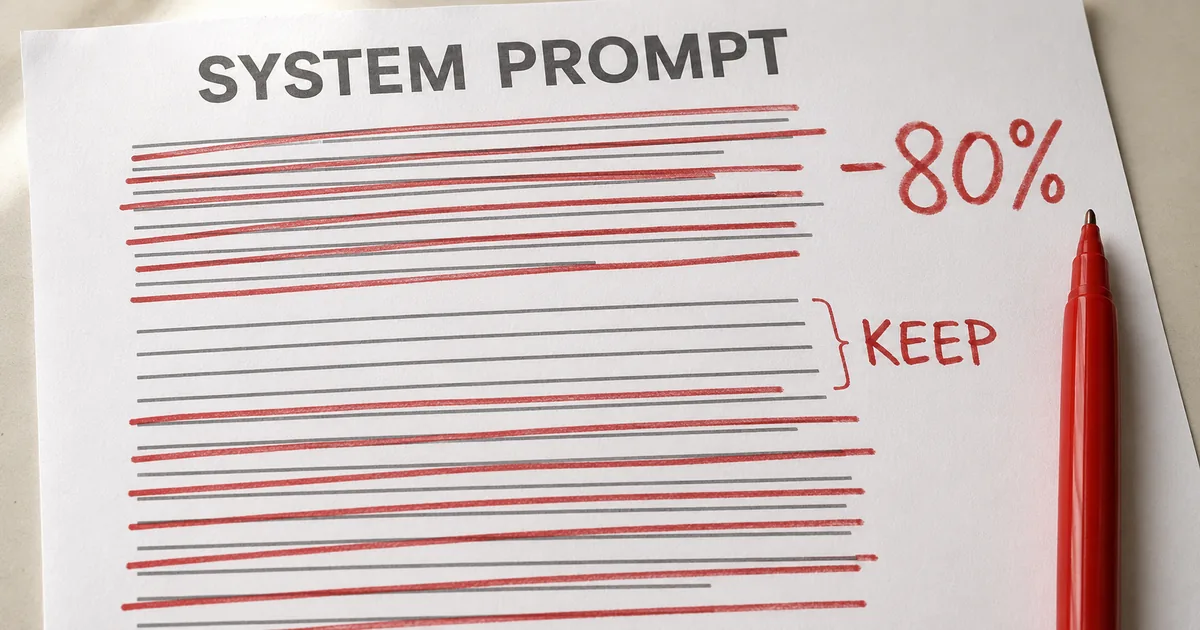
Claude Code's system prompt lost over 80% for Opus 5 and Fable 5
For models such as Claude Opus 5 and Claude Fable 5, Anthropic says it deleted more than 80% of the Claude Code system prompt with no measurable loss on its coding evaluations. That is the post's only number, with no evaluations named, no scores given and no prompt length stated before or after the cut.
Anthropic found it had been overconstraining Claude Code, placing too many limits on it through the system prompt, CLAUDE.md files and skills. Reading transcripts of its own internal Claude Code use, the team found single requests carrying instructions that pulled in opposite directions. One said "leave documentation as appropriate" while another said "DO NOT add comments", because the system prompt, skills and the user's request clashed.
Claude can usually tell what the user means, but overlapping or conflicting messages make it think harder before acting. The post says these limits were once needed to prevent worst-case outcomes. Anthropic has since found it can delete many of them and let Claude rely on the surrounding context and its own judgment.
Claude Code also has far more tools today. Claude once depended on CLAUDE.md for memory, information and guidance, and now it can load and share context across sessions through memory, artifacts and skills.
"We removed over 80% of Claude Code’s system prompt for models like Claude Opus 5 and Claude Fable 5 with no measurable loss on our coding evaluations."/"Overall, we found that we were overconstraining Claude Code, both through our system prompt and in our CLAUDE.md files and skills."/"For example, when we read transcripts of our own internal usage of Claude Code, we see several conflicting messages in a single request like “leave documentation as appropriate,” or “DO NOT add comments” as our system prompt, skills, and user requests clash with each other."/"Generally, Claude can interpret the user’s intent to get to the right answer, but Claude must think more carefully about these overlapping and conflicting messages before deciding what to do."/"And while these constraints were once needed to avoid worst case scenarios, we have since found we can delete many of them and let the model use surrounding context and judgement instead."/"Additionally, Claude Code now has many more tools. Claude used to rely on CLAUDE.md as a source of memory, information, and guidance. Now we have memory, artifacts, and skills, which Claude can use to create new ways of loading and sharing context across sessions." — from the opening and the Unhobbling Claude section of the postView official source →
Six old context engineering practices Anthropic calls myths
Then and now: the six pairs the post lists
| Then | Now |
|---|---|
| Give Claude rules | Let Claude use judgement |
| Give Claude examples | Design interfaces |
| Put it all upfront | Use progressive disclosure |
| Repeat yourself | Simple tool descriptions |
| Memory in CLAUDE.md files | Auto-memory |
| Simple specs | Rich references |
According to the post, several earlier context engineering best practices have become myths, and it lists six as Then and Now pairs. It introduces them with the word "including", so the list is not meant to be complete. Each pair below gives the old habit, what replaced it and, where the post says, why.
"There were a number of previous context engineering best practices that had become myths. Including:" — from the Then and now section of the postView official source →
Rules to judgment: a style standard replaced the no-comments rule
Anthropic replaced a set of strict comment rules with one sentence asking Claude to match the code around it. When Claude Code first launched, the team had to make sure Claude avoided worst-case outcomes such as deleting files.
So the team wrote firm guidance that might not always be right. The old system prompt told Claude to write no comments by default, to keep any comment to one short line, and to skip planning or analysis documents unless asked.
For some prompts that guidance was wrong. A user might have their own views on documentation, and parts of very complex code can need comment blocks several lines long.
With older models Anthropic accepted that tradeoff, since without the guardrails Claude's comments would often be wrong. Newer models handle these cases well without explicit rules, so the new system prompt asks Claude to match the comment density, naming and idiom of the surrounding code.
Anthropic's prompting best practices page makes a related point about forceful wording: Claude Opus 4.5 and Claude Opus 4.6 respond more strongly to the system prompt than earlier models, so prompts written to stop tools or skills being under-used may now make them fire too often. Its fix is to soften the wording, and its example changes "CRITICAL: You MUST use this tool when..." to the plainer "Use this tool when...".
"When we first rolled out Claude Code, we needed to be sure that Claude avoided worst case scenarios, such as deleting files. This meant we would give particularly strong guidance that might not always be true"/"In code: default to writing no comments. Never write multi-paragraph docstrings or multi-line comment blocks — one short line max. Don't create planning, decision, or analysis documents unless the user asks for them — work from conversation context, not intermediate files."/"But for a certain subset of prompts, this guidance would be wrong. In the case of documentation, the user may have their own preferences, or specific parts of very complex code might need multi-line comment blocks."/"Still, without these guardrails for older models, the comments Claude wrote would be incorrect in many cases and we had to accept this tradeoff. But newer models have better judgement and can handle these decisions well without explicit rules."/"In the new system prompt we say: Write code that reads like the surrounding code: match its comment density, naming, and idiom." — from the Then: Give Claude rules and Now: Let Claude use judgement pairView official source →
"Claude Opus 4.5 and Claude Opus 4.6 are also more responsive to the system prompt than previous models. If your prompts were designed to reduce undertriggering on tools or skills, these models may now overtrigger. The fix is to dial back any aggressive language."/"Where you might have said "CRITICAL: You MUST use this tool when...", you can use more normal prompting like "Use this tool when..."." — from the Tool usage section of the pageView official source →
Examples to interface design: the Todo tool's status enum
For the newest models, the post advises designing the tool's interface instead of writing examples of how to use it. Giving Claude examples used to be the first rule of tool use.
On its newest models, Anthropic found, examples narrow the range of approaches Claude tries. The post suggests looking instead at the parameters Claude gets from your tools, scripts and files and at how those parameters could say more.
The Todo tool is the example. Its status field is an enum, a fixed list of allowed values: pending, in_progress and completed. That list alone hints at how to use the tool, and one instruction about keeping a single item in_progress defines the behavior Anthropic wants.
Anthropic's prompting best practices page still recommends 3 to 5 examples for steering the format, tone and structure of Claude's output. That is a separate job from the tool-use examples the post is about.
"The number one rule for tool usage was to give Claude examples on how to use them. With our newest models, we’ve found that giving examples actually constrains them to a certain exploration space."/"Instead of using examples, think more about the design of your tools, scripts and files- what parameters does Claude have and how can they be more expressive?"/"For example, in the Todo tool example, just listing status as an enumeration between pending, in_progress, and completed, hints to Claude about how to use it. The instruction on keeping one item in_progress helps define our requested behavior." — from the Then: Give Claude examples and Now: Design interfaces pairView official source →
"Examples are one of the most reliable ways to steer Claude's output format, tone, and structure."/"Include 3–5 examples for best results." — from the Use examples effectively section of the pageView official source →
Upfront to progressive disclosure: load context when needed
Progressive disclosure means loading the right context at the moment it is needed instead of putting everything in the system prompt at the start. Since Claude Code was built for coding, its system prompt once held detailed steps for code review and verification.
Those steps were not needed for every task, but they mattered a lot when they were. Claude Code has since become good at progressive disclosure. For example, Anthropic moved verification and code review into separate skills that Claude Code calls only when it needs them.
Tools now work the same way. Some Claude Code tools use deferred loading, so their full definitions are not loaded up front.
Before using such a tool, Claude has to look up its full definition with ToolSearch, a search tool. That lets Claude Code offer more tools, such as its Task tools, without spending context on them until they are needed.
The post applies this to your own CLAUDE.md and Skill.md files too. It calls it a common myth that these files should collect every practice you might need, on the theory that Claude would miss anything left out, and suggests a tree of files that can each be loaded at the right time.
"Because Claude Code was focused on coding, our system prompt included detailed information on how to do code review and verification. These were not always needed, but when they were, it was crucial information."/"Since then, Claude Code has gotten very competent at using progressive disclosure- loading the right context at the right times. For example, we moved verification and code review into their own skills that Claude Code could selectively call."/"Some of our tools are ‘deferred loading,’ which means the agent must search for their full definitions using ToolSearch before using them. This allows us to have more tools (such as our Task tools) that don’t take up context until they’re needed."/"A common myth is that you want to make these a central repository for every known practice that you might run into, because Claude would not find it otherwise. Instead, consider having a tree of files that can be loaded at the right time" — from the Then: Put it all upfront and Now: Use progressive disclosure pairView official source →
Repeated instructions gave way to simple tool descriptions
Anthropic removed the repeated tool instructions from Claude Code's system prompt and kept them only in each tool's description. Earlier Claude models sometimes needed an instruction more than once, and they could follow what came at the end of their context window, the span of text a model reads at once, more readily than what came at the start.
So Claude Code's system prompt sometimes mentioned tools in its main text while each tool's description gave instructions as well. Anthropic found it could delete those repeats, and instructions for using a tool now live in its description, not in the system prompt.
"Earlier Claude models could sometimes need repeated instructions or be more likely to listen to instructions at the end of their context window than at the start. This meant our system prompt would sometimes have references to tools in the main system prompt as well as instructions in the tool description."/"We found we could delete these repeat examples and put instructions on how to use tools in the tool descriptions rather than the system prompt." — from the Then: Repeat yourself and Now: Simple tool descriptions pairView official source →
Claude Code auto-memory replaces hand-saved memory
Claude now saves memories about you and your work by itself, whereas Anthropic once asked users to save them to CLAUDE.md with the # hotkey. That hotkey wrote the item directly into the user's CLAUDE.md file.
"We used to encourage users to save things to Claude’s memory, by using the # hotkey to write to their CLAUDE.md automatically. Instead, Claude now automatically saves memories that are relevant to the work and to you." — from the Then: Memory in CLAUDE.md files and Now: Auto-memory pairView official source →
Claude Code plan mode to rich references: artifacts, code, rubrics
Claude can now work from rich references such as HTML artifacts, code and rubrics instead of simple markdown specs. In plan mode, Claude Code leaned heavily on markdown files holding the plan, which Claude could look back at. A related habit was keeping specs in the codebase for Claude to consult on longer projects.
According to Anthropic, Claude can now handle more references, and more complex ones. It can point to HTML artifacts made with Anthropic's new artifacts feature. A spec can also be code, such as a thorough test suite or a function from another codebase that Claude may port.
A rubric is another kind of reference. With a rubric, Claude can try to check work against your taste in a field, such as what good API design looks like. It does this by running dynamic workflows and starting verifier agents that apply the rubric.
"In plan mode, Claude Code has heavily relied on markdown files with plans. Storing these files as plans helped Claude refer to them when needed. Another similar best practice was to store specs in the codebase for Claude to refer to while working across longer projects."/"But we’ve found that Claude can handle increasingly more complicated references. Instead of simple markdown files, Claude can reference HTML artifacts created by our new artifacts feature."/"You may also give Claude references in the form of code. A spec may also be a detailed test suite, or a function in a different codebase that Claude might port."/"Rubrics are another form of references. Rubrics allow Claude to try and verify your taste in a particular field (e.g. what does a good API design look like) by using dynamic workflows and spinning up verifier agents with those rubrics." — from the Then: Simple specs and Now: Rich references pairView official source →
Context engineering for your own setup: what each layer needs
What the post says for each part of your context
| Component | What the post says |
|---|---|
| System prompt | Tied to the product; Claude Code users will likely never change it, but agent builders should spend a lot of time on it |
| CLAUDE.md | Keep it light, say briefly what the repo is for and spend most of it on gotchas |
| Skills | Write them as lightweight guides and split long ones into many files |
| References | Add files with @-mentions and prefer code, such as an HTML mockup over a description or a screenshot |
The post then carries these lessons over to four parts of your context: the system prompt, CLAUDE.md, skills and references. Claude Code users control the last three themselves.
System prompt: where agent builders should spend their time
People building their own agents should put a lot of time into the system prompt, while Claude Code users will probably never touch it. It is closely tied to the product, since it tells Claude which product it is running in and what it is doing.
In Claude Code, Anthropic writes that prompt, and it is the text the company cut by more than 80%. Anyone building an agent harness, the software that runs a model with its prompt and tools, writes this layer themselves.
"A system prompt is heavily tied to the product context. It tells Claude what product it’s operating in and what it’s doing. For Claude Code, you will likely never modify this, but if you are building your own agent harness, this is where you should spend a lot of time." — from the System prompt part of Applying this to your contextView official source →
CLAUDE.md best practices: a short repo summary plus gotchas
The post recommends a lightweight CLAUDE.md that briefly says what the repo is for and spends most of its tokens on the gotchas in your codebase. Tokens are the units a model counts text in, so the advice is about where the file's length goes.
Its example of a gotcha is keeping every type in one monolithic file and nowhere else. It also says to leave out "the obvious", meaning things Claude can learn by looking at your file system or repo.
The post wants heavy use of progressive disclosure here too. If you have several of your own instructions on checking work, it suggests a verification skill that CLAUDE.md points to. Claude Code Token Usage: 33K vs OpenCode's 7K covers how much Claude Code loads before your first prompt.
"Keep your CLAUDE.md lightweight and briefly describe what your repo is for, but spend most of the tokens on gotchas inside of the codebase. For example, you may organize your code to keep types in one monolithic file and nowhere else. Avoid stating ‘the obvious’ things Claude should know by looking at your file system or your repo."/"Use progressive disclosure heavily, for example if you have several unique instructions on how to verify your work, create a verification skill and reference it from your CLAUDE.md." — from the CLAUDE.md part of Applying this to your contextView official source →
Claude Code skills: lightweight guides, long ones split into files
Treat skills as lightweight guides that help Claude find information when it needs it, not as strict rule sets, the post says. It warns against overconstraining them, except in areas that are highly important.
A long skill should rely on progressive disclosure as much as it can, which here means splitting it into many files. Skills work best, the post says, when they record opinions, knowledge or best practices that belong to you, your team or your product.
"Think of skills as lightweight guides to let Claude find information when needed. Avoid making them overconstrained, except in highly important areas."/"For long skills, try and use progressive disclosure as much as possible- divide it into many files and split them out."/"It’s best when skills encode particular opinions, knowledge, or best practices that are particular to you, your team, or product." — from the Skills part of Applying this to your contextView official source →
References: prefer code files over prose and screenshots
For references, the post prefers files written in code, since code gives Claude clear, high-fidelity instructions in a language it knows well. You add a reference by @-mentioning a file in Claude Code.
References let Claude look up detailed information about the current plan, and they can be spec files, mockups or even whole codebases. An HTML mockup of a design, for instance, usually gives better results than a written description or a screenshot of it.
"You can @ mention files to include them as references. References allow Claude to refer to in-depth information about the current plan."/"This might be in specs files, mockups, or even entire codebases. Generally you should prefer files that are in code as it provides clear, high-fidelity instructions to Claude in a language it knows very well. For example, a HTML mockup of a design will generally produce better results than a description of the design or a screenshot." — from the References part of Applying this to your contextView official source →
Claude Code's /doctor command and the limits of the 80% result
The post ends by suggesting you may need to slim down your system prompt, skills and CLAUDE.md files as Anthropic did, and that the /doctor command can do it automatically. The over-80% figure comes from Anthropic's own coding evaluations on models such as Claude Opus 5 and Claude Fable 5.
Rightsize your skills and CLAUDE.md with /doctor
Anthropic built the post's best practices into claude doctor, which you run in Claude Code as /doctor to rightsize the skills and CLAUDE.md files in your project. For prompting the more advanced models in particular, the post sends readers to Anthropic's Fable field guide.
Comparing a file's character count before and after an edit shows how much the trimming took out. Paste the old and new versions of a CLAUDE.md or skill into the character counter below to see the difference.
"We’ve put these best practices in claude doctor; use the command /doctor in Claude Code to rightsize your skills, and CLAUDE.md files."/"Across your system prompt, skills, and CLAUDE.md files, you may need to simplify just like we did."/"We rolled out a new command called claude doctor, which will help you do this automatically as well. For more details on prompting more advanced models specifically, check out our Fable field guide" — from the opening and the Try simplifying section of the postView official source →
Where the 80% result applies: Claude Opus 5 and Fable 5
The over-80% cut is Anthropic's result on its own coding evaluations for models such as Claude Opus 5 and Claude Fable 5, not a rule for every model. The post sets no target size for a CLAUDE.md or a skill.
The post also explains why older models were treated differently. Without the comment guardrails, those models' comments would often have been wrong, so Anthropic kept the rules and accepted the tradeoff.
Anthropic's prompting best practices page has a rule for techniques tied to a model: treat them as measured on that model and test them again against your own evals, meaning tests on your own tasks, before using them with another model. As of late September 2026, the page lists later models such as Claude Opus 5.5 and Claude Fable 5.1, which the July post does not mention.
Anthropic's July 2026 post on context engineering reports cutting Claude Code's system prompt by more than 80% for models such as Claude Opus 5 and Claude Fable 5 with no measurable loss on its coding evaluations. The rules it removed had overlapped and given Claude conflicting instructions. For your own files, the post's advice is to keep CLAUDE.md light, write skills as lightweight guides, prefer code for references and run /doctor.
"We removed over 80% of Claude Code’s system prompt for models like Claude Opus 5 and Claude Fable 5 with no measurable loss on our coding evaluations."/"Still, without these guardrails for older models, the comments Claude wrote would be incorrect in many cases and we had to accept this tradeoff." — from the opening and the Then: Give Claude rules pair of the postView official source →
"Where a technique names a specific model, treat it as measured on that model and re-check it against your own evals before applying it to another."/"This is the reference for prompt engineering with current Claude models, including Claude Fable 5.1, Claude Mythos 5.1, Claude Fable 5, Claude Mythos 5, Claude Opus 5.5, Claude Opus 5" — from the introduction and the General principles section of the pageView official source →
FAQ
- What is context engineering?
- Context engineering is the work of shaping the context Claude receives along with your prompt, much of which comes from the system prompt, skills, CLAUDE.md files and memory. Anthropic uses the term in a July 24, 2026 post by Thariq Shihipar. Because that context is reused across many requests, it has to work as general guidance rather than as an instruction for one task.
- Won't performance drop if I cut the system prompt?
- Anthropic reports no measurable loss on its coding evaluations after it cut Claude Code's system prompt by over 80% for models such as Claude Opus 5 and Claude Fable 5. That is Anthropic's own result on those models. On older models it kept strict comment rules, because without them the comments Claude wrote would be wrong in many cases.
- What should go in CLAUDE.md?
- CLAUDE.md should say briefly what the repo is for and spend most of its tokens on the gotchas in your codebase. The post says to leave out the obvious, meaning what Claude should know from a look at your file system or repo. For a set of unique instructions, such as how to verify work, it suggests a separate skill that CLAUDE.md points to.
- How do I check my own CLAUDE.md and skills?
- Run the /doctor command in Claude Code. Anthropic says it put the best practices from its context engineering post into claude doctor, which helps rightsize your skills and CLAUDE.md files. The post adds that you may need to simplify them the way Anthropic simplified its own system prompt.
Related articles
 Claude Code rule blocks recreating existing gamesA server-side rule stops Claude Code on Opus 5.5 from recreating existing games. Anthropic confirmed it on X, and a wargame studio says paid work stopped.
 Mizuho turns non-engineers into AI developersMizuho's bootcamp trains non-engineers as AI developers in three months with Claude Code and Codex. Its target is 100 people; thousands is a Nikkei figure.
 REA: AI Reverse Engineering MCP for Claude CodeREA is a free AI reverse engineering MCP server for Claude Code and Codex. One npx command sets it up, and Ghidra, IDA or Hopper reads apps without source.
 Claude Code hooks: 5 types and the node spawn costClaude Code hooks come in five types, from command to agent. As command hooks, one Edit launched 17 node processes, and hooks drove 47–87% of node launches.