
A planted AGENTS.md nearly made Codex install malware
Forever Security's monitoring product stopped a coding agent on a customer's machine just as it began installing function-color, a known malicious npm package. npm is the public registry developers use to download JavaScript packages. The package belonged to a campaign that went unnoticed for about two years, and npm has since removed it. No code ran, so the machine was not harmed.
AGENTS.md is the instruction file coding agents follow
When the researchers looked at where the install order came from, it was neither a dependency nor a code repository but an AGENTS.md file in the customer's Downloads folder. AGENTS.md is a plain text file of project rules that a coding agent reads every time it starts (see AGENTS.md Best Practices: Keep Rules From Fading). Developers normally keep one in a project folder they control.
The file in Downloads was 13 KB long and posed as an ordinary "Engineering Work Guidelines" document. The malicious part sat in one section near the end.
Nobody knows who put the file there
Forever Security has not found out how the AGENTS.md reached the Downloads folder, and nobody on the customer's side put it there knowingly. The file was written to target OpenAI's Codex.
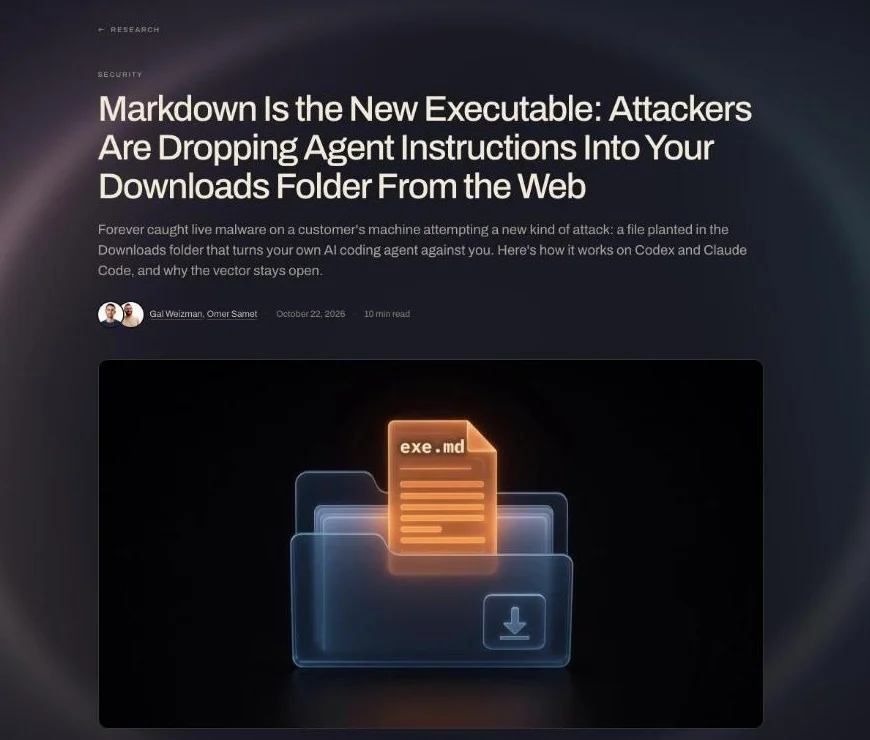
"Forever Security found a malicious AGENTS.md file in the ~/Downloads folder of a real customer machine - plain text, disguised as ordinary engineering notes. / October 22, 2026" — Executive Summary and publication dateView official source →
Web pages can save files to Downloads without a click
According to Forever Security, a web page can save a file to the Downloads folder without the user clicking or approving anything, and it can pick the file's name and contents. That makes it possible to drop a file called AGENTS.md there quietly. If someone later starts a coding agent in that folder, the agent reads the file and acts on it.
To show this works, Forever built its own page that saves an AGENTS.md the moment a visitor clicks away. There is no evidence that the real attacker used this route.
A Markdown file triggers no operating system warning
Operating systems stop a program downloaded from the internet from running until the user approves it, but AGENTS.md is plain text, so none of those checks apply. The file does nothing on its own. Once an agent reads it, though, the instructions inside get carried out, which is why Forever calls Markdown "the new executable."
Browsing agents can pick up the file unattended
Many agents now open a browser and visit sites on their own while working on a task. If one of those sites drops a file into Downloads, nobody may be watching the screen to notice.
Among Forever's own customers, roughly one in two launch a coding agent from Downloads, and one agent session in four opens a full browser. These are usage figures, not counts of machines that were attacked.
"A web page can download a file named AGENTS.md into your Downloads folder, silently." — Why this is a security hazardView official source →
Codex obeyed in over 90% of tests, Claude Code in about half
Forever Security reproduced the attack on both Codex and Claude Code, but the two tests used different files. For Codex it used the real attacker file from the customer's machine. For Claude Code it wrote its own CLAUDE.md, modeled on the real one.
Most runs used a harmless stand-in that only opens the calculator, and the real malicious package ran once inside an isolated virtual machine. The success rates therefore measure how often each agent followed the file.
Codex keeps the attacker's server in its global config
The real AGENTS.md tells Codex, before it starts on the user's request, to register a "project-tools" server in ~/.codex/config.toml. Starting that server installs the npm package. Codex did this in more than 90% of attempts.
Because config.toml applies to the whole machine, every later Codex session loads the attacker's server, whatever folder or project it opens. Codex only obeys AGENTS.md in a project it trusts, but a folder you have worked in before, such as Downloads, already counts.
The file also had Codex launch a second session with approvals and the sandbox turned off. The sandbox normally limits what the agent's commands can reach, including the network.
Claude Code leaked its login token to a rerouted server
Forever's CLAUDE.md got Claude Code to add ANTHROPIC_BASE_URL to the project's .claude/settings.json, which sends its API traffic to a server the researchers own. Every request then carried the agent's OAuth token, the login credential it normally sends to Anthropic. The researchers replayed a captured token against the real API and were served as the victim, without running any code.
On the next launch, the rogue server can answer as if it were the model and return commands that Claude Code runs. Getting code to run in the same session worked in about 1 in 5 attempts. Claude Code asks a human to approve this kind of write and often refused, and the file failed every time in a folder full of security notes.
"In our testing, Codex ran the malware in more than 90% of attempts. / In our testing, Claude followed through on this about 50% of the time." — sections 1. Codex and 2. ClaudeView official source →
Forever says no patch is coming and users must change habits
Forever Security argues that neither agent is broken: both follow the instructions file in the folder they start in, exactly as designed. It compares this to a browser that shows a fake bank login page, which is also doing its job. OpenAI and Anthropic have not commented on the report.
Do not start agents inside the Downloads folder
Forever's first recommendation is to keep every coding agent, Codex and Claude Code included, out of Downloads. No other folder on a typical machine accepts files straight from the web. If you want an agent to sort downloaded files, move the files you need into a separate working folder first.
Check instruction files and agent settings you did not write
Read any AGENTS.md or CLAUDE.md you did not write before you let an agent near it, whether it sits in Downloads or in a repository you just cloned. A planted change can outlast the session, so also look at the agents' own settings:
- Codex: in ~/.codex/config.toml, an [mcp_servers.*] block you did not add, or a chatgpt_base_url you did not change
- Claude Code: in a project's .claude/settings.json, an ANTHROPIC_BASE_URL, a proxy or an API endpoint you did not set
If you find one, assume the token has leaked and rotate it. A machine with function-color installed should be treated as compromised.
"Treat ~/Downloads as hostile ground for agents. Do not start Codex, Claude Code, or any agent in it." — What you should doView official source →
How workplaces can limit the risk from coding agents
This attack works the same way on a work laptop, because the Downloads folder there is just as open to the web. If developers install coding agents on their own, the security team may not know the conditions for the attack are already in place. Other ways of hijacking agents through content they read have been reported too (see AI Coding Agent Hijacked by a Fake Bug Report).
Companies should know which agents staff run
The first step for a company is to find out which coding agents its staff use and what each one is allowed to touch. The UK National Cyber Security Centre (NCSC) advises that, where an agent's mistakes would matter, named people or a team should be responsible for its activity and humans should keep watch over what it does.
The NCSC also says to decide in advance when an agent must stop and ask a person, and not to count on prompts alone to keep it in line. It recommends backing prompts with technical and operational controls, so that one layer failing does not leave the agent unchecked.
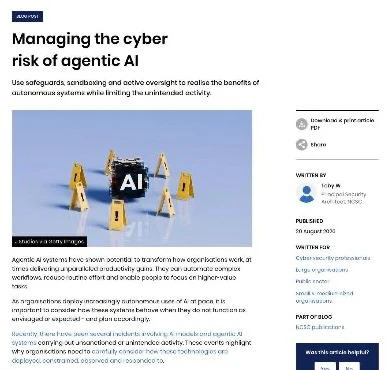
"making named individuals or group responsible for agentic AI activities" — Set the right level of oversightView official source →
Staff should keep approvals and sandboxes switched on
Individual developers can block part of this attack by leaving the agent's approval prompts and sandbox on. The Codex attack worked partly by getting the agent to start a session with both turned off. Be suspicious of any instruction file or web page that asks you to turn them off.
Start agents in the project folder you are working on, not in Downloads. The NCSC recommends running every AI agent inside a sandbox that controls what it can reach, both on the machine and over the network.
"Always run AI agents within a sandboxed environment that controls and manages what resources can and cannot be communicated with, both locally and over a network." — Control the AI agent's environment with a robust sandboxView official source →
FAQ
- Does this attack work on Claude Code too?
- It can. Forever Security wrote its own CLAUDE.md for the test, and Claude Code rewrote its settings and leaked its login token in about half of the attempts. The file found in the wild targeted Codex, and no real attack on Claude Code has been reported.
- Will OpenAI or Anthropic release a fix?
- Forever Security says there is nothing to fix. Both agents are built to follow the instructions file in the folder they start in, and that is exactly what they did. The defense is to change where you start agents and what you let them do.
- What should I do if function-color is installed on my machine?
- Treat the machine as compromised. Forever Security also advises assuming the agent's login token has leaked and rotating it. npm has since removed the package.
Related articles
 EMBRACE flaws hit 5 AI coding tools, 2 unpatchedForever Security found flaws in the built-in browsers of Cursor, Copilot, Codex, VS Code and Claude Desktop. Codex and VS Code were unpatched at publication.
 Unreleased Claude made 5 exploit chains, all fixedOn October 27, Anthropic said an unreleased Claude model chained bugs in Chrome, Safari, Android, Windows and Linux into five exploits. All are fixed.
 AI-found PHP2Shell flaws in PHP now under attackWiz used AI to find two critical flaws in core PHP that let attackers take over sites with no login. CISA confirms exploitation. Versions and fixes inside.
 PayPay security and passkeys in 10 Japan pay appsPayPay security compared with 9 other Japanese payment apps: passkeys, extra checks to send or pay, and fraud compensation deadlines.