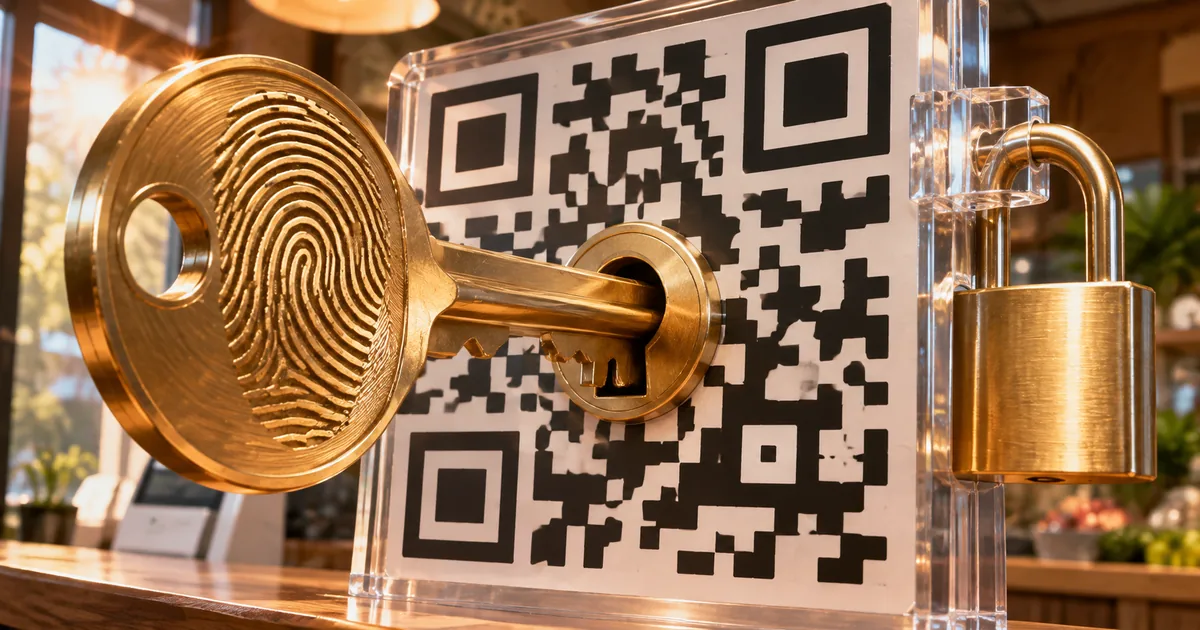
PayPay security compared with 9 other Japanese payment apps
PayPay security starts with a check on any new phone: an SMS code or a QR login check. All 10 apps have an extra login check, and they differ on passkeys, extra checks to send or pay, and whether you can turn off the password.
The authentication support table shows each app as of November 6, 2026, summarized in English from Japanese pages. Each cell starts with one of four labels: Yes (available), Partial (some accounts or uses only), No (not available) and — (does not apply).
Authentication support at 10 Japanese payment apps
| Service | Extra login check | Passkey | Can you turn off the password? | |||
|---|---|---|---|---|---|---|
| Amazon Pay | Yes | 2-step verification on the Amazon account | Partial | Amazon account sign-in only | No | |
| au PAY | Yes | 2-step verification, fingerprint or face login | No | fingerprint and face login available | Yes | setting up biometric login turns off password login |
| d Barai (docomo) | Yes | 2-step verification, passkey | Yes | d ACCOUNT login and online payments | Yes | "Always passkey" setting |
| FamiPay | Yes | phone number, password and SMS code | No | No | ||
| Kyash | Yes | SMS verification, passkey | Yes | login (added October 7, 2026) | No | |
| Merpay | Yes | passkey, SMS, email link | Yes | login and account changes | Yes | once a passkey is set, login requires it |
| Paidy | Yes | SMS code, biometrics | Partial | app login (some users only) | — | login uses no password |
| PayPal | Yes | 2-step verification (authenticator app) | Partial | login (eligible accounts only) | No | |
| PayPay | Yes | SMS code or QR login check on a new phone | No | No | ||
| Rakuten Pay | Yes | phone number check, passkey, login alert | Yes | app login (shared with Rakuten ID) | No | |
Sources (checked 2026-11-06): Amazon Pay (Amazon Help / Amazon Pay Help); au PAY (au ID Help / au PAY terms); d Barai (docomo) (d ACCOUNT passkey / d Barai compensation); FamiPay (FamiPay security / FamiPay terms); Kyash (Kyash Help / Kyash terms); Merpay (Mercari Guide / Merpay terms); Paidy (Paidy passkey / Paidy terms); PayPal (PayPal Help / PayPal terms); PayPay (PayPay Help (login) / PayPay Help (compensation)); Rakuten Pay (Rakuten Pay security / Rakuten Pay terms)
Only d Barai, au PAY and Merpay let you stop using the password. d Barai does it through docomo's "Always passkey" setting, and au PAY turns off password login once you set up fingerprint or face login. Merpay requires the passkey for every login once you register one.
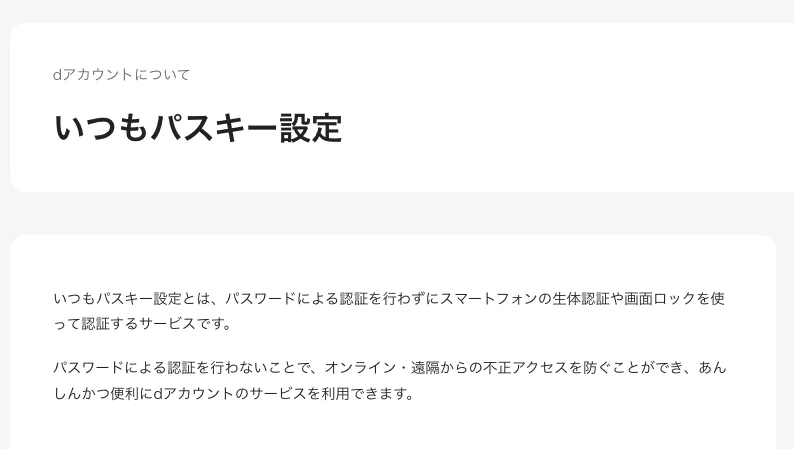
"いつもパスキー設定とは、パスワードによる認証を行わずにスマートフォンの生体認証や画面ロックを使って認証するサービスです。" — from the d ACCOUNT pageView official source →
Which Japanese payment apps support passkeys?
Rakuten Pay, d Barai, Merpay, Kyash, Paidy, PayPal and Amazon Pay support passkeys; PayPay, au PAY and FamiPay do not. Paidy and PayPal offer passkeys to some accounts only, and Amazon Pay only for signing in to the Amazon account. The PayPay row covers the PayPay payment app, not the separate PayPay Securities service.
Passkey support at 10 Japanese payment apps
| Service | Passkey | |
|---|---|---|
| Amazon Pay | Partial | Amazon account sign-in only |
| d Barai (docomo) | Yes | d ACCOUNT login and online payments |
| Kyash | Yes | login (added October 7, 2026) |
| Merpay | Yes | login and account changes |
| Paidy | Partial | app login (some users only) |
| PayPal | Partial | login (eligible accounts only) |
| Rakuten Pay | Yes | app login (shared with Rakuten ID) |
Sources (checked 2026-11-06): Amazon Pay (Amazon Help / Amazon Pay Help); d Barai (docomo) (d ACCOUNT passkey / d Barai compensation); Kyash (Kyash Help / Kyash terms); Merpay (Mercari Guide / Merpay terms); Paidy (Paidy passkey / Paidy terms); PayPal (PayPal Help / PayPal terms); Rakuten Pay (Rakuten Pay security / Rakuten Pay terms)
Rakuten Pay shares its passkey with your Rakuten ID. d Barai uses the passkey for the d ACCOUNT login and for online payments. Kyash added passkeys on October 7, 2026.
PayPay, au PAY and FamiPay do not support passkeys as of November 6, 2026. Instead, au PAY offers fingerprint and face login based on FIDO2, the industry standard for password-free login, even though it is not a passkey.
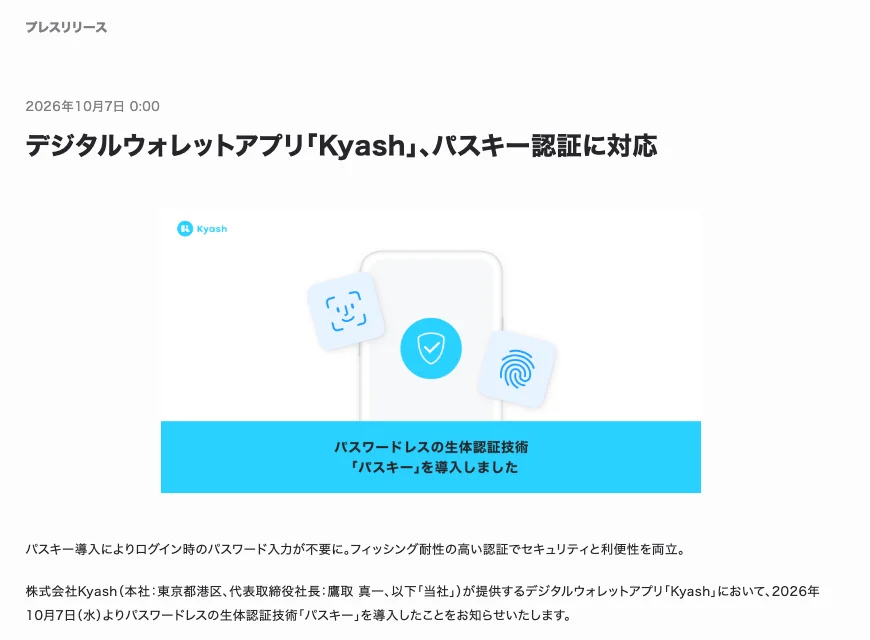
"2026年10月7日(水)よりパスワードレスの生体認証技術「パスキー」を導入したことをお知らせいたします。" — from the release on passkey supportView official source →
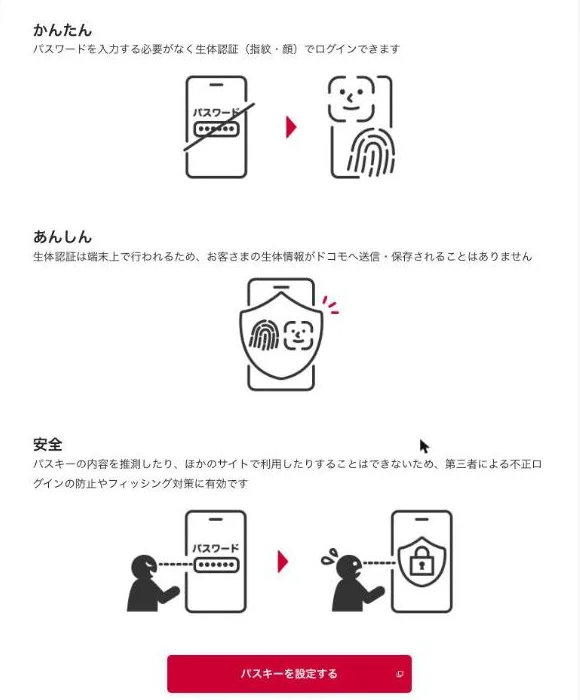
"パスキーの内容を推測したり、ほかのサイトで利用したりすることはできないため、第三者による不正ログインの防止やフィッシング対策に有効です" — from the Safety point on the d ACCOUNT pageView official source →
Extra checks when you send money or pay
A stolen login is only half the job if the app asks again when money leaves the account. 8 of 10 apps add an extra check to send or pay; Amazon Pay and PayPal do not. PayPay asks for biometrics or a passcode to send money, au PAY asks for a 4-digit PIN, and Paidy sends a 4-digit code by SMS when you pay.
Extra checks to send money or pay
| Service | Extra check to send or pay | |
|---|---|---|
| Amazon Pay | No | |
| au PAY | Yes | 4-digit PIN to send money, 3D Secure for card top-ups |
| d Barai (docomo) | Yes | line check, passkey or SMS code online, 3D Secure for cards |
| FamiPay | Yes | PIN or biometrics to pay, SMS code at online stores |
| Kyash | Yes | 3D Secure online, passcode to withdraw |
| Merpay | Yes | passcode to send and pay, 3D Secure for cards |
| Paidy | Yes | 4-digit SMS code to pay |
| PayPal | No | |
| PayPay | Yes | biometrics or passcode to send money, 3D Secure for cards |
| Rakuten Pay | Yes | face ID or passcode to send balance, 3D Secure for cards |
Sources (checked 2026-11-06): Amazon Pay (Amazon Help / Amazon Pay Help); au PAY (au ID Help / au PAY terms); d Barai (docomo) (d ACCOUNT passkey / d Barai compensation); FamiPay (FamiPay security / FamiPay terms); Kyash (Kyash Help / Kyash terms); Merpay (Mercari Guide / Merpay terms); Paidy (Paidy passkey / Paidy terms); PayPal (PayPal Help / PayPal terms); PayPay (PayPay Help (login) / PayPay Help (compensation)); Rakuten Pay (Rakuten Pay security / Rakuten Pay terms)
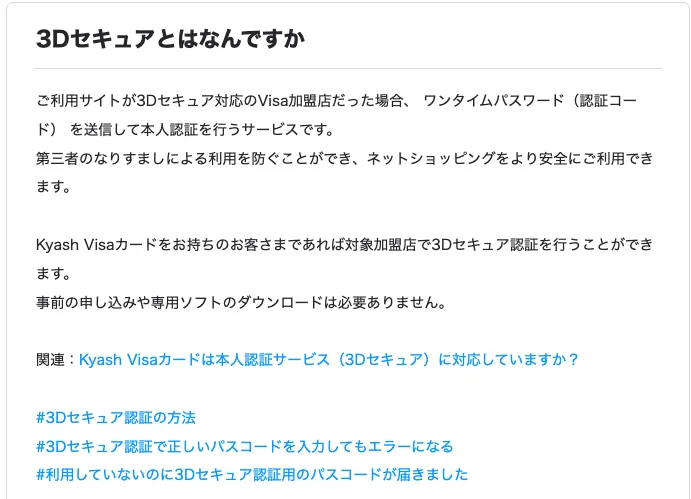
Merpay asks for a passcode in both cases, to send money and to pay. 3D Secure, listed for six apps, is a card check where your card issuer sends a one-time password before the payment goes through. PayPay, Rakuten Pay, d Barai and Merpay use it for card payments, au PAY for card top-ups and Kyash for online payments.
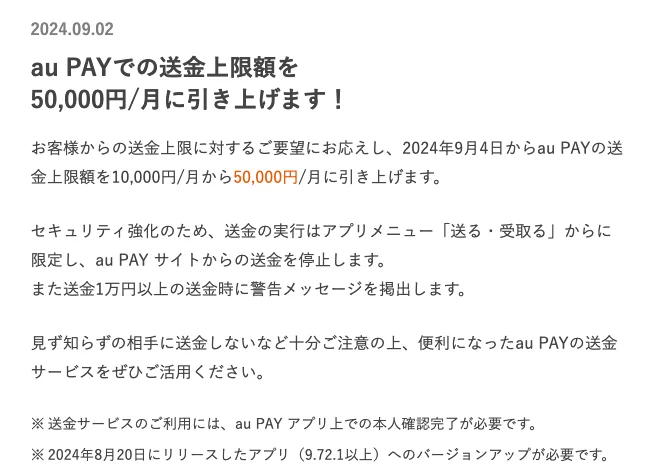
"内容を確認し、4桁の暗証番号を入力の上「OK」をタップ。" — from the steps to send moneyView official source →
"ワンタイムパスワード(認証コード) を送信して本人認証を行うサービスです。" — from the 3D Secure explanationView official source →
Fraud compensation: most apps need a report within 60 days
Seven apps make a report within 60 days a condition of compensation. Miss the deadline and the loss is yours at 9 apps: d Barai allows 90 days, Kyash 30 days from learning of the fraud, and Amazon Pay is the only one with no deadline.
Fraud compensation conditions at 10 payment apps
| Service | Fraud compensation terms |
|---|---|
| Amazon Pay | You can ask Amazon to cancel an unknown charge and the debt "may be waived" (no reporting deadline or cap) |
| au PAY | Refunds the fraud amount to your balance. Losses more than 60 days before notice are excluded, once per person |
| d Barai (docomo) | Full loss. Losses more than 90 days before the report are excluded |
| FamiPay | Capped at 100,000 yen in principle. Losses more than 60 days before the report are excluded |
| Kyash | Report within 30 days of learning of the fraud. Losses 90+ days before the report are excluded |
| Merpay | Claim the loss only within 60 days of the fraud |
| Paidy | Cancels charges up to 60 days before you contact Paidy |
| PayPal | Covers the full amount of unauthorized transactions. Notify within 60 days of the transaction |
| PayPay | Full amount. Apply within 60 days of the loss and report to the police |
| Rakuten Pay | Report to Rakuten and the police within 60 days of the loss |
Sources (checked 2026-11-06): Amazon Pay (Amazon Help / Amazon Pay Help); au PAY (au ID Help / au PAY terms); d Barai (docomo) (d ACCOUNT passkey / d Barai compensation); FamiPay (FamiPay security / FamiPay terms); Kyash (Kyash Help / Kyash terms); Merpay (Mercari Guide / Merpay terms); Paidy (Paidy passkey / Paidy terms); PayPal (PayPal Help / PayPal terms); PayPay (PayPay Help (login) / PayPay Help (compensation)); Rakuten Pay (Rakuten Pay security / Rakuten Pay terms)
FamiPay caps compensation at 100,000 yen, and au PAY pays out only once per person. PayPay and Rakuten Pay also require a report to the police, and Rakuten Pay's terms name both Rakuten and the police as places to report.
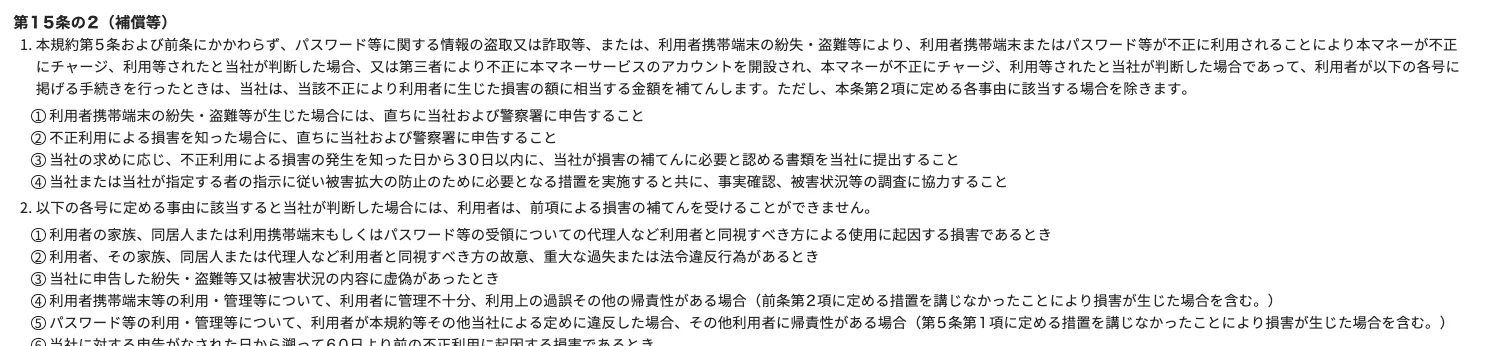
"当社の故意又は重過失による場合を除き、原則として10万円を上限とします。" — from the compensation clauseView official source →
How to secure your PayPay account and other payment apps
In April 2026, Japan's National Police Agency (NPA) reported that criminals were taking over QR code payment accounts and using them to buy expensive goods in stores. Register a passkey where the app offers one, otherwise turn on biometrics or a PIN to send and pay, and report fraud before the deadline. Stores can also stop these purchases at the register.
Log in with a passkey or biometrics
A passkey only works on the real app or site, so a fake page cannot use it. 7 apps let you register a passkey, and au PAY, which has no passkey, offers fingerprint or face login. Fingerprint and face checks only pass on your own phone, and where an app lets you turn off the password (d Barai, au PAY and Merpay), a stolen password no longer logs anyone in.
"指紋認証や顔認証などの生体認証や、ログイン通知サービスの活用などによりセキュリティを強化すること" — from the section for QR code payment usersView official source →
"パスキーの内容を推測したり、ほかのサイトで利用したりすることはできないため、第三者による不正ログインの防止やフィッシング対策に有効です" — from the Safety point on the d ACCOUNT pageView official source →
Open the app, not links in texts or emails
Links in suspicious texts and emails can lead to a copy of the real login page. Open the official app or a bookmark you saved yourself instead of a link in a suspicious message. The app and the bookmark always go to the real address, so a fake page cannot get in the way.
"正規アプリや事前に登録したブックマークからアクセスすること" — from the section for QR code payment usersView official source →
Turn on payment checks and login alerts
Compensation depends on reporting in time, so the sooner you notice, the better. 8 apps add a check to send or pay, and Rakuten Pay offers login alerts that help you spot a login you did not make. Turn both on where your app has them.
Where an app has no passkey, use a password you do not use anywhere else. The tool below makes a random one with the length and character types you choose.
To pick a length, see Password strength: 12 letters beat 8 with symbols. It lists crack times by length and character set.
How stores can stop purchases with hijacked accounts
Hijacked accounts are used to buy e-cigarettes and game consoles, goods that are easy to resell. Having customers scroll the payment screen shows whether the code is a screenshot. A screenshot does not scroll, so a single clerk can check that the code is live.
If staffing allows, a second clerk can double-check suspicious payments before the customer finishes paying. If the account turns out to be hijacked, contact the police.
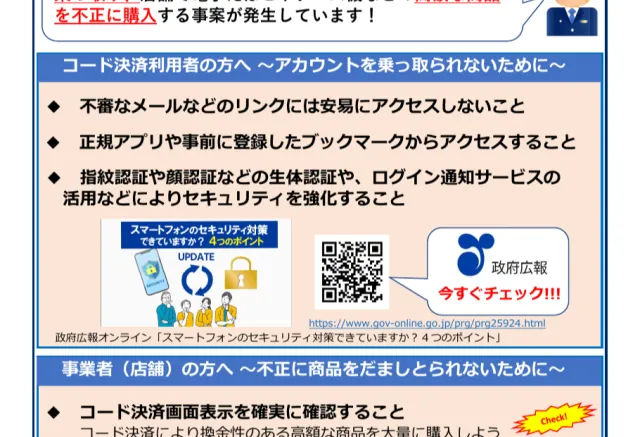
"不正行為を見つけたら警察に通報すること" — from the section for businesses (stores)View official source →
FAQ
- How long do I have to report PayPay fraud?
- PayPay requires you to apply within 60 days of the date the loss happened, and to report it to the police. If both conditions are met, PayPay covers the full amount.
- Which Japanese payment apps let you log in without a password?
- Three apps let you turn password login off: d Barai with docomo's "Always passkey" setting, au PAY once you set up biometric login, and Merpay once you register a passkey.
- Is there a limit on FamiPay fraud compensation?
- Yes. FamiPay's terms cap compensation at 100,000 yen in principle, unless the loss is caused by FamiPay's own intent or gross negligence. Losses more than 60 days before your report are not covered.
Related articles
 Akamai: online scams double and overtake phishingAkamai's fraud report says online scams doubled to about 6.4 million and passed phishing in Q1 2026, while phishing sites now last 22 days instead of 48.
 Japan foreign ministry leak may hit 3,600 recordsJapan's foreign ministry says names and email addresses in about 3,600 records may have leaked, including 900 outsiders. No classified or passport data.
 Japan's data leaks hit 260 million since AprilJapan's privacy regulator says unauthorized access affected data on a cumulative 260 million people from April to mid-October, with 830 reports in October.
 AGENTS.md in Downloads hijacks AI coding agentsAn AGENTS.md in a Downloads folder told Codex to install malware. In Forever Security's tests, Codex obeyed over 90% of the time and Claude Code about half.