What FLUX 3 Video is and when it launched
FLUX 3 Video is Black Forest Labs' video generator with sound built in, and it reached general availability on August 4, 2026. It creates video from text, images or an existing clip, and the same model produces the dialogue and effects alongside the picture. Access is through the BFL API or a select partner.
FLUX 3 Video at a glance
The August 4, 2026 general availability
On August 4, 2026, Black Forest Labs opened an initial version of FLUX 3 Video, covering text and image input, to everyone. The broader FLUX 3 model had been announced in July 2026 with an early access phase, so August is when the video part left early access.
According to the August post, the video capabilities had advanced since that first announcement. When dating the FLUX 3 release, use August 4 for video and July for the announcement of the model family.
How FLUX 3 Video relates to the wider FLUX 3 model
FLUX 3 is the parent model, and FLUX 3 Video is the part that generates video. Black Forest Labs describes FLUX 3 as its frontier multimodal model, built to generate and predict video, audio, images and actions. August marked the first time its video generation was open for general use.
The other parts have not followed yet. FLUX 3 Image, the image generator, is still on the roadmap, and the action model is a separate open-weight release. The docs call FLUX 3 a preview model, so the details here are as of September 30, 2026.
Where you can use FLUX 3 Video today
There are three ways in: the BFL API, select partners, or a browser Playground that needs no setup. The API requires an account with credits, and the blog mentions "select partners" without naming them.
Editing an existing clip is handled by a separate product. FLUX Video Edit [fast] has its own endpoint, /v1/flux-tools/video-edit-v1, and is not part of the flux-3-video endpoint.
Starting today, an initial version of FLUX 3 Video for generation from text and images is generally available via the BFL API and select partners. / FLUX 3 is our frontier multimodal model for generating and predicting video, audio, images, and actions. / With this release, its video generation capabilities are being made generally available for the first time. / Since our initial announcement the video capabilities of FLUX 3 have progressed further. — From the opening paragraphs of the post dated August 4, 2026, on availability, the parent model and how the video part relates to the earlier announcementView official source →
FLUX 3 is a preview model. Omni Reference with images and videos will be available soon. / Create an account, add credits, and make your first FLUX 3 call. / Test FLUX 3 in your browser. No setup required. — From the overview page, on the preview status, the account and credits needed for the API, and the browser PlaygroundView official source →
What you can make with FLUX 3 Video
FLUX 3 Video builds clips from a text prompt, from images pinned as keyframes, or from an existing clip, and it generates the sound together with the frames. The API exposes these as three modes, t2v, i2v and v2v. One clip can also contain several shots.
The three modes of the flux-3-video endpoint
Text to video and image to video with keyframes
Text to video only needs a prompt, whereas image to video begins with one to ten images pinned as keyframes. A single image becomes the exact first frame. With two images, the start and end are fixed and the model works out the motion in between.
Each image can also be pinned to a specific second, so up to ten of them act as a storyboard. The prompt then describes what happens around those frames.
How video continuation carries a clip forward
Hand the model footage you already have and it picks up where that footage ends, carrying motion, camera behavior, dialogue and audio across the join. You supply the clip in a start_video field and describe what happens next, and generation continues from its final frames.
The blog describes using up to four seconds of existing video and audio as input. That suits footage you have already shot or generated, because the new section inherits its momentum and sound instead of starting cold from a prompt.
Multiple shots, dialogue and sound in one clip
One generation can cut between camera angles, and the model writes the speech, effects and background noise together with the picture. According to the docs, characters, look and continuity stay consistent across hard cuts, with one audio bed running through. Their multi-shot example writes out each shot in the prompt and describes the cuts in words.
Audio is on by default, and setting generate_audio to false gives a silent clip. For speech, put the line in quotes in the prompt and the character says it. The blog adds that output need not look cinematic and that text can appear inside the scene.
Which languages the lip-syncing covers
Black Forest Labs names 13 for spoken lines, then adds "and more". They include Chinese, Japanese, Hindi, Punjabi, Indonesian and Turkish, along with Spanish, French, German, Portuguese, Italian, Russian and English in several dialects.
The company calls the lip-syncing precise. That is its own claim, and the post offers no quality figures per language, so test your language before relying on it.
Text-to-Video: Describe a scene in simple language or using a detailed prompt. / Image-to-Video and Keyframes: Start with an image, specify an end frame, or set multiple keyframes in a clip. / Video Continuation: Provide FLUX 3 Video with up to four seconds of existing video and audio and tell it what should happen next. / The model takes both components into account to continue movement, camera behavior, dialogue, and audio across the video seam. / Creating Multiple Shots: Create multiple scenes and camera angles within a single video, while keeping the sequence coherent. / Audio and Dialogue: Generate dialogue, sound effects, and ambient sounds along with the individual frames. / Supported languages include English (various dialects), Chinese, Spanish, French, German, Japanese, Portuguese, Russian, Italian, Indonesian, Turkish, Hindi, Punjabi and more, with precise lip-syncing. — From the list of generation capabilities, covering the three modes, multiple shots, audio and dialogue, and the supported languagesView official source →
Image-to-Video (i2v) — add keyframes: one image is the opening frame, [a, b] pins start and end, and up to ten frames pinned to timestamps become a storyboard. / Video Continuation (v2v) — add start_video; the clip continues from its final frames. / Block several shots and camera angles in one generation. / Character, look, and continuity hold across hard cuts, with a single audio bed carrying through. / Quote the line in your prompt and the character says it. — From the video page, on how each mode takes its media, how multiple shots hold together, and how spoken lines are requestedView official source →
Clip length, resolution and frame rate
One request returns 5 to 20 seconds of video at 24 fps (5 to 15 for continuation), in a resolution class from hd up to uhd, which reaches 3840 x 2176 at 16:9. The blog and the docs describe the output differently: the blog mentions only HD and Full HD, while the docs go up to 4K.
How long a FLUX 3 Video clip can run
Text to video and image to video produce 5 to 20 seconds, while video continuation produces 5 to 15. The 20-second headline figure therefore covers only the first two modes.
The duration field accepts whole seconds from 5 to the mode's maximum, or auto, the default. On auto, the model sets the length to suit the content.
HD, Full HD, QHD and UHD output classes
There are four output classes, hd, fhd, qhd and uhd, and hd is the default. The blog mentions only HD (720p) and Full HD (1080p), the latter reached by upscaling, while the docs add qhd and uhd, with uhd reaching 3840 x 2176 at 16:9.
Only hd is the direct output of generation. The other three take that same generation and finish it with the video upsampler on a bigger canvas, so the shot is the same in all four and only the delivered size changes. Delivered sizes are not always standard: uhd at 16:9 comes out at 3840 x 2176 rather than 3840 x 2160, so crop if you need an exact standard size.
Aspect ratios available and the fixed 24 fps
All modes output at 24 fps, and eight aspect ratios are available: 16:9, 9:16, 1:1, 4:3, 3:4, 2:1, 21:9 and 9:21. The aspect_ratio field defaults to auto, which adapts the frame to the content.
The tallest options, 9:16 and 9:21, fit phone-first formats. No field sets the frame rate, so projects needing a different rate must convert afterward.
Up to 20 seconds, up to 4K (3840 × 2176 for 16:9), 24 fps, in a single request. / Every mode outputs 24 fps at hd, fhd, qhd, or uhd — up to 3840 × 2176 for 16:9 — in aspect ratios 21:9, 2:1, 16:9, 4:3, 1:1, 3:4, 9:16, and 9:21. Drafts render at hd. / aspect_ratio and duration default to auto and fit themselves to the content. / resolution defaults to hd; fhd, qhd, and uhd finish the result at a higher resolution via the video upsampler. — From the overview and the specifications section, on the single-request limits, output classes, aspect ratios and defaultsView official source →
hd is delivered straight off the generation. fhd, qhd, and uhd run the same generation and finish it with the video upsampler on a larger canvas, so the shot is identical across all four and only the delivered size differs. / Whole seconds, 5 to 20, or auto (default). — From the resolution and parameters sections of the video page, on how the higher classes are produced and the range of the duration fieldView official source →
FLUX 3 Video pricing per second of output
FLUX 3 charges per second of output at a rate set by the mode and resolution class, from $0.06 for a draft to $0.95 for uhd continuation. A clip costs its length multiplied by the rate for your mode and class. All rates are in US dollars.
| Mode | hd | fhd | qhd | uhd | Draft |
|---|---|---|---|---|---|
| Text to video | $0.17 | $0.29 | $0.40 | $0.80 | $0.06 |
| Image to video | $0.17 | $0.29 | $0.40 | $0.80 | $0.06 |
| Video continuation | $0.41 | $0.53 | $0.65 | $0.95 | $0.12 |
Rates for text to video and image to video
Text to video and image to video use the same price list: $0.17 a second at hd, $0.29 at fhd, $0.40 at qhd and $0.80 at uhd. Drafts in either mode cost $0.06 a second, and since drafts always render at hd, there is no draft price for larger classes.
Larger classes are billed at the class delivered. Because fhd, qhd and uhd are the same generation upscaled, paying more buys a bigger canvas rather than a different shot.
Why video continuation costs more per second
Video continuation is pricier per second, at $0.41 to $0.95 for a full render and $0.12 for a draft, though the gap narrows at higher resolutions. Compared with text to video, it costs 2.4 times as much at hd, 1.8 times at fhd, 1.6 times at qhd and 1.2 times at uhd. Drafts cost twice as much.
The docs give no reason for the premium, so take it as a price rather than a cost breakdown. Continuation is also capped at 15 seconds, so it costs more per second and runs shorter than a new 20-second generation.
Worked example: what a 20-second clip costs
A 20-second text-to-video clip comes to $3.40 at hd, $5.80 at fhd and $16.00 at uhd, or $1.20 as a draft. Each figure is length times rate. Continuation maxes out at 15 seconds, so its examples are shorter.
- Text to video, 20 seconds at hd: $0.17 × 20 = $3.40
- Text to video, 20 seconds at fhd: $0.29 × 20 = $5.80
- Text to video, 20 seconds at uhd: $0.80 × 20 = $16.00
- Text to video, 20 seconds as a draft: $0.06 × 20 = $1.20
- Video continuation, 15 seconds at hd: $0.41 × 15 = $6.15
- Video continuation, 15 seconds at fhd: $0.53 × 15 = $7.95
FLUX 3 generates video with synchronized audio and uses per-second pricing — cost scales with clip length, resolution (hd, fhd, qhd, or uhd), and whether you run a full render or a fast draft. / Full-render rates are per second of output, by resolution class: / Text to Video (t2v) $0.17/s $0.29/s $0.40/s $0.80/s $0.06/s / Image to Video (i2v) $0.17/s $0.29/s $0.40/s $0.80/s $0.06/s / Video Continuation (v2v) $0.41/s $0.53/s $0.65/s $0.95/s $0.12/s / fhd, qhd, and uhd are the same generation finished by the video upsampler at a larger canvas — see delivered dimensions — and are billed at the delivered class. — From the FLUX 3 video section of the pricing page, on the per-second basis, the rates by mode and resolution class, and how the upscaled classes are billedView official source →
How to test ideas cheaply with Draft mode
A quick hd preview costs roughly a third of a full render, so full price applies only to the shot you keep. Send draft: true for the preview, then return the approved one with mode: "draft_enhance" to finish it. The savings are real but get smaller with each extra attempt at the same shot.
What a draft costs against a full render
Drafts cost $0.06 a second for text to video and image to video and $0.12 for continuation, compared with $0.17 and $0.41 for a full hd render. On a 20-second text-to-video clip, that is $1.20 for the preview versus $3.40 for the render.
The number of attempts matters, though. Two hd drafts add up to $0.12 a second, still below one full render at $0.17, but a third pushes the total to $0.18. From the third draft of a shot, you have spent more than one direct render would cost, and the draft you keep still needs a full-price render on top.
How draft_enhance keeps the shot you picked
Keep the draft_cache bundle that the preview returns, and send it back to get the same generation at full quality. That second request uses mode: "draft_enhance", and the docs state that nothing is re-interpreted and that the shot and seed stay the same. The blog says subjects, composition and motion match the approved version.
# 1. Draft: a fast hd preview plus a draft_cache bundle in the result
curl -s -X POST https://api.bfl.ai/v1/flux-3-video \
  -H "x-key: $BFL_API_KEY" \
  -H "Content-Type: application/json" \
  -d '{"mode": "t2v", "prompt": "a fox running through dawn mist", "draft": true}'

# 2. Enhance the one you picked, sending its bundle back
curl -s -X POST https://api.bfl.ai/v1/flux-3-video \
  -H "x-key: $BFL_API_KEY" \
  -H "Content-Type: application/json" \
  -d "{\"mode\": \"draft_enhance\", \"draft_cache\": \"$(base64 -i draft_cache.bin)\"}"
Drafts have to be hd, and a draft: true request at any other resolution is rejected. The draft_enhance step accepts all four classes and defaults to fhd, so you choose the final size when you commit rather than when you preview.
Why a fresh full render can look different
Each submission is its own generation, so resending the same prompt can give a different take on the shot from the draft you liked. To show this, the docs run one prompt down three paths: the draft, the enhanced draft and a direct full render.
That is the reason for the enhance step. Liking a draft and then resubmitting the prompt as a normal request starts a new generation at full price, with no guarantee it matches.
Iterate in draft, commit once. Drafts generate faster and cost about a third of a full render, so you can explore variants freely and only pay full price for the shot you keep. / draft: true returns a fast preview instead of a full render, plus a draft_cache bundle in the result. / mode: "draft_enhance" renders the preview you picked at full quality: send its bundle as draft_cache and the original generation is reproduced. Same shot, same seed, nothing re-interpreted. / Each fresh submit is its own generation, so the direct full render can interpret the shot differently from the draft you liked. — From the Draft mode section of the overview page, on the cost of a draft, the two request steps, and why a fresh render can differView official source →
Draft Mode: Enables the exploration of creative directions easily. / A draft generation returns a fast preview of your prompt at a fraction of the cost, so you can iterate on ideas instead of waiting for a full high-quality generation every time. / It includes the same subjects, same composition and same motion so the final output matches the version you approved. — From the description of Draft mode in the list of capabilities, on its purpose and on what carries over into the full renderView official source →
How to call the FLUX 3 Video API
Calls are asynchronous: you send a request to api.bfl.ai/v1/flux-3-video, poll the returned address until the job is Ready, and download the video from the result. Authentication uses an x-key header holding your API key, and every request specifies a mode.
The submit, poll and download round trip
The first response carries an id and a polling_url, and once that URL reports status as Ready, result.sample holds a signed .mp4 URL. Errors and moderation stops arrive as the statuses Error, Request Moderated and Content Moderated, and the loop below handles each one.
import os, time, requests

key = os.environ["BFL_API_KEY"]

submit = requests.post(
    "https://api.bfl.ai/v1/flux-3-video",
    headers={"x-key": key, "Content-Type": "application/json"},
    json={"mode": "t2v", "prompt": "a fox running through dawn mist", "generate_audio": True},
).json()

while True:
    time.sleep(2)
    result = requests.get(submit["polling_url"], headers={"x-key": key}).json()
    if result["status"] == "Ready":
        print(result["result"]["sample"])
        break
    if result["status"] in ("Error", "Request Moderated", "Content Moderated"):
        raise RuntimeError(result["status"])
According to the docs, only mode and prompt are always required, even though their own draft_enhance example sends just mode and draft_cache. i2v needs keyframes, v2v needs start_video and draft_enhance needs draft_cache. The optional resolution, duration, aspect_ratio, generate_audio, safety_tolerance, draft and version fields have defaults, and version defaults to latest, which follows the current release.
Requests and responses are JSON, and their shape varies by mode. Check a sample response from each mode you plan to use before writing the parser.
How long result URLs stay valid
Result URLs are signed, and the docs say they expire about 2 hours after the job finishes. Download the video as soon as the status turns Ready.
The 2-hour window is not a safety margin. If a job finishes overnight and nothing is polling, the URL will have expired by morning, so fetch the file inside the polling loop.
Where to try it without writing code
The Playground runs FLUX 3 in a browser with no setup. It is the fastest way to see whether a prompt style works for you before writing API code. It costs the same, though, since the pricing page lists one price for both the Playground and the API.
Using the API requires an account with credits. The quickstart page covers creating the account, adding credits and making the first call.
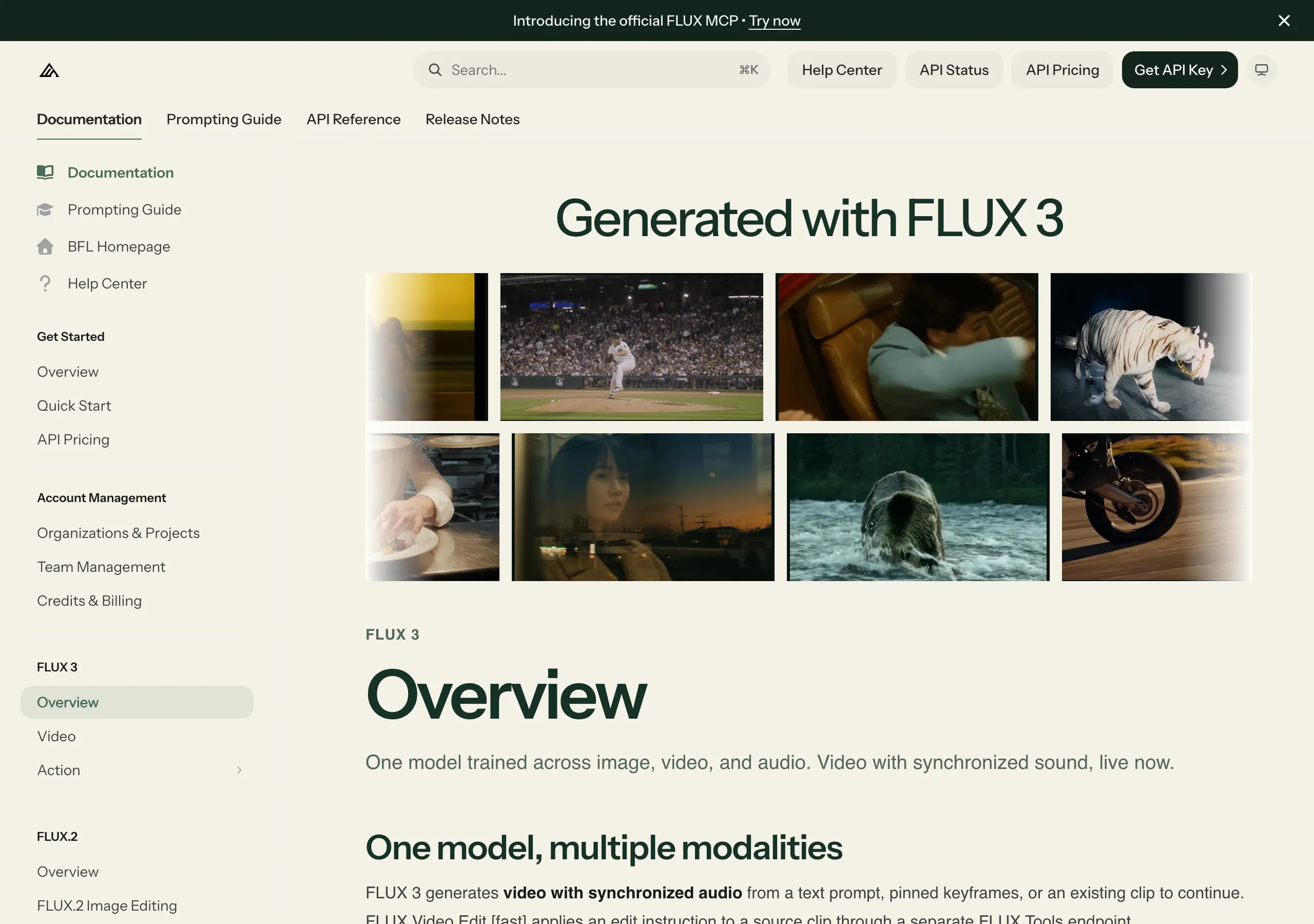
FLUX 3 is asynchronous. You submit a request and get back an id and a polling_url; then you poll that URL until the job turns Ready and returns your result. / Result URLs are signed and expire about 2 hours after the job finishes. Download the video promptly once the status is Ready. — From the "Start in ten seconds" section of the overview page, on the submit-and-poll flow and the lifetime of result URLsView official source →
FLUX 3 video is asynchronous: you submit a request, get back a polling_url, and poll it until the clip is Ready. / 1. Submit — returns an id and a polling_url / 2. Poll the returned URL until the job is Ready — From the quickstart on the video page, on the request and polling steps that the sample code above followsView official source →
Are the FLUX 3 weights open?
FLUX 3 Video cannot be downloaded; it runs only through the BFL API and select partners, and FLUX 3 Action is the one FLUX 3 model you can download today. FLUX 3 Dev, the open-weight variant meant for content creation, is still on the roadmap.
What is open today: FLUX 3 Action
FLUX 3 Action is an open-weight 7B world action model that predicts robot actions rather than producing video for an audience. From camera images, the current state and an instruction, it outputs a chunk of actions plus about two seconds of predicted video.
It can drive a robot arm through LeRobot or be fine-tuned for your own robot, simulator or game. Despite sharing the FLUX 3 name, it offers no way to run FLUX 3 Video on your own hardware.
What is planned: FLUX 3 Dev and FLUX 3 Image
FLUX 3 Dev (an open-weight variant) and FLUX 3 Image (image generation and editing) are on the roadmap and not yet released. The August post adds that upcoming releases will bring finer control over video and generation from mixed image, video and audio references.
The July announcement from Black Forest Labs describes the open-weight release as access to a multimodal backbone for video, audio, image and action prediction. Neither post gives a date for it.
What this means for running it locally
FLUX 3 Video cannot run on your own hardware today, so every clip is generated on servers operated by Black Forest Labs or its partners and billed per second through the API. If footage or prompts must stay in-house, the model is off the table until an open variant ships.
Neither apparent workaround helps. FLUX 3 Action predicts robot actions instead of making clips, and FLUX 3 Dev has no release date, so plan around it only after it ships.
Our next releases will expand FLUX 3 Video for enhanced controllability and ship capabilities for new modalities. / We will enable video generation from combinations of image, video and audio references. / Our roadmap further includes FLUX 3 Image for image generation and editing, and FLUX 3 Dev as an open-weight variant. / FLUX 3 Video is available now through the BFL API and selected partners. — From the closing sections of the post, on what is planned and how the video model is offeredView official source →
FLUX 3 Action is a 7B world action model with open weights. Given camera images, the current state and an instruction, it predicts a chunk of actions and about two seconds of future video. Run it on a robot arm through LeRobot, or fine-tune it for your robot, simulator or game. — From the FLUX 3 Action entry on the overview page, on what the open-weight model does and how it is usedView official source →
Open-weight access to a multimodal backbone, for content creation (video, audio and image) and action prediction. (“FLUX 3 Dev”) — From the launch plan in the July 2026 announcement, on what the planned open-weight release is meant to coverView official source →
How good is FLUX 3 Video compared with rivals?
Black Forest Labs claims FLUX 3 Video leads at text to video and ties Seedance 2.0 at image to video, but that comes from its own evaluation, not an independent test. The claim is light on detail, and the post names just one rival.
What BFL's internal evaluation claims
Black Forest Labs says its own tests put FLUX 3 ahead of existing state-of-the-art models at text to video by a solid margin. For image to video, the company says it ties Seedance 2.0 and beats every other model. It adds that human raters preferred it for both.
No scores are given in the post. Nor does it say who the raters were or which prompts they saw.
Why the Seedance 2.0 tie needs a caveat
Matching one named model says little about the unnamed ones, and a test run by the model's own maker is not a third-party benchmark. Seedance 2.0 is the only model the post names, as the one it ties. The models it claims to beat are not listed.
As a result, there is no way to check which models were compared, how many comparisons were run or how prompts were selected. Treat the claim as a reason to shortlist FLUX 3 Video, then test your own prompts against the rivals that matter to you.
How BFL says it tested for misuse risks
Black Forest Labs says it brought in an outside partner, Cinder, to check FLUX 3 Video for abuse before release. The aim was to confirm that safeguards hold in every modality the model supports, with non-consensual intimate imagery (NCII) and child sexual abuse material (CSAM) named among the risks.
The company describes several layers of mitigation before, during and after release. Because the post shares no results, it describes a process rather than a measured outcome.
What FLUX 3 Video still lacks today
FLUX 3 still carries a preview label, Omni Reference is not yet available, the video model has no weights, and FLUX 3 Image and FLUX 3 Dev are unreleased. Omni Reference is the planned mode for generating from image and video references. For now, inputs are text, images and a single existing clip.
Under the current docs, a request is limited to 20 seconds, or 15 for continuation. Since the version field follows the latest release by default, the same prompt may give different results after Black Forest Labs updates the model.
Human raters found it to be the preferred model for both text-to-video and image-to-video generation. / In our internal evaluation, FLUX 3 outperforms existing SOTA models in text to video generation by a solid margin. / It ties Seedance 2.0 and beats all other existing SOTA models in image-to-video. / We are committed to responsible development and deployment of AI models, and apply multiple layers of mitigation before, during, and after release to combat the risk of misuse. / Working with a trusted third-party partners, Cinder, we evaluated FLUX 3 Video for a range of risks prior to release to validate our mitigations across the full range of supported modalities, including non-consensual intimate imagery (NCII) and child sexual abuse material (CSAM). — From the evaluation section and the responsible development and deployment section, on the human and internal results, the one model named as a tie, when mitigations are applied, and the pre-release evaluation with a named partnerView official source →
FAQ
- How long can a FLUX 3 Video clip be?
- Five to 20 seconds for text to video and image to video, and five to 15 seconds for video continuation. Every mode runs at 24 fps. Resolution defaults to hd. The fhd, qhd and uhd classes are finished by an upscaler, and uhd reaches 3840 x 2176 for 16:9.
- What does FLUX 3 Video cost?
- Billing is per second of output. Text to video and image to video cost $0.17 at hd, $0.29 at fhd, $0.40 at qhd and $0.80 at uhd. Video continuation costs $0.41, $0.53, $0.65 and $0.95. Drafts cost $0.06 per second, or $0.12 for continuation.
- Are the FLUX 3 Video weights available? Can I run it locally?
- No. FLUX 3 Video is offered through the BFL API and select partners only. The open-weight model that exists today is FLUX 3 Action, a 7B robot action model. FLUX 3 Dev (an open-weight variant) and FLUX 3 Image are on the roadmap and not yet released.
- Can FLUX 3 Video produce dialogue in languages other than English?
- Yes. Black Forest Labs names English in several dialects, Chinese, Spanish, French, German, Japanese, Portuguese, Russian, Italian, Indonesian, Turkish, Hindi and Punjabi, adds "and more", and describes the lip-syncing as precise.
Related articles
 Panasonic HR data on 334,000 uploaded to banned AIA Panasonic group project member uploaded HR data on about 334,000 employees, ex-staff and relatives to a banned AI service. No misuse has been found so far.
 Epic Games delays Disney shooter, goes AI firstBloomberg reports Epic Games told its Marvel and Star Wars shooter team to stop hand-writing code and use AI. The March 2027 release is off with no new date.
 Stability AI Funding: $76M From the Music MajorsStability AI funding round: a $76M Series B from Sony, Universal, Warner and Electronic Arts. Total funding under CEO Akkaraju is $232M, this round included.
 An AI Video Upscaler for 4K: FLUX Video UpscaleFLUX Video Upscale, an AI video upscaler, rebuilds clips at up to 4K. As of Aug. 23, 2026, it costs $0.07 to $0.10 per megapixel-second and rejects 4K input.