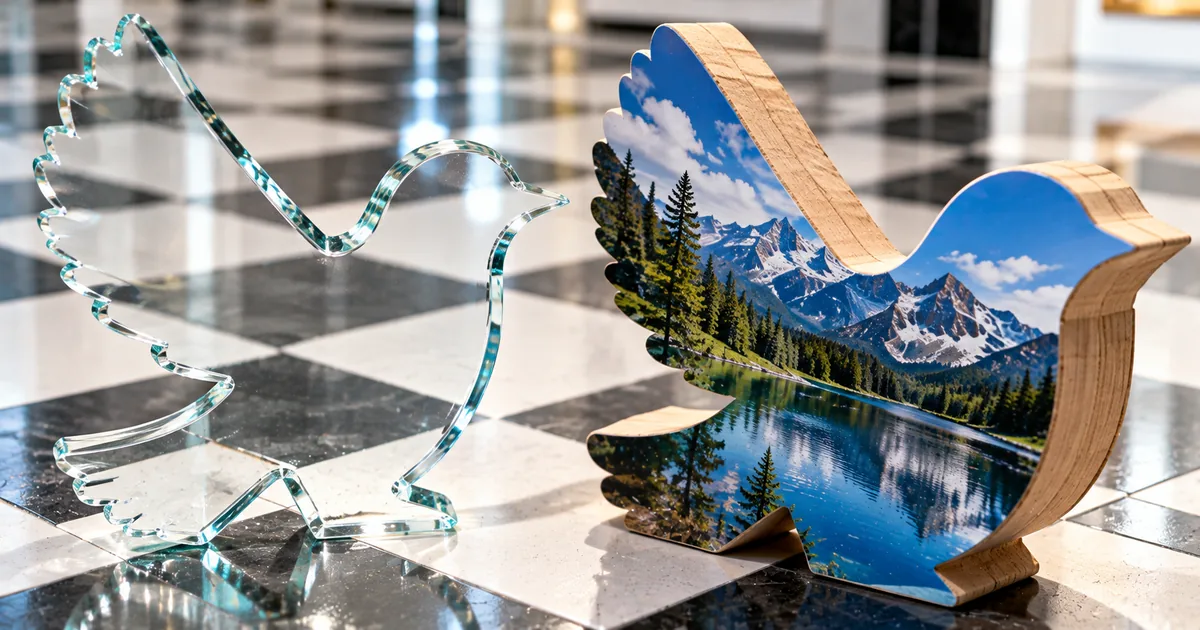
The key difference in JPEG vs PNG is what happens to image data when a file is saved. JPEG throws away some image data to make the file smaller, and PNG keeps every pixel. That is why JPEG usually suits photos, while PNG suits screenshots, diagrams and images with transparent backgrounds.
The format facts below come from MDN, the W3C PNG specification and Apple. We also saved two photos and one screenshot in both formats to compare file sizes, and converted files with the sakuttoAI PNG ⇔ JPG Converter to show what changes.
JPEG discards image data when it saves, PNG keeps all of it
Lossy compression discards some image data to get a much smaller file, while lossless compression lets the original be reproduced exactly. JPEG is lossy and PNG is lossless. The other big difference is transparency, because PNG can store an opacity value for every pixel and JPEG has no alpha channel.
| PNG | JPEG | |
|---|---|---|
| Compression | Lossless | Lossy |
| Transparency | Yes, opacity per pixel | No |
| Color | True color at 8 or 16 bits per channel, or indexed color from a palette | 8 bits each for red, green and blue |
| Extensions | .png | .jpg, .jpeg and others |
| Best for | Screenshots, diagrams, images with transparency | Photos |
MDN now prefers WebP or AVIF for raster images on the web, because they usually compress better than PNG and JPEG. For GIF, TIFF, BMP and the other formats, see Image file formats: 9 types and when to use each.
"Compression can be lossy, discarding image data to get much smaller files, or lossless, reproducing the original exactly." / "Lossy; based on the discrete cosine transform" / "JPEG does not support an alpha channel." / "Lossless, optionally indexed color like GIF" / "For raster images, prefer WebP or AVIF, which generally provide better compression than PNG, JPEG, and GIF." — from MDNView official source →
Saving a JPEG again adds error, but less with each save
Every time a JPEG is saved, the lossy compression runs again. We saved a 512×512 photo as a quality-90 JPEG, then opened it and saved it again at the same quality nine more times. By the 10th save, the average color error against the original was about 1.4 times the error after the first save.
Among the re-saves, the second save added the most error, and the 10th save added about one seventh as much. If you edit a picture over several sessions, keeping the working copy as PNG and exporting a JPEG once at the end means the image goes through lossy compression only once. We measured error with the sharp image library as the mean absolute difference per RGB channel between each JPEG and the original.
PNG-8 and PNG-24 are nicknames, not types in the PNG spec
The W3C PNG specification (Third Edition) defines five PNG image types by how they store color, and the names PNG-8 and PNG-24 do not appear in it. What people call PNG-8 is an indexed-color image, where each pixel points to a palette of up to 256 colors.
The numbers in PNG-24 and PNG-32 count bits per pixel. Red, green and blue at 8 bits each make 24, and adding an 8-bit alpha channel makes 32.
"an extensible file format for the lossless, portable, well-compressed storage of static and animated raster images" / "Five types of PNG image are defined" / "The PLTE chunk contains from 1 to 256 palette entries" — from the W3C PNG SpecificationView official source →
JPG vs JPEG is only a difference in the file extension
The .jpg and .jpeg extensions both mark JPEG files, and MDN lists .jpg, .jpeg, .jpe, .jif and .jfif for the format. Renaming a file from .jpg to .jpeg does not change the image inside it.
".jpg, .jpeg, .jpe, .jif, .jfif" — from MDNView official source →
Use JPEG for photos and PNG for screenshots and diagrams
MDN recommends lossless encoding for screenshots, diagrams, logos and line art, because blurring and colored fringes around text and edges are easy to see. Photos can usually take lossy compression, since the detail it throws away is harder to notice.
To see how that plays out in file size, we saved three images as PNG and as JPEG at qualities 90 and 75 with the sharp image library. Photo A and Photo B are 512×512 photos that ship with macOS, and the screenshot is a 2560×2080 capture of the English page of the sakuttoAI PNG ⇔ JPG Converter.
| Image | PNG | JPEG quality 90 | JPEG quality 75 |
|---|---|---|---|
| Photo A | 687.2 KB | 100.0 KB | 58.9 KB |
| Photo B | 627.3 KB | 106.6 KB | 65.1 KB |
| Screenshot | 242.6 KB | 300.3 KB | 212.9 KB |
"For screenshots, diagrams, logos, and line art, prefer lossless encoding, as blurring and colored fringes around text and sharp edges are very visible." / "Photographs and other continuous-tone images can usually tolerate lossy compression, because the discarded detail is harder to see." — from MDNView official source →
A photo saved as PNG was 6 to 7 times the size of the JPEG
Photo A took 687.2 KB as PNG and 100.0 KB as a quality-90 JPEG, so the PNG was about 6.9 times larger. Photo B came out about 5.9 times larger as PNG. Unless a photo needs transparency, JPEG saves a lot of space.
Dropping Photo A to quality 75 cut the JPEG to 58.9 KB, and its average color error rose to about 1.5 times the quality-90 figure. A cut-out photo with a transparent background still has to be PNG, even at the larger size.
As PNG, the screenshot was smaller than a quality-90 JPEG
The screenshot went the other way, at 242.6 KB as PNG and 300.3 KB as a quality-90 JPEG. Quality 75 brought the JPEG down to 212.9 KB, but grainy noise appeared around the letters. The figure below enlarges the same part of the screenshot to four times its size, with PNG on the left and the quality-75 JPEG on the right.

On supported Macs with macOS Tahoe 26 or later, the SDR (Most Compatible) capture format saves screenshots as PNG. WebP can also be encoded losslessly, and What Is the WebP Format? Size, Support, Limits covers where it works.
"JPEG is lossy, so it is often a good fallback format for photographs, while PNG is lossless, making it better for screenshots, diagrams, and line art." / "WebP and AVIF support both lossy and lossless compression as a setting you choose when encoding." — from MDNView official source →
"On supported Mac models using macOS Tahoe 26 or later, choose the capture format:" / "SDR (Most Compatible) to capture in standard dynamic range using the PNG image format" — from Apple SupportView official source →
Converting between PNG and JPEG never adds back lost detail
Changing the format cannot add information the original file did not have. Converting PNG to JPEG removes transparency, and converting JPEG to PNG cannot recover the detail that JPEG compression removed.
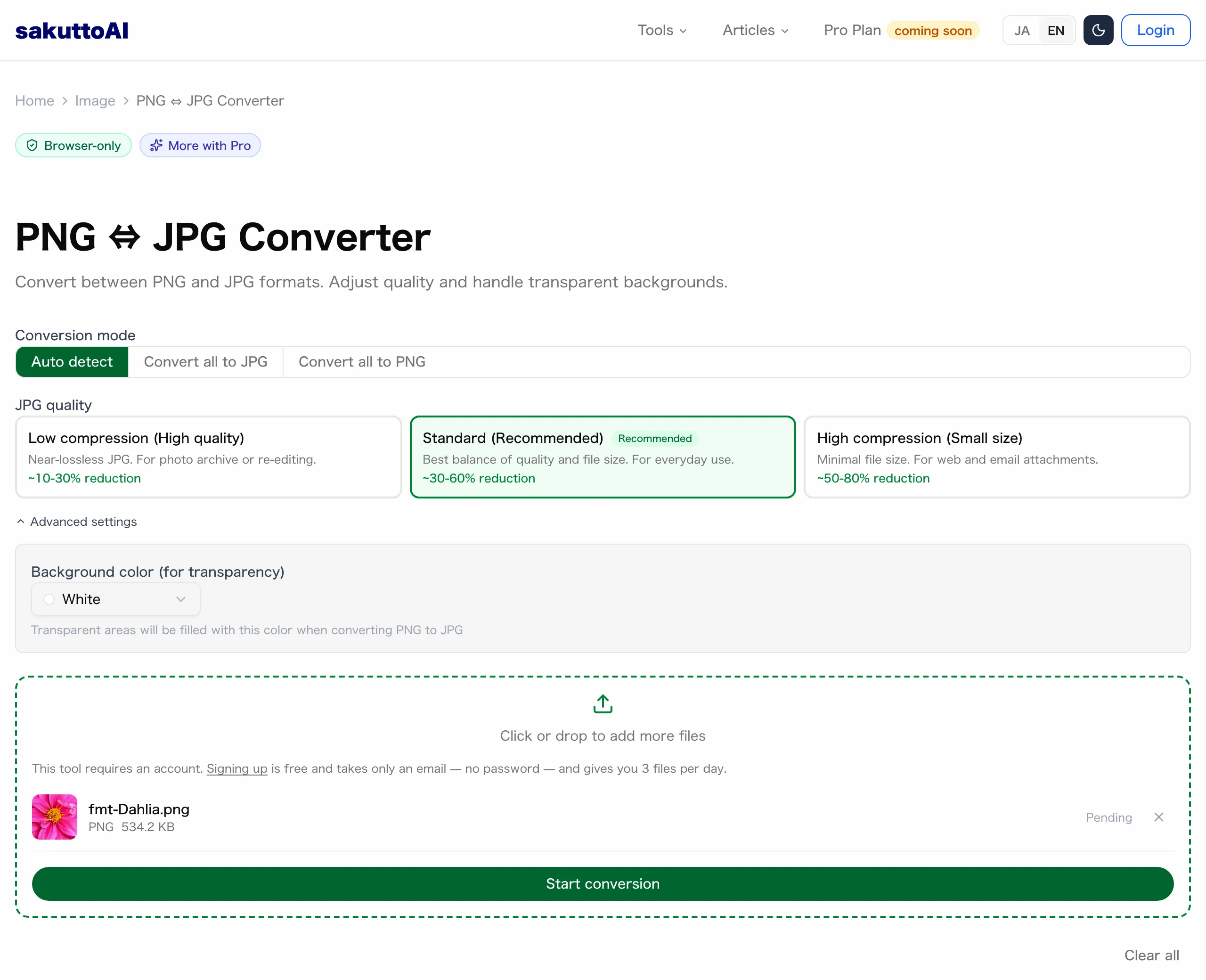
The sakuttoAI PNG ⇔ JPG Converter offers three modes (Auto detect, Convert all to JPG and Convert all to PNG) plus three JPG quality levels. Files are converted in the browser. The tool needs a free account and allows 3 files per day.
PNG to JPG conversion fills transparent areas with a color
Because JPEG has no alpha channel, transparent pixels have to be painted with a solid color before the file is saved. In the converter, Background color (for transparency) under Advanced settings offers white, black or a very light gray, and white is the default.
White works for images that will sit on a white page. If the image needs to stay transparent, keep it as PNG.
"PNG is also the fallback for any image needing transparency, as JPEG has no alpha channel." — from MDNView official source →
Converting JPEG to PNG made the file 4.6 times larger
We saved Photo A as a quality-90 JPEG with the macOS sips command, which produced a 149.9 KB file, larger than the sharp result in the table. Converting that JPEG to PNG gave a 688.2 KB file, about 4.6 times bigger. The PNG holds exactly the pixels decoded from the JPEG, so the two look the same, and better quality can only come from exporting the original image again.
Summary
In JPEG vs PNG, JPEG discards some image data to make files smaller and has no transparency, while PNG keeps every pixel and supports transparency. In our test, photos were 6 to 7 times larger as PNG, but the UI screenshot was smaller as PNG than as a quality-90 JPEG and kept its text sharp.
Save photos as JPEG, and save screenshots, diagrams and transparent images as PNG. Converting a JPEG to PNG does not restore detail, and every JPEG save adds error, so keep images you are still editing as PNG.
FAQ
- Is PNG better quality than JPEG?
- PNG keeps every pixel because it is lossless, while JPEG discards some data each time it is saved. If the exact original matters, use PNG. For photos, a quality-90 JPEG in our test was about one sixth to one seventh the size of the PNG.
- Can a JPEG have a transparent background?
- No. JPEG has no alpha channel, so transparent areas are filled with a color such as white when an image is saved as JPEG. Keep images that need transparency as PNG.
- Does converting JPEG to PNG improve quality?
- No. The PNG stores the pixels the JPEG already had after compression, so the image looks the same and the file gets bigger. In our test, converting a quality-90 JPEG saved with macOS sips to PNG made the file about 4.6 times larger.
- Should I save screenshots as PNG or JPG?
- PNG. MDN recommends lossless formats for screenshots, and in our test a 2560×2080 screenshot was smaller as PNG than as a quality-90 JPEG, with no noise around the text.
- What is the difference between JPG and JPEG?
- There is none. .jpg and .jpeg are two extensions for the same JPEG format, and MDN lists both.
Related articles
 What Is the WebP Format? Size, Support, LimitsThe WebP format is 26% smaller than PNG and 25-34% smaller than JPEG at equal SSIM. What a WebP file costs, which browsers decode it, and where limits sit.
 Convert WebP to JPG or PNG, and JPG or PNG to WebPConvert WebP to JPG or PNG free in your browser, or turn JPG and PNG into WebP. Learn which format to pick and what quality setting to use.
 Image file formats: 9 types and when to use eachImage file formats explained: nine types, their extensions and which to use. WebP or AVIF for photos, lossless PNG for screenshots, SVG for icons and charts.
 What is a HEIC file? How it compares with JPGA HEIC file is an iPhone photo saved in Apple's HEIF format. Learn what it is, how it compares with JPG, how to open it on Windows and when to convert.