
A post that runs over a platform's limit is refused or cut off before anyone reads it. Only three limits are tied to a page the platform itself publishes: X allows 280 characters in a standard post, and YouTube allows 100 characters in a video title and 5,000 in a description. For Instagram, Facebook, TikTok and LinkedIn, the text box inside the app shows the limit, and a character counter gives a quick first reading before posting.
Social media character limits at a glance
A character limit is the most text a platform accepts in one field, such as a post, a title or a description. The table lists the figures each platform states on its own page.
| Platform | Field | Limit | Stated by |
|---|---|---|---|
| X | Standard post | 280 characters, weighted | X Developer Platform |
| YouTube | Video title | 100 characters | YouTube Help |
| YouTube | Video description | 5,000 characters | YouTube Help |
| Instagram, Facebook, TikTok, LinkedIn | Posts and captions | Read it in the composer | No limit tied to the platform's own page |
The composer is the text box inside an app where a post is written. It stops accepting text or shows a warning at the real limit, so it settles whatever the table leaves open. A figure copied from blog to blog can go stale after a platform update, while a number tied to the platform's own page can be re-checked at the source.
X (Twitter) character limit and how X counts it
A standard post on X holds up to 280 characters, but X does not count one for each visible character. It counts in weighted code points. A code point is the number Unicode assigns to one character, and "weighted" means X does not score every code point the same way.
Links, emoji and some non-Latin text are where the count drifts. X's developer documentation sets separate counting rules for URL shortening, emoji and Unicode handling, so a link or an emoji does not add up the way it looks on screen. A general counter scores each letter, space and emoji as one, so on the same draft the two totals can disagree.
For a draft that sits just under the limit in a notes app, the Twitter character count that decides is the one in X's own composer. A general counter works as a first pass for an X post. Before publishing a draft that is close to 280, paste it into X and keep the total X shows.
"How X counts characters in Posts, including the 280-character limit, weighted code points, URL shortening, emoji and Unicode handling, and edge cases."(Counting Characters page summary)View official source →
YouTube title and description character limits
YouTube allows 100 characters in a video title and 5,000 in a description, and its Help page states both numbers in the upload instructions. Both are limits, so a longer title or description does not save as typed.
Both fields also refuse invalid characters (symbols YouTube will not accept), so a title under 100 characters can still be rejected. When an upload will not take a title, delete any unusual symbol first. The two fields do different jobs:
- Title: put the words someone would search for early, because the title has the tighter limit.
- Description: use the 5,000 characters for detail that would never fit in a title.
A long description is safer drafted in a notes app first. That way the text is not lost while it is trimmed on the upload page.
"Video titles have a character limit of 100 characters and cannot include invalid characters."/"Video descriptions have a character limit of 5,000 characters and cannot include invalid characters."(Title and Description rows)View official source →
Instagram, Facebook, TikTok and LinkedIn limits
Each app shows its own limit in the composer, and that is the number that counts for these four networks. No Instagram, Facebook, TikTok or LinkedIn limit is tied to a page the platform itself publishes, so no figure is quoted for any of them.
A caption, a bio and a username are separate fields, and each field has its own limit. A sentence that fits in a caption can still be cut in a bio. LinkedIn posts, messages and connection notes are also separate boxes, so a draft that fits one box needs a check in the others.
The check is the same in every app, and the number comes from that app's own composer. To find the limit for a specific draft:
- Caption or post: paste the draft into the app's composer and watch for a stop or a warning.
- Bio: open the profile editor, because the post composer does not apply the bio limit.
- LinkedIn message or connection note: paste the draft into the box it is going to, not into the feed post box.
How to check your post length before publishing
When one message goes to several networks, trim it to the shortest limit among them first, then confirm it in each app's composer. A character counter does the first step in seconds.
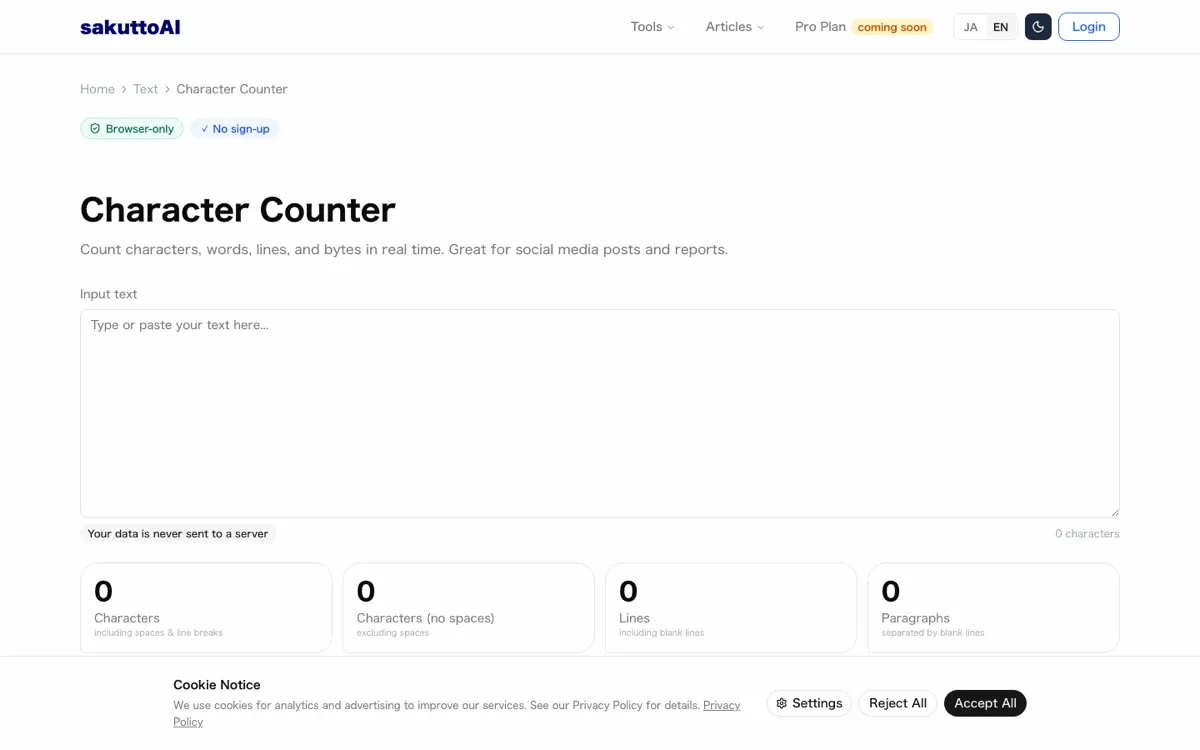
The sakuttoAI Character Counter shows the total characters, the characters without spaces and the lines as text is typed or pasted. Spaces and line breaks can decide whether a draft fits, so compare the total with and without them. It counts every character as one and applies no platform-specific weighting, which makes it a first pass for X and never a final answer.
When a draft is over, trim in this order. Each cut removes words without touching the main point:
- Cut anything repeated, such as a second call to action, a hashtag that appears twice or a phrase that restates the opening line.
- Cut filler such as "in order to" or "you will be able to".
- Move the remainder into a follow-up post or a comment instead of cramming it into one box.
FAQ
- What is the character limit for a post on X?
- A standard post on X is limited to 280 characters. X measures that limit in weighted code points rather than one count per visible character, so links, emoji and some non-Latin text do not add up the way they look on screen.
- How long can a YouTube title and description be?
- A YouTube video title can be up to 100 characters and the description up to 5,000. Both fields also reject invalid characters, so a title that is short enough can still be refused if it contains one.
- Why does my character counter show a different number than X?
- Most counters add up every character as one. X applies its own weighting to links, emoji and some scripts, so the two numbers can disagree on the same draft. Use a general counter for a first pass and let X's own composer have the final word.
Related articles
 Social media image sizes: Instagram, X, YouTubeSocial media image sizes from Instagram, X and YouTube help: Instagram posts are 1080 px wide at 1.91:1 to 3:4, YouTube thumbnails 3840 × 2160, X lists none.
 Social media video length: TikTok, Instagram, XSocial media video length limits for X, Instagram reels and stories, TikTok, YouTube Shorts, Facebook, Threads and LinkedIn, plus how to trim a long video.
 Meta's Style Sketch builds outfits from InstagramMeta's free Style Sketch app builds a closet from your Instagram photos and suggests outfits. It is out only in Indonesia, Singapore and Thailand, not the US.
 YouTube clipping: permission, editing and earningsYouTube clipping starts with the creator's permission. Learn the six steps to make clips, the tools, and why clips without commentary can't be monetized.