
What changes for Plus, Pro and Business in December
OpenAI ties the change to folding Work's agent features into the regular ChatGPT app, so chat and coding will draw from the same allowance. From December, subscribers on Plus, Pro and Business will no longer have one budget for ChatGPT and another for Codex. Codex is OpenAI's coding agent, and ChatGPT Work is the agent mode in ChatGPT that handles longer, multi-step tasks.
Usage is measured in tokens, but Instant chat does not count
Picking an advanced model or giving a complex task burns through the shared allowance faster, while chats answered by Instant leave it untouched. Both products will meter usage in tokens, the small chunks of data a model takes in and produces. The cost of each request varies with the model you select and the job you give it.
The one carve-out is Instant. Conversations handled by the Instant model in ChatGPT are not counted against the shared allowance, so quick everyday questions there will not cut into the budget you keep for Codex.
The start date and plan limits are still unknown
Nobody can yet calculate how much room a given plan will have after the switch, because the help article gives neither a day in December nor a token figure per plan. The article names the month and nothing more precise, and it lists only three plans. Free, Go, Enterprise and Edu do not appear in it, so their treatment is not covered by this announcement.
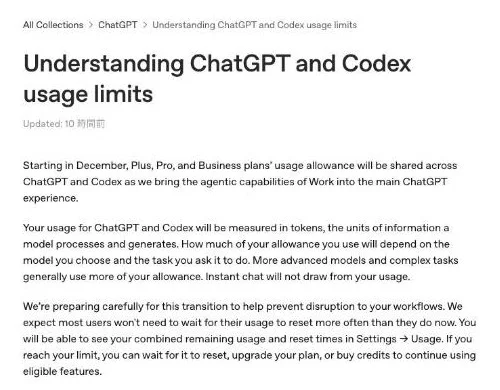
"Starting in December, Plus, Pro, and Business plans’ usage allowance will be shared across ChatGPT and Codex as we bring the agentic capabilities of Work into the main ChatGPT experience."/"Your usage for ChatGPT and Codex will be measured in tokens, the units of information a model processes and generates. How much of your allowance you use will depend on the model you choose and the task you ask it to do. More advanced models and complex tasks generally use more of your allowance. Instant chat will not draw from your usage."— OpenAI Help CenterView official source →
Codex and Work already share a pool today
Once ChatGPT joins the pool, a long chat session leaves less for Codex, and a long Codex task leaves less for chat. The pool itself is not new: Codex, ChatGPT Work, ChatGPT for Excel and Workspace Agents already spend from one allowance and credit balance on plans that include them, according to OpenAI's Codex help page. December adds regular chat use to that group.
Shared usage today and from December
| Today | From December | |
|---|---|---|
| What shares the allowance | Codex, ChatGPT Work, ChatGPT for Excel, Workspace Agents | ChatGPT and Codex (Instant chat excluded) |
| How usage is counted | Varies with model, task complexity, context, reasoning, speed and tools | Tokens, varying with model and task |
| Plans | Plans that use shared allowances and credits | Plus, Pro, Business |
| Reset windows | Every 5 hours and weekly for Codex | Not stated |
The December column only repeats what the new help article says, and "Not stated" marks the gaps. The Today column comes from the Codex help page.
Image, file upload and voice limits stay separate for now
These three ChatGPT features have their own limits today, and the December article does not say whether that will last. Right now, ChatGPT file uploads, image generation and voice each have their own caps and reset periods, and hitting one of them has no effect on Codex. Voice in regular chats also leaves Codex usage alone.
The new article is silent on those caps and on whether the 5-hour and weekly windows survive the switch. This is not the first limit change for Codex either; see Codex context window cut to 272K: why that number.
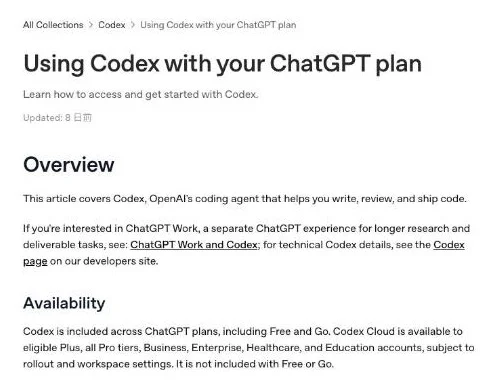
"For plans that use shared allowances or credits, Codex, ChatGPT Work, ChatGPT for Excel, and Workspace Agents use a shared allowance and credit pool when those features are available on your plan."/"Usage depends on the model, where the task runs, task complexity, context, reasoning, speed, and tools."/"ChatGPT file uploads, image generation, and voice have separate usage limits, reset periods, and banners."/"those limits do not apply to Codex."/"Regular Chat Voice has separate limits and doesn’t consume Codex usage."/"Using a full banked reset refreshes your 5-hour and weekly Codex usage windows and changes your weekly reset date."— OpenAI Help CenterView official source →
Checking your balance and options at the limit
Until OpenAI publishes the numbers, the practical steps are to watch Settings → Usage after the switch and to know the three ways to keep working at the limit. OpenAI says it is preparing the move carefully so that work is not interrupted. The help article does not ask subscribers to change any setting before December.
Where the combined balance will appear
OpenAI expects most users will not have to wait for a reset more often than they do now, and the combined figure for ChatGPT and Codex will sit in one place. After the switch, Settings → Usage will show one remaining balance for both products and the time of the next reset.
The article only promises the combined number and the reset time. It does not say whether the page will break usage down by ChatGPT and Codex, so heavy users of both should check the page soon after the switch to see how fast the balance falls.
What can you do when you hit the limit?
You can wait for the reset, move to a higher plan, or buy credits, and contacting Support will not reset the limit for you. Credits are extra usage you pay for on top of your plan, and eligible Plus and Pro subscribers can buy them without switching plans. OpenAI Support does not reset ChatGPT or Codex limits on request, so the options are the ones OpenAI lists, plus any others your account shows when you reach the limit.
"We’re preparing carefully for this transition to help prevent disruption to your workflows. We expect most users won't need to wait for their usage to reset more often than they do now. You will be able to see your combined remaining usage and reset times in Settings → Usage. If you reach your limit, you can wait for it to reset, upgrade your plan, or buy credits to continue using eligible features."— OpenAI Help CenterView official source →
"Eligible Plus and Pro users can buy credits without changing plans."/"No. OpenAI Support does not reset ChatGPT or Codex usage limits."— OpenAI Help CenterView official source →
FAQ
- Will Instant chat count toward the shared ChatGPT and Codex limit?
- No. OpenAI says chats handled by the Instant model will not draw from the shared allowance. Only ChatGPT use on other models and Codex use will count.
- Does the shared limit apply to the Free plan?
- The help article names only Plus, Pro and Business. It does not mention Free, Go, Enterprise or Edu, so this announcement does not cover them.
- Can OpenAI Support reset my limit if I run out?
- No. OpenAI Support does not reset ChatGPT or Codex usage limits. Wait for the reset or use another option shown in your account, such as buying credits.
Related articles
 OpenAI, ServiceNow expand deal with ChatGPT pluginOpenAI and ServiceNow expanded their deal on Oct 28, 2026. A ServiceNow MCP plugin for ChatGPT is live now; Codex, security and voice tools follow in 2027.
 ChatGPT now works with iCloud Mail and CalendarOpenAI added iCloud Mail and Calendar plugins to ChatGPT on Oct 27 for all plans. You connect with an Apple app-specific password that outlives a disconnect.
 ChatGPT limits weapons information for teensOpenAI said on Oct 30, 2026 that ChatGPT will limit weapons information for teens, end chats fixated on violence, and report on safety every six months.
 ChatGPT ads add 26 countries, reaching 89 in totalOpenAI added 26 countries to ChatGPT Ads on October 21, for 89 in total, as advertisers topped 100,000. Ads show only on the Free and Go plans.