
Claude Code auto mode is the default on Pro, Max and Team
On Pro, Max and Team plans, auto mode is the built-in starting mode of Claude Code. That holds for terminal and VS Code extension sessions. Sessions started with claude -p, through the SDK, or as the first session right after install begin in Manual, the mode where Claude Code asks before acting.
The version numbers and plan rules reflect the official documentation as of August 16, 2026. For background on the assistant itself, see What Is Claude AI? Free Plan, Models, vs ChatGPT.
Which versions and plans enable auto mode by default
The built-in auto default needs v2.1.228 or later on macOS, Linux and WSL (Windows Subsystem for Linux), and v2.1.233 or later on native Windows. On earlier versions, sessions start in Manual. On Team and Enterprise, auto mode is available by default for the organization, and administrators can turn it off.
"On Pro, Max, and Team plans, auto mode is the built-in starting mode."/"On earlier versions, the built-in default is Manual."/"on Team and Enterprise, auto mode is available by default."(Claude Code Official Documentation・Which mode a session starts in section and the auto mode requirements list)View official source →
How the auto mode classifier works across permission modes
In auto mode, a separate classifier model, not a person, reviews each action before it runs. It stops actions that go further than what you asked for, that touch infrastructure Claude Code does not recognize, or that seem steered by hostile content Claude read. Explicit ask rules still force a prompt, so a rule you wrote to require approval keeps working.
Auto sits beside the other permission modes that Shift+Tab cycles through in the CLI. Picking auto from that cycle hands routine approvals to the classifier instead of you.
"A separate classifier model reviews actions before they run, blocking anything that escalates beyond your request, targets unrecognized infrastructure, or appears driven by hostile content Claude read. Explicit ask rules still force a prompt."(Claude Code Official Documentation・Eliminate permission prompts with auto mode section)View official source →
What the auto mode classifier blocks by default
The classifier trusts the working directory and the remotes configured for it when the session started, and it treats everything else as external. The table lists the default blocks that the documentation names. Together they cover code from outside, data leaving the machine, shared systems, and loss of files or history.
| Kind of action | Blocked example |
|---|---|
| Outside code | Downloading and executing code |
| Data leaving | Sending sensitive data to external endpoints |
| Production | Production deploys and migrations |
| Cloud storage | Mass deletion on cloud storage |
| Access rights | Granting IAM or repository permissions |
| Shared systems | Modifying shared infrastructure |
| Existing files | Irreversibly destroying files that existed before the session |
| Git history | Force push, and the git reset --hard family that discards uncommitted changes |
| Infrastructure as code | terraform destroy and its pulumi, cdk and terragrunt counterparts |
"The classifier trusts your working directory and the remotes that were configured for it when the session started."/"Sending sensitive data to external endpoints"/"Production deploys and migrations"/"Mass deletion on cloud storage"/"Granting IAM or repo permissions"/"Modifying shared infrastructure"/"Irreversibly destroying files that existed before the session"/"Force push"(Claude Code Official Documentation・What the classifier blocks by default section, Blocked by default list)View official source →
Classifier limits: default blocks are no safety guarantee
The documentation says auto mode reduces permission prompts but does not guarantee safety. It suits tasks where you trust the general direction, and it does not replace review on sensitive operations. Anthropic's announcement adds that significant changes to production infrastructure still deserve your own review.
"Auto mode reduces permission prompts but does not guarantee safety. Use it for tasks where you trust the general direction, not as a replacement for review on sensitive operations."(Claude Code Official Documentation・Eliminate permission prompts with auto mode section)View official source →
Switch modes with Shift+Tab or set the default in settings
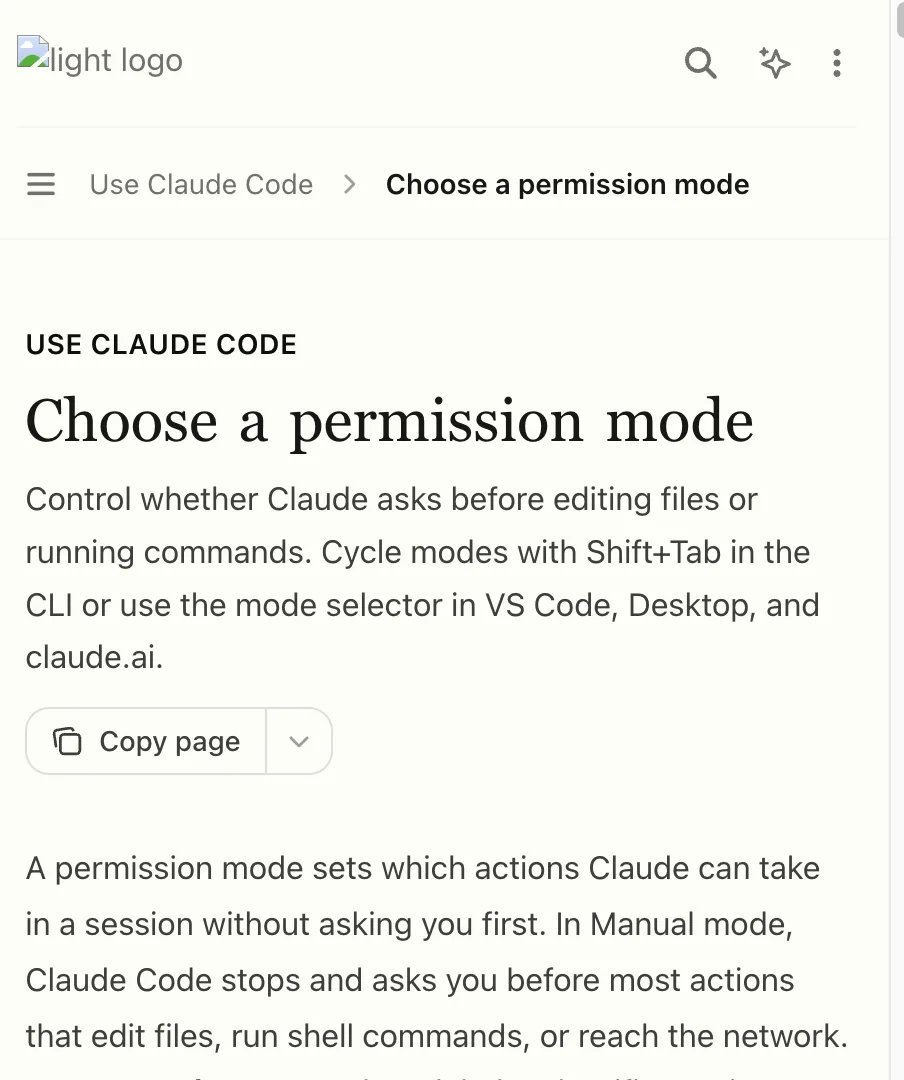
In the CLI, Shift+Tab cycles the permission modes, while VS Code, Desktop and claude.ai use the mode selector. To change the starting mode for every session, set permissions.defaultMode.
Where you set it matters. Since v2.1.142, a defaultMode of auto does not take effect from .claude/settings.json or .claude/settings.local.json inside a project, so it belongs in ~/.claude/settings.json.
"Cycle modes with Shift+Tab in the CLI or use the mode selector in VS Code, Desktop, and claude.ai."/"In Claude Code v2.1.142 and later, auto doesn’t take effect from those files."(Claude Code Official Documentation・page introduction and Eliminate permission prompts with auto mode section)View official source →
Enable or disable auto mode for an organization
Administrators disable auto mode for an organization by setting permissions.disableAutoMode to disable in managed settings. Auto then drops out of the Shift+Tab cycle, and a session launched with --permission-mode auto opens in Manual instead. To keep a local Markdown copy of the documentation, convert the page with the tool below.
"Administrators can turn it off for the organization by setting permissions.disableAutoMode to "disable" in managed settings."/"This removes auto from the Shift+Tab cycle, and a session started with --permission-mode auto starts in Manual instead."(Claude Code Official Documentation・auto mode requirements list and Auto mode on Bedrock, Agent Platform, or Foundry section)View official source →
FAQ
- What is auto mode in Claude Code?
- It is a mode that runs without routine permission prompts. Instead of a person confirming each action, a separate AI called a classifier model reviews actions before they run. Anything that escalates beyond your request or targets unrecognized infrastructure is blocked.
- Is auto mode enabled by default?
- On Pro, Max and Team plans, auto mode is the built-in starting mode. That applies to terminal and VS Code extension sessions. It also requires v2.1.228 or later on macOS, Linux and WSL and v2.1.233 or later on native Windows; earlier versions default to Manual.
- Does auto mode mean it is safe?
- No. The documentation says it reduces permission prompts but does not guarantee safety. It is meant for tasks where you trust the general direction, not as a replacement for review on sensitive operations.
- How do I disable auto mode in Claude Code?
- An administrator sets permissions.disableAutoMode to "disable" in managed settings. That removes auto from the Shift+Tab cycle, and a session started with --permission-mode auto starts in Manual instead.
Related articles
 Claude Code rule blocks recreating existing gamesA server-side rule stops Claude Code on Opus 5.5 from recreating existing games. Anthropic confirmed it on X, and a wargame studio says paid work stopped.
 Claude Code hooks: 5 types and the node spawn costClaude Code hooks come in five types, from command to agent. As command hooks, one Edit launched 17 node processes, and hooks drove 47–87% of node launches.
 Alibaba Bans Claude Code Over Hidden Tracking CodeAlibaba bans Claude Code from July 10, citing back-door risks tied to hidden code that could identify China users. Staff are told to switch to Qoder.
 Claude Code Token Usage: 33K vs OpenCode's 7KClaude Code token usage starts near 33,000 before your prompt, 4.7x OpenCode. CLAUDE.md and MCP servers push it to 75,000, but requests set the total.