
Claude for Google Workspace puts Claude in Google Sheets
Claude for Google Workspace is an add-on that lets you work with Claude from a sidebar next to a Google Sheets, Docs or Slides file. According to Anthropic's announcement, Claude reads whatever is open, notices which cells, text or slides you have highlighted, and writes its changes straight into the file.
Until now, using Claude on a spreadsheet meant copying a range into a chat and pasting the answer back. The sidebar removes that round trip. When you sign in with your Claude account, it also brings the models, connectors and skills you already use in Claude.
Which Claude plans include the Google Sheets add-on
The beta is open to every paid Claude plan (Pro, Max, Ultra, Team and Enterprise), but not to free accounts. For what each plan costs, see What Is Claude AI? Free Plan, Models, vs ChatGPT.
There is a second requirement on the Google side. The Google account you use has to be allowed to install apps from the Google Workspace Marketplace, which many companies restrict.
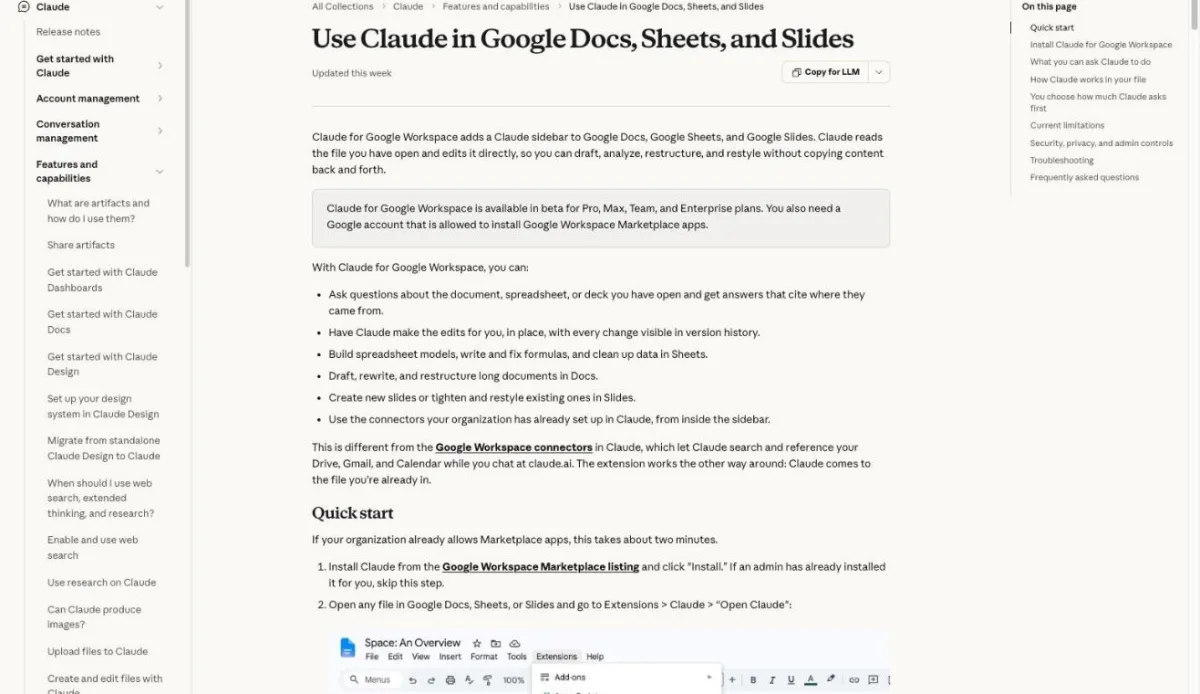
Claude for Google Workspace is available in beta for Pro, Max, Ultra, Team, and Enterprise plans. You also need a Google account that is allowed to install Google Workspace Marketplace apps. — Help Center, on plan and account requirementsView official source →
The Claude add-on vs. the new Google Docs connectors
Anthropic shipped two things on the same day, and they start from opposite ends. The add-on lives in the Google file and brings Claude to it. The new Google Docs, Sheets and Slides connectors, also in beta, live in a Claude chat and let Claude create or edit Google files from there.
| Add-on (Claude for Google Workspace) | Docs, Sheets and Slides connectors | |
|---|---|---|
| Where you start | Inside Google Docs, Sheets or Slides | In a Claude chat |
| Best for | Working on the file you already have open | Creating a new file or work that spans several files |
| Setup | Install from the Marketplace | Turn the connectors on in Claude |
With the connectors, you paste a Google file link or ask for a new doc, sheet or deck, and on supported setups the file opens in a pane beside the conversation. On Team and Enterprise plans, an owner or primary owner has to switch the connectors on first. Both are different from the older Drive, Gmail and Calendar connectors, which let Claude search and reference those services during a chat.
Starting from Claude makes most sense when you need a new file or your work spans several files. Claude’s access matches your existing Google sharing permissions. — Announcement, on when to use the connectorsView official source →
What Claude can do in Google Sheets, Docs and Slides
What you can hand to Claude depends on the app, but in all three you can also just ask questions without changing anything. The Help Center gives "What changed between the Q2 and Q3 tabs?" as an example of a read-only request.
Claude in Google Sheets: formulas, pivot tables and charts
In Google Sheets, Claude writes and fixes formulas, builds pivot tables and native Sheets charts, and adds new tabs. When data needs joining or cleaning, it loads the range into Python, does the work there, and writes the result back to the sheet.
Anthropic's own example starts from an empty sheet with source files attached. Claude is asked for a Q3 budget-versus-actuals report with one tab per team and a summary chart, and it marks the lines that went over budget. The Help Center adds smaller jobs, such as explaining how the total in H42 is calculated, converting a date column that mixes three formats to YYYY-MM-DD, or finding why a VLOOKUP returns #N/A.
In Sheets, Claude can write formulas, build pivot tables and native Sheets charts, and add new tabs. For joins or data cleaning, it can pull a range into Python and write the results back into the sheet. — Announcement, on what Claude does in SheetsView official source →
Google Docs: Claude rewrites text and keeps the formatting
In Google Docs, Claude can reword a sentence or restyle a heading where it sits without touching the surrounding formatting. For larger rewrites it can put each proposed change on a card in the sidebar that highlights the passage, so you apply or dismiss it one at a time. The Help Center's examples include cutting a 14-page brief down to 6 pages while keeping every numbered requirement, and checking a contract for terms that are used but never defined.
One detail matters for shared documents. Claude's changes go in as direct edits, not as Google suggestions, and it cannot accept or reject suggestions that collaborators have already left.
In Docs, for example, Claude can fix a sentence or restyle a heading in place without touching the surrounding formatting. For bigger rewrites, it can propose edits as suggestion cards in the sidebar. — Announcement, on editing in DocsView official source →
Claude in Google Slides: new slides from your deck's layouts
In Google Slides, Claude builds new slides from the layouts and theme already in the deck, so they look like the rest of it. After that, it reviews its own slides and points out elements that overlap, run off the edge, or use text that is hard to read.
Charts are the catch. A chart that Claude adds to a slide is a picture, not a chart linked to Google Sheets, so it will not change when the numbers do. You have to ask Claude to make it again.
Charts Claude creates are inserted as images, not linked Sheets charts, so they do not update when numbers change. Ask Claude to regenerate the chart instead. — Help Center, on charts Claude createsView official source →
Install Claude from the Google Workspace Marketplace
You get the add-on from the Google Workspace Marketplace, either by installing it yourself or by having an admin install it for you. Which route works is decided by your company's Marketplace settings, not by your Claude plan.
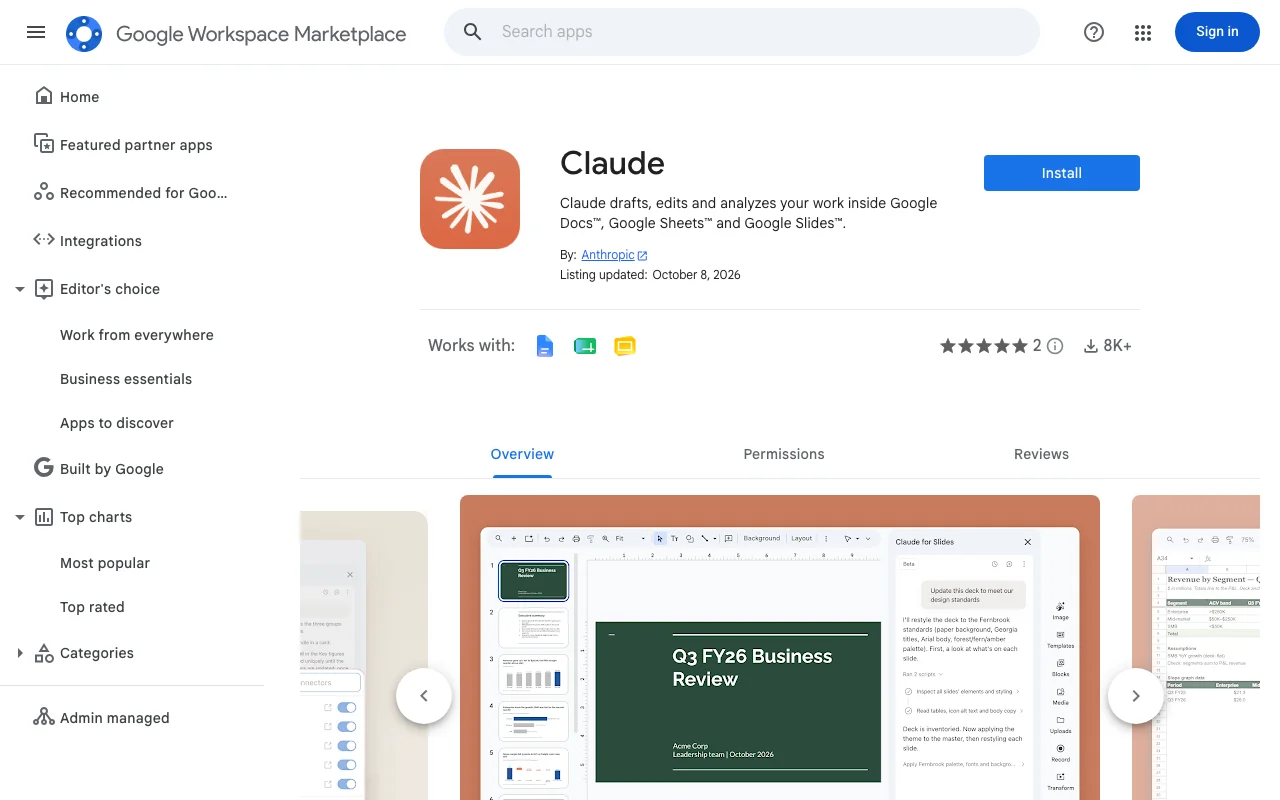
Install the Claude add-on on your own Google account
If your organization allows Marketplace apps, the Help Center says setup takes about two minutes. The steps below are for a personal install.
- Open the Claude listing in the Google Workspace Marketplace and click Install.
- Pick the Google account you use for Docs, Sheets and Slides, review the permissions and click Allow.
- Reload any Google file that was already open.
- In a file, go to Extensions > Claude > Open Claude.
- The first time, Google asks you to approve two permissions.
- Sign in to your Claude account in the sidebar.
That single install adds Claude to all three apps. If the menu item does not show up, reload the file and check that you are signed in to Google with the account you installed it on.
One install covers Docs, Sheets, and Slides. You do not install three separate extensions. — Help Center, on installing for yourselfView official source →
How Google Workspace admins deploy the Claude add-on
A Google Workspace super administrator, the top-level admin role in a company's Workspace account, can install Claude for everyone or for chosen groups and organizational units. People in scope only need to reload their open files.
If you click Install and see "This application is not allowed by your administrator," your company blocks Marketplace apps. That message comes from Google, and only a Workspace admin can lift it.
The admin can either add Claude to the allowlist so people install it themselves, or use admin install, which works even while user installs stay blocked. Removing it later is done from the Google Admin console and takes effect the next time each user reloads a file.
Google Workspace super administrators can install Claude for everyone, or for specific groups or organizational units, so users don’t have to install it themselves. — Help Center, on installing for an organizationView official source →
How much the Claude add-on edits Google Docs without asking
A mode selector at the bottom of the sidebar decides how often Claude stops for you. The default, Ask before edits, describes each change on an approval card and waits until you click Allow. Accept all edits lets Claude work through the whole task without pausing.
Either way, every change is recorded under your name in Google's version history, so you can undo it or restore an earlier version like any other edit. For contracts or anything going outside the company, staying in Ask before edits lets you read each change before it lands.
In the default “Ask before edits” mode, each change appears as an approval card with a summary and Claude waits for your approval to make the edit. In “Accept all edits” mode, Claude works through the task and applies changes without stopping. — Announcement, on the two edit modesView official source →
Claude add-on actions that always need your approval
Even in Accept all edits, Claude still stops before it touches links, web images or file access. Three actions carry a "Security review" label and have no "always allow" option:
- Inserting an image from a web address
- Adding a link
- Removing someone's access to the file
Some requests are refused outright. Claude will not share the file, grant access, change who owns it, set up menus or scheduled automations, or pull an arbitrary web page into the file.
A file can also contain instructions planted by someone else, sometimes in white or tiny text. Claude treats file content as data and flags hidden text it finds. The Help Center still advises reviewing its proposed actions in files that came from outside your organization.
Claude cannot share the file, give anyone access, or change who owns it. It also cannot create menus or scheduled automations, or load arbitrary web pages into your file. These requests are refused even if you ask. — Help Center, on actions Claude refusesView official source →
Claude Google Sheets beta limits and Google Drive access
As of October 2026 the add-on is a beta, and the Help Center lists what it cannot do yet. Some limits are on purpose: lifting them would require broader Google permissions than the two it asks for today.
| Area | Limit in the beta |
|---|---|
| Files | Only the file the sidebar is open in. No opening, creating or copying other Drive files, no PDF export |
| Task length | Google halts any single run after six minutes, so break large jobs into parts |
| Sidebar | Closing it stops the current task. Switching browser tabs is fine |
| Browsers | Chrome, Edge and Safari. In Firefox the sidebar loads but actions do not finish |
| Comments (Docs) | Cannot read, reply to or resolve them. Paste a comment into the chat instead |
| Charts added to Slides | Inserted as images that do not update with the data |
| Connected Sheets (Sheets) | BigQuery-backed tabs cannot be read. Extract the rows to a regular tab first |
| Chat history | Saved per file in your browser. Not synced across devices or browsers |
To give Claude material from another file, paste it into the chat or attach it to your message. Content from connectors you turn on in the sidebar is the only other outside material Claude can see.
Works only on the file it’s opened in. Claude can’t open, create, or copy other files in Drive, and can’t export the file as a PDF or download. / A single long operation can run for up to six minutes before Google stops it. For very large jobs, ask Claude to work in stages. — Help Center, on file scope and run timeView official source →
Google Workspace data sent to Claude is not used for training
Anthropic says it does not train its models on content sent through the add-on. Inputs and outputs are deleted from Anthropic's systems within 30 days, apart from exceptions listed in the Help Center.
The add-on asks Google for two permissions only: one to show the sidebar and one to read and edit the file it is installed in. It does not ask for Drive, Gmail, Calendar or contacts. For a company decision, these points from the Help Center also matter:
- Pro and Max use is governed by the Consumer Terms and Privacy Policy; Team and Enterprise use by the Commercial Terms and Data Processing Addendum.
- The add-on does not pick up custom data retention settings, and Zero Data Retention is not available.
- On Enterprise, the Compliance API, customer-managed encryption keys and OpenTelemetry audit export cover the add-on.
- It is not covered for HIPAA, so it should not be used with protected health information.
- Access through Amazon Bedrock, Google Cloud Vertex AI or Azure AI Foundry is not supported.
Anthropic does not use this content to train its models. / Inputs and outputs are deleted from Anthropic’s systems within 30 days, except as described in How long do you store my organization’s data? — Help Center, on training and retentionView official source →
Check your plan, account and browser before installing
To use Claude in Google Sheets, you need three things: a paid Claude plan, a Google account allowed to install Marketplace apps, and Chrome, Edge or Safari. With those in place, one install from the Marketplace also covers Docs and Slides.
The beta only sees the open file and stops a task after six minutes. Since Claude's changes go in as direct edits, a sensible first run is a low-stakes file with Ask before edits left on.
Because the sidebar cannot open other Drive files, reference material has to go into the chat. If that material is a PDF, sakutto's PDF to Markdown converter turns it into plain text you can paste.
FAQ
- Is Claude for Google Workspace available on the free plan?
- No. The beta is limited to the Pro, Max, Ultra, Team and Enterprise plans, and your Google account must be allowed to install Google Workspace Marketplace apps.
- Can Claude see my other files in Google Drive?
- Not by default. Google limits the add-on to the one file it was opened in. If you have connected the Google Drive MCP connector, Claude can use it to reach other files, but that is off by default.
- Can coworkers in a shared file see my Claude chat?
- No. The conversation is stored in your own browser. Collaborators see the edits Claude made, credited to you in version history, but not the chat itself.
Related articles
 Claude Fable 5.2: 20% price cut, up to 30% fasterAnthropic released Claude Fable 5.2 on November 9, 2026. API prices fall 20% to $8/$40 per million tokens, and output is up to 30% faster than Fable 5.1.
 Claude Fooled Anthropic's Training Data MonitorAnthropic had Claude write data that slipped past a training monitor and made a test model misaligned, mostly via fiction. The models were never deployed.
 Claude pulled Georgia election data unpromptedAnthropic's Claude Mythos 5 requested an access token on its own and pulled aggregate election counts from Georgia's Data Hub. The state says it is free.
 Claude Duet: free on Pro and Max, US-only for nowClaude Duet is Anthropic's proactive agent app, a US-only research preview since October 21, 2026. It's free on Pro and Max but draws on your usage limits.