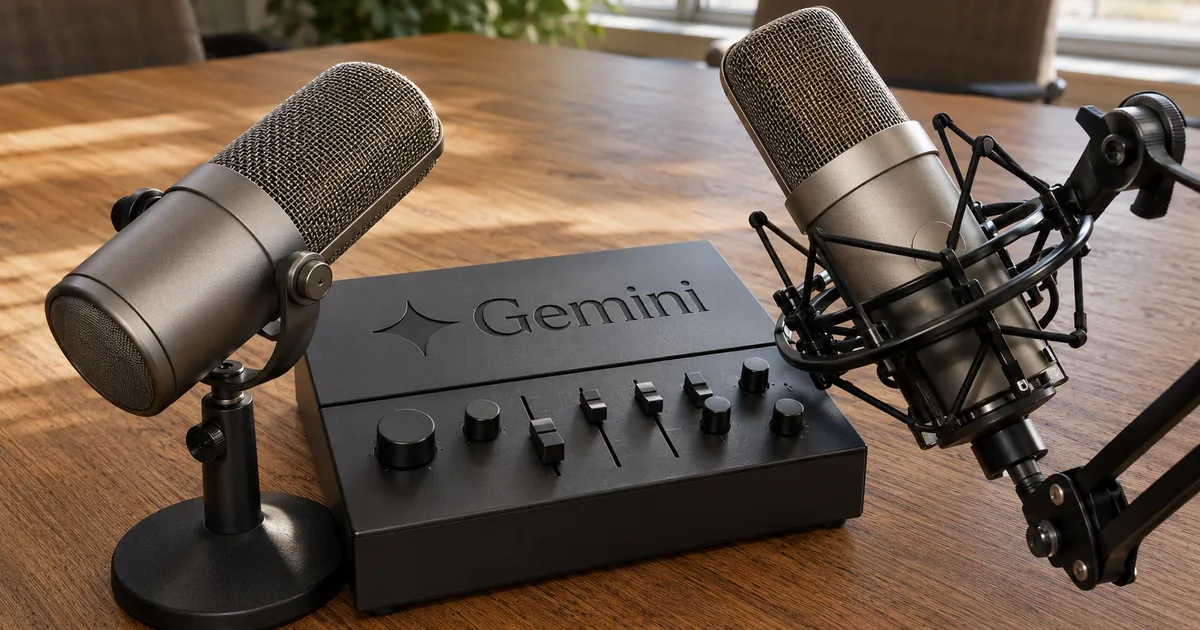
Gemini 3.5 Transcribe ships as two models, not one
The two model IDs
Google announced the model on August 26, 2026. It does one job, turning audio into text, and is separate from the general-purpose Gemini 3.5 line that also writes and reasons.
Recorded audio and live audio use different model IDs
Audio you already have on disk goes to gemini-3.5-transcribe through the Interactions API. Audio arriving from a microphone goes to gemini-3.5-transcribe-live through the Live API.
Latency is not the only difference. Speaker attribution and word-level timestamps exist on the recorded path alone, so a product that starts on the live path cannot add them later without a second pass over the same audio. Choose the path from what your output has to contain, not from which one sounds faster.
"Real-time streaming: Delivers continuous, bidirectional streaming with sub-second latency for interactive voice apps via the Live API using gemini-3.5-transcribe-live"/"Pre-recorded audio processing: Transcribes recorded audio, meetings, call logs, and more with speaker attribution and word-level timestamps via the Interactions API using gemini-3.5-transcribe"(both from the opening section)— Google official blogView official source →
Smart transcription stays off until you ask for it
Two modes exist. The default, verbatim, returns what was said including every "um" and every abandoned sentence. Switching to smart drops the filler, resolves self-corrections so that "Tuesday, no, Wednesday" comes back as Wednesday, and formats lists and dates on the way out.
For a one-person voice memo headed into a written report, smart is the mode you want. For a five-person standup, choosing it costs you the speaker labels, which is usually the whole reason the recording exists.
Recorded audio transcribes more accurately than live audio
Word error rate, as published
Google reports accuracy as word error rate, the share of words a transcript gets wrong, measured by Artificial Analysis. It is not a single number: streaming scores worse than batch, because the model has to commit to words before the sentence finishes.
Google measures accuracy separately for each mode
The gap between the two modes is small in absolute terms and consistent in direction. Batch processing wins on every benchmark Google published, including the multilingual FLEURS set, where the model also improves on the previous Chirp 3 generation.
What changed most is not accuracy but waiting. Time to final transcription improves by 70% against Chirp 3, and that is the number a captioning interface exposes to its users, rather than anything an offline pipeline would notice.
"More precise transcription: As measured by Artificial Analysis, achieves an average Word Error Rate (WER) of 4.0% for streaming and 2.6% for non-streaming use-cases."(features section)/"As measured by Artificial Analysis, time to final transcription, for example, improves by 70%. On the FLEURS benchmark across a set of top languages and locales, the model delivers precise multilingual performance, improving over Chirp 3, and achieving a 5.50% WER in streaming mode and 5.04% WER in non-streaming use-cases."(Chirp 3 comparison section)— Google official blogView official source →
The model detects the language on its own
Language selection is automatic across more than 85 languages, and the model follows speakers who switch languages mid-sentence rather than locking to whichever one it heard first. Passing a language code is still worth doing when you already know the answer, since it narrows what the model has to weigh.
Live transcription costs about twice as much per minute
Published pricing, paid tier
Live audio is the more expensive path on every line of the table, and the difference compounds with volume rather than staying a rounding error.
Speech to text pricing is published per token and per minute
Recorded audio blends to about $0.005 per minute and live to about $0.009. An hour of audio therefore runs about $0.30 against $0.54, and a thousand hours a month about $300 against $540 — a gap wide enough to decide whether captions run continuously or only when somebody asks for them. A free tier covers both models.
Those per-minute figures are Google's own estimate rather than a metered rate, derived from 25 audio tokens per second of input and 175 text tokens per minute of output. Speech that produces denser text than the assumption will land above the estimate.
Smart transcription cannot run alongside diarization
Enabling smart rules out both diarization_mode and timestamp_granularities. Transcribing a five-person meeting therefore means taking verbatim output with the speaker labels intact, then cleaning it up as a separate step in a different model.
Diarization is only dependable for three speakers
The documentation accepts up to 8 speakers, and the same page marks attribution beyond 3 as experimental. Treating the ceiling as the working figure puts production output on an experimental path, while designing for three keeps you inside what Google says it supports.
Turning on extras cuts the maximum audio length in half
A standard request accepts an hour of audio, and that drops to 30 minutes once diarization or word-level timestamps are enabled. A pipeline built around hour-long meeting files breaks the moment somebody switches on speaker labels, so chunking belongs in the design rather than in a later patch. Live sessions cap separately at 10 minutes each.
gemini-3.5-transcribe — input "$2.00 or $0.003/min* (audio)"/output "$12.00 or $0.002/min* (text)"。gemini-3.5-transcribe-live — input "$3.50 or $0.005/min* (audio)"/output "$21.00 or $0.004/min* (text)"。Free tier for both reads "Free of charge"。Footnote: "Estimated pricing is based on 25 audio tokens per second for input and 175 text tokens per minute for output, for an effective blended rate of ~$0.005 per min for Transcribe."— Gemini Developer API pricingView official source →
"Audio duration: Standard unary requests support audio files up to 1 hour. Audio processing is limited to 30 minutes when features like speaker diarization or word-level timestamps are enabled."/"Speaker diarization: Speaker diarization supports up to 8 speakers. Speaker attribution for 3 or more speakers is experimental."/"Mode compatibility: Smart transcription"/"cannot be combined with timestamp_granularities or diarization_mode."(all from Limitations)— Gemini API documentationView official source →
Where to start depending on what you are building
Building minutes for a call with five or more people? Start with the Interactions API in verbatim mode. Keeping the speaker labels matters more than readable prose, and the cleanup can run afterwards in a separate model.
Turning a single-person voice memo into a report? Same API, but choose smart. Only one person is speaking, so there is nobody to tell apart.
Putting live captions on a support screen? That is the Live API. Speaker separation is not offered there at all, which takes the decision away.
Pricing for the general-purpose Gemini models is covered in Gemini 3.5 pricing and free tier limits explained. To read Google's announcement as plain text, the tool below converts the page to markdown.
FAQ
- How much does an hour of audio cost with Gemini 3.5 Transcribe?
- About $0.30 for recorded audio at the blended rate of roughly $0.005 per minute, and about $0.54 for live audio at roughly $0.009 per minute. Both rates are Google's own estimates, derived from 25 audio tokens per second of input and 175 text tokens per minute of output. A free tier covers both models.
- Can I get live captions with speaker labels?
- No. Speaker attribution runs on the recorded-audio model only, and the live model has no equivalent. A product that needs to show who said what while the meeting is still running cannot do it in one pass: you would caption live, then re-run the recording afterwards to get the labels.
- How long can one request be?
- One hour of audio for a standard request, and that ceiling halves to 30 minutes the moment you enable speaker diarization or word-level timestamps. Live sessions are capped separately at 10 minutes each, so continuous captioning needs session handling rather than one long connection.
Related articles
 Gemini create files: edit PDFs and docs in chatGemini create files: docs, PDFs, slides and sheets now open in the chat as previews you can edit. Phones edit only PDFs; the web handles the rest.
 Gemini 4 Carbon vs Argon: Pricing and AccessGemini 4 Carbon vs Argon: Carbon opened to paid API developers, businesses and Google AI Ultra on Nov 10, at the same $2/$10 per 1M token price as Argon.
 Gemini free tier goes Flash-Lite only on October 9The Gemini free tier is Flash-Lite only from October 9, 2026. Flash needs AI Plus ($4.99/month), Pro needs AI Pro ($19.99), and Deep Think stays Ultra-only.
 Gemini Notebook (formerly NotebookLM) explainedGemini Notebook is what NotebookLM became on July 16, 2026. Free users get 50 chats and 3 Audio Overviews a day and it now reads ebooks bought on Google Play.