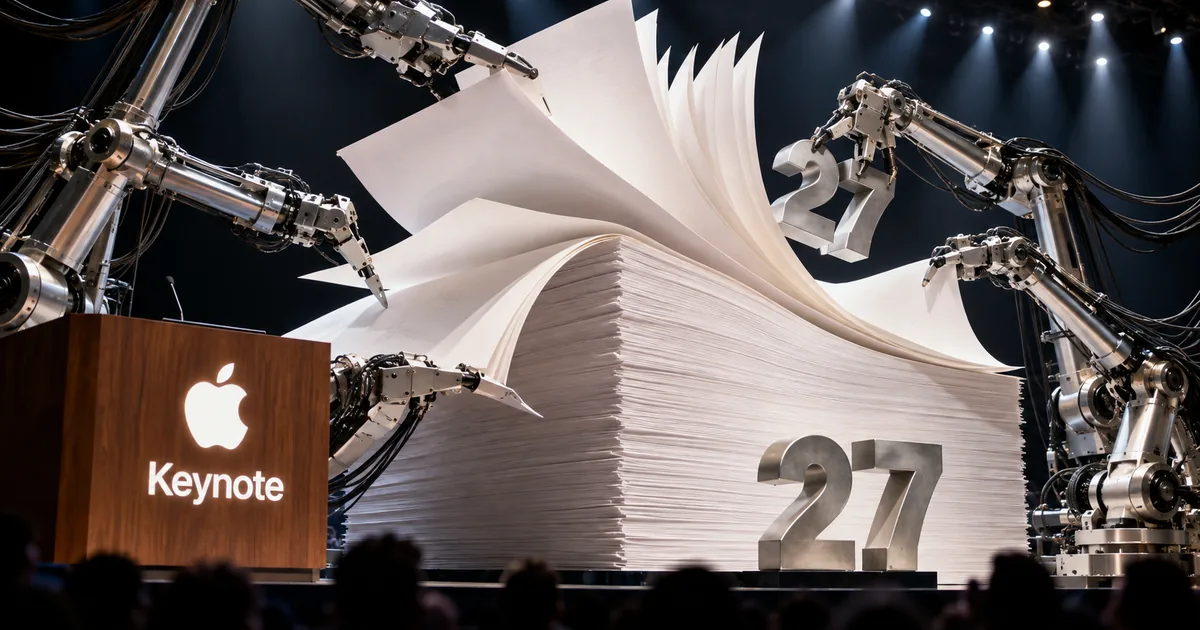
What Apple MCP support lets AI agents do
How an outside AI agent works with a Keynote, Pages or Numbers document over MCP
- An AI agent or tool on your Mac connects to Keynote, Pages or Numbers through MCP
- It reads what is in the open document
- It makes edits and runs automated steps inside the app
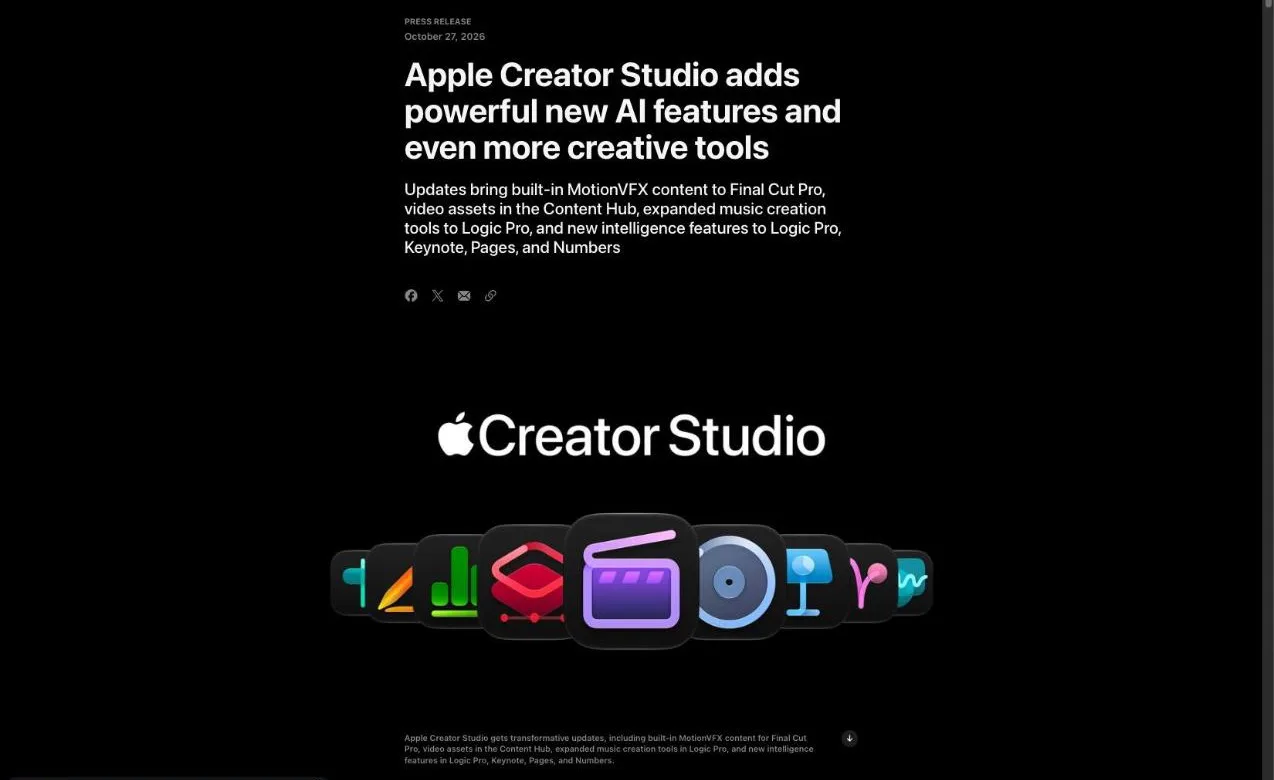
From November, an AI agent running separately from Apple's apps can look inside your slides, documents and spreadsheets, change them and carry out automated steps. The news came on October 27 in an Apple Creator Studio update, and it works through the Model Context Protocol (MCP). The fine print adds one condition: you need macOS 27 or later, which makes this a Mac-only feature for now.
Apple frames MCP support as a way to automate workflows, and it says the feature sits on the same platform as the new built-in assistant. In practice, the assistant handles requests typed inside the app, while MCP lets a separate agent you already use do similar work from the outside.
The announcement leaves the practical details open. Apple has not named the agents or clients that can connect, listed the actions each app exposes, or explained how you approve an agent's edits. Apple has been tightening how much access agents get on the Mac in general (related: Mac Full Disk Access gets stricter over AI agents), so the permission model is worth checking when the update ships.
What is MCP, the Model Context Protocol?
MCP, short for Model Context Protocol, is an open-source standard that connects AI applications to outside systems such as files, databases, tools and workflows. With it, an AI app like Claude or ChatGPT can pull in the information it needs and carry out tasks in other software. The project's documentation compares it to a USB-C port for AI apps.
For Keynote, Pages and Numbers, that means the three apps become something an MCP-capable AI app can plug into. The protocol itself (related: MCP roadmap 2026: five priority areas to plan for) keeps evolving.
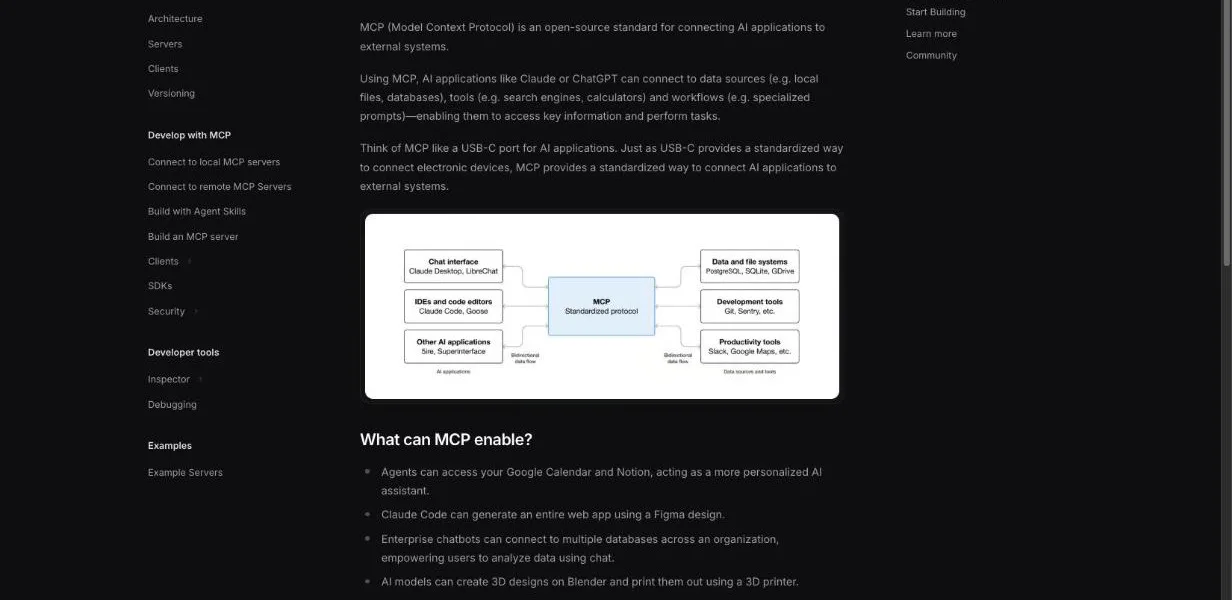
"MCP (Model Context Protocol) is an open-source standard for connecting AI applications to external systems. / Using MCP, AI applications like Claude or ChatGPT can connect to data sources (e.g. local files, databases), tools (e.g. search engines, calculators) and workflows (e.g. specialized prompts)—enabling them to access key information and perform tasks. / Think of MCP like a USB-C port for AI applications." — What is the Model Context Protocol (MCP)?View official source →
The new .keyx file format for Keynote
Keynote is also getting a new file type, Keynote Interchange Format, saved as .keyx. It is an open bundle format based on JSON, a plain-text way of describing structured data that programs can parse easily.
Apple says it designed .keyx so that outside tools, developer workflows and AI agents can read it. MCP gives an agent a live connection to the app; .keyx gives it a presentation file it can open without Keynote's help. Apple has not said whether Pages and Numbers will get a matching format.
"New MCP support, built on this platform, enables external AI agents and tools to read content, perform edits, and execute automated actions directly in Keynote, Pages, and Numbers. / Keynote introduces support for Keynote Interchange Format (.keyx), an open JSON-based bundle file format designed to be readable and accessible to external tools, developer workflows, and AI agents. / Model Context Protocol (MCP) in Keynote, Pages, and Numbers requires macOS 27 or later." — Keynote, Pages, and Numbers section and footnotesView official source →
The built-in assistant in Keynote, Pages and Numbers
What the new assistant handles in each app
Alongside MCP, Creator Studio subscribers get an assistant inside Keynote, Pages and Numbers that reads the open document and helps without sending you to another window. It ships as a beta, which means Apple is still testing it and its behavior may change before a final release.
Apple Creator Studio is Apple's subscription bundle of creative apps for Mac, iPad and iPhone. The assistant is one of several additions in the November update, and it is limited to subscribers.
What the assistant does in each app
In Keynote the assistant works on how slides look and move; in Pages it works on the writing; in Numbers it works on the data. Specifically:
- Keynote: designing slides, adding animation and refining a deck
- Pages: producing a first draft, reorganizing a document and tightening the wording
- Numbers: doing calculations, turning data into visuals, organizing it, suggesting a chart type you can preview with one tap, and building custom tables from general knowledge
Apple does not describe a feature that builds a whole deck from a single prompt. If that is what you want from "Keynote AI," the November release is the time to see what the assistant can actually produce.
"In Keynote, the intelligent assistant helps with designing, animating, and refining slides. In Pages, it drafts, restructures, and fine-tunes written content. In Numbers, it calculates, visualizes, and organizes data; recommends suitable chart types with a one-tap preview; and builds custom tables using world knowledge." — Keynote, Pages, and Numbers sectionView official source →
Built on Apple models and OpenAI
Apple says the Keynote, Pages and Numbers assistant is built on its own models together with OpenAI. It has not said which OpenAI model is involved or how work is split between the two.
The wording differs for Logic Pro. Its new assistant runs on a mix of Apple-built and third-party models, and that description does not name OpenAI. Only the productivity apps carry OpenAI's name in the announcement.
"Visual productivity apps receive a new generation of intelligence features for subscribers, including an intelligent assistant, built on Apple models and OpenAI, directly within Keynote, Pages, and Numbers. / A new intelligent assistant powered by a combination of Apple-built and third-party models joins Logic Pro for Mac" — Keynote, Pages, and Numbers section / Logic Pro sectionView official source →
Requirements for the assistant and MCP
What each new feature needs
Installing the November update does not by itself turn on the assistant or MCP. The assistant needs newer hardware, the 27 releases of Apple's operating systems and the U.S. English setting, while MCP needs a Mac on macOS 27.
Keynote, Pages and Numbers themselves keep running on the 26 releases. That gap matters: you can have the latest version of the apps and still see neither feature if your device stays on a 26 release.
Devices and OS versions you need
The assistant in Keynote, Pages and Numbers only works on a device that supports Apple Intelligence and runs iOS 27, iPadOS 27 or macOS 27 or later. Apple Intelligence is the name Apple gives to the AI features built into its operating systems.
The Logic Pro assistant has its own requirements. It needs an Apple Intelligence-capable Mac running macOS 27 Golden Gate or later, and Apple has announced it only for the Mac version of Logic Pro.
"The assistant (beta) in Logic Pro for Mac requires macOS 27 Golden Gate or later on an Apple Intelligence-capable Mac and is available in U.S. English only. The assistant (beta) in Keynote, Pages, and Numbers requires an Apple Intelligence-capable device running iOS 27, iPadOS 27, or macOS 27 or later, and is available in U.S. English only. / Keynote, Pages, Numbers, and Freeform require macOS 26, iOS 26, or iPadOS 26 or later." — footnotesView official source →
Language support is limited to U.S. English
Both assistants, in the productivity apps and in Logic Pro, are available in U.S. English only at launch. Apple has not given a timeline for other languages or English variants.
The footnote does not attach a language condition to MCP. Whether an outside agent can work on documents written in other languages is not addressed either way, so it is something to test once the feature is live.
Apple Creator Studio price and the free apps
Apple Creator Studio pricing in the U.S. (as of October 2026)
A new Apple Creator Studio subscription costs $12.99 per month (as of October 2026) or $129 per year in the U.S. The first month is free for anyone signing up, and people who buy an eligible Mac or iPad get three months instead. College students and educators pay $2.99 a month or $29.99 a year, and one subscription covers up to six family members through Family Sharing.
Existing subscribers get the update at no extra cost
If you already subscribe, the November update, including the assistant and MCP support, comes at no added charge. It arrives through the App Store as a regular update to the apps you already have.
The device and language limits above still apply. A subscriber whose Mac lacks Apple Intelligence support, or who stays on a 26 release, will receive the update but not the two AI features.
"Apple Creator Studio updates will be available on the App Store this November for free for existing subscribers. New subscribers pay $12.99 (U.S.) per month or $129 (U.S.) per year. All new subscribers will enjoy a one-month free trial of Apple Creator Studio, and with the purchase of a new Mac or qualifying iPad, customers can receive three months of Apple Creator Studio for free. / Education savings are available for college students and educators for $2.99 (U.S.) per month or $29.99 (U.S.) per year. / Up to six family members can share all of the apps and content included in Apple Creator Studio with Family Sharing." — Pricing and AvailabilityView official source →
Free Keynote, Pages and Numbers stay available
The free editions of Keynote, Pages, Numbers and Freeform are not going away. They continue to come preinstalled on every new iPhone, Mac and iPad.
What Apple has not spelled out is whether the free editions get any part of the new assistant. The announcement presents the assistant as a feature for subscribers, so plan on a Creator Studio subscription if you want it.
"Free versions of Keynote, Pages, Numbers, and Freeform continue to be available and are included with every new iPhone, Mac, and iPad." — Pricing and AvailabilityView official source →
Other Creator Studio updates in November
Other headline changes in the same update
The November update reaches beyond the productivity apps, with a second assistant in Logic Pro and new editing tools in Final Cut Pro and Pixelmator Pro. None of these depend on MCP.
Logic Pro gets its own assistant
Logic Pro for Mac picks up a beta assistant aimed at music production. Apple lists four jobs for it:
- guiding you through production workflows
- starting a new song
- setting up a vocal track from one prompt
- refining a project you are already working on
Apple is pitching the assistants as a big shift. Brent Chiu-Watson, who runs worldwide product marketing for Apple's apps and iCloud, said they will change how people learn and use Logic Pro, Keynote, Pages and Numbers.
"A new intelligent assistant in Logic Pro for Mac helps creators and producers navigate production workflows, start a new song, set up a vocal track from a single prompt, or refine an active project. / And the assistant capabilities in Logic Pro, Keynote, Pages, and Numbers are going to change the game for how people interact with and learn to use these apps." — Logic Pro section / Brent Chiu-WatsonView official source →
Final Cut Pro and Pixelmator Pro additions
Final Cut Pro for Mac now ships with MotionVFX built in, a large library of effects, plug-ins, transitions, templates and motion graphics tools. The same Mac app can also hand images to Pixelmator Pro for editing.
Pixelmator Pro gains Generate Fill. You circle part of an image, describe the change in words, and the app redraws that area to match the light, perspective and texture around it. Freeform is due to get Pixelmator Pro image editing and shapes generated from text in December.
"Final Cut Pro for Mac now includes built-in MotionVFX — an expansive collection of visual effects, plug-ins, transitions, templates, and motion graphics tools — as well as seamless editing in Pixelmator Pro. / Creators can simply circle an area in an image and describe the change they want. / Generate Fill automatically matches the lighting, perspective, and texture of the surrounding environment so edits blend in seamlessly" — opening / Pixelmator Pro sectionView official source →
Apple MCP arrives in November with open questions
For people who already run AI agents on a Mac, MCP support is the change to watch, because it turns three everyday document apps into targets those agents can work on directly. The assistant reaches a narrower group: subscribers with Apple Intelligence hardware who work in U.S. English.
The open questions are all on the MCP side. Apple has not said which agents will be able to connect, which actions each app will expose, or how you will approve an agent's edits before they land in a document. Until that is published, plan to test with a copy of a file rather than the original.
If you mainly want the assistant, the free trial is the cheap way to find out whether it does enough for your decks and spreadsheets. If you mainly want MCP, the deciding factor is whether your Mac can run macOS 27, and then which agents Apple lets in.
FAQ
- Does Keynote support MCP?
- Yes, starting with the November Apple Creator Studio update. Keynote, Pages and Numbers will let outside AI agents and tools read a document, edit it and run automated actions inside the app, on macOS 27 or later.
- Is the Keynote AI assistant free?
- It is part of Apple Creator Studio, which costs $12.99 a month or $129 a year in the U.S. after a one-month trial. Existing subscribers get it in November at no extra cost. It is a subscriber feature, and Apple has not said the free Keynote app gets it.
- Which languages does the Keynote assistant support?
- Only U.S. English at launch. Apple has not announced when other languages will follow, and the assistant also needs an Apple Intelligence-capable device on iOS 27, iPadOS 27 or macOS 27.
Related articles
 Apple Intelligence launches in China with QwenApple Intelligence comes to iPhones in China with iOS 27.3 in December. Alibaba's Qwen handles some Siri and Writing Tools requests, but Siri AI is left out.
 Flash prices up 5x on AI, eroding Apple's leverageAI demand made flash 5x pricier in a year, the WSJ reports. Cloud giants now buy twice as much as Apple, and doubling iPhone 17 Pro storage costs Apple $66.
 ChatGPT now works with iCloud Mail and CalendarOpenAI added iCloud Mail and Calendar plugins to ChatGPT on Oct 27 for all plans. You connect with an Apple app-specific password that outlives a disconnect.
 Siri AI supported devices and the waitlist stepsSiri AI supported devices start at iPhone 15 Pro. Here is the storage each needs, the six languages in iOS 27.2, and how to join the waitlist in Settings.