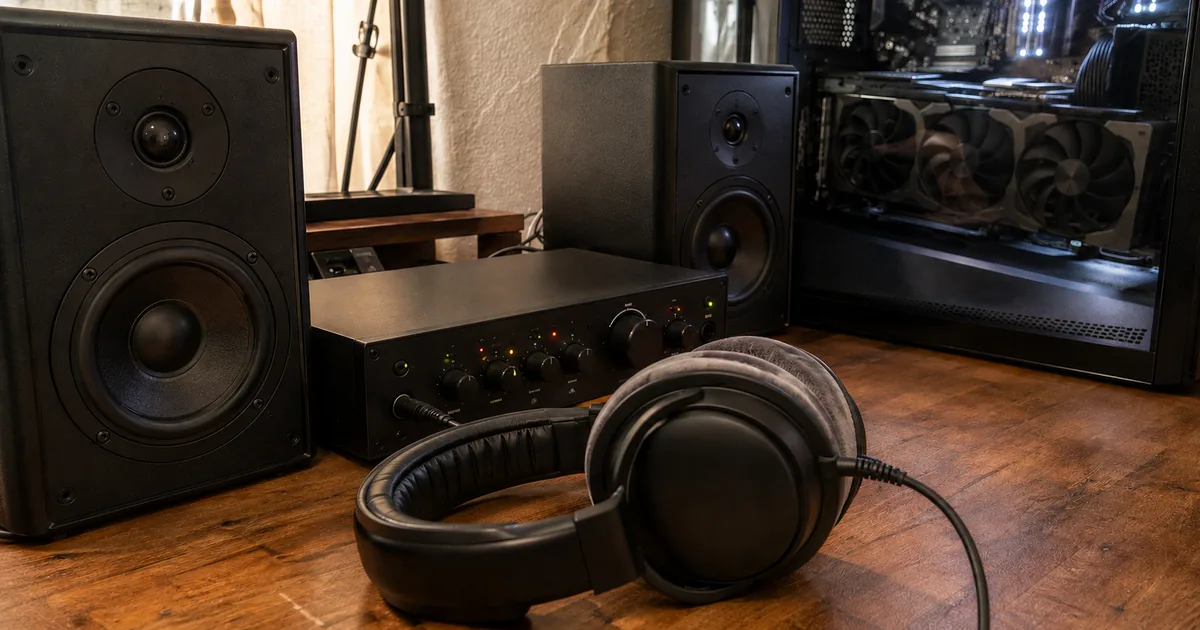
What MiniMax Music 3 generates from lyrics and a description
MiniMax Music 3 generates a complete song of up to five minutes from two inputs, lyrics and a music description, and saves it as 32 kHz, 16-bit stereo WAV audio. The model card uses the name "MiniMax Music 3" in its prose and "MiniMax-Music3" for the repository and the license, and both mean the same model.
MiniMax Music 3 at a glance
Take a hobbyist who writes two verses and a chorus and adds one line asking for a warm acoustic pop song with intimate female vocals and fingerpicked guitar. The output is one WAV file with the whole song, and the card's own example request has the same two parts.
Inside, a large language model (LLM) with 8 billion parameters, called the Global LLM, plans the long-range structure of the song. A second, smaller LLM with 0.6 billion parameters, the Local LLM, fills in acoustic detail frame by frame.
A Flow Matching stage then turns the internal states of both into audio. The card says themes, rhythm, vocal identity and arrangement progression hold across the whole length, so intro, verse, pre-chorus, chorus, bridge, instrumental break and outro can appear in one song.
"MiniMax Music 3 is a high-performance music generation model for creating complete songs up to five minutes long. Conditioned on lyrics and a detailed music description, it generates structurally coherent songs with expressive vocals, evolving arrangements, and stable long-form audio quality."/"MiniMax Music 3 combines an 8B Global LLM for long-range musical structure, a 0.6B Local LLM for frame-level acoustic detail, and a continuous hidden-state synthesis system based on Flow Matching and Flow-VAE. The model produces 32 kHz, 16-bit stereo WAV audio."/"The model maintains musical themes, rhythm, vocal identity, and arrangement progression across long sequences, enabling complete structures such as intro, verse, pre-chorus, chorus, bridge, instrumental break, and outro."(MiniMax-Music3 model card・opening and Complete Songs with Long-Range Coherence section)View official source →
Prompting MiniMax Music 3 with section tags and captions
The lyrics and the description go in as separate inputs: lyrics may carry section tags, and the description sets style, emotional progression, vocal performance, instrumentation, arrangement and production profile. A section tag is a label in square brackets that marks where a part of the song begins, and a caption is the written music description.
The card lists these tags: [Intro], [Verse], [Pre-Chorus], [Chorus], [Post-Chorus], [Bridge], [Instrumental], [Solo] and [Outro]. Each tag sits on its own line, with the sung words below it. For precise control, MiniMax recommends a Structured Caption with three parts:
- Global Metadata: genre, subgenre, BPM, key, scale, emotional progression, listening scenario and production profile.
- Vocal Details: vocal gender, timbre, performance style, harmony, backing vocals and vocal effects.
- Arrangement: primary and secondary instruments, how instruments change by section, groove, bass, percussion, textures and spatial effects.
A short natural-language description can also be used on its own. When a prompt needs more control, the card points to a music-caption-rewriter skill that expands the short text into a Structured Caption. The skill keeps the lyric text in the lyrics input and carries any instructions attached to section tags into the arrangement description.
npx skills add MiniMax-AI/MiniMax-Music3 --skill music-caption-rewriter
"Music description defines the musical style, emotional progression, vocal performance, instrumentation, arrangement, and production profile."/"For precise control, we recommend using a Structured Caption with three sections:"/"A concise natural-language description can be used directly."/"The skill preserves musical instructions attached to lyric section tags in the arrangement description while keeping the lyric text in the lyrics input."(MiniMax-Music3 model card・Fine-Grained Music Control and Prompt Enhancement sections)View official source →
Running MiniMax Music 3 locally with SGLang-Omni or ComfyUI
The model card names three ways to run MiniMax Music 3 locally: SGLang-Omni, diffusers and ComfyUI. Its own walk-through uses SGLang-Omni: download the weights from Hugging Face, serve them on port 8000, then send a request to the speech endpoint.
- Download the weights:
hf download MiniMaxAI/MiniMax-Music3 --local-dir /path/to/minimax_ttm
- Start the server:
sgl-omni serve --model-path MiniMaxAI/MiniMax-Music3 --port 8000
- Send the lyrics in
inputand the description ininstructionsto/v1/audio/speech, with the tags on their own lines:
curl http://127.0.0.1:8000/v1/audio/speech \
  -H 'Content-Type: application/json' \
  -d '{
    "model": "MiniMaxAI/MiniMax-Music3",
    "input": "[Verse]\nMorning light filtering through the pine\n[Chorus]\nSoftly the world begins to breathe",
    "instructions": "A warm acoustic pop song with intimate female vocals, fingerpicked guitar, soft piano, and a gradual emotional build into a wide final chorus.",
    "response_format": "wav",
    "seed": 7,
    "max_new_tokens": 750,
    "stream": false
  }' \
  --output minimax_music3.wav
The max_new_tokens value caps the number of audio frames, counted at 25 frames per second, so it works as a length limit. Generation can end sooner if the model emits an end-of-audio token. The response is a 32 kHz, 16-bit stereo WAV file.
diffusers, the Hugging Face Python library for generative models, offers MiniMax Music 3 as a modular pipeline. The card says to install diffusers from the pull request commit until pull request 14456 is merged, so check whether that has happened before installing. For ComfyUI, the card links to the ComfyUI tutorials.
"MiniMax Music 3 is supported by SGLang-Omni."/"The service uses the shared speech API."/"max_new_tokens sets the maximum number of audio frames at 25 frames per second. Generation may finish before this limit when the model emits an end-of-audio token. The response is a 32 kHz, 16-bit stereo WAV file."/"MiniMax Music 3 is available as a diffusers modular pipeline."(MiniMax-Music3 model card・How to Use, Generate Music and Diffusers sections)View official source →
How much VRAM MiniMax Music 3 needs
MiniMax Music 3 fits under 24GB of VRAM at full precision, needs about 22GB with automatic CPU offloading, and fits an 8GB video card when the language model is also streamed layer by layer. VRAM is the memory on the graphics card itself. Only layer streaming is described as slower, and the card gives no speed figure.
VRAM needed by configuration
Each step down adds a technique: CPU offloading moves parts of the model into the computer's main memory, and layer streaming loads the language model one layer at a time.
For a GPU with 24GB or more, the basic diffusers snippet on the model card runs as written. Below about 22GB of VRAM, the card's code adds layer streaming, and its code comment calls that step slower but says it fits in 8GB. Automatic CPU offloading and layer streaming are two separate calls in that code, so a GPU with about 22GB can use offloading alone. Inference requires CUDA, NVIDIA's software for running programs on its graphics cards, so memory size is not the only check.
"The full precision fits under 24GB of VRAM. With automatic CPU offloading, generation takes in ~22 GB; additionally streaming the language model layer by layer makes it fit even 8 GB video cards:"/"Only needed below ~22 GB of VRAM — slower, but fits in 8 GB."(MiniMax-Music3 model card・Low VRAM section)View official source →
Is MiniMax Music 3 open source? License and commercial terms
The weights are free to download and use under a custom license, the MiniMax-Music3 COMMUNITY LICENSE, whose opening grant reads like MIT but adds conditions. Because of those conditions, the release is open weights, not open source. A commercial product must display "MiniMax-Music3" in its interface, and aggregate yearly revenue above 20 million US dollars from such products needs MiniMax's prior written authorization.
The license covers the model weights, parameters, configuration files, inference code and documentation. It lists these conditions:
- Notices: the copyright notice and permission notice go into all copies or substantial portions of the software.
- Law and policy: use must follow applicable laws, including trade-compliance laws, and the Acceptable Use Policy in Exhibit A, and must not violate third-party intellectual-property rights.
- Display: a commercial product or service that uses the software must prominently display "MiniMax-Music3" on its user interface.
- Revenue: when aggregate yearly revenue from such products and services, counting the licensee and its affiliates, exceeds 20 million US dollars, the licensee must get separate, prior written authorization from MiniMax through api@minimax.io, with the subject line "MiniMax-Music3 licensing - authorization request".
- Safeguards: anyone who provides a product, service or hosted service that lets third parties generate outputs must put reasonable technical and organizational safeguards in place before launch, keep them running, test and review them, and enforce the license against users and downstream recipients.
The Acceptable Use Policy lists 19 prohibited uses and shows August 6, 2026 as its last revision date. It bars uses such as circumventing safety guardrails, impersonating a person without consent and military purposes. Its eleventh item requires clear disclosure when machine-generated content is released into a public environment.
MiniMax reserves the right to update the policy. The software comes "as is", and the licensee carries the risk and indemnifies MiniMax against losses from a breach.
Take a team that ships a commercial app where its own users generate songs. The display condition and the safeguards duty both apply to that team, and the revenue condition applies once aggregate yearly revenue from such products passes 20 million US dollars. A notice in the license adds that MiniMax-Music3 was fine-tuned from Qwen3-8B, which is licensed under the Apache License 2.0.
"Permission is hereby granted, free of charge, to any person obtaining a copy of this Software, including the model weights, parameters, configuration files, inference code and associated documentation"/"You shall prominently display “MiniMax-Music3” on the user interface of commercial product or service that uses the Software."/"You shall obtain a separate, prior written authorization from MiniMax by contacting api@minimax.io with the subject line “MiniMax-Music3 licensing - authorization request”, if the aggregate yearly revenue generated from such products and services provided by you and/or any of your affiliates exceeds 20 million US dollars (or equivalent in other currencies)."/"If you provide or make available to any third party a product, service, or hosted service that permits the generation of outputs using the Software, you must, before making that product or service available and throughout its operation, implement, maintain, test, and periodically review reasonable and proportionate technical and organizational safeguards"(MiniMax-Music3 COMMUNITY LICENSE・grant, clause 3 Commercial Terms and clause 4)View official source →
Limits to check before relying on MiniMax Music 3
The model card lists five limits. Four are hard boundaries: CUDA-only inference, non-streaming generation only, a 5,000-token cap on the text prompt and a 9,000-frame cap on audio. The fifth is that output is not guaranteed to match every requested detail.
- Inference requires CUDA, so a machine without a CUDA-capable GPU is outside what the card describes.
- Only non-streaming generation is supported for now, which means audio is returned after generation finishes and cannot play while it is still being made.
- The tokenized text prompt, meaning the lyrics and description after they are split into small pieces, is limited to 5,000 tokens.
- Audio generation is limited to 9,000 acoustic frames.
- Section tags and descriptions give generative control, not strict symbolic guarantees. Tempo, key, instrumentation, lyrics and song structure may not always match every requested detail exactly.
For a project that needs an exact key or tempo, the last point matters most, because the output has to be checked against the request rather than assumed to follow it. The card lists neither supported languages nor generation speed, so those need a test run.
"Inference requires CUDA. Only non-streaming generation is currently supported. The tokenized text prompt is limited to 5,000 tokens. Audio generation is limited to 9,000 acoustic frames. Section tags and music descriptions provide generative control rather than strict symbolic guarantees. The generated tempo, key, instrumentation, lyrics, and song structure may not always match every requested detail exactly."(MiniMax-Music3 model card・Limitations section)View official source →
FAQ
- What can MiniMax Music 3 do?
- Given lyrics and a detailed music description, it generates a complete song up to five minutes long. Structure holds together from intro to outro, and vocal identity and arrangement progression are maintained. Output is 32 kHz, 16-bit stereo WAV.
- What GPU do I need to run MiniMax Music 3?
- Full precision fits under 24GB of VRAM. With automatic CPU offloading it takes about 22GB, and streaming the language model layer by layer makes it fit on an 8GB card. The model card marks only the layer-streaming step as slower.
- Is MiniMax Music 3 open source?
- The weights are free to download and use, but under a custom community license rather than a standard open-source license. Its opening grant reads like MIT, and conditions on law, the Acceptable Use Policy, commercial display and safeguards come on top. This article therefore calls the release open weights.
- Can I use MiniMax Music 3 commercially?
- Yes, with conditions. A commercial product or service must prominently display “MiniMax-Music3” in its user interface, and aggregate yearly revenue from such products above 20 million US dollars across you and your affiliates needs separate prior written authorization from MiniMax.
Related articles
 GLM 5.3 benchmarks, pricing, and open weightsGLM 5.3 keeps the GLM 5.2 base and changes only post-training. Benchmarks against Opus 4.8 and Kimi K3, the points-based Coding Plan, and the open weights.
 MiniMax H3 Open Weights: 768p Only, US/EU ExcludedMiniMax H3's open weights run locally only at 768p, because the 2K step stays on the API. The license excludes the US, EU, UK, and Korea but covers Japan.
 Claude Fable 5.2: 20% price cut, up to 30% fasterAnthropic released Claude Fable 5.2 on November 9, 2026. API prices fall 20% to $8/$40 per million tokens, and output is up to 30% faster than Fable 5.1.
 PayPay security and passkeys in 10 Japan pay appsPayPay security compared with 9 other Japanese payment apps: passkeys, extra checks to send or pay, and fraud compensation deadlines.