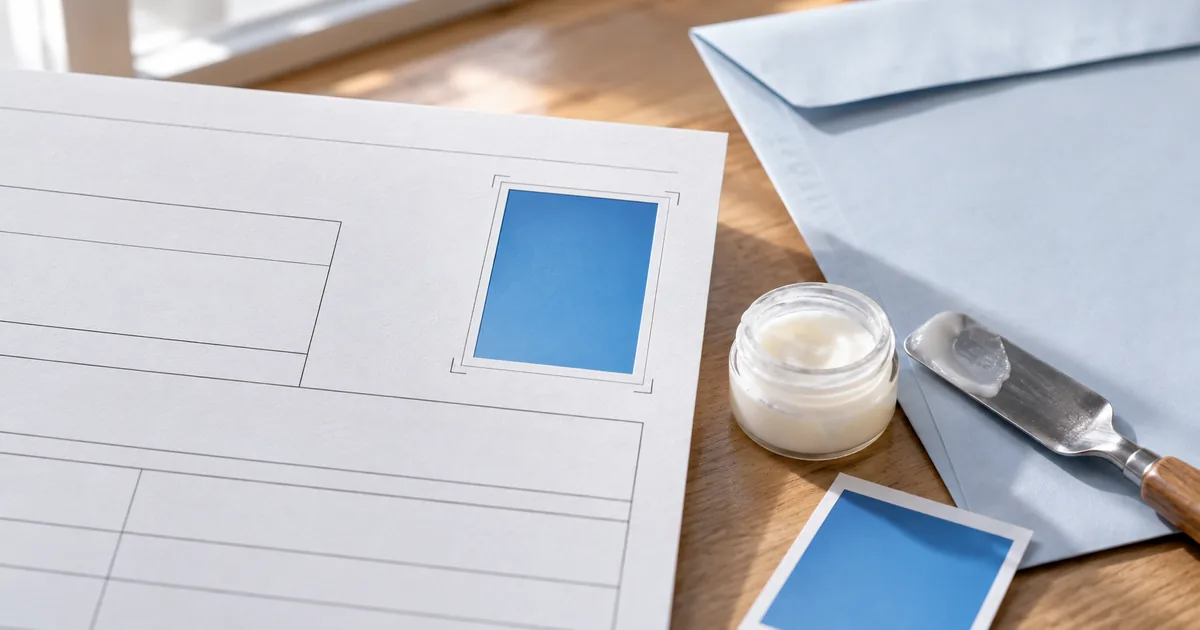
Scanning a handwritten resume is tedious. Word files can shift their layout on the recipient's end. A browser builder such as sakuttoAI's makes a resume PDF for free, with the photo placed and a file name that recruiters can make sense of.
Why send a resume PDF instead of a Word file
A PDF is the safer submission format because the layout can't shift and the content is harder to alter after the fact. Three properties made PDF the usual format for resumes:
- Layout stays intact: Unlike a Word file, a PDF looks the same on every device and every recipient's computer
- Harder to tamper with: PDFs are difficult to edit, so the recruiter reads exactly what you sent
- Small file size: Easy to attach to emails or upload to job application portals
How to make a resume PDF for free with sakuttoAI's builder
sakuttoAI's resume builder runs entirely in your browser, at no cost. The whole job is four groups of fields, one photo upload and a PDF download.
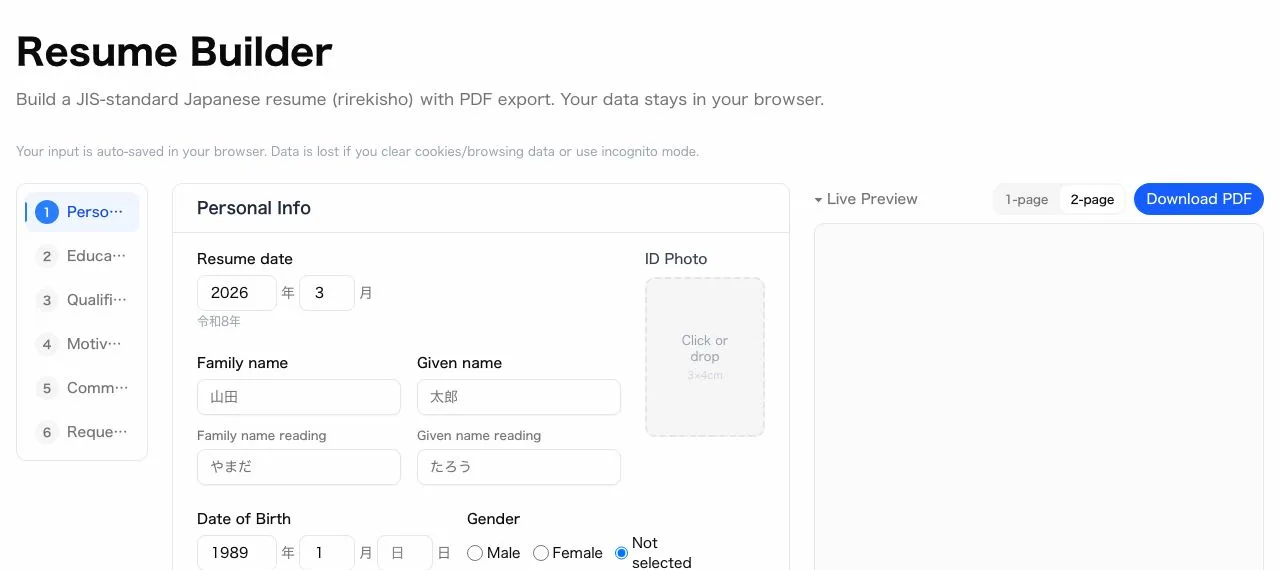
Step 1: Enter your basic information
Start with your name, and the phonetic reading fills in automatically as you type it. Then add your date of birth, address, phone number, and email address.
Step 2: Add your education and work history
Add your education and employment history in chronological order, one row at a time. You can add or remove rows, so a long career history still fits.
Step 3: Upload your headshot image for the resume
Upload a photo file and it's automatically placed and cropped into the resume's photo area. A photo taken on your phone works fine, and you don't need a photo studio or an editing app.
Step 4: Preview and download the resume PDF
Check the live preview, and once everything looks right, click download to get your finished resume as a PDF. Your entries appear in the preview in real time as you type.
Add a photo to your resume PDF
Size and format the photo needs
sakuttoAI's builder automatically crops your uploaded photo to the resume's photo area, so you don't need to size the image yourself before uploading. The builder crops to a 3:4 width-to-height ratio and compresses the file to keep it small. JPG and PNG files both work.
Tips for taking it with your phone
You don't need a professional photo studio — a smartphone camera can produce a good headshot. Four habits help:
- Use the rear camera: Higher resolution than the front camera, and no mirror effect
- Find good lighting: Natural light near a window works best
- Use a plain background: Stand in front of a white wall or curtain
- Frame from the chest up: Shoot a bit wider than needed — the builder crops it for you
To adjust the photo further before uploading, use sakuttoAI's image resize tool. It's most useful when the source photo is a different shape than the resume needs.
Name your resume PDF file the way recruiters expect
A clear file name tells the recruiter whose resume it is and which version is the latest. Four parts cover it: a document label, your full name, a date and underscores between them.
Recommended resume PDF file name format
Resume_TaroYamada_20260317.pdf
- Start with "Resume" to distinguish it from other documents (like a cover letter)
- Include your full name so the recipient knows whose file it is
- Add the date to identify the latest version
- Use underscores (_) as separators
File names to avoid on a resume PDF
Avoid generic or copy-paste-looking file names — they read as careless even before the recruiter opens the file. The table below shows the patterns to skip.
| Bad Example | Why |
|---|---|
Resume.pdf |
No way to tell whose resume it is |
document.pdf |
Generic and unprofessional |
Untitled.pdf |
Suggests carelessness |
Resume(latest)(2).pdf |
Looks like a copy-paste artifact |
Create your resume PDF on your phone, no computer needed
sakuttoAI's builder runs in Safari, Chrome, or any other mobile browser, so you can create your resume PDF entirely on your phone with no app to install. You can upload a photo directly from your phone's camera roll and fill in every field with the on-screen keyboard.
Send the finished resume PDF from your phone
Once the PDF is downloaded, you can attach it straight from your phone without moving it to a computer first. Add it to an email in your phone's mail app, or upload it to the job application form.
Convert or scan a handwritten resume into a PDF
If all you have is a handwritten resume, your phone's built-in scan function can turn it into a PDF without a dedicated scanner. From there you can attach or upload the scanned file the same way as a digitally created one.
Scanning a handwritten resume with your phone
Most phones have a document scan feature in a built-in app. Save the scan as a PDF and it's ready to attach.
Photograph the entire page from directly above, keeping the camera level and avoiding shadows on the paper, for the clearest scan. A digitally created PDF is generally easier to read than a scan, so use sakuttoAI's builder instead when a handwritten resume isn't specifically requested.
Compress the scan if the resume PDF file is too large
A high-resolution scan can produce a file that's too large to attach or upload, and sakuttoAI's PDF compressor fixes that in one step. Run the scanned file through it before sending.
Summary: A free resume PDF with photo and a clear file name
PDF is the standard, safest format for resume submissions, and sakuttoAI's builder gets you there for free. Fill in your details, add a photo that's automatically cropped to size, and download the finished PDF — all from your phone if you don't have a computer. Name the file "Resume_FullName_Date.pdf" so recruiters can tell it's yours, and if all you have is a handwritten resume, scan it into a PDF instead.
FAQ
- Can I create a resume PDF for free?
- Yes. sakuttoAI's resume builder is free. Open it in your browser and start filling in your details.
- Can I create a resume PDF on my phone?
- Yes. The builder works in a mobile browser, so you can enter your information, upload a photo, and download the PDF entirely from your phone's browser — no app needed.
- What should I name the resume PDF file?
- Use the format 'Resume_FullName_Date.pdf' (e.g., Resume_TaroYamada_20260317.pdf), so the recipient can tell whose file it is and which version is the latest.
- Does my personal information get sent to a server?
- Your name, date of birth, education, work history, and photo stay in your browser and are never sent anywhere. Only the postal code you enter is sent to an external address-lookup API to auto-fill your address.
- Can I convert a handwritten resume to PDF?
- Yes. Use your phone's scan function — the Notes app on iPhone or Google Drive on Android can scan documents to PDF.
Related articles
 How to scan documents to PDF: phone, PC, or storeHow to scan documents to PDF on iPhone, Android, Windows, or Mac, or at a FedEx Office copier, and where each method saves the file.
 ChatGPT file upload limit: which one stops youChatGPT file upload limit: 512MB per file and 80 files every 3 hours, but the hidden quota and the Enterprise 110k-token cut are what stop most people.
 Document Digitization: Going Paperless for FreeDocument digitization without buying software: convert paper to PDF, then compress, merge, and split the files in your browser with free tools.
 What Is a PDF File? Edit, Convert and CompressWhat is a PDF file and what does PDF stand for? Learn to open, create, compress, merge, split, and convert PDFs free in your browser, starting from scratch.