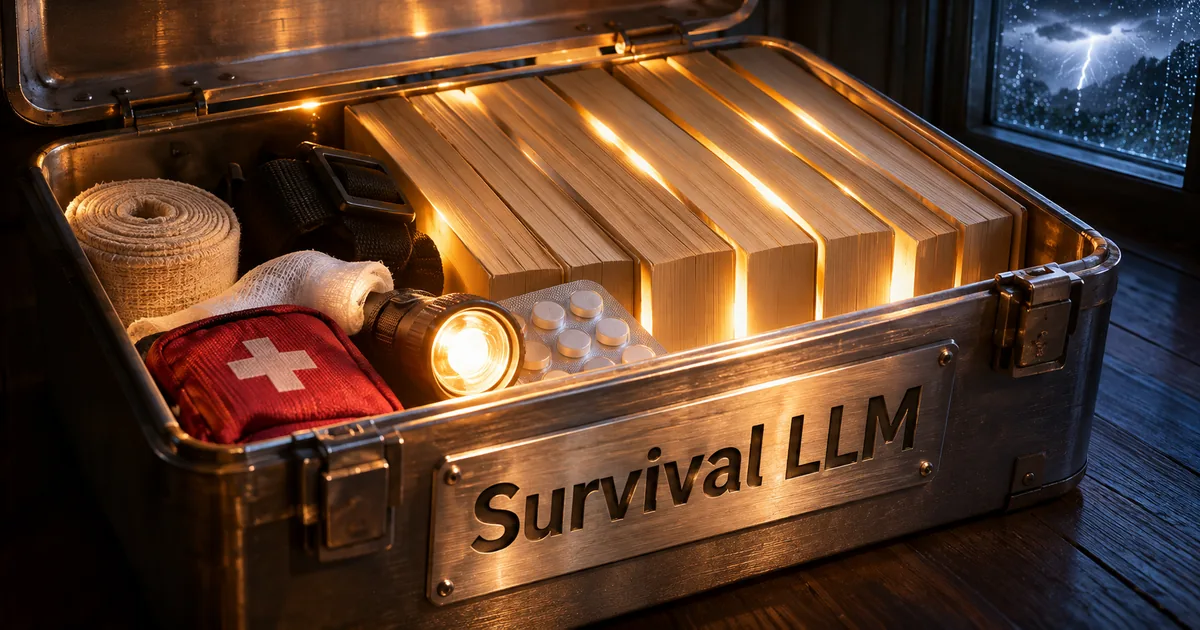
Survival LLM is a free offline AI for emergencies
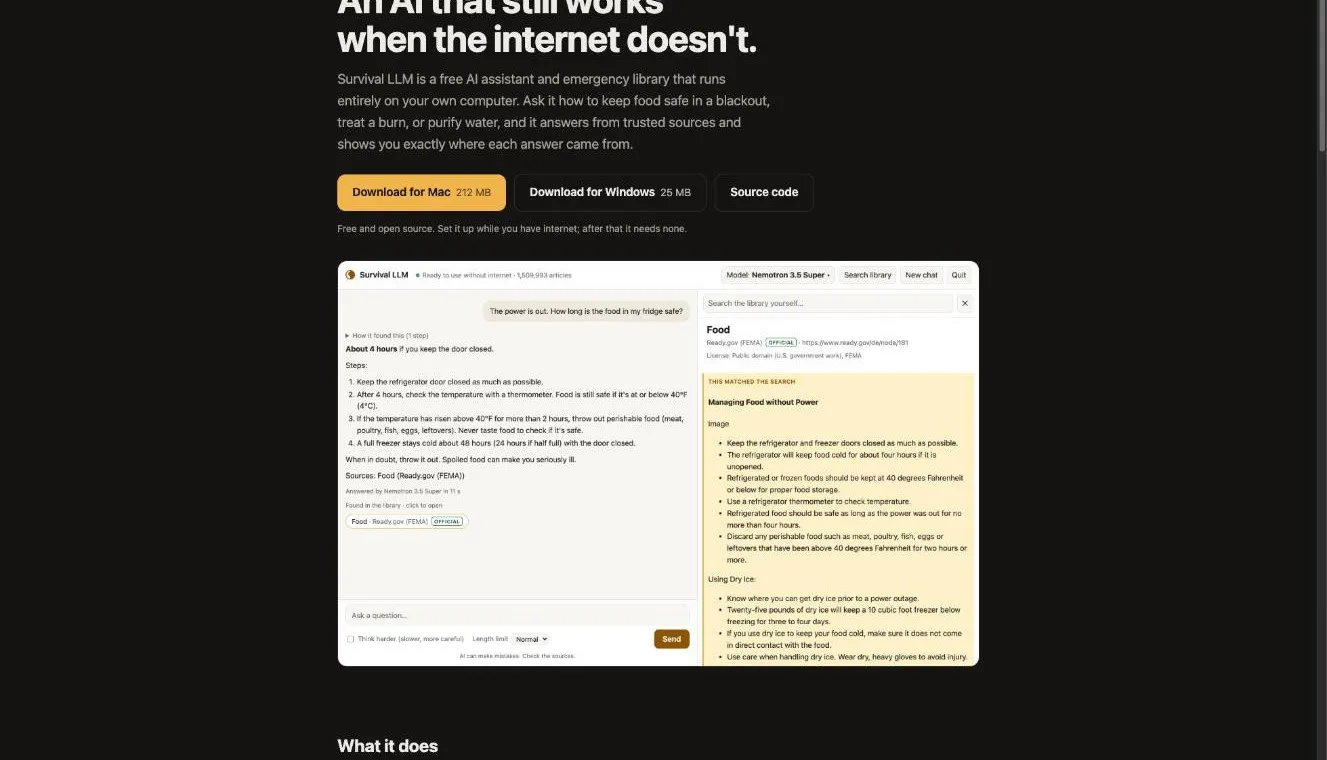
Survival LLM keeps an AI model and about 1.5 million reference articles on your computer, so it can still answer with sources when a blackout takes the internet down. The developer, who goes by Brangus, publishes it on GitHub under the MIT license, an open-source license that lets anyone use, change and share the code. You don't create an account, and the app does not track how you use it.
Running a model on your own machine instead of a cloud server is often called a local LLM. Cloud chatbots like ChatGPT stop working when the connection drops, while a local model keeps going (related: Local LLM Coding Now Hits 75% of Cloud AI). Survival LLM packages a local model together with an emergency reference library, so you don't have to assemble the pieces yourself.
It supports Apple Silicon Macs (M1 or newer) on macOS 14 Sonoma or later, and 64-bit Windows 10 or 11. The app itself is a 212 MB download on Mac and 25 MB on Windows.
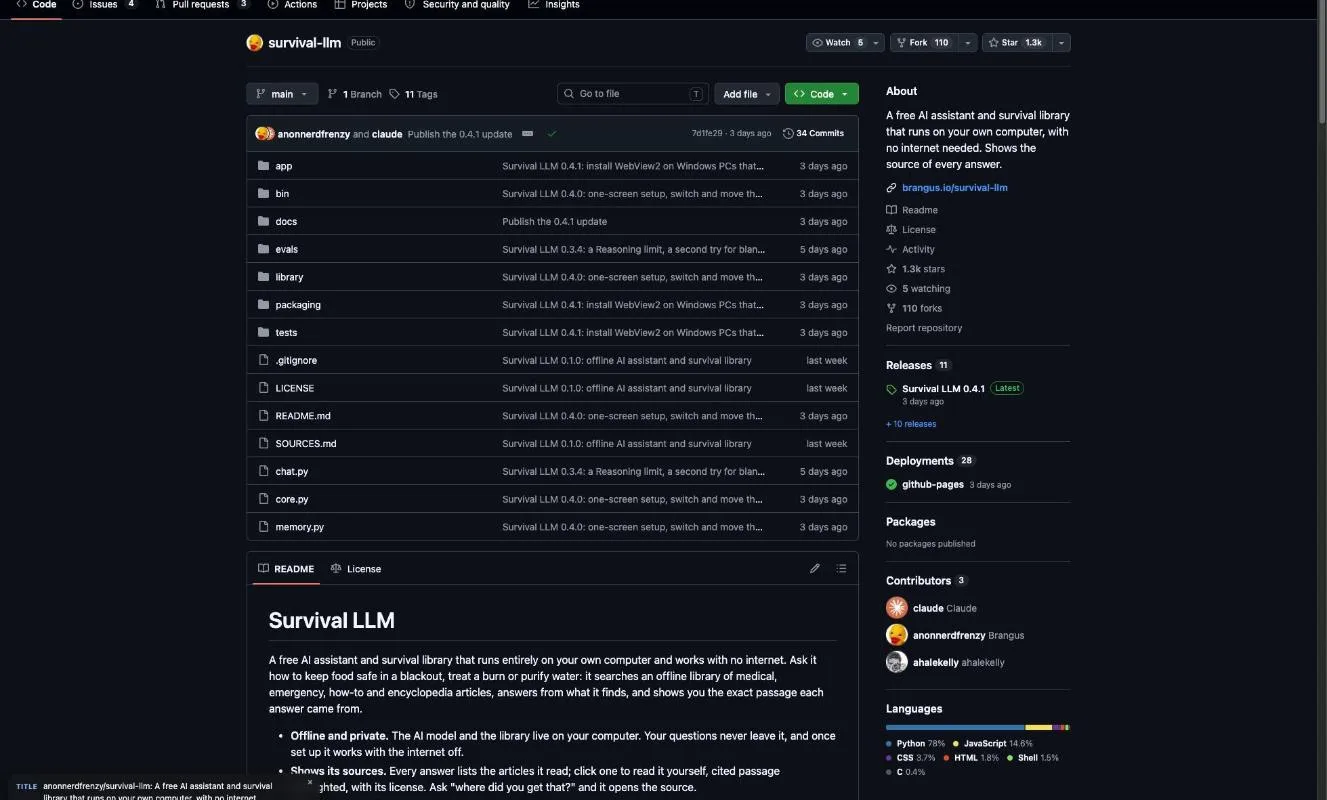
"Survival LLM is a free AI assistant and emergency library that runs entirely on your own computer." / "No account, no tracking." — top of the page and Good to knowView official source →
It searches a local library before it answers
The model runs in Ollama and the search runs on a SQLite index, so nothing you type leaves your computer. Ollama is a free app for running AI models locally, and SQLite is a small database that lives in a single file on your machine.
When you ask something, the AI first searches the library in chunks of roughly 1,500 characters, reads the articles it finds, and then writes its answer. Material from official bodies such as FEMA (the US Federal Emergency Management Agency) and the CDC (the US Centers for Disease Control and Prevention) is pushed toward the top of the results.
"library/search.py searches index.sqlite (FTS5, BM25 ranking over ~1,500-character passages, official sources ranked higher)" / "Your questions never leave it, and once set up it works with the internet off." — How it works and the feature listView official source →
Every answer links to the source passage
Each answer lists the articles the AI read, and clicking one opens it with the cited passage highlighted. Under each answer, Show reasoning opens a step-by-step view of the searches the AI ran and the articles it opened before replying.
The app also compares the model's own "Sources" line with the articles it really opened or saw in search results. If the model names something else, the app swaps in the correct list. That catches invented citations, but it cannot confirm that the wording of an answer matches the article.
"Every answer lists the articles it read. Click one to read it yourself, with the exact passage highlighted." — What it doesView official source →
What is in the 1.5 million article library
Main sources in the full library
| Area | Sources |
|---|---|
| Encyclopedia | About 930,000 of Wikipedia's most-read articles |
| Medicine | WikiMed / MedlinePlus (US National Library of Medicine) / a UK medicines guide / WikEM |
| Emergencies | Ready.gov (FEMA) / CDC / US military and FEMA survival and first-aid manuals / USDA canning guide |
| Everyday skills | wikiHow / iFixit / Appropedia / Energypedia / Stack Exchange Q&A |
Source: the GitHub README. Each source keeps its own license, shown with every article.
The full Everything library pairs about 930,000 Wikipedia articles with FEMA, CDC and medical guides, and you can add your own documents so the AI searches them the same way. A smaller download trims the article count to 500,000, against roughly 1.5 million in the full set.
The Stack Exchange answers cover practical topics too, from fixing things around the house to cooking, gardening, camping and ham radio. That makes the library useful beyond injuries and blackouts, for example when something breaks or food needs to last.
"About 1.5 million articles (500,000 in the smaller download): about 930,000 of Wikipedia's most-read articles" — feature listView official source →
Wikipedia, FEMA and CDC guides, and medical references
Official sources rank higher in search, so questions about first aid or food safety tend to be answered from government guides before encyclopedia pages. In the project's sample screen, a question about how long fridge food lasts in an outage is answered from a Ready.gov page run by FEMA.
Every article shows the license of the source it came from. Some sources allow only non-commercial use, so check that license before reusing an article outside the app.
"Each source keeps its own license, shown with every article" — What's in the libraryView official source →
You can add your own files and family notes
Tell it that your daughter is allergic to penicillin and it keeps a short note that later chats use. The notes appear in one editable list, and you can switch off saving entirely.
You can also add documents such as a generator manual or a medicines list, and the AI searches them alongside the library. Supported formats are PDF, Word, EPUB ebooks, web pages and plain text, while scanned pages and photos of text are not read yet.
"Tell it your daughter is allergic to penicillin or that you have a Honda generator, and it saves a short note so later chats know it too" / "It can't read scans or photos of pages yet." — feature listView official source →
Which AI model your computer's memory gets
Model picked for each memory size
| Computer and memory | Model | Model size |
|---|---|---|
| Mac, 128GB or more | NVIDIA Nemotron 3.5 Super | 80GB |
| Mac, 32–96GB | Qwen3.8 27B | 18GB |
| Windows, 32GB or more | NVIDIA Nemotron 3.5 Lightning | 25GB |
| Mac or Windows, 16–31GB | IBM Granite 4.2 8B | 6GB |
| 8GB | None (library search only) | — |
Source: the GitHub README. Gemma 4 E4B (10GB) is offered as a faster option for 16GB machines.
The app checks your memory when it opens and downloads the model that fits, so more memory means a more accurate model. The setup screen already has the matching model selected. Macs on 32 to 96GB get Qwen3.8 27B (related: Qwen3.8-27B VRAM: 7GB to 56GB by Quant Level).
The top Mac model, Nemotron 3.5 Super, is an 80GB download yet calls for 128GB of memory. The reason is that macOS hands only about three quarters of memory to the graphics side.
"When it opens, it checks your computer's memory and downloads the AI model that fits." / "More memory means a smarter model." — Pick your versionView official source →
16GB is the minimum for AI answers
Computers with 16 to 31GB get IBM Granite 4.2 8B, while 8GB machines can only search the library because no tested model was small and safe enough. On an 8GB laptop you can still look up and read articles yourself. Windows PCs with 32GB or more step up to NVIDIA Nemotron 3.5 Lightning, a 25GB model.
"Nemotron Super needs 128 GB because macOS lets the graphics side use only about three quarters of memory." / "no model we tested was both small enough and safe enough to recommend for them." — notes under the model tableView official source →
Disk space for the library and the model
The full library takes 19 to 21GB once installed, and setup needs the model's size plus 5GB, plus about 27GB more while the library installs. The two official pages disagree slightly: the README lists an 8.8GB download and 21GB installed, while the website says 9GB and 19GB.
If space is tight, the Essentials library drops Wikipedia and iFixit. It is a 1.3GB download, takes 3GB once installed and needs about 10GB free during installation.
"Free disk space needed: the model's size plus 5 GB, plus about 27 GB while the full library installs (10 GB for the smaller one)." — Pick your versionView official source →
How to install Survival LLM before you need it
Mac and Windows setup compared
| Mac | Windows | |
|---|---|---|
| App download | 212 MB | 25 MB |
| AI engine | Built into the app | Downloads Ollama (1.6GB) during setup |
| First-run warning | Open Anyway in System Settings | More info, then Run anyway |
Source: the GitHub README and the official site.
You only click for about 5 minutes, but downloads stretch setup to between 20 minutes and about 2½ hours, so it has to happen before an outage. Most of that time goes to pulling down the model and the library. Once that finishes, the app never needs a connection again.
Setup is a single screen where you choose a library and a model. If the connection drops or you close the app, the download picks up where it stopped. That one-screen setup arrived in version 0.4.0, and 0.4.1 followed on the same day, October 29, 2026.
"Setup takes 20 minutes to about 2½ hours, depending on your computer and your internet speed." / "If your internet drops or you quit, it picks up where it left off." — Set it up in three stepsView official source →
Mac: allow it once in Privacy & Security
macOS refuses to open the app the first time because it cannot verify it, and clicking Open Anyway in Privacy & Security fixes that for good. After you unzip the download and open Survival LLM, macOS says it cannot verify the app because it is not sold through Apple. Click Done, then open the Privacy & Security page in System Settings, find the blocked app and click Open Anyway, confirming with your password.
The Mac version ships with its AI engine inside the app, so nothing else needs installing. After that first launch, you pick a library and model and start the downloads.
"click Open Anyway, and confirm with your password. You only do this once." — InstallView official source →
Windows: extract the zip before you run it
The Windows app does not include the AI engine, so it downloads Ollama (1.6GB) during setup. That download takes one click, and you don't need to find Ollama yourself.
Launching straight from inside the zip fails, so right-click the zip and choose Extract All first. Then open the extracted folder and double-click Survival LLM.bat. If Windows warns that it protected your PC, click More info and then Run anyway.
"Download Survival-LLM-windows.zip, right-click it and choose Extract All. (Running it from inside the zip doesn't work.)" / "AI engine: built into the Mac app. On Windows, one click downloads it (Ollama, 1.6 GB)." — InstallView official source →
How accurate is Survival LLM?
Accuracy on 22 blackout and first-aid questions (%)
Bar height is accuracy on a 0–100% scale. Source: the GitHub README. Measured on an earlier build of the library before Wikipedia was added, for comparison only.
 Nemotron 3.5 Super
 Qwen3.8 27BNemotron 3.5 LightningQwen 3.6
 Granite 4.2 8BGranite 4.2 30B
 Gemma 4 E4BGranite 4.2 3B
On 22 blackout and first-aid questions, the top model scored 86% and got the main point right on 21, while the model for 16GB computers managed 14. The questions ran through the whole app and covered topics such as:
- food and generators in a blackout
- bleeding and burns
- carbon monoxide and hypothermia
- downed power lines and fallout
An AI grader scored each answer without knowing which model wrote it, checking it against guidance from seven bodies including the USDA, the CDC and the WHO. A second grader rechecked anything flagged as harmful. The official site itself warns that smaller models get more wrong.
"Smaller models make more mistakes, so the app always shows the source to check." — Pick your versionView official source →
Nemotron 3.5 Super scored 86% on 22 questions
The top model scored 86% against 55% for Granite 4.2 8B, so a 128GB Mac and a 16GB laptop get very different answers. Nemotron 3.5 Super had no harmful answers and took 12 seconds per reply.
| Model | Accuracy | Right | Harmful | Seconds |
|---|---|---|---|---|
| Nemotron 3.5 Super | 86% | 21 | 0 | 12 |
| Qwen3.8 27B | 80% | 21 | 0 | 40 |
| Nemotron 3.5 Lightning | 77% | 19 | 1 | 8 |
| Granite 4.2 8B | 55% | 14 | 0 | 29 |
| Gemma 4 E4B | 48% | 11 | 0 | 3 |
| Granite 4.2 3B | 44% | 8 | 5 | 12 |
Gemma 4 E4B is the fastest at 3 seconds, yet it scored only 48%. The timings come from an M4 Max MacBook Pro with 128GB of memory running Ollama 0.40.9.
"On an M4 Max MacBook Pro (128 GB), Ollama 0.40.9." — note under the test tableView official source →
Small models gave answers that could hurt someone
Granite 4.2 3B told people to stay 3 feet from a downed power line when the guidance is 35, which is why answers from small models need checking against the cited article. The same model advised against using a tourniquet on an arm. Two of its five harmful answers could have killed someone, so the developer does not offer it.
Qwen 3.6 is also off the list after it looped on two questions, once for 94 minutes. In a separate 14-question run on October 24, 2026, every model cited at least one source it had never opened or seen:
| Model | Answers citing an unseen source |
|---|---|
| Nemotron Super | 6 |
| Lightning | 3 |
| Gemma | 3 |
| Granite | 2 |
| Qwen3.8 27B | 1 |
The app compares each citation with the articles actually opened to catch those. Since even the top model did it six times, open the cited article whatever model you have.
"told people not to use a tourniquet on an arm and to stay 3 feet from a downed power line (the guidance is 35)." / "it got stuck repeating itself on two questions (once for 94 minutes)" — note under the test tableView official source →
Using it during a power outage
Power use on a MacBook Pro
Source: the official site.
A charged laptop can answer at least 100 questions, but the guides come from US and UK agencies, so local shelters and alerts still need another source. Survival LLM is most useful for knowledge that holds anywhere, such as first aid, keeping food safe or running a generator without poisoning yourself. Anything tied to your area, like open shelters or road closures, has to come from local officials.
About 100 to 300 answers on a full battery
On a MacBook Pro it draws about 100 W and takes 5 to 40 seconds per answer, and a small generator or power station can run it. A full charge covers roughly 100 to 300 questions on that machine. Answer time also depends on the model and on the Reasoning setting next to the Send button, which caps how much the AI thinks first:
- Off
- 1,000 tokens
- 4,000 tokens
- 16,000 tokens
- no limit
"On a MacBook Pro we measured about 100 W while it answers, for 5 to 40 seconds per question: a full battery answers roughly 100 to 300." / "A small generator or power station runs it easily." — Good to knowView official source →
The guides come from US and UK agencies
Ready.gov, the CDC and the UK medicines guide reflect US and UK rules, so drug names and procedures can differ where you live. Outside those two countries, read the cited article and compare it with local guidance before acting on it.
The developer's grading also relied on US, UK and international bodies such as the EPA, the NHS and the Red Cross. The test results therefore say little about how well answers match guidance in other countries.
"a UK medicines guide, WikEM, Ready.gov, CDC, U.S. military and FEMA survival and first-aid manuals, the USDA canning guide" — feature listView official source →
Install it while the internet still works
The less memory your computer has, the more the library and its cited articles matter compared with the AI's own answer. The 16GB model scored 55% and an 8GB machine gets no AI answers at all, yet every setup can still search the library and open the source articles.
Even the strongest model cited sources it never read, so comparing each answer with its article is the safe habit on any machine. Because setup can take up to about 2½ hours of downloading, the time to install it and see which model your computer gets is before the next outage, not during it.
FAQ
- Does Survival LLM work on a phone?
- No. It runs on Apple Silicon Macs (M1 or newer) with macOS 14 Sonoma or later and on 64-bit Windows 10 or 11. For outages, a laptop lets you run it on battery.
- Does Survival LLM cost anything?
- No. It is free, open-source software under the MIT license, with no account and no tracking.
- Can I use Survival LLM without an AI model?
- Yes. On computers with 8GB of memory, no model is recommended, but you can still search the library and read the articles yourself.
Related articles
 LFM2.5-24B-A2B: Liquid AI's MoE for local agentsLFM2.5-24B-A2B is Liquid AI's 24B MoE with 2B active. It leads or matches Qwen3.6-35B-A3B on 5 of 8 agent tests and runs at 184 tok/s in 15 GB on an M5 Max.
 Mac Studio M5 Ultra: 512GB, Price and Release DateMac Studio M5 Ultra price starts at $5,499, with arrivals from September 22 and the 512GB build in late October. See specs, bandwidth and Apple's benchmarks.
 Unsloth GGUF Dynamic 3.0: Where Small Quants BreakUnsloth GGUF Dynamic 3.0 quants claim over 10% better top-1 accuracy at the same size, and the smallest quant sizes stop working for agents.
 LM Studio Skills in Bionic: Use, Create, InstallLM Studio skills in Bionic use the SKILL.md format. Type @ to call one, ask Bionic to write or install one, and turn on your Claude Code or Codex skills.