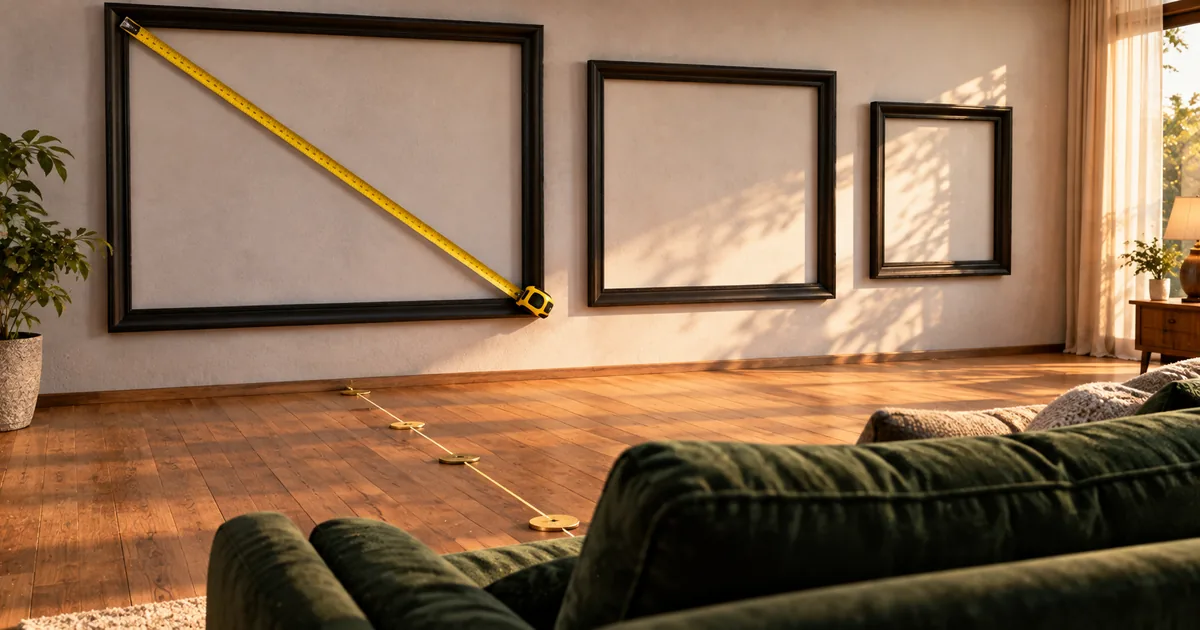
A 65-inch TV is not 65 inches wide. That number is the diagonal of the glass, so the width you need on the media unit is 56.7 inches while the height is 31.9 inches. This TV size chart turns the inch label into the width and height of the panel in both inches and centimeters, then into the distance you should sit at.
What the inch number on a TV actually measures
The inch figure printed on the box is the diagonal of the visible panel, measured corner to corner. It gives you neither the width nor the height on its own, and it does not describe the finished set either.
An inch on a TV is 2.54 cm of screen diagonal
The inch itself is fixed. NIST (the National Institute of Standards and Technology, the US national metrology institute) defines it in Handbook 44 as 2.54 centimeters exactly, with no rounding involved. A 65-inch diagonal is therefore 165.1 cm, and a 55-inch diagonal is 139.7 cm.
That conversion is the easy half. The hard half is that a diagonal on its own describes a line, not a rectangle, and the shelf you are measuring cares about the rectangle.
Full HD, 4K and 8K all sit at the same 16:9 shape
A single chart works because the shape does not change with the resolution. Full HD is 1920 by 1080 pixels, and 4K doubles each axis to 3840 by 2160.
8K goes a step further at 7680 by 4320, which Samsung notes is sixteen times the pixel count of Full HD. Divide any of those pairs and you get 1.78, the 16:9 ratio.
Aspect ratio here just means the width of the picture divided by its height. Because every consumer TV keeps that ratio, one row of the chart below describes every 55-inch television on sale, whatever panel is inside it.
The diagonal alone never tells you the width
Two screens can share a diagonal and still differ in width if their aspect ratios are different. That is why an ultrawide computer monitor labeled 49 inches looks nothing like a 49-inch television. Televisions escape the problem only because they have settled on one shape.
The practical move is to convert the diagonal into width and height once and work from those two numbers instead. Everything below does that conversion for the sizes most people choose between.
TV size chart for 16:9 screens from 24 to 98 inches
Every row below is calculated from the diagonal using the 16:9 ratio. These are panel figures, not the cabinet figures a manufacturer publishes.
Width, height and area for every common screen size
Read the width column first. Width is what decides whether the set clears the media unit, and it is the measurement people most often get wrong.
| Screen size | Width (in) | Height (in) | Width (cm) | Height (cm) | Screen area |
|---|---|---|---|---|---|
| 24 in | 20.9 | 11.8 | 53.1 | 29.9 | 1,588 cm² |
| 32 in | 27.9 | 15.7 | 70.8 | 39.8 | 2,823 cm² |
| 40 in | 34.9 | 19.6 | 88.6 | 49.8 | 4,411 cm² |
| 42 in | 36.6 | 20.6 | 93.0 | 52.3 | 4,863 cm² |
| 43 in | 37.5 | 21.1 | 95.2 | 53.5 | 5,097 cm² |
| 48 in | 41.8 | 23.5 | 106.3 | 59.8 | 6,352 cm² |
| 50 in | 43.6 | 24.5 | 110.7 | 62.3 | 6,892 cm² |
| 55 in | 47.9 | 27.0 | 121.8 | 68.5 | 8,339 cm² |
| 60 in | 52.3 | 29.4 | 132.8 | 74.7 | 9,924 cm² |
| 65 in | 56.7 | 31.9 | 143.9 | 80.9 | 11,647 cm² |
| 70 in | 61.0 | 34.3 | 155.0 | 87.2 | 13,508 cm² |
| 75 in | 65.4 | 36.8 | 166.0 | 93.4 | 15,507 cm² |
| 80 in | 69.7 | 39.2 | 177.1 | 99.6 | 17,643 cm² |
| 85 in | 74.1 | 41.7 | 188.2 | 105.8 | 19,918 cm² |
| 98 in | 85.4 | 48.0 | 217.0 | 122.0 | 26,476 cm² |
Screen area grows with the square of the diagonal
The diagonal is a length, and area rises with its square, so a step that reads as modest in inches is not modest on the wall. Going from 50 to 65 inches multiplies the area by about 1.69.
The other common steps behave the same way. From 32 to 43 inches the factor is about 1.81; from 43 to 55 it drops to 1.64. Bigger jumps run higher again, at 1.86 for 55 to 75 and 1.71 for 65 to 85.
Each of those steps adds between 60 and 90 percent more picture. That is the number to weigh when a larger set costs more, because the eye registers area, not diagonal length.
Width and height for a screen size the chart skips
Some screen sizes never make it onto a chart. A 37-inch or 52-inch set is easy enough to handle once you have the two multipliers.
Multiply the diagonal by 0.8716 and by 0.4903
Width is the diagonal times 0.8716; height is the same diagonal times 0.4903. Both constants are properties of the shape rather than anyone's estimate: a 16-by-9 rectangle has a diagonal of 18.3576 units, so 16 and 9 divided by that figure give the two numbers directly.
Nothing here is a manufacturer's approximation. Any 16:9 screen obeys the same arithmetic, which is why the chart above needed no measuring.
Worked example for a 65-inch screen
Start with the diagonal in centimeters: 65 times 2.54 is 165.1 cm. Width is 165.1 times 0.8716, or 143.9 cm. Height is 165.1 times 0.4903, or 80.9 cm.
A 52-inch screen runs the same way: the diagonal is 132.1 cm, the width 115.1 cm and the height 64.8 cm. The 65-inch numbers match the chart row exactly, so the same arithmetic is worth trusting on the sizes the chart skips.
Viewing distance by TV size for 4K and Full HD
Once width is settled, the second question is where the sofa goes. The answer scales with picture height rather than with the diagonal.
Distance table from 32 inches up to 98 inches
The distances below come from the picture-height multiples published by ITU-R (the Radiocommunication Sector of the International Telecommunication Union) in Report BT.2246-9: 1.5 picture heights for 3840 by 2160, and 3.1 picture heights for 1920 by 1080. Picture height means the height column of the chart above, so each distance is that height multiplied by one of those two figures.
| Screen size | 4K distance | Full HD distance |
|---|---|---|
| 32 in | 0.6 m (2.0 ft) | 1.2 m (4.1 ft) |
| 40 in | 0.7 m (2.5 ft) | 1.5 m (5.1 ft) |
| 43 in | 0.8 m (2.6 ft) | 1.7 m (5.4 ft) |
| 50 in | 0.9 m (3.1 ft) | 1.9 m (6.3 ft) |
| 55 in | 1.0 m (3.4 ft) | 2.1 m (7.0 ft) |
| 60 in | 1.1 m (3.7 ft) | 2.3 m (7.6 ft) |
| 65 in | 1.2 m (4.0 ft) | 2.5 m (8.2 ft) |
| 70 in | 1.3 m (4.3 ft) | 2.7 m (8.9 ft) |
| 75 in | 1.4 m (4.6 ft) | 2.9 m (9.5 ft) |
| 80 in | 1.5 m (4.9 ft) | 3.1 m (10.1 ft) |
| 85 in | 1.6 m (5.2 ft) | 3.3 m (10.8 ft) |
| 98 in | 1.8 m (6.0 ft) | 3.8 m (12.4 ft) |
The gap between the two columns is the practical argument for 4K. The same 65-inch set wants 2.5 m of room at Full HD and 1.2 m at 4K, so the higher resolution is what lets a big screen work in a small room.
Samsung puts you at roughly four picture heights
Manufacturers publish a simpler rule. Samsung UK tells shoppers to take the viewing distance in inches and halve it to get the screen size, so a seat 3 m away, or about 120 inches, points at a 60-inch set, which Samsung rounds up to 65.
Run that rule against the standard and the difference is stark. Halving the distance puts the viewer at about 4.1 picture heights, because 2 divided by 0.4903 is 4.08.
At the same 3 m seat, the ITU-R definition points at a screen of roughly 161 inches, which is larger than anything sold for a living room. The gap is not a contradiction. The standard marks the distance at which the eye stops resolving pixels, so it describes a ceiling on useful size rather than a shopping recommendation.
Read the table in the other direction and it becomes usable. Pick the largest screen the wall and the budget allow, then check that the seat is no closer than that size's 4K figure. Samsung's halved distance lands well outside that limit, which is why it is safe advice even though it is not the standard.
Measure from your eyes, not from the back wall
Both figures describe the distance to your eyes when you are sitting normally. Measuring to the back of the sofa, or to the wall behind it, adds most of a meter and quietly pushes you toward a screen that is too large.
Take the tape from the front edge of the seat cushion instead, and compare that number against the 4K column. If the seat sits between two rows of the table, read the smaller screen size, because the screen is fixed once you buy it and the seat is not.
Where the picture-height rules come from
The 1.5 and 3.1 multiples are not preferences. They fall out of a single definition, which is worth knowing because it tells you when to ignore them.
One pixel per arc-minute is the whole definition
ITU-R defines the optimal viewing distance as the point at which one pixel spans one arc-minute of your field of view, and cites a 100 cm seat on a 100-inch UHDTV screen as the worked case. One arc-minute is the resolving limit of visual acuity 1.0; ITU-R attributes that definition to Recommendation BT.1845 and the quality band to Recommendation BT.1127.
Sit closer than that and pixels become visible. Sit further and you are paying for resolution the eye cannot use. Everything in the table above is that one rule, restated per screen size.
Viewing angle is the same rule stated differently
The same report also states each resolution as a horizontal viewing angle rather than a distance: 32 degrees at Full HD, rising to 58 degrees at 4K and 96 degrees at 8K. Those angles and the picture-height multiples are two readings of one measurement, since a wider angle means a nearer seat.
The angle is the more useful form when the screen is fixed and the seat can move. Take 8K as the clearest case, where the standard asks for 0.75 picture heights and a 96-degree angle. That seat is closer to the screen than to the coffee table, which is why the format has no obvious home in an ordinary living room yet.
Why a real TV is wider than the size chart says
Everything above describes the visible panel. What arrives in the box is larger, and the difference is exactly where a purchase goes wrong.
The chart covers the panel, not the cabinet
A finished television wraps the panel in a frame. Modern frames are thin, but thin is not zero, and every one of them sits outside the width figures in the chart. The height grows a little for the same reason.
Manufacturers publish the cabinet dimensions separately, usually as two sets of figures: one with the stand and one without. Those are the numbers to check against a wall recess or an alcove, not the panel figures.
The stand can be wider than the media unit you own
The feet are the sharper trap. Many sets place them near the outer edges of the cabinet rather than under the middle, so the span between them can be close to the full width of the set. A unit that is wide enough for the panel can still leave a foot hanging in the air.
Check the spec sheet for stand width and stand depth before you order, and measure the media unit rather than estimating it. That single check is what the chart cannot do for you.
Summary
The inch number on a television is a diagonal, and it answers neither of the questions a buyer actually has. Convert it once: width tells you whether the set fits the media unit, and picture height tells you how far back to sit.
For a 65-inch screen those two numbers are 56.7 inches of width and a 1.2 m seat at 4K. Work from the chart above for the common sizes, and from the 0.8716 and 0.4903 multipliers for anything it skips.
If you need a wallpaper or background image sized to the new screen, sakuttoAI's image resize tool will match the pixel dimensions. The panel measurements above are physical, so the resolution you feed the screen is a separate setting from the size you just bought.
FAQ
- How wide is a 65-inch TV?
- The panel measures 56.7 inches across and 31.9 inches high, which is 143.9 cm by 80.9 cm. Leave more room than that, since the figure covers the glass rather than the frame or the feet.
- How big is a 55-inch TV in inches and centimeters?
- It is 47.9 inches wide and 27.0 inches tall, or 121.8 cm by 68.5 cm. The 55-inch label refers to the diagonal, and that diagonal comes to 139.7 cm.
- How far should I sit from a 4K TV?
- ITU-R Report BT.2246-9 sets the optimal distance at 1.5 picture heights for 3840 by 2160, which puts a 65-inch screen at 1.2 m or about 4.0 ft. Full HD asks for 3.1 picture heights at the same size.
- Is a 65-inch TV much bigger than a 55-inch?
- The diagonal grows by ten inches while the screen area grows by roughly 40 percent. Area is what the eye reads, so the step looks larger in the room than the two labels suggest.
- Does the size chart include the stand?
- It does not. Every figure describes the visible panel, while a finished set adds a frame around it and a stand below it, so the cabinet dimensions on the spec sheet are the final check before ordering.
Related articles
 How to resize an image on Windows, Mac and phonesResize an image on Windows, Mac or a phone with a browser tool, Paint or Preview. Lock the aspect ratio, type a width and keep the picture sharp.
 Social media image sizes: Instagram, X, YouTubeSocial media image sizes from Instagram, X and YouTube help: Instagram posts are 1080 px wide at 1.91:1 to 3:4, YouTube thumbnails 3840 × 2160, X lists none.
 QR code minimum size: how small can it be?QR code minimum size is about 2 cm in practice, but the physical floor is 3.57 mm. See how module size, version and error correction set your own limit.
 Profile picture size by platform: official specsProfile picture size for Facebook, LinkedIn and YouTube from each help center, plus cover and banner sizes and what to upload for Instagram and TikTok.