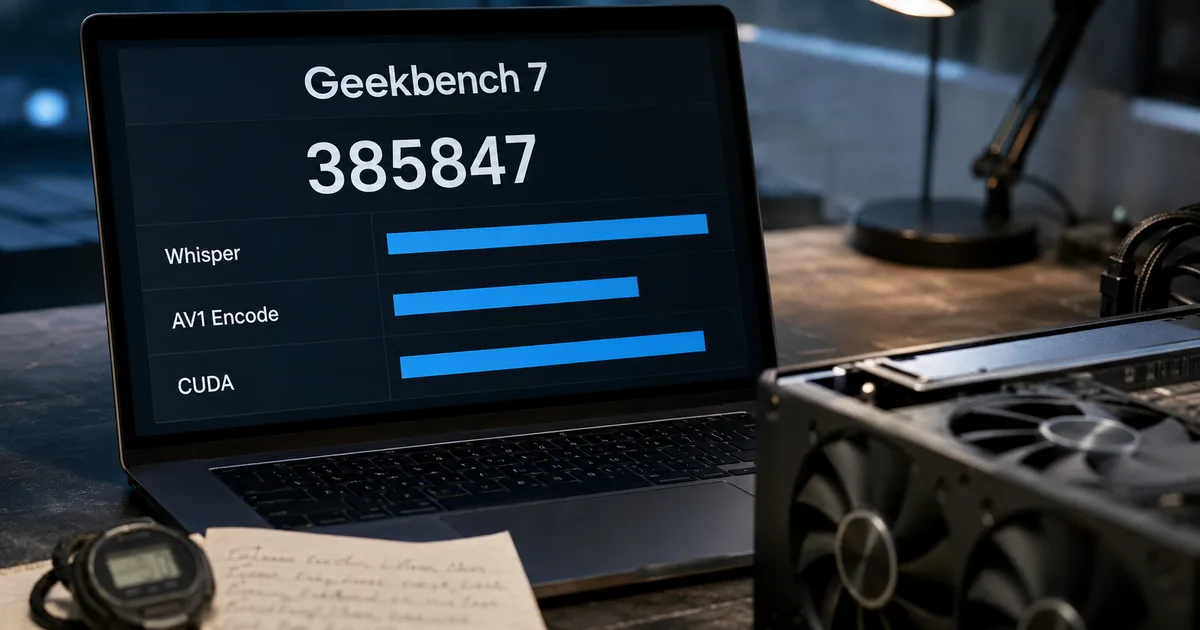
Geekbench 7: new tests, a new multi-core score and CUDA
Geekbench 7 key facts
Geekbench runs a fixed series of workloads, each modeled on a task from real software, and scores how quickly the device completes them. Version 7 brings new workloads, a rebuilt multi-core score, a GPU test refocused on machine learning and content creation, and larger data sets.
Geekbench 7 release date, platforms and download
Primate Labs announced the release on July 23, 2026, in a blog post by John Poole. Downloads opened the same day for Android, iOS, Windows, macOS and Linux. The post links to the download page for each platform, Google Play and App Store listings included.
Phones, tablets, Macs and PCs all get the same version, and a single app holds both the CPU and GPU benchmarks. The CPU run produces a single-core and a multi-core score, while a separate GPU run tests the graphics chip.
Geekbench 7, the latest version of Primate Labs’ cross-platform benchmark, has arrived and features both new and improved workloads to measure the performance of your CPUs and GPUs. Geekbench 7 is available for download today for Android, iOS, Windows, macOS, and Linux. — from the opening of the announcementView official source →
Pro costs $99 again after the launch discount ended
Personal use is free, and Primate Labs says it will remain so. The paid Geekbench 7 Pro is sold through the Primate Labs Store, and AppleInsider reports that it adds command-line tools and automated benchmark deployment for professional and commercial users.
Primate Labs launched Pro at 20% off until August 6, which AppleInsider put at $79 against the $99 list price. That offer is over: as of September 29, 2026, the Primate Labs Store lists Pro at $99, matching the price AppleInsider reported on July 23.
Geekbench 7 is free (and will remain free) for personal use./We’re celebrating the launch with 20% off Geekbench 7 Pro on the Primate Labs Store until August 6. — from the "Launch Sale" sectionView official source →
Primate Labs is also offering 20% off the Geekbench 7 Pro price of $99 through August 6. That means the discounted price is $79. The paid version adds features intended for professional and commercial use, including command-line tools and automated benchmark deployment. — from AppleInsider's pricing sectionView official source →
Geekbench 6 vs Geekbench 7 at a glance
Only the changes Primate Labs announced appear here, along with AppleInsider's verdict on scores. Because the announcement does not say what version 6 lacked, there is no Geekbench 6 column. The last row matters most if you still depend on Geekbench 6 scores.
| Area | What changed in Geekbench 7 | Source |
|---|---|---|
| CPU media | AV1 screen-share encoding, Opus audio compression, decoding with live Whisper captions | Primate Labs |
| Other CPU tests | Game Physics on the Jolt engine, a richer Photo Editor, JPEG XL and DNG in Photo Library | Primate Labs |
| Multi-core | A workload runs multi-threaded only if the real task does; HTML5 Browser no longer runs multi-threaded | Primate Labs |
| GPU focus | Machine learning and content creation | Primate Labs |
| GPU APIs | CUDA added next to OpenCL, Vulkan and Metal | Primate Labs |
| Data sets | More, and more varied, files in File Compression, PDF Viewer, developer and image tests | Primate Labs |
| Scores | Not directly comparable with Geekbench 6 results | AppleInsider |
New CPU workloads and the multi-core redesign
CPU workloads added or updated in Geekbench 7
A single-threaded task uses one CPU core, whereas a multi-threaded task is divided so several cores work on it at the same time. Geekbench reports a single-core score for the first type and a multi-core score for the second. For the CPU, Geekbench 7 adds media and game tests, refreshes its photo tests and changes which workloads feed the multi-core score.
AV1, Opus and Whisper media workloads
Three new CPU workloads handle audio and video, modeled on video calls, screen sharing and streaming. Encoding compresses video or audio for sending or storing, and decoding unpacks it for playback. AV1 and Opus are codecs, or compression formats: AV1 for video, Opus for audio.
The AV1 test encodes the stream a conferencing app sends while you share your screen. The Opus test compresses music and speech recordings, as voice memo and podcast apps do. The third plays back video and audio while the Whisper speech recognition model generates live captions.
Of the three, only the captioning test runs an AI model. AppleInsider notes that it represents playback with automatic subtitles turned on, not speech recognition by itself.
Geekbench 7 includes new media workloads that measure how well your CPU handles audio and video encoding, decoding, and processing. The workloads model the tasks behind video conferencing, screen sharing, and everyday content consumption./Decode video and audio while generating live captions with the Whisper speech recognition model, modeling video playback with automatic subtitles enabled. — from the "New Media Workloads" sectionView official source →
Game Physics, Photo Editor and Photo Library updates
Outside media, Geekbench 7 adds one game test and reworks two photo tests. The game test uses the Jolt engine, which Primate Labs says appears in popular video games. Photo Editor now applies a broader set of real-world edits.
Photo Library now imports and processes modern image formats, with JPEG XL and DNG named in the post. Primate Labs presents both photo tests as expanded or updated versions of existing workloads rather than new ones.
Alongside the new media workloads, Geekbench 7 adds a Game Physics workload built on the Jolt Physics engine used in popular video games, expands the Photo Editor workload with a richer set of real-world edits, and updates the Photo Library workload to support importing and processing modern image formats such as JPEG XL and DNG. — from the "New Media Workloads" sectionView official source →
Why multi-core no longer runs every test on every core
A workload is now spread across cores only when the software it imitates does so in everyday use. Primate Labs uses the HTML5 Browser test as its example. It is excluded from the multi-threaded suite because, according to the company, web browsers run on one thread or just a few.
Primate Labs argues that treating every task as parallel skews the score and tells you nothing useful about the device. It describes the result as a multi-core score that better reflects the work you actually do, and AppleInsider adds that the method behind the number now matters more when comparing devices.
The multi-core benchmark in Geekbench 7 has been redesigned to better reflect how real applications behave. Not every task in the real world is multi-threaded, and pretending otherwise distorts scores without telling you anything useful about your device./In Geekbench 7, a workload only runs in multi-threaded mode if the task it models actually runs multi-threaded in real applications. For example, the HTML5 Browser test isn’t included in the multi-threaded suite because web browsers are single-threaded (or lightly threaded). — from the "A Smarter Multi-Core Benchmark" sectionView official source →
The GPU benchmark shifts to machine learning and adds CUDA
GPU workloads and APIs in Geekbench 7
An API is the programming interface an app uses to pass work to the GPU, such as Metal on Apple devices or CUDA on NVIDIA graphics cards. The GPU benchmark now centers on machine learning and content creation and adds CUDA as a fourth API. Primate Labs says these two kinds of apps increasingly decide GPU performance.
Machine learning workloads on the GPU
Three GPU workloads apply machine learning to video and images, each copying a feature people already use. One tracks faces in a video and adds live filter effects, as social media apps do. Another upscales images with machine learning, the super resolution feature in content creation apps.
The third blurs the background of a video call, like the virtual background option in meeting apps. The post does not describe these three as new, and Geekbench 6's GPU benchmark already included Background Blur and Face Detection tests.
The GPU benchmark has a new focus on the machine learning and content creation applications that increasingly define GPU performance./Track faces and apply real-time filter effects to video, modeling the face filters in social media apps./Upscale images with machine learning, modeling super resolution features in content creation apps./Blur backgrounds in video conferencing streams, modeling virtual background features in video conferencing apps. — from the "A Refreshed GPU Benchmark" sectionView official source →
Image editing and synthesis workloads
Four more GPU workloads deal with photos, video and simulated scenes. They are path tracing, fluid simulation, RAW photo processing and video color grading with LUTs. Path tracing draws a scene by following simulated rays of light, while fluid simulation calculates how a liquid or gas moves.
RAW processing converts a camera's unprocessed sensor data into a finished photo. A LUT, or lookup table, maps every input color to a new one so an editor can regrade footage in one pass. Photo, video and 3D apps all send these four jobs to the GPU.
Geekbench 7 also introduces new GPU image editing and synthesis workloads, including RAW image processing, LUT-based video color grading, path tracing, and fluid simulation. — from the "A Refreshed GPU Benchmark" sectionView official source →
CUDA joins OpenCL, Vulkan and Metal
Primate Labs says CUDA was added by popular demand, alongside OpenCL, Vulkan and Metal. CUDA is NVIDIA's GPU computing platform for its graphics cards. According to the post, owners of those cards can now test them through the API their most demanding apps use.
Nothing changes on Apple hardware. AppleInsider notes that Apple devices still use Metal.
And by popular demand, CUDA joins OpenCL, Vulkan, and Metal as a supported API in the GPU Benchmark. You can now measure your NVIDIA GPU using the API that powers its most demanding applications. — from the "A Refreshed GPU Benchmark" sectionView official source →
CUDA joins Metal, OpenCL, and Vulkan as a supported GPU API. The addition allows Geekbench 7 to test Nvidia GPUs through CUDA, while Apple devices continue to use Metal. — from AppleInsider's GPU sectionView official source →
Geekbench 6 scores don't carry over to Geekbench 7
One 11-inch M4 iPad Pro on iPadOS 27, scored by both versions (AppleInsider test)
A Geekbench score is a count of points, not a measurement in seconds or any physical unit, and AppleInsider notes it only means something within the version that produced it. Version 7 changed its workloads, data sets and multi-core method at once, so its scores cannot be compared directly with version 6 scores.
The same iPad Pro, two different scores
In AppleInsider's test on one M4 tablet, Geekbench 7 came in lower on both single-core and multi-core. The chart above puts the drop at about 14% for single-core and 5% for multi-core.
The tablet itself did not slow down between runs. Geekbench changed what it measures and how it computes the score, which is why AppleInsider says the two versions cannot share a performance chart.
We ran both versions on the same 11-inch M4 iPad Pro using iPadOS 27. Geekbench 6 reported a 3,719 single-core score and a 13,635 multi-core score, while Geekbench 7 returned 3,197 and 12,959, respectively./Those results make the same iPad appear about 14% slower in single-core performance and 5% slower in multi-core performance. The hardware didn't lose performance between tests. — from the section on Geekbench 6 compatibilityView official source →
Larger data sets make each test harder
According to Primate Labs, tasks have become more demanding and files larger since Geekbench 6, so its workloads now process more, and larger, files. The stated goal is to push the device harder. File Compression now works on a larger, more varied mix of source code, object code and text documents.
PDF Viewer opens a broader range of files, from park maps to technical documents and academic papers, and the developer and image processing workloads use more assets and different image formats. Neither Primate Labs nor AppleInsider breaks down how much of the iPad's drop comes from the heavier data versus the other changes.
Since the release of Geekbench 6, the tasks people perform have become more strenuous, and the data sets they use have grown larger and more demanding. To reflect this, we’ve updated the data sets the workloads process so they’re more challenging for your device and better reflect the files people work with today. — from the "Larger Data Sets" sectionView official source →
Compare devices only with scores from one version
Use scores from the same Geekbench version when comparing two devices. AppleInsider suggests keeping older results in Geekbench 6 charts, while version 7 needs its own baseline as results accumulate. Mixing the two in one chart would show a gap even between identical hardware, as the iPad Pro test shows.
Before comparing a score found online with your own, check which version produced it. AppleInsider also warns that no benchmark can reproduce the performance of every app or workflow, so a Geekbench 7 score is one data point on a device, not a complete verdict.
Geekbench scores can look like a universal measurement of processor performance, but the numbers only have meaning within the version of the benchmark that produced them. A score from Geekbench 7 can be compared with another Geekbench 7 result, but not directly with a result from Geekbench 6./A device's Geekbench 6 result should therefore remain in charts and comparisons built around Geekbench 6. New Geekbench 7 scores will need their own baseline as results accumulate across different processors and devices./no benchmark can reproduce the performance of every app or workflow. — from AppleInsider's sections on comparing results and on the new CPU workloadsView official source →
FAQ
- What is Geekbench 7?
- Geekbench 7 is the newest version of Primate Labs' cross-platform benchmark for CPUs and GPUs. It came out on July 23, 2026, for Android, iOS, Windows, macOS and Linux. It adds media and game physics tests, redesigns the multi-core score and refocuses its GPU test on machine learning and content creation.
- Is Geekbench 7 free?
- Yes, for personal use, and Primate Labs says it will stay free. Geekbench 7 Pro is the paid edition for professional and commercial use. AppleInsider reported that the $99 price dropped to $79 for the launch, but that 20% discount ended on August 6, 2026.
- Can I compare Geekbench 6 and Geekbench 7 scores?
- Not directly. Geekbench 7 changed its workloads, data sets and multi-core method, and AppleInsider concluded that its results should not be treated as directly comparable with Geekbench 6 scores. In AppleInsider's test, the same 11-inch M4 iPad Pro scored 3,719 single-core and 13,635 multi-core in Geekbench 6 but 3,197 and 12,959 in Geekbench 7, so compare devices within one version.
- Does Geekbench 7 support CUDA?
- Yes. The GPU benchmark now supports CUDA alongside OpenCL, Vulkan and Metal, so you can test an NVIDIA graphics card through CUDA. Apple devices continue to use Metal, according to AppleInsider.
Related articles
 Nvidia's Jensen Huang close to alleged Chinese spyThe NYT says US officials judged Megaspeed's Alice Huang, close to Nvidia CEO Jensen Huang, a Chinese intelligence asset. Nvidia calls it normal business.
 NVIDIA's $250M compute gift for UK AI agent safetyNVIDIA will give UK researchers $250M of compute over five years for AI agent safety work, not cash. Jensen Huang also previewed $2B in new European deals.
 Nvidia Hugging Face Deal Draws DOJ QuestionsThe DOJ is asking whether Nvidia's $12.93 billion Hugging Face deal would hurt AI competition, Reuters reported. Closing is due in the first half of 2027.
 Nvidia Price Increase: AI Servers Up More Than 15%Bloomberg reports the Nvidia price increase: AI servers up more than 15% in many cases from early 2027 on memory costs. Q3 gross margin guide: 74.0%.