
How Copilot Fusion picks and combines models
Copilot Fusion shows up in the model picker next to individual models, but it is not a model. It is a routing layer that runs at request time. Copilot Fusion weighs each task against signals for reasoning, code generation, debugging and tool use, checks system health, and then returns a single response from the models it chose.
Fusion merges two things GitHub had shipped separately: Copilot's auto model selection and Project HydraFusion, a research preview that chained several models together. If you had auto, HydraFusion or HydraFusion Max turned on during the preview, your setting has moved to the matching Fusion effort level.
GitHub says more clients are coming soon. For now, Fusion works in these four:
- Visual Studio Code
- the GitHub Copilot app
- GitHub Copilot CLI
- JetBrains IDEs
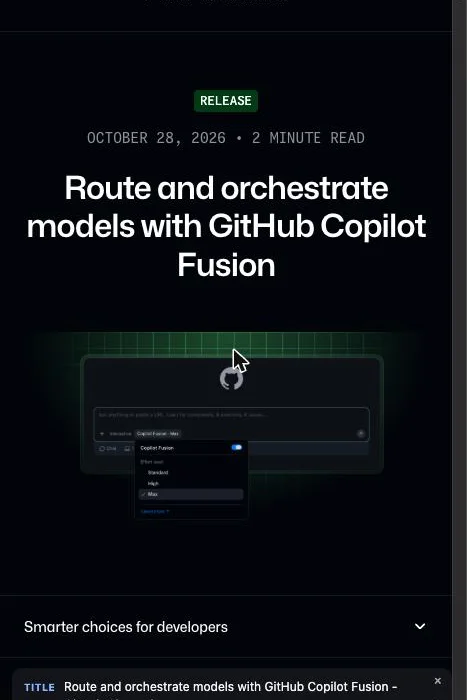
"Copilot Fusion brings together Project HydraFusion’s multi-model orchestration and Copilot auto model selection’s fine-tuned model selection, leveraging the benefits of both to balance performance and cost efficiency." — from the opening paragraphView official source →
Fusion switches models only at cache boundaries
Fusion can change models partway through a task, but only at natural cache boundaries or when the conversation gets much more or less complex. The cache is what lets a model reuse context it has already read instead of paying to process it again.
Keeping the main conversation on one model lets it reuse cached tokens, while reviewer models receive only the context they need, so switching rarely adds cache costs. GitHub built it this way so you don't pay for a model switch that wouldn't improve the answer.
"Routing occurs along natural cache boundaries and large changes in conversation complexity to avoid additional cache-related costs without quality improvements. / Copilot Fusion keeps your main conversation on the same model whenever possible, so the conversation continues to benefit from cached tokens. Models that assist, such as a reviewer, receive only the context they need." — from "Overview" and "Billing for Copilot Fusion"View official source →
You can see which models answered each prompt
While Fusion works, each step shows the model in use, and hovering over the effort level name under the response lists every model involved. Intermediate drafts can be revised or thrown away, so you only see the final answer.
Fusion has no context window of its own. The number shown in the picker is a conservative value based on the smallest limit among the models Fusion can call.
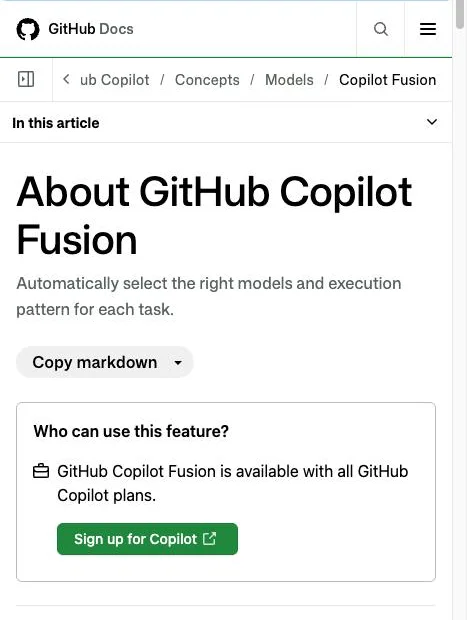
"While Copilot Fusion works, you can follow the progress of each step and the model being used. / The context window shown for Copilot Fusion is a conservative value based on the smallest limits among the models it uses. / When the response is provided, you can hover over the effort level name below the response to see a list of models used." — from "How Copilot Fusion works"View official source →
Three effort levels, with High and Max on Pro+ and up
After you select Fusion, you choose an effort level instead of a model. The level tells Fusion how to trade off quality, latency and cost.
Standard is meant for everyday work and uses one model per task. High targets substantial but well-scoped jobs, such as fixing a complex bug or making a change across several files. Max is for work that needs the deepest reasoning and the most thorough analysis.
Not every plan gets all three. Free, Student and Pro users get Standard only, while High, built for complex bugs and multi-file changes, and Max, built for the deepest reasoning, require Pro+, Max, Business or Enterprise. A fourth level, Fast, cannot be selected at all; it only runs inside Visual Studio Code's inline chat.
Fusion effort levels by Copilot plan (GitHub Docs)
| Plan | Standard | High | Max |
|---|---|---|---|
| Free | Yes | No | No |
| Student | Yes | No | No |
| Pro | Yes | No | No |
| Pro+ | Yes | Yes | Yes |
| Max | Yes | Yes | Yes |
| Business | Yes | Yes | Yes |
| Enterprise | Yes | Yes | Yes |
"Substantial, well-scoped coding tasks, such as fixing a complex bug or making a change across several files, when additional model calls may be worth the extra time and AI credits. / Tasks requiring the deepest possible reasoning and most thorough analysis. / Not selectable by users. Only available in Visual Studio Code inline chat." — from "Copilot Fusion effort levels"View official source →
Fusion picks Single, Cascade or Critique for each prompt
Based on the effort level and the task, Fusion runs each prompt through one of three execution patterns. Users never choose the pattern themselves, so one prompt in a session can be solved by a single model and the next can go through parallel critiques. Simple tasks skip the review step entirely, so they don't wait or spend AI credits on a review they don't need.
"Copilot Fusion chooses an execution pattern when needed, for each prompt, so different prompts in the same session can use different execution patterns. / This means a straightforward task doesn't wait or use AI credits for a review it doesn't need." — from "How Copilot Fusion works"View official source →
Cascade and Critique review a draft before answering
The three patterns differ in whether a draft gets checked and by how many models. Single sends the task to one model, Cascade lets a judge accept an efficient model's draft or escalate it, and Critique has several models critique the draft in parallel before the original model revises it.
Fusion's three execution patterns (GitHub Docs)
| Pattern | Who drafts | Who reviews |
|---|---|---|
| Single | One model solves the task | No review |
| Cascade | An efficient model | A judge accepts the draft or escalates it |
| Critique | One model | Several models critique in parallel; the drafter revises |
"An efficient model drafts a solution, and a judge inspects the draft and decides whether to accept it or escalate to a stronger model. / One model drafts a response while multiple models independently critique it in parallel. Their feedback is aggregated, and the original model revises its response based on the combined feedback." — from "How Copilot Fusion works"View official source →
Reviews add time, and discarded drafts keep their edits
Picking a pattern adds very little latency on its own. Cascade and Critique take longer because of their review calls, and any file edits a discarded draft already made in your workspace stay in place until you undo them.
That matters most for Cascade: if a draft gets escalated to a stronger model, whatever that draft wrote to disk is still there. GitHub's advice is to review changes before you commit them. Fusion also runs separately from Copilot's subagents and never starts one.
"Copilot Fusion works separately from subagents and doesn't start them. / If Copilot Fusion discards a draft, changes that the draft already made in your workspace, such as file edits, aren't undone automatically. Review changes before you commit them." — from "Copilot Fusion limitations"View official source →
Fusion Max scored within two points of Claude Code
GitHub backed the launch with a third-party benchmark, the Coding Agent Index from Artificial Analysis, which scores coding agents end to end. GitHub says Fusion Max scored 60 on the Artificial Analysis Coding Agent Index while using about half the average API cost and tokens per task and about 40% less time than Claude Code with Opus 5.5 Max. The two setups landed within two points of each other.
These are GitHub's own figures from the announcement. GitHub also quoted Hari Pokhrel, a Principal Software Engineer at AT&T, who said Fusion Standard improved token efficiency across the company by picking the right model for each task automatically.
"In the Artificial Analysis Coding Agent Index, Copilot Fusion Max scored 60, within two points of Claude Code with Opus 5.5 Max. It delivered that result at about half the average API cost per task, using about half as many tokens and taking about 40% less time per task." — from the opening paragraphView official source →
Billing at each model's rate, 30% off through November 30
Fusion bills you for every model it calls, at that model's standard rate. There is no separate charge for Fusion, but High and Max can call more than one model per task, so the same task can consume more AI credits than it would on Standard.
Paid plans also get a limited-time discount: through November 30, 2026, model costs are 30% lower when they run through Fusion. AI credits are the same unit GitHub charges for other agent features, including GitHub agentic autofix is now generally available, which spends them on every run.
"Through November 30, 2026, users on paid Copilot plans receive a 30% discount on model costs when using Copilot Fusion. / There's no separate charge for Copilot Fusion. Because Fusion High and Fusion Max can use more than one model for a task, a task may consume more AI credits than it would with Fusion Standard." — from "Billing for Copilot Fusion"View official source →
Admins can exclude models from Fusion only
Fusion only draws on models that your enterprise and organization policies already allow. An enterprise admin can stop Fusion from using a model while leaving that model available to anyone who selects it manually. Admins can also see the full list of models Fusion picks from and, through Enterprise managed settings, make Fusion the default model at any effort level.
A few other rules shrink the pool. Fusion skips any model that is:
- not included in your plan
- blocked by policies that limit Copilot to data-resident or FedRAMP-compliant models
- blocked by policies that restrict evaluation models
If none of Fusion's models are left, Fusion disappears from the model picker. In that case, the model policies set by your admins are the first place to look.
"Copilot Fusion only uses the models that are enabled in your enterprise and organization model policies. Enterprise administrators can view what models Copilot Fusion picks from, independently set each model’s effective policy state, and disable models for Copilot Fusion without disabling the model for everyone." — from "More control for administrators"View official source →
Local model routing is an experimental preview
On the same day, GitHub opened an opt-in experimental preview that adds models running on your own device to Fusion's pool. It works in Copilot CLI, the Copilot app and Visual Studio Code. On Fusion Standard, Copilot can now route requests to MAI Code 1.1 Flash or Qwen3.8 Flash Next on your own machine, but the routing decision still happens in the cloud, so sessions never run offline.
Local models Fusion can route to (GitHub Changelog)
| Setup | Model | How you get it |
|---|---|---|
| Supported Windows devices | MAI Code 1.1 Flash | Download and configure through Windows ML |
| Copilot CLI on Windows, macOS or Linux | MAI Code 1.1 Flash or Qwen3.8 Flash Next | Configure the model yourself |
Local models only come into play on Standard. GitHub also warns that they may have different safety protections from the cloud models Copilot provides, which is worth weighing before you turn the preview on for work code.
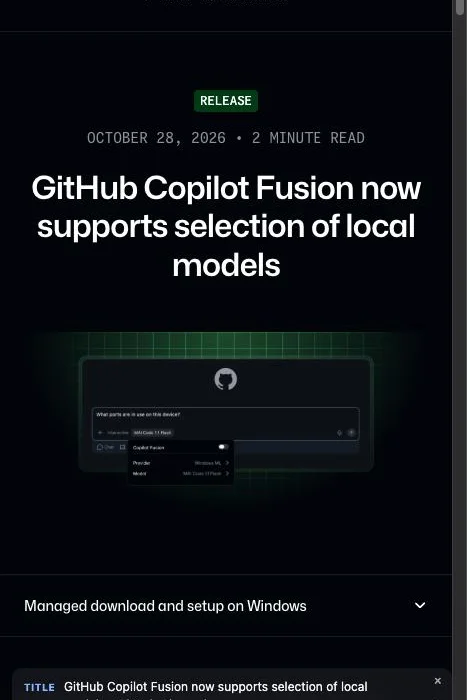
"Local inference doesn’t make your session offline. Copilot Fusion still makes routing decisions in the cloud, and local models may have different safety protections from Copilot-provided cloud models." — from "Bring your own local model"View official source →
Start on Standard and switch up only for heavy tasks
Pro and lower plans only get Standard, and even on Pro+ and above GitHub positions Standard for everyday work and High or Max for complex bugs and multi-file changes. Because Standard uses one model per task, the draft-and-review patterns only come into play when you move up to High or Max.
Those higher levels can burn through AI credits faster, so the 30% discount that runs until November 30 is the cheapest window to test them. Local model routing, by contrast, only works on Standard.
If you used the HydraFusion preview, your old setting carried over to the matching level, which may be heavier than your daily work needs. Check the level shown in the model picker before you start.
"Note for research preview participants: if you previously enabled auto, HydraFusion, or HydraFusion Max, your selections will automatically transition to the corresponding Copilot Fusion effort levels." — from "Get started"View official source →
FAQ
- Is Copilot Fusion available on the free plan?
- Yes. Every Copilot plan, including Copilot Free, can use Fusion Standard. High and Max are limited to Pro+, Max, Business and Enterprise.
- Does Copilot Fusion cost extra?
- There is no fee for Fusion itself. You pay each model's standard rate for the models Fusion calls, so High and Max can use more AI credits per task than Standard.
- Can I force Copilot Fusion to use Cascade or Critique?
- No. You only choose the effort level. Fusion picks the execution pattern for each prompt, so one prompt may use Single and the next Critique.
Related articles
 GitHub agentic autofix is now generally availableGitHub's agentic autofix, GA on Oct 15, 2026, has Copilot fix a code scanning alert, recheck it with CodeQL, and open a draft PR. It costs AI Credits per run.
 GitHub Actions script injection at SnowflakeA GitHub Actions script injection let any GitHub user run commands on a Snowflake runner through an issue title. What Copilot did and did not do, and the fix.
 AI Worm: A Word Document That Copies ItselfAn AI worm hidden as white text in a Word file made Copilot copy it into new docs in a demo. The mechanism, the 144-day disclosure, and Microsoft’s fixes.
 North Korean hackers embed AI in their operationsMicrosoft rated eight North Korean hacking groups on AI use on October 29, 2026. Three run AI across entire operations, from fake recruiters to malware.