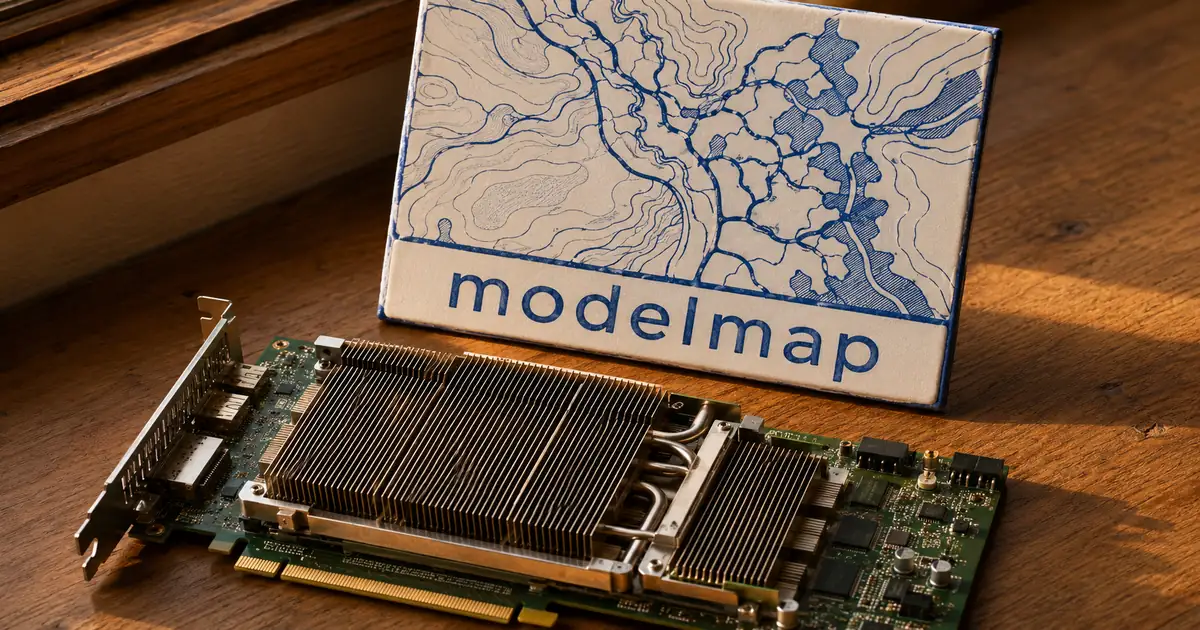
Checking whether a model fits your GPU
To check whether a model fits, paste its Hugging Face model ID into modelmap, pick a GPU preset and read the verdict drawn on the network map. modelmap is an open-source web app and command line tool that builds the map from the model's own configuration. It exists for the question its README says you re-ask every week: will it fit on my GPU?
A Hugging Face model ID, such as Qwen/Qwen3-8B, is the path of a model repository on the site. The tool also accepts a full huggingface.co link, a file-tree link or an ollama-style hf.co/owner/name:Q4_K_M ID, and reduces each one to the same owner/name form before loading. The answer is a VRAM figure (VRAM is the memory on the graphics card) split into weights, KV cache and activations, and no weights are downloaded to produce it.
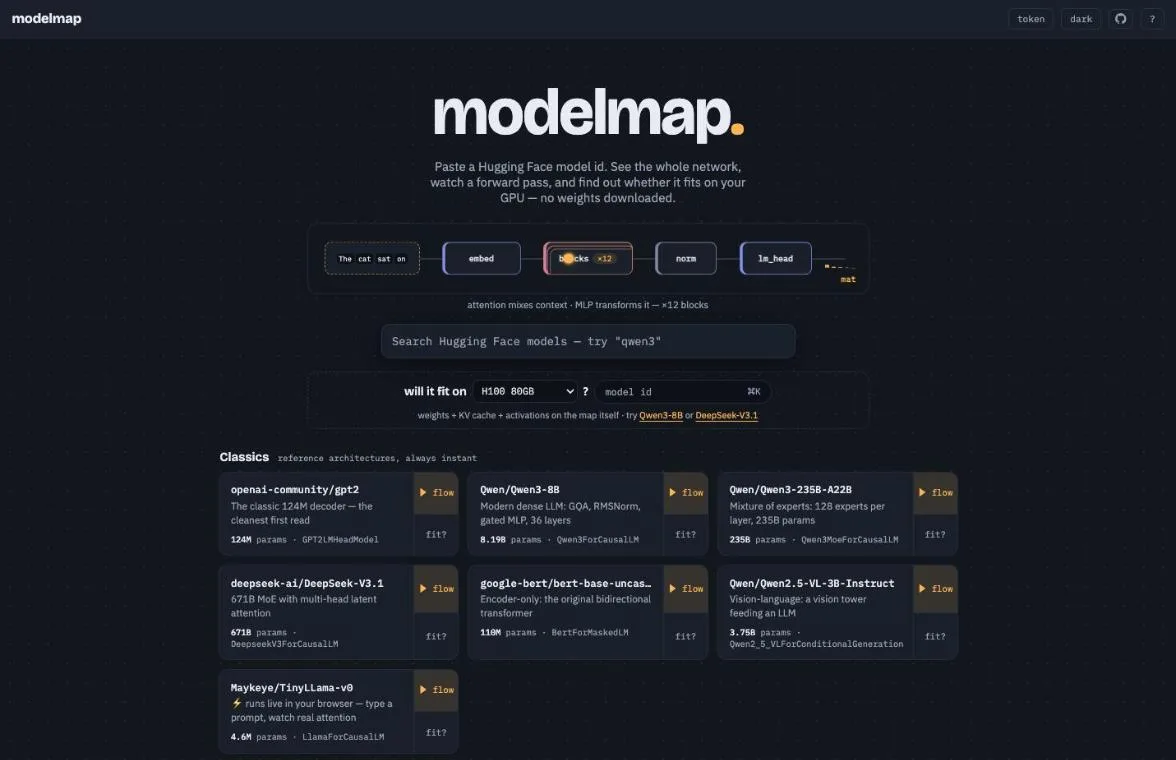
The landing page opens with a "will it fit on" prompt, and every card in its gallery of mapped models has a "fit?" button. The table lists what goes in, what comes out and where the tool runs.
modelmap at a glance
| Property | Value |
|---|---|
| Input | A Hugging Face model ID, or a local checkpoint |
| Output | A hierarchical graph, a forward-pass animation and a GPU fit verdict |
| Weights downloaded | None for the map and the fit check, only config.json at about 2 KB; Live mode downloads a small model into the browser |
| License | MIT |
| Interfaces | Web app, CLI, REST API, Python API, MCP server |
| Hosted demo | modelmap.cc, on the free tier of Google Cloud Run |
The same check is available from a script or from an agent, so it does not have to stay a manual lookup. The CLI, the Python API and the MCP server all expose it.
"the answer to the question you re-ask every week: will it fit on my GPU?"/"No weights are ever downloaded."/"MIT — see LICENSE."(modelmap official repository・README intro and License section)View official source →
How modelmap checks a model without downloading the weights
modelmap reads only the model's configuration file, builds an empty copy of the network and records one pretend run through it, so no weights are ever downloaded. The configuration file, config.json, is about 2 KB. PyTorch's meta device (a device that builds the structure of a network without allocating any tensors) holds the empty copy.
A hooked fake forward pass then runs through that copy. The hooks capture the real execution order and the shape of every tensor, and the result is served as a compact hierarchical graph of about 10 KB gzipped.
What is fetched and what is computed
| Step | What happens |
|---|---|
| 1 | Fetch config.json from the Hugging Face repository |
| 2 | Instantiate the model on the meta device, with structure but no data |
| 3 | Run a hooked fake forward pass to capture execution order and tensor shapes |
| 4 | Serve the result as a hierarchical graph |
The cost does not grow with model size: an 8B model and a 671B model take the same few seconds. A large checkpoint can therefore be inspected before anything is downloaded.
Any public repository works. That covers dense and mixture-of-experts text models, BERT, ViT, encoder-decoders such as T5 and BART, speech models such as Whisper, and vision-language and audio-language models, where the encoder tower and its projector are traced too. Gated repositories work once a token is added in the top bar, and the token stays in the browser and is never cached on the server.
Repositories that need trust_remote_code are refused by default because that setting runs arbitrary Python from the repository. Architectures that the transformers library cannot build are not refused for that reason, but both groups get a structural view of the weights rebuilt from safetensors headers alone.
"No weights are ever downloaded."/"An 8B or 671B model costs the same few seconds; the graph ships as ~10 KB gzipped."/"(refused by default — it executes arbitrary Python)"/"stored in your browser only, never cached server-side"(modelmap official repository・README intro / Any public repo. section)View official source →
Weights, KV cache and activations in the estimate
The estimate stacks three parts against the card: the weights, the KV cache and the activations. The weights are the stored parameters of the model, at the chosen precision. The KV cache is the memory the attention layers hold for tokens already processed, and activations are the intermediate tensors produced during a forward pass.
modelmap calls its view of this the vram lens. It paints serving memory onto the graph, so each module shows its weights plus the KV cache its attention holds at the chosen context and batch size. A strip above the map holds the controls: a context slider, batch, weight precision (as stored, bf16, fp8, int8 or int4), a GPU preset and headroom.
The README's example verdict wording is "fits on 1x RTX 4090, up to 45k tokens" and "needs 2x" with tensor parallelism, which means splitting the model across two cards. The precision toggle matches --weights int4 on the CLI, weights=int4 on the /api/plan and /api/summary endpoints, and the weights option on the MCP tools, so a result from the page can be reproduced in a script.
Why context length changes the answer
Context length changes the answer because the KV cache grows with every token kept in context, while the weights stay the same size. A model that fits comfortably at a short context can stop fitting at a long one.
Dragging the context slider to 128k shows the cache outweighing the model itself. A shortcut that multiplies the parameter count by the bytes per parameter returns one number whatever the context, so it cannot say when a long prompt will push a model off the card.
A cost lens shows the same structure from another angle. It re-encodes the map by parameters, compute, memory, KV cache or VRAM, re-derived live from a what-if bar for sequence length, batch and dtype. For mixture-of-experts models it also shows the active parameters per token.
Working from Qwen3-8B's config.json, the weights plus KV cache should fit an RTX 4090 (24 GB) in BF16 up to the configured maximum of 40,960 tokens, with little to spare. The inputs are the published values of 36 layers, 8 KV heads, a head dimension of 128 and 8,190,735,360 parameters (fetched 2026-11-06). Each token of KV cache costs 2 (key and value) × 36 layers × 8 heads × 128 dimensions × 2 bytes, about 147 KB, and that grows linearly with context.
Qwen3-8B weights plus KV cache (activations excluded, calculated by sakutto.ai)
| Context | KV cache | BF16 total | 8-bit total | 4-bit total |
|---|---|---|---|---|
| 8,192 | 1.2 GB | 17.6 GB | 9.4 GB | 5.3 GB |
| 32,768 | 4.8 GB | 21.2 GB | 13.0 GB | 8.9 GB |
| 40,960 (max) | 6.0 GB | 22.4 GB | 14.2 GB | 10.1 GB |
The BF16 weights alone take 16.4 GB, so at full context a 24 GB card has only about 1.6 GB left for activations and runtime overhead. Comparing these figures with modelmap's breakdown for the same model shows how much it sets aside for activations.
"weights + KV + activations stacked against the card"/"Drag context to 128k and watch the cache outweigh the model."(modelmap official repository・README / The planner, on the map section)View official source →
"head_dim": 128/"max_position_embeddings": 40960/"num_hidden_layers": 36/"num_key_value_heads": 8/"torch_dtype": "bfloat16" (fetched 2026-11-06; the parameter count of 8,190,735,360 is the safetensors total from the Hugging Face API for the same repository) — from Hugging FaceView official source →
Planning for quantization, multiple GPUs and fine-tuning
For quantized checkpoints, several GPUs or fine-tuning, the "fit?" planner in the top bar gives the numbers, and the same figures come out of modelmap plan and modelmap train on the command line. Quantization means storing weights in fewer bits, and GGUF is a file format for such weights. The planner has two tabs, Serve and Fine-tune.
Quantized models are opened by adding the variant to the ID, as in owner/name:Q4_K_M. A picker lists the quants in the repository, the model configuration is rebuilt from the GGUF header, and each module shows its real quant type and bits per weight. The cost lens therefore reports true on-disk bytes, and FP8, AWQ, GPTQ and bitsandbytes repositories report their quantized dtypes as well.
The Serve tab takes a number of GPUs and the memory per GPU, plus a tensor-parallel and pipeline-parallel split. Pipeline parallel puts consecutive groups of layers on different cards. For each stage it shows weight, KV and activation bytes, whether the stage fits and the longest context the KV cache allows.
It also gives roofline speed estimates for each GPU preset, with prefill speed bound by compute and decode speed bound by memory bandwidth. Mixture-of-experts models are modeled as streaming only the active experts. A command line example from the README is below.
uv run modelmap plan Qwen/Qwen3-8B --gpus 2 --gpu-memory 24 --pp 2 -T 32768
The Fine-tune tab covers full fine-tuning, LoRA and QLoRA, with choices of rank and target modules, AdamW or 8-bit optimizers, ZeRO-2 and ZeRO-3 sharding, and switches for gradient checkpointing and flash attention. It returns per-GPU weights, gradients, optimizer state and activations, the largest micro-batch and the training speed in tokens per second.
"owner/name:Q4_K_M opens a GGUF variant"/"shows its actual quant type and bits per weight, so the Cost lens reports true on-disk bytes"/"(prefill tok/s compute-bound, decode tok/s bandwidth-bound, MoE streams active"/"full / LoRA / QLoRA with rank and target choices, AdamW vs 8-bit, ZeRO-2/3"(modelmap official repository・README / Quantized checkpoints and Serving + fine-tuning planner sections)View official source →
Four ways to visualize an LLM architecture
modelmap draws the traced model in four modes, Explore, Flow, Compare and Live, and the fit verdict sits on top of the same map. Each mode answers a different question about an unfamiliar model. The table shows what each one is for.
The four viewing modes
| Mode | What it shows | Use it to |
|---|---|---|
| Explore | A zoomable module tree with repeated layers collapsed | Get the shape of an unfamiliar model |
| Flow | A pulse replaying the traced forward pass, with narration | Follow what happens to a token |
| Compare | Two models aligned and their differences marked | See what changed between versions |
| Live | Real inference in the browser for small models | Watch behavior instead of structure |
Explore folds repeated layers into stacks such as decoder block x36 and experts x128, so a 235B mixture-of-experts model opens as about 10 nodes. DeepSeek-V4's alternating attention layers collapse into x43 with 2 repeated designs. Clicking a node gives its class, parameter count and share, dtype, weight shapes, traced input and output shapes, a treemap of its children and a link to the line of source that defines it.
Flow moves an amber pulse through the graph in the traced execution order, while a heads-up display narrates each step with the true shapes. Repeated stacks compress behind a layer counter such as 12 / 36, and a full replay of an 8B model takes about 12 seconds. Expanding a block lets the pulse walk its internals, and micro-views cover a block, attention, a gated MLP and a mixture-of-experts router.
Compare lines up two models by path, then by role, with linked pan, zoom and selection. Unchanged modules dim, changed ones get an amber outline, and additions and removals get plus and minus marks. A base model against its fine-tune reports no structural change, while Qwen2.5-7B against Qwen3-8B calls out q/k norms, dropped biases and changes in ffn (the feed-forward network) and layer count.
The comparison also states the result in plain sentences. One example is a KV cache per token of 144 KB against 56 KB, 2.6x larger. Another says that 8 of 128 experts run per token, so 3.35B of a model's 30.5B parameters are active.
Live mode is limited to small llama-family, gpt2, qwen2 and qwen3 models stored as a single safetensors file of 700 MB or less. For those, the browser downloads the weights and runs real inference on the CPU in a Web Worker, and the server never touches the weights.
It shows next-token probabilities, a per-head attention heatmap and a logit lens, which shows the prediction sharpening layer by layer. TinyLLama-v0, at 9 MB and about 4 ms per token, is the default, and SmolLM2-135M and distilgpt2 also run.
"Repeat stacks compress with a layer 12 / 36 counter (~12 s for a full 8B replay)."/"Qwen2.5-7B vs Qwen3-8B calls out q/k norms, dropped biases, ffn, layers."/"TinyLLama-v0 (9 MB, ~4 ms/token) is the instant default; SmolLM2-135M and distilgpt2 also run."(modelmap official repository・README / What you get section)View official source →
How to run modelmap locally or from an AI agent
A local run starts with one uvx command that pins the CPU build of PyTorch and opens the app at http://127.0.0.1:7860. The pin avoids the 2.5 GB CUDA build, and nothing else needs installing for a one-off run.
uvx --index https://download.pytorch.org/whl/cpu modelmap
The README says the short uvx form needs the package on PyPI and gives a GitHub form for use until then. Since the README does not state that the package is already published, the GitHub form below is the dependable one, and CI also attaches a wheel to each GitHub release. For the MCP server, the same command takes modelmap[mcp]@git+ in place of modelmap@git+.
uvx --index https://download.pytorch.org/whl/cpu --from modelmap@git+https://github.com/lizhaoliu/modelmap modelmap
From a checkout, the steps are uv sync, an npm build of the web app and then uv run modelmap. A local checkpoint, whether a directory, a .safetensors file or a .gguf, opens with uv run modelmap ./my-finetune and never leaves the machine. A container setup also ships, running as a non-root user with a read-only root filesystem and dropped capabilities.
Command line reference
| Command | Purpose |
|---|---|
| uv run modelmap | Serve the app and open the browser |
| uv run modelmap serve --warm | Pre-extract the gallery in the background |
| uv run modelmap dump Qwen/Qwen3-8B -f md | Export the graph as JSON, CSV, Markdown or DOT |
| uv run modelmap cost Qwen/Qwen3-8B-GGUF:Q4_K_M | Headline numbers for a quantized variant |
| uv run modelmap plan Qwen/Qwen3-8B --gpus 2 --gpu-memory 24 --pp 2 -T 32768 | Check a multi-GPU setup |
| uv run modelmap diff Qwen/Qwen2.5-7B Qwen/Qwen3-8B | Structural diff of two models |
| uv run modelmap mcp | Start the MCP server |
The same data is exposed as REST endpoints (/api/summary, /api/export, /api/plan and /api/compare, with OpenAPI at /docs), a Python API and an MCP server. The README names Claude Code and Cursor as MCP clients.
With that server, an agent can ask whether Qwen3-32B fits on 2x A100 at 32k and get a computed answer. The protocol itself is covered in MCP Specification 2026-07-28: Sessions Removed.
Results can also leave the tool. The export menu saves a PNG or SVG, a Markdown summary, a CSV module table, JSON or Graphviz DOT, and it can copy a link to the exact view or an iframe embed.
"uvx modelmap needs the package on PyPI (uv publish); until then install from GitHub:"/"CI also attaches a wheel to each GitHub release."/"MCP server so a coding agent can ask"/"# container (non-root, read-only rootfs, capabilities dropped)"(modelmap official repository・README / Run it and Take it with you sections)View official source →
Limits to check before relying on modelmap
Check four limits first: the cold start on the hosted demo, the refusal of repositories that need trust_remote_code, the narrow scope of Live mode and the install path. The README states the first three directly. The fourth comes from the install note covered above.
Limits stated by the project
| Limit | Detail |
|---|---|
| Cold start | The first uncached model on a cold instance takes about 30 seconds |
| trust_remote_code | Refused by the hosted server by design |
| Live mode | Small llama-family, gpt2, qwen2 and qwen3 models, single safetensors file of 700 MB or less |
| Install | The short uvx form needs the package on PyPI; use the GitHub form otherwise |
The hosted demo runs on the free tier of Google Cloud Run. Cached models open instantly, but an uncached model on a cold instance takes about 30 seconds. A local run has no cold instance to wait for, and serve --warm pre-extracts the gallery in the background.
For a custom-code repository such as Kimi-K3, run modelmap dump with the --trust-remote-code flag on your own machine and drop the resulting .graph.json file onto the site. It renders in the browser and nothing is uploaded. modelmap serve --trust-remote-code opts a server you run yourself into the same behavior.
The README lists status milestones from M1 to M18 and an MIT license, with unit tests, front-end tests and browser acceptance suites that need a running server. It does not describe a comparison of the memory estimate with runtime logs from llama.cpp or vLLM. Treat the figures as planning numbers, and measure on the real runtime when a model fits with little margin.
Sizing a model is only the first step. For the practical side of running models on a local machine, see Local LLM Coding Now Hits 75% of Cloud AI.
"free-tier Cloud Run: cached models are instant; the first uncached model on a cold instance takes ~30 s"/"the hosted server refuses trust_remote_code by design"(modelmap official repository・README intro and Custom-code repos section)View official source →
How modelmap compares with other LLM VRAM calculators
modelmap differs from other LLM VRAM calculators in that it builds the answer from a trace of the real model and draws it on the architecture. The calculators listed below describe themselves in other terms, according to their own page titles and headings.
A GitHub project behind modelvram.com says it covers weights, KV cache and overhead for any Hugging Face model, handles mixture-of-experts, MLA and sliding windows, and is checked against public llama.cpp and vLLM logs. Headroom frames the question as whether a model fits, for how many users and how fast. LLMScale lists context window and concurrent users, runs in the browser and pulls live Hugging Face data.
A page from InventiveHQ explains the quantization trade-off, multi-GPU setups and Apple Silicon, with a worked 70B example. Some of these pages also carry a section on their formulas. That formula-first approach suits a reader who wants to see the arithmetic.
Concurrent-user sizing (LLMScale, Headroom) and validation against llama.cpp and vLLM logs (the modelvram project) do not appear in modelmap's README. What it adds is the map. Weights and KV cache are painted module by module, the verdict adds activations, the planner covers serving and fine-tuning, and the same architecture can be compared against another release.
So the choice follows the question. For an unfamiliar model where the breakdown by layer matters, or a quick answer from an agent, an LLM VRAM calculator that traces the model, as modelmap does, is a good start. When the margin is thin or many users are involved, cross-check the result with a calculator that states its validation.
Sizing before downloading matters most for the largest local models. A guide to running one of them is GLM 5.2 local: run 744B on a 24 GB PC, no GPU, and for skills in local inference tools see LM Studio Skills in Bionic: Use, Create, Install.
FAQ
- Does modelmap download the model weights?
- No, not for the map or the fit check (Live mode downloads small models into your browser). It fetches the roughly 2 KB config.json, builds the model on PyTorch's meta device and runs a hooked fake forward pass to record execution order and tensor shapes. That is why an 8B model and a 671B model both take the same few seconds.
- Do I need CUDA to run modelmap on my own machine?
- Not for the one-off command in the README. It pins the CPU build of PyTorch instead of the 2.5 GB CUDA build, then opens the app on a local address.
- Can modelmap check a quantized GGUF model?
- Yes. Adding a variant such as Q4_K_M to the model ID opens that GGUF file, and each module then shows its real quantization type and bits per weight, so the memory numbers use true on-disk bytes.
- Can an AI agent ask modelmap whether a model fits?
- Yes. modelmap ships an MCP server, and the README gives a question such as whether Qwen3-32B fits on two A100 cards at a 32k context as the kind of request an agent can send.
Related articles
 Nvidia Hugging Face Deal Draws DOJ QuestionsThe DOJ is asking whether Nvidia's $12.93 billion Hugging Face deal would hurt AI competition, Reuters reported. Closing is due in the first half of 2027.
 Why OpenAI and Anthropic slashed LLM API pricingLLM API pricing at OpenAI and Anthropic fell by up to 80% in mid-2026. Max Woolf credits easy switching, cheap open-weight rivals and cheaper serving.
 Meta Muse Wonder: benchmarks, pricing, Wonder FullMeta's Muse Wonder API costs $4/$20 per million tokens, the same as Claude Opus 5.5. Wonder Full ties Opus on Meta's table but is only in Muse Code.
 What is knowledge distillation? Smaller AI modelsKnowledge distillation trains a small student model to copy a large teacher. Here's how it works, what DeepSeek did, and when it breaks AI terms of service.