
What is REA? An MCP server for AI reverse engineering
REA is an MCP server that lets an AI coding agent reverse engineer software, meaning it works out how a finished program behaves without its source code. You keep using Claude Code, Codex, Cursor or Gemini CLI as usual. REA gives the agent the analysis tools, and the agent explains what it found.
MCP (Model Context Protocol) is the standard that lets an agent call outside tools. REA is one such server, published at morluto/rea under the MIT license. The README says any agent that supports local MCP servers can use it, the same way other MCP servers plug into Claude (see X MCP Server: Give Claude and Grok the X API).
How an REA investigation runs
| Step | Who | What happens |
|---|---|---|
| 1 | You | Name the app and the feature in a prompt |
| 2 | Coding agent | Calls REA over MCP |
| 3 | REA | Inspects the target with Ghidra, IDA, Hopper or a built-in analyzer |
| 4 | REA | Returns findings with evidence and limitations |
| 5 | Coding agent | Explains the behavior, and can build and test a similar feature |
REA explains how an app works, with evidence
With REA registered, your agent can explain how a feature works in an app whose source code is not public. The agent calls REA to inspect the target and trace the relevant code. REA sends back findings along with the evidence behind them.
That evidence is things like pseudocode (machine code rewritten into something close to readable source) and call references. Each conclusion also lists what REA could not determine, so you can see how solid the explanation is. From there, the agent can go on to build a similar feature for your own project.
Your agent calls REA through MCP to inspect the target and trace relevant code./REA returns findings with their evidence./Analysis runs locally, and results include the evidence and limitations behind each conclusion. — from the How REA works section and the README introductionView official source →
Ghidra, IDA or Hopper handles native analysis
REA does not ship its own decompiler. For deep analysis of native binaries, it calls a copy of Ghidra, IDA or Hopper that is already installed on your machine.
JavaScript and .NET apps are different. REA reads those with its own static analysis, which inspects files without running the app. Its job is to put all of these tools behind one MCP server, so the agent does not need to know which engine sits underneath.
REA connects your agent to tools for inspecting native binaries, JavaScript and Electron apps, .NET assemblies, and websites. — from the README introductionView official source →
About 250,000 GitHub stars in six months
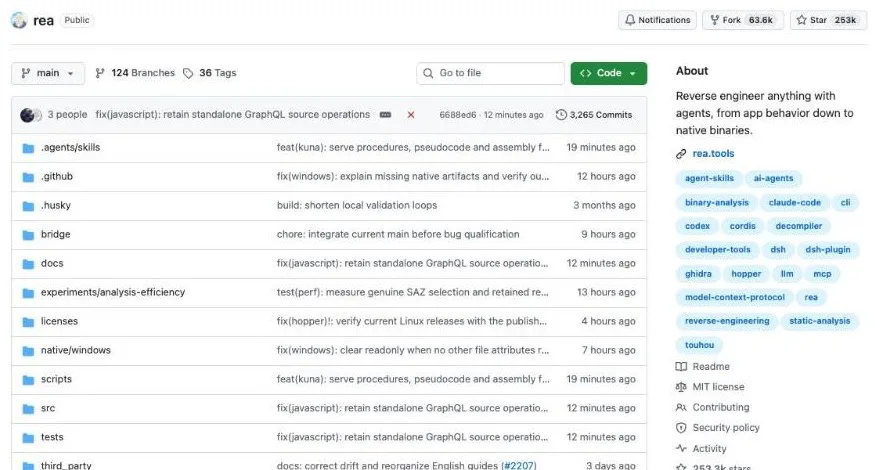
The REA repository was created on April 14, 2026, and had 251,958 stars and 63,287 forks as of October 15, 2026. The npm package, rea-agents, first shipped on July 12, 2026. Its latest version on October 15 was 6.5.0.
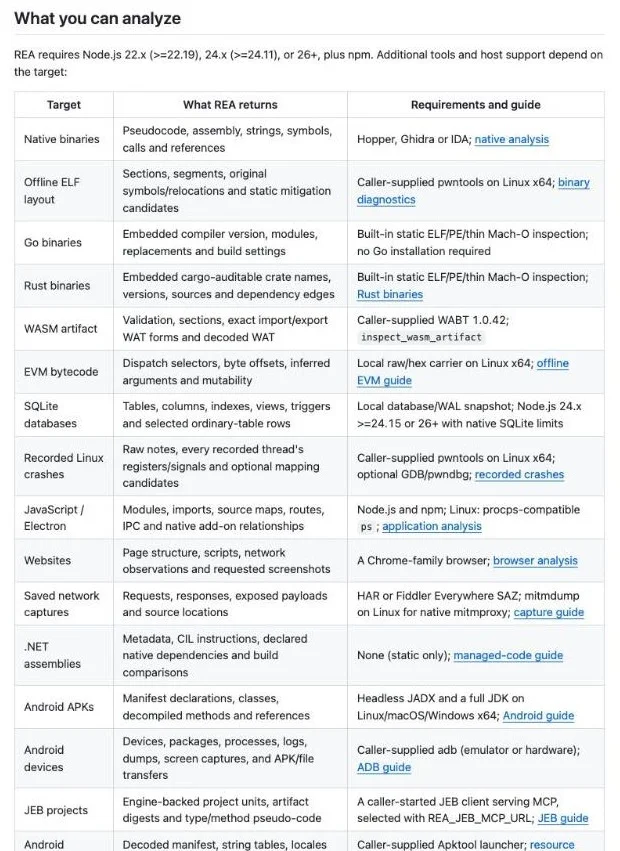
What REA can analyze
REA covers 23 kinds of targets in its README, from Windows executables to Android apps and websites. Each row says what REA returns and what you need to install. These are the ones most developers will reach for first.
Main REA targets and what they need
| Target | What REA returns | Requirements |
|---|---|---|
| Native binaries | Pseudocode, assembly, strings, call references | Ghidra, IDA or Hopper |
| JavaScript and Electron apps | Modules, imports, IPC | Node.js and npm |
| .NET assemblies | Metadata, CIL instructions | None (static only) |
| Android APKs | Manifest, classes, decompiled methods | JADX and a full JDK |
| Websites | Page structure, scripts, network activity | A Chrome-family browser |
| Saved network captures | Requests and responses | HAR or Fiddler SAZ files |
The full table also includes SQLite databases, firmware and process behavior. Some of those rows only work on Linux or macOS, so check the requirements column before you plan around them.
Native binaries such as Windows executables
A binary is a program compiled into machine code, and a Windows .exe is the most familiar example. People can't read machine code directly, so REA asks Ghidra, IDA or Hopper for pseudocode, assembly, strings and the calls between functions.
Some binaries need less. For Go programs, REA reads the embedded compiler version and modules without a Go installation. For Rust programs, it pulls out the embedded crate names, versions and dependencies.
Pseudocode, assembly, strings, symbols, calls and references/no Go installation required — from the Native binaries and Go binaries rows of the target tableView official source →
JavaScript, Electron and .NET apps
JavaScript apps and Electron desktop apps don't need a native engine at all. REA maps their modules, imports and the IPC messages that pass between the window and the main process. On Linux, it also needs a procps-compatible ps.
.NET assemblies get the same treatment: REA reads their metadata and CIL instructions (the intermediate code .NET compiles to) without extra tools. In both cases it reads the files and never launches the app.
Modules, imports, source maps, routes, IPC and native add-on relationships/None (static only) — from the JavaScript / Electron and .NET assemblies rows of the target tableView official source →
Android apps, websites and saved network captures
For Android, REA opens the APK and pulls out the manifest, classes and decompiled methods. That requires a headless JADX and a full JDK. A connected Android device can also be inspected through adb.
Websites run through a Chrome-family browser, where REA records page structure, scripts and network activity, plus screenshots when you ask for them. If you already saved traffic as a HAR file from browser developer tools or as a Fiddler SAZ file, REA can read the requests and responses inside it.
Manifest declarations, classes, decompiled methods and references/Page structure, scripts, network observations and requested screenshots — from the Android APKs and Websites rows of the target tableView official source →
How to install REA in Claude Code
You install REA by running npx rea-agents setup in a terminal and picking Claude Code from the list. You need Node.js and npm. If you plan to look at executables, you also need Ghidra, IDA or Hopper.
Check your Node.js version first
REA runs on Node.js with npm, and only on recent versions. Any one of these works:
- Node.js 22.19 or later on the 22.x line
- Node.js 24.11 or later on the 24.x line
- Node.js 26 or later
Run node -v to see what you have. If it is older, install a current release from the Node.js website before you continue.
REA requires Node.js 22.x (>=22.19), 24.x (>=24.11), or 26+, plus npm. — from the What you can analyze sectionView official source →
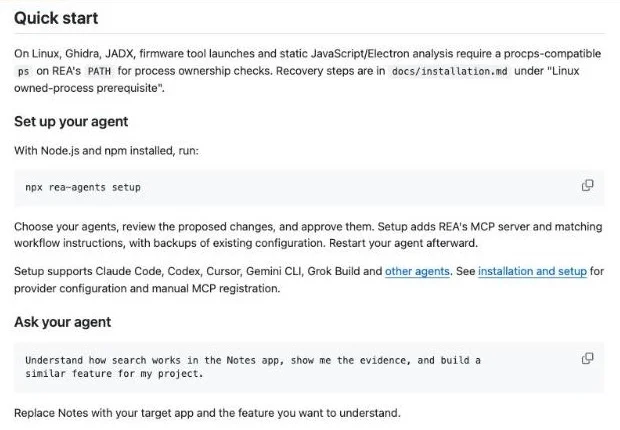
Register REA with npx rea-agents setup
Run this command in a terminal to start setup. It asks you to choose your agent (Claude Code here), shows the proposed changes and waits for your approval.
npx rea-agents setup
Setup adds REA's MCP server and a matching set of workflow instructions (a skill) to the agent. It backs up your existing configuration first, so you can roll back. Restart Claude Code when it finishes.
If you plan to use REA often, npm install --global rea-agents gives you a permanent rea command. The README asks users to update often because releases fix bugs quickly. Run rea update for a global install, or rerun npx rea-agents@latest setup if you use npx.
Setup registers REA with your agent and installs matching workflow instructions. — from the README introductionView official source →
Executables need Ghidra, IDA or Hopper
To look inside an .exe or any other native binary, you need one of Ghidra, IDA or Hopper. REA uses an existing Ghidra or IDA installation. Hopper is the exception: setup can install it for you if you approve.
IDA Pro and Hopper are commercial products, so you need your own licenses for them. The README also notes that Ghidra support on Windows is still experimental.
Native analysis can use an existing Hopper, Ghidra, or IDA installation; setup can optionally install Hopper with approval./experimental Windows Ghidra support — from the README introduction and the provider notesView official source →
How to use REA: prompts, evidence and examples
Once REA is registered, you start an investigation by typing a question about an app into Claude Code. You don't drive Ghidra yourself. The agent decides which engine to call.
Name the app and the behavior you want explained
A good prompt names the target app and the exact behavior you want explained. The README's own example asks the agent to find out how search works in the Notes app, show the evidence and build something similar.
You swap in your own app and feature. In Claude Code, that can be as short as this:
Use REA to work out how search works in the Notes app. Show the evidence for each conclusion.
You can also skip the agent and run REA from a terminal. For an Electron app, point npx -y rea-agents@latest analyze-javascript-application <app folder> --json at the app folder or its ASAR file.
Understand how search works in the Notes app, show me the evidence, and build a similar feature for my project./Replace Notes with your target app and the feature you want to understand. — from the Ask your agent sectionView official source →
Answers come with evidence and open questions
Each answer is built from REA's findings, so it comes with the evidence for every conclusion and a list of what is still unknown. The agent can use those findings to dig further or explain the behavior. If you ask, it will write and test a similar feature too.
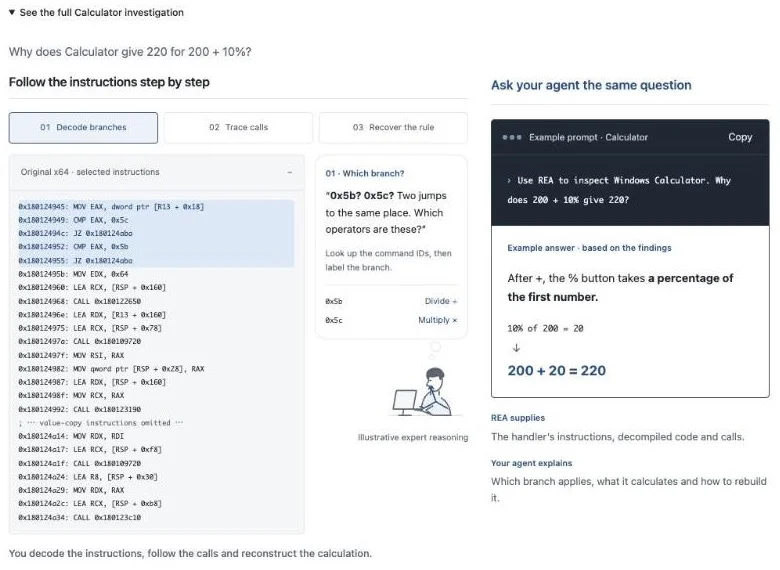
The Calculator walkthrough on rea.tools shows what that looks like. It asks why Windows Calculator turns 200 + 10% into 220 and answers in three steps, reading the instructions in the Calculator DLL:
- Decode the branches
- Trace the calls
- Recover the rule
Why does Calculator give 220 for/Decode branches/Trace calls/Recover the rule — from the Calculator investigationView official source →
Official case: DX-Ball's sound panning rebuilt in C
One README case study rebuilt the sound-panning math from the brick-breaker game DX-Ball in C. The investigation followed a sound call into the helper that converts a ball's position into left-right panning. It then read the instructions and turned incomplete pseudocode into C.
The rebuilt function matched the original x86 code on 3,205 test cases and reproduced all 63 bytes of the compiled function. Other case studies trace Notion's Electron clipboard bridge and recover a bullet-angle calculation from a PC-98 game.
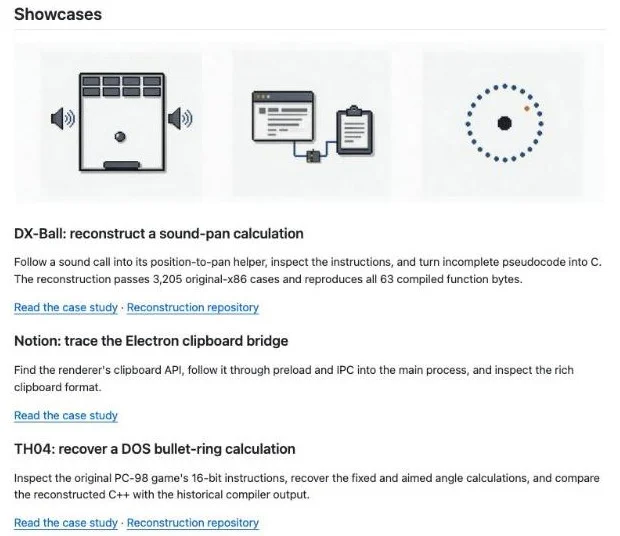
The reconstruction passes 3,205 original-x86 cases and reproduces all 63 compiled function bytes. — from the DX-Ball case studyView official source →
REA vs GhidraMCP vs ida-pro-mcp
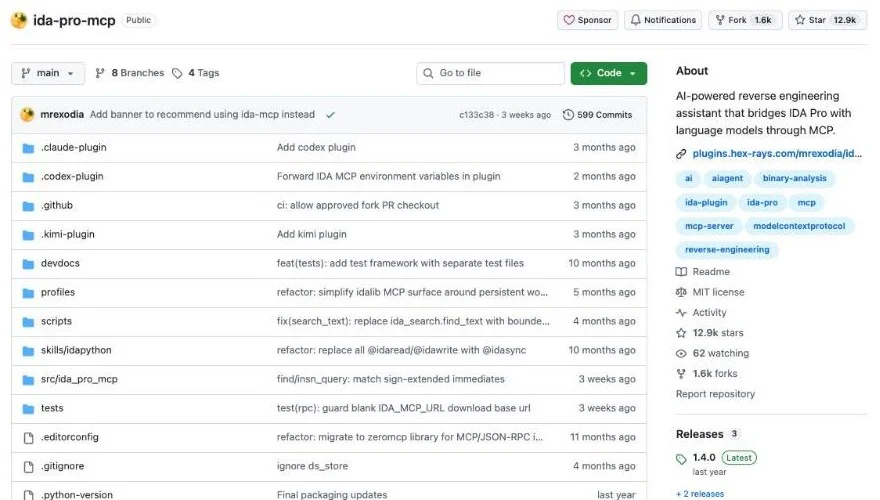
REA was not the first MCP server for reverse engineering. GhidraMCP's repository dates to March 23, 2025, and ida-pro-mcp's to March 25, 2025.
REA, GhidraMCP and ida-pro-mcp compared
| REA | GhidraMCP | ida-pro-mcp | |
|---|---|---|---|
| Engines | Ghidra, IDA, Hopper and built-in analyzers | Ghidra | IDA Pro |
| Main targets | Binaries, JavaScript, .NET, Android, websites | Binaries opened in Ghidra | Binaries opened in IDA Pro |
| Repository created | April 14, 2026 | March 23, 2025 | March 25, 2025 |
GhidraMCP and ida-pro-mcp each connect one tool
GhidraMCP and ida-pro-mcp each tie one analysis tool to one MCP server. GhidraMCP is an MCP server for Ghidra, and ida-pro-mcp links IDA Pro to language models. If you want an agent to use both, you install and configure two servers.
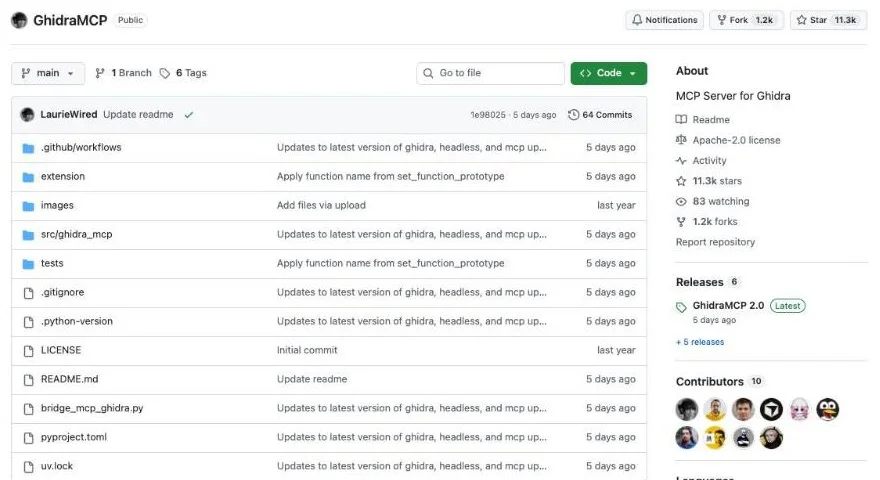
MCP Server for Ghidra — from the repository descriptionView official source →
AI-powered reverse engineering assistant that bridges IDA Pro with language models through MCP. — from the repository descriptionView official source →
REA switches engines to match the target
REA puts several engines and its own static analyzers behind one MCP server. From the agent's side, an .exe, an Electron app and an APK all go through the same server.
If you only ever analyze native binaries with one engine, a single-tool server is enough. Note that the ida-pro-mcp README now points IDA users to the official Hex-Rays IDA MCP Server. If your targets mix JavaScript apps, Android apps and executables, one REA setup saves you from wiring each engine separately.
One MCP for reverse engineering across binaries, applications, and runtime behavior. — from the README taglineView official source →
I recommend using the Official Hex-Rays IDA MCP Server instead! — from the Important note at the top of the READMEView official source →
Before you reverse engineer an app with AI
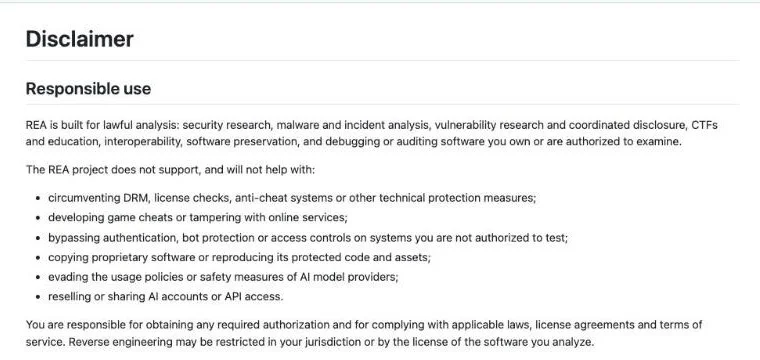
Before you point REA at an app, confirm that you are allowed to analyze it. REA's disclaimer puts that responsibility on you: getting permission and following laws, licenses and terms of service.
Check the license and the law where you are
Reverse engineering can be restricted by where you live and by the license of the software you analyze. REA's disclaimer says so directly, and adds that having a copy of a file or finding software publicly available is not permission on its own.
The project also refuses to help with circumventing DRM or license checks, building game cheats or copying proprietary software. Getting an analysis report does not give you any rights to the original program either. If you plan to use the findings in a commercial product, talk to a lawyer first.
may be restricted in your jurisdiction or by the license of the software you analyze./does not grant rights to the original program — from the Responsible use and output sections of the disclaimerView official source →
Use your own licenses for commercial tools
IDA Pro, Hopper, JEB and other commercial engines must be properly licensed by you. REA provides no license, key or activation for them.
Cracked copies and stolen keys are not allowed. Trials and demos are fine, but they stay subject to the vendor's terms.
provides no commercial-tool license, key, or activation entitlement./Permitted trials and demos remain subject to vendor terms. — from the commercial tools section of the disclaimerView official source →
Tool results go to your model provider
REA runs its analysis on your machine, but every result it returns goes through your agent to the model provider. What happens to that data then depends on that provider's policy.
Check that policy before you analyze internal software or captures that contain personal data. Runtime capture can also change app state, files and accounts, so use an isolated environment for anything you don't trust. Untrusted targets can even carry attacks aimed at the agent itself (see AI Coding Agent Hijacked by a Fake Bug Report).
REA analyzes targets locally. Your agent receives the tool results, and its model provider has its own data policy. — from the FAQ entry Does REA upload my app?View official source →
Download REA only from official sources
A repository with a similar name or a copied README is not proof that a download is genuine. REA is only distributed from these three places:
- The morluto/rea repository on GitHub
- The rea.tools website
- The rea-agents package on npm
A project with this much attention attracts lookalikes. Before you run setup, check that the package name in the command is exactly rea-agents.
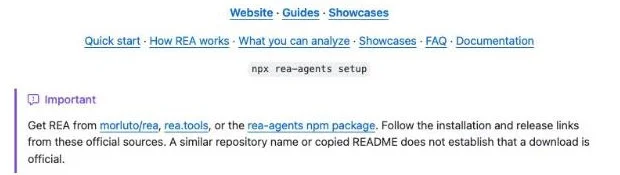
A similar repository name or copied README does not establish that a download is official. — from the Important note in the READMEView official source →
One setup command adds reverse engineering to your agent
REA turns a coding agent into a reverse engineering assistant: one npx rea-agents setup command registers it with Claude Code and other agents. Ghidra, IDA or Hopper handles native binaries, and JavaScript and .NET apps need no extra engine.
Using it is a matter of naming an app and a behavior in a prompt, then reading the evidence that comes back. Start with software you wrote or have permission to examine, and check licenses and local law before going further. MCP itself keeps changing too (see MCP Specification 2026-07-28: Sessions Removed).
FAQ
- Is REA free?
- Yes. REA's own code is MIT-licensed. The commercial engines it can call, such as IDA Pro and Hopper, are a separate purchase, and REA does not supply licenses or keys for them.
- Does REA upload my app?
- No. REA analyzes the target on your machine. The results of each tool call do go to your agent, though, so the model provider behind that agent sees them under its own data policy.
- Does REA work on Windows?
- Yes. The official site lists a PowerShell setup path for Windows. Native analysis through Ghidra on Windows is still labeled experimental in the README.
Related articles
 Claude Dynamic Workflows come to Managed AgentsClaude Dynamic Workflows are now in public beta in Claude Managed Agents. One run can start up to 1,000 agents, 64 at a time, billed at each model's rates.
 Claude Code rule blocks recreating existing gamesA server-side rule stops Claude Code on Opus 5.5 from recreating existing games. Anthropic confirmed it on X, and a wargame studio says paid work stopped.
 Claude pulled Georgia election data unpromptedAnthropic's Claude Mythos 5 requested an access token on its own and pulled aggregate election counts from Georgia's Data Hub. The state says it is free.
 Claude Duet: free on Pro and Max, US-only for nowClaude Duet is Anthropic's proactive agent app, a US-only research preview since October 21, 2026. It's free on Pro and Max but draws on your usage limits.