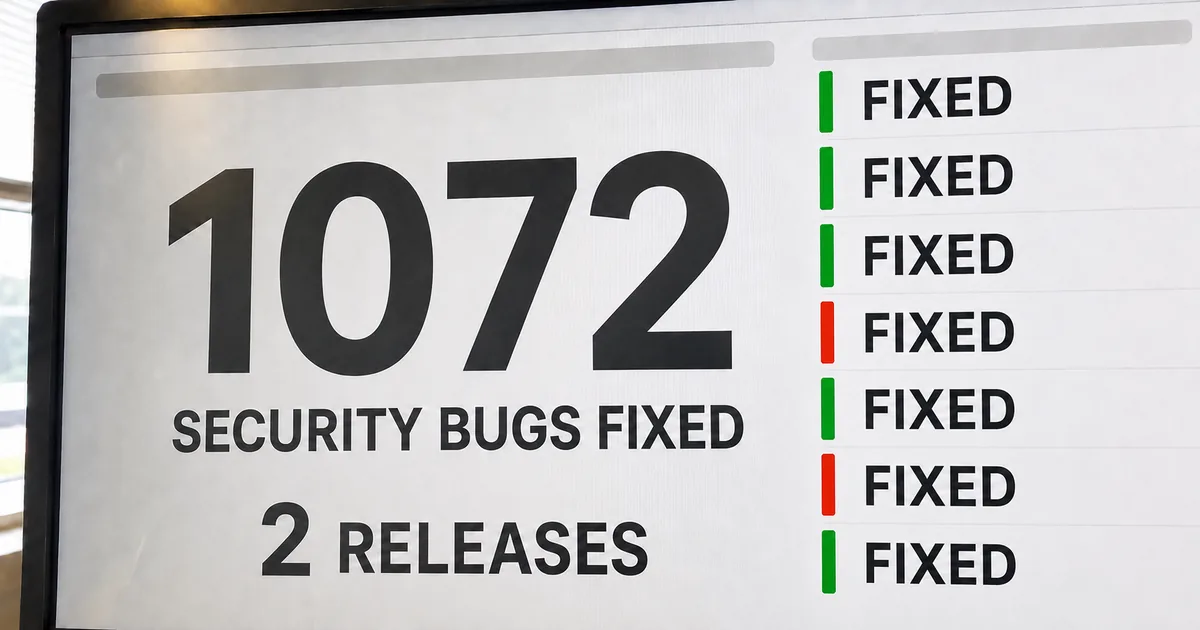
AI helped fix 1,072 vulnerabilities in Chrome 149 and 150
Google's Chrome Security Team reported on Jul 30, 2026 that Chrome 149 and 150 fixed 1,072 security bugs. The post also describes a five-step life cycle that every bug passes through, from the moment it is found to the moment a user restarts the browser. Google says AI now helps with finding, triaging and fixing those bugs.
1,072 security bugs, more than the prior 23 milestones
Chrome 149 and 150 fixed 1,072 security bugs, more than the 23 milestones before them added up. A milestone is one major Chrome release, and these are the last two. Google says LLMs (large language models) now generate candidate fixes for most vulnerabilities, which sharply raised the rate of security fixes in recent releases.
At this point, we have LLMs generating candidate fixes for most vulnerabilities, dramatically increasing the rate of security fixes in recent Chrome releases: / In the last two milestones, Chrome 149 and 150, we have fixed 1072 security bugs, surpassing the total number of security bugs fixed across the prior 23 milestones combined. — from the passage on how many security bugs were fixed in Chrome 149 and 150View official source →
The five steps in the life of a Chrome vulnerability
A Chrome vulnerability passes through five steps: it is found, triaged, fixed, shipped in an update, and applied when Chrome restarts. A security bug is a software fault that can be used to build an exploit, which lets an attacker read private data or control a computer without the user knowing. Google lists the steps this way:
- The bug is found.
- The bug is triaged, meaning it is checked, rated and sent to an owner.
- The bug is fixed.
- A new Chrome update with the fix is released.
- Chrome is restarted and the update is applied.
Google's goal is for every one of the five steps to happen as fast as possible. AI now plays a part in the first three: finding, triaging and fixing.
Exploits allow attackers to perform malicious actions on a victim’s computer, such as reading private data, or controlling their machine without their knowledge. / Our goal is for every one of these steps to happen as quickly as possible. — from the opening passage on what a security bug is and how it moves through the five stepsView official source →
Gemini and Big Sleep find Chrome security vulnerabilities
Google finds Chrome security vulnerabilities with an agent harness built on Gemini and with Big Sleep, an AI discovery agent made with Google DeepMind and Project Zero. A harness is the software that gives a model its tools and steps for reading the Chrome source code. Fuzzing, which feeds a program large amounts of unexpected input, still runs alongside both.
From fuzzing to Big Sleep and a Gemini agent harness
Chrome's use of LLMs grew from fuzzing in 2023 to Naptime in 2024, Big Sleep in 2025 and a Gemini agent harness in early 2026. Each year added one step:
- 2023: LLMs used to increase security fuzzing coverage and performance.
- 2024: Naptime, built with Project Zero, which gave LLMs specialized tools for vulnerability research.
- 2025: Big Sleep, built with DeepMind and Project Zero. This AI agent found bugs in the V8 JavaScript engine and the graphics stack.
- Early 2026: a new agent harness powered by Gemini that searched the wider Chrome codebase, with better efficiency and fewer false positives.
Google then made five changes to the harness. In the post's order, they are:
- Model interoperability. The harness can use both open-weights models and proprietary ones.
- A knowledge base of Chrome. It holds every previously identified CVE (a public ID for a known vulnerability) and Chrome's entire Git history, so the model can reason past its training data.
- SECURITY.md files. Developers are encouraged to add them. They help the model understand trust boundaries and build an accurate view of the threat model.
- A critic agent. It works in a separate context and reads the SECURITY.md files.
- Repeated runs. The finding models run over the codebase several times, because model output varies from run to run and models improve over time.
AI detection does not replace the older tests. Fuzzing remains especially effective at bugs that come from long-range interactions between distant parts of the codebase.
The Chrome Security team has been using LLMs for years. In 2023 we developed ways to use LLMs to increase security fuzzing coverage and performance. In 2024, we worked with Project Zero on Naptime, giving LLMs specialized tools for vulnerability research. And in 2025, we collaborated with DeepMind and Project Zero on Big Sleep, an AI vulnerability discovery agent that successfully found bugs in the V8 JavaScript engine and graphics stack. / Adding support for model interoperability to leverage the unique strengths of both open-weights and proprietary models. / Building a knowledge base of Chrome, including all previously identified CVEs and Chrome’s entire Git history, to extend the LLMs reasoning capacity past its training data. / Encouraging developers to add SECURITY.md files, which help models better understand trust boundaries and develop an accurate view of the threat model. / Adding a “critic” agent with a separate context to consume these SECURITY.md files. / Introducing the ability to run vulnerability finding models over the codebase multiple times to account for model non-determinism and model improvements over time. / AI-powered vulnerability detection complements our existing security testing infrastructure. For example, fuzzing continues to be especially effective at finding bugs that arise from long-range interactions between disparate parts of our codebase, or those requiring a combination of seemingly unrelated operations. — from the account of the 2023 to 2026 lineage, the five harness changes and the role of fuzzingView official source →
A sandbox escape that stayed hidden for 13 years
The Gemini harness found a sandbox escape that had stayed in the Chrome codebase for more than 13 years. A sandbox is a restricted area that keeps web page code away from the rest of the computer, and the renderer is the part of Chrome that draws a page. In this bug, a compromised renderer could trick the browser into reading local files.
Google writes that, for many on the team, finding it cemented the potential of AI-powered vulnerability detection. The post names this bug as one of those the harness found.
One of the bugs we found was a sandbox escape that would allow a compromised renderer to trick the browser into reading local files — a bug that quietly survived in our codebase for more than 13 years! For many of us, this moment cemented the potential of AI-powered vulnerability detection. — from the passage on the sandbox escape found by the Gemini-based harnessView official source →
Guardrails on machines with no general internet access
Google keeps the finding models on locked-down machines with no general internet access, and limits what they can reach. The post names four limits, covering where the AI runs, what network traffic it can send, how the models are run, and what the subagents may touch.
- The AI reads source code only at rest, on locked-down machines without general internet access.
- A dedicated setup intercepts every network request. It applies strict allowlists based on the initiating application and the destination, and blocks suspicious model activity.
- Models are never run in an unrestricted mode.
- Subagents cannot modify the local system or reach files outside designated source code directories.
Our AI analyzes source code strictly at rest, operating on locked-down machines that lack general internet access. We also utilize a dedicated setup for these internal scans that intercepts all network requests, employing strict allowlists based on the initiating application and destination, blocking any suspicious model activity. Furthermore, we never run models in an unrestricted mode, and we strictly limit our subagents from modifying the local system or accessing files outside of designated source code directories. — from the description of the guardrails around the analysis AIView official source →
AI agents triage and fix Chrome security bugs
Triage, the sorting of incoming bug reports, now runs as an automated process that mixes rule-based checks with AI, and fixing runs as a multi-agent workflow. One agent proposes several candidate fixes, a critic agent evaluates them, and test-writing agents prepare tests before a developer reviews the fix.
Four-phase triage replaces 5 to 30+ minutes of manual work
Triaging one security report used to take 5 to 30 or more minutes and relied mainly on human expertise, and Chrome now runs it as four automated phases. The phases are listed below in order.
- Filtering out the noise. The system screens out spam, reports that miss intake criteria (for example, duplicates), and reports that do not clearly describe a Chrome security vulnerability.
- Reproducing bugs. The system checks for a proof of concept and tests it on the operating system and browser versions the bug affects. It then attaches details such as stack traces.
- Enriching the report with metadata. The system adds when the bug was first introduced and a severity rating. Google made its severity guidelines clearer so they can be applied automatically. Developers can still change a rating they think is wrong.
- Automatic assigning. The system routes the issue to the correct component and human owner.
Google estimates that the new process saves hundreds of hours of developer time per month. It says the figure is hard to measure precisely.
The volume of incoming reports grew as well. By March 2026, Chrome had received more bug reports than in all of 2025. Google therefore changed its Vulnerability Reward Program (VRP) to focus outside researchers on submissions that add to its own findings and that the automated pipelines can ingest easily.
Historically, triaging a single security report took anywhere from 5 to 30 or more minutes, and relied primarily on human expertise. / Filtering out the noise. The system checks if an incoming bug is spam, ensures it meets intake criteria (e.g. is not a duplicate), and verifies that it clearly describes a Chrome security vulnerability. / Reproducing bugs. Next, the system checks for a proof of concept. Reproducible bugs are tested on the specific operating system and browser versions they affect. Based on this, the system attaches further details such as stack traces to the bug to help inform the fix. / Enriching the report with metadata. The system adds essential metadata to the report, such as when the bug was first introduced and its severity rating. To help this process scale, we’ve made our severity guidelines clearer and easier to apply automatically. We continue to allow developers to modify the severity rating if they believe it is incorrect, and to add context to help models reason about security boundaries using SECURITY.md files. / Automatic assigning. The system automatically routes the issue to the correct component and human owner. / While it's hard to measure precisely, we estimate that this new process is saving hundreds of hours of developer time per month, allowing our team to focus on other security priorities. / In early 2026, we saw a gradual increase in all categories of bug reports, but by March, the shift was apparent: we received more bug reports than we had in the entirety of 2025. This led us to change our VRP to focus researchers on bug submissions that are additive to what we are finding internally, and easily ingestible by our newly automated processing pipelines. — from the account of the four triage phases and the time savedView official source →
Fixing agent, critic agent and test-writing agents
A fixing agent returns several candidate fixes, a critic agent picks the best fit, and test-writing agents prepare tests before a developer reviews the fix. The fixing agent runs after build steps that bring in context from the specific issue. The critic agent also produces other material that developers use to evaluate the fix.
The two agents work in a loop that mimics a typical code review. The loop checks that the code works and follows Chromium and Google style guidelines and other local conventions.
Test-writing agents also write tests for the fix and confirm they work across the full range of supported Chrome platforms and configurations. This happens before a developer reviews the fix, and Google says it saves up to weeks of developer time.
After initial build steps that bring in context from a specific issue, we run a fixing agent that returns multiple candidate fixes. / A critic agent then evaluates which would be the best fit, producing other relevant artifacts for developers to evaluate the fix. / The fixing and critic agents work in a loop that mimics a typical code review process to ensure that code is functional and compliant with Chromium and Google style guidelines, as well as other local code conventions. / Test-writing agents help write tests for fixes. These agents can ensure that tests work across the full array of Chrome supported platforms and configurations before a developer reviews the fix, saving up to weeks of developer time. — from the description of the fixing agent, critic agent and test-writing agentsView official source →
Big Sleep and CodeMender in CI every 24 hours
Big Sleep and CodeMender run inside Chrome's continuous integration (CI) system every 24 hours on all code changes, and in May alone this blocked more than 20 vulnerabilities from reaching production. Google worked on both tools with Google DeepMind and Project Zero.
CI is the automated setup that checks every code change, and a CL (changelist) is a proposed code change. One of the blocked vulnerabilities was a critical S1+ issue.
We have partnered closely with Google DeepMind and Project Zero for years, including on BigSleep and CodeMender. These tools are natively integrated into our continuous integration (CI) system, running every 24 hours across all CLs to proactively detect security bugs. This integration has yielded significant results: in May alone, we blocked over 20 vulnerabilities from reaching production, including a critical S1+ issue. — from the passage on CI integration and the May resultsView official source →
Chrome pilots two security updates a week
Chrome sends security fixes by severity straight into the active stable branch, and its security updates are moving to a weekly rhythm. Major milestones are shifting to a two-week cadence, and Google is piloting two security releases per week. It is also working to cut the time users spend waiting to restart Chrome.
The patch gap and N-day attacks
The patch gap is the time between a fix becoming public and the fix reaching users' machines, and attackers can use it for N-day attacks. Once a fix is visible in the public open source codebase, attackers can reverse engineer it and exploit the bug before it reaches users' machines.
A fix usually spends weeks on the main tree before it reaches the Chrome Stable channel, the one most Chrome users run. For that reason Google treats shrinking the patch gap as a critical part of its strategy.
Once a fix has landed and is visible in the public open source codebase, attackers can start to reverse engineer and exploit the bug before the fix reaches users’ machines — so called "N-day" attacks. This is commonly referred to as the “patch gap.” Since fixes committed to the main “tree” typically take weeks to reach the Chrome Stable channel (what the vast majority of our users run), minimizing this patch gap is a critical part of our strategy. — from the definition of N-day attacks and the patch gapView official source →
Two-week milestones and weekly security updates
Chrome is shifting to a two-week milestone cadence with security updates every week, and Google is testing two security releases a week in a pilot. Depending on how severe a bug is, Google merges its fix straight from the main tree into the active stable branch. Chrome monitors that branch continuously to catch new crashes or regressions.
Google publicly discloses every security bug that reaches Chrome Stable, whether Google found it or an outside researcher reported it. Google is working on generating release notes and CVE descriptions automatically from the fixes, to shorten the time between discovery and public disclosure.
Based on their severity, security fixes are merged directly from the main “tree” into the active Chrome stable release branch, which is continuously monitored to prevent new crashes or regressions. We are in the process of transitioning to a two-week cadence for major Chrome milestones , with weekly security updates. However, in the face of fast-moving, AI-powered attacks, our delivery cadence must accelerate even further. To meet this moment, we are piloting a shift to two security releases per week. / Every security bug that reaches Chrome Stable, regardless of whether it was discovered internally or reported externally, is documented and disclosed publicly as a standard best practice. We are working on automating the generation of release notes and CVE descriptions from security bug fixes to eliminate manual bottlenecks and shorten the window between vulnerability discovery and public disclosure. — from the account of the release cadence and public disclosureView official source →
Dynamic patching and automatic restart in Chrome 150
Chrome applies an update at the next restart, and Google is working to shorten that wait with dynamic patching and automatic restarts. Chrome has downloaded updates silently in the background since 2008, staging the new binaries on disk until the restart. Triage, fix, test and release now take 1 to 2 days, so the time spent waiting for a user to restart can add significantly to N-day risk.
Google lists the reasons people put a restart off: it is disruptive, it needs scheduling between tasks, and it is rarely the top priority. Three efforts aim to remove that wait:
- Dynamic patching, still in research and development. It would replace background child processes such as the Renderer and GPU process with updated binaries on the fly, so most updates need no full restart.
- Session restore that brings back every tab and its state, by saving more state locally.
- Automatic restarts at opportune moments, when Chrome can guarantee a full session restore. Chrome 150 on macOS already does this: Mac apps often keep running after every window is closed, and if Chrome finds a pending update in that state, it restarts by itself.
In 2008, Chrome pioneered the concept of silent, background software updates: new binaries are automatically downloaded and staged on disk with minimal user intervention. At the next restart of the browser, the update would be applied and the user would be protected. However, compared to the 1–2 days it takes for triage, fix, test and release, the time spent waiting for the user to restart Chrome can be a significant contributor to N-day exploitation risk. / People have understandable reasons to delay restarting Chrome. A restart can be disruptive, requires scheduling in-between tasks, and is rarely the top priority at any given moment. / Investing in "dynamic patching" that will eliminate the need for a full browser restart in most cases. By leveraging Chrome’s multi-process architecture, dynamic patching sequentially replaces background child processes (like the Renderer and GPU) with updated binaries on the fly. / Exploring ways to ensure a seamless session restore even in complex cases, by saving more state locally. / Finding opportune moments to restart automatically, when we can guarantee a seamless session restore. For example, in Chrome 150, we rolled out a change to take advantage of the unique application state on macOS where applications typically continue running in the background even after all windows are closed. Now, if Chrome detects a pending update while in this windowless state, it automatically restarts. — from the account of silent updates, restart delays, dynamic patching and the Chrome 150 automatic restartView official source →
Chrome users and IT admins: update and enforce restarts
Any Chrome user can apply a fix by clicking the update message in the top right corner of the browser, and IT admins have three recommendations from Google. They cover a restart policy, a channel for sensitive environments, and a dashboard for tracking versions.
Updating Chrome from the update message
Click the update message in the top right corner of Chrome to apply a pending fix. Dynamic patching is in research and development, so a fix takes effect when Chrome restarts. Google's guidance for now is to keep Chrome up to date this way.
Our long-term vision is a browser that is always up-to-date – continuously and dynamically patched, and automatically restarted during opportune periods of minimal disruption. While we’re working on this, you can keep your Chrome up to date by clicking on the update message in the top right corner. — from the passage on keeping Chrome up to dateView official source →
Policies and channels for IT admins
Google recommends three things to IT admins: a restart policy, a channel for sensitive environments, and a fleet-wide dashboard. These steps are aimed at enterprise customers who need to keep Chrome up to date.
- Set the RelaunchNotification policy. It prompts users to restart Chrome so a pending update can apply, and over a set period it moves from a mild reminder to a forced restart.
- Run highly sensitive environments on the Chrome Extended Stable Channel, where software changes must be vetted.
- Use the OS-agnostic dashboard in Chrome Enterprise Core or Premium to track browser versions across the fleet and manage updates at a more granular level.
Google closes its post by saying that a rise in bugs found and fixed is not a sign of failure, because each one is a foothold removed from an attacker. Finding and fixing a Chrome vulnerability is only half the work. The responsibility sits with Google to get each fix out and into users' browsers before attackers can exploit the bug.
Apply the RelaunchNotification policy which prompts users to restart Chrome to apply a pending update, escalating from a gentle reminder to a forced restart over a set timeframe. / Utilize the Chrome Extended Stable Channel for highly sensitive environments where software changes must be vetted. / Leverage the OS-agnostic dashboard provided by Chrome Enterprise Core or Premium to track fleet-wide browser versions and manage updates at a more granular level. / an increase in bugs found and fixed is not a sign of failure. Every bug found and fixed is one less foothold for an attacker. But discovering and fixing a bug is only half the battle — we must also ship the fix and apply the update for users faster than adversaries can exploit the bug — from the IT admin recommendations and Google's closing statementView official source →
FAQ
- Does AI write the security fixes in Chrome?
- AI writes candidate fixes. Google says LLMs now generate candidate fixes for most vulnerabilities. A fixing agent returns several candidates, and a critic agent picks the best fit and produces material that developers use to evaluate the fix.
- How many security bugs did Chrome fix in versions 149 and 150?
- Chrome 149 and 150 fixed 1,072 security bugs between them. That is more than the total fixed across the prior 23 milestones combined.
- How often does Chrome ship security updates?
- Chrome is moving to a two-week cadence for major milestones, with weekly security updates. Google is also piloting two security releases per week.
- How do I get the latest Chrome security fixes?
- Click the update message in the top right corner of Chrome. Chrome downloads updates in the background, and the fix applies when the browser restarts.
Related articles
 Gemini create files: edit PDFs and docs in chatGemini create files: docs, PDFs, slides and sheets now open in the chat as previews you can edit. Phones edit only PDFs; the web handles the rest.
 Gemini 4 Carbon vs Argon: Pricing and AccessGemini 4 Carbon vs Argon: Carbon opened to paid API developers, businesses and Google AI Ultra on Nov 10, at the same $2/$10 per 1M token price as Argon.
 Gemini free tier goes Flash-Lite only on October 9The Gemini free tier is Flash-Lite only from October 9, 2026. Flash needs AI Plus ($4.99/month), Pro needs AI Pro ($19.99), and Deep Think stays Ultra-only.
 Gemini Notebook (formerly NotebookLM) explainedGemini Notebook is what NotebookLM became on July 16, 2026. Free users get 50 chats and 3 Audio Overviews a day and it now reads ebooks bought on Google Play.