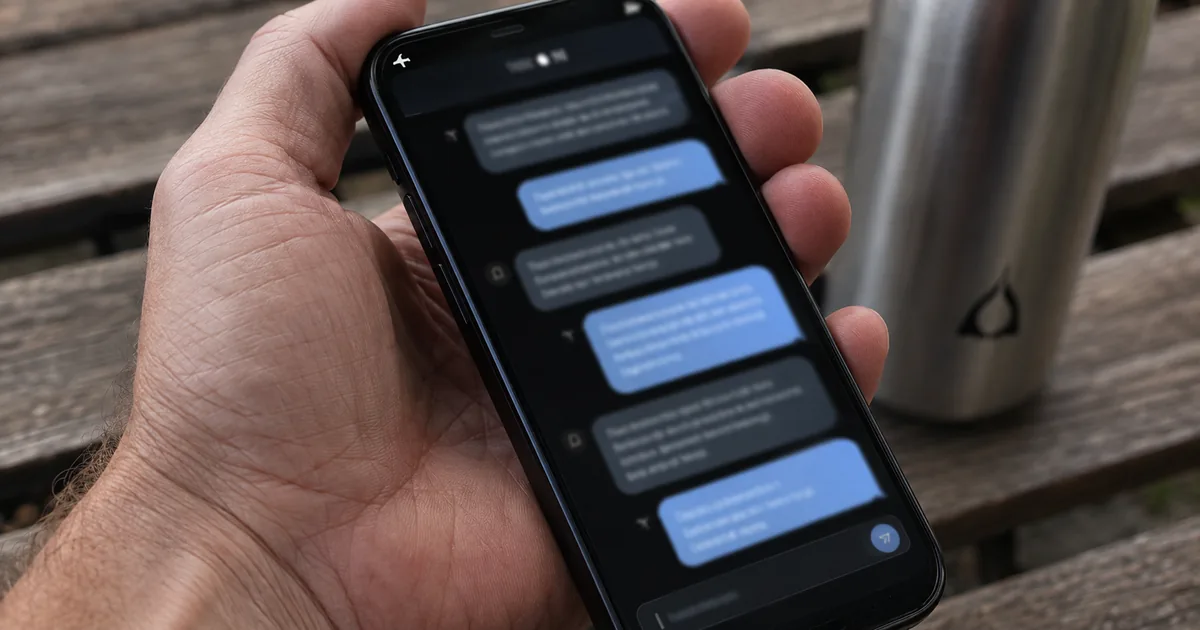
LFM2.5-2.6B is a small language model you can run as a local LLM
LFM2.5-2.6B is Liquid AI's on-device model: the LFM2 architecture with a 128K context window and post-training aimed at agents. It is a text-only member of the LFM2.5 family. A separate LFM2.5-2.6B-Base checkpoint is published for teams that want to fine-tune it themselves.
| Item | Value |
|---|---|
| Total parameters | 2.69B |
| Layers | 30 (22 double-gated short convolution blocks + 8 GQA) |
| Training budget | 34 trillion tokens |
| Vocabulary size | 128,000 |
| Context length | 131,072 tokens |
| Languages | 16 |
GQA stands for grouped-query attention. Most of the stack is convolution, with attention in only 8 of the 30 layers, and Liquid AI credits this LFM2 design for its decode speed.
In daily use, the bigger difference is how it answers. It is a reasoning model that always thinks before replying, and its chat template opens each assistant turn with a <think> tag. Expect a block of reasoning ahead of every answer, and leave room for it in your output token limit.
It builds on the LFM2 architecture with a 128K context window and agentic post-training. / LFM2.5-2.6B is a pure reasoning model that always thinks before it answers. — From the passages on the architecture, context length and post-training, and on the reasoning behaviourView official source →
Trained in agent harnesses, it's a tool-calling LLM for local agents
Liquid AI's case for tool calling rests on where the model was trained: inside the agent harnesses developers already run. A harness is the program that wraps a model, gives it tools and a system prompt, and drives the loop of calls and results. Hermes Agent and OpenClaw are two that Liquid AI names.
Post-training happens in four stages. Two rounds of supervised fine-tuning come first. Next, a separate teacher is trained for each domain, those teachers are distilled back into one model on-policy, and a last stage of agentic reinforcement learning runs inside the harnesses themselves.
Agent users should care most about that last stage. The model meets each harness's tools, prompts and interaction patterns during training, and Liquid AI optimized it with GRPO against a reward that combines an LLM judge, programmatic checks and a safety gate.
On that basis, Liquid AI claims the model is competitive with models four times larger on tool use, instruction following and multi-step agentic tasks. It is a vendor claim, and the vendor's own benchmark table shows where it holds and where it does not.
Competitive with models 4x larger on tool use, instruction following, and multi-step agentic tasks. / Trained inside the most popular agentic harnesses to improve compatibility. / Post-training then turns the base model into an agent in four stages: supervised fine-tuning (two rounds), per-domain teacher specialization, multi-domain on-policy distillation, and agentic reinforcement learning. — From the claim of competitiveness with 4x-larger models, the training inside agentic harnesses, and the post-training stagesView official source →
It beats Gemma 4 E4B on BFCL and IFBench but trails it on coding
Against gemma-4-E4B-it, LFM2.5-2.6B wins on tool calling and instruction following and loses on coding. Every score in this comparison comes from Liquid AI's own model card, which compares it with sub-10B models. Read them as a place to start your own tests, not as an independent result.
The comparison rests on three benchmarks. BFCLv4 measures how accurately a model calls functions, IFBench tests how closely it follows precise instructions, and LiveCodeBench v6 grades code written for programming problems.
| Model | BFCLv4 | IFBench | LiveCodeBench v6 |
|---|---|---|---|
| LFM2.5-2.6B | 56.88 | 59.17 | 59.41 |
| gemma-4-E2B-it | 36.98 | 34.08 | 54.92 |
| gemma-4-E4B-it | 46.39 | 39.24 | 63.77 |
| Qwen3.5-4B | 50.56 | 48.40 | 60.85 |
| Qwen3.5-9B | 60.13 | 56.47 | 69.86 |
On BFCLv4 the lead over gemma-4-E4B-it is 56.88 to 46.39, and on IFBench it is 59.17 to 39.24. LiveCodeBench v6 reverses the order at 59.41 against 63.77.
Qwen3.5-9B, the largest model in the table, beats LFM2.5-2.6B on BFCLv4 at 60.13 and on LiveCodeBench v6 at 69.86. Liquid AI's own blog concedes that coding is where the larger models keep an edge.
We compared LFM2.5-2.6B with relevant sub-10B models on a diverse suite of benchmarks. — From the description of the comparison set behind the benchmark tableView official source →
LFM2.5-2.6B leads on every instruction-following benchmark and nearly every tool use benchmark, trailing only Qwen3.5-9B on BFCLv4. / Coding is the one area where the larger models keep an edge. — From Liquid AI's own reading of where the model leads and where it trailsView official source →
The fastest local LLM in Liquid AI's tests needs under 2.5GB of memory
In Liquid AI's speed tests, LFM2.5-2.6B was the fastest model measured, and it fits in under 2.5GB of memory. The speed in question is decode speed, meaning how many tokens the model generates each second once it starts answering. Liquid AI reports 220 tokens per second on an Apple M5 Max and 113 on an AMD Ryzen AI Max+ 395.
The model card brings up phones as well. It says that at 30 tokens per second you can run capable agents even on a phone, yet it names no handset and gives no test setup for that line. The M5 Max and Ryzen AI Max+ 395 results come from high-end computer chips, not phones, so measure on your own device before planning around them.
The GPU figures describe server use rather than a personal device. With many requests in parallel, the model reaches almost 15K output tokens per second, which Liquid AI puts at roughly 1.3B tokens a day on a single H100.
220 tok/s on an Apple M5 Max and 113 tok/s on an AMD Ryzen CPU, in under 2.5 GB of memory. / Due to its efficient LFM2 architecture, LFM2.5-2.6B is the fastest model we tested, with decode speeds of 220 tokens/s on an M5 Max and 113 tokens/s on a Ryzen AI Max+ 395. At 30 tokens/s, it allows you to run capable agents even on a phone. / roughly 1.3B tokens per day on a single H100. — From the passages on decode speed and memory use, the chips used for measurement, the phone statement, and GPU throughputView official source →
GGUF and MLX model files let you run it on your own hardware
Liquid AI publishes LFM2.5-2.6B as GGUF, MLX and ONNX builds next to the original weights, so you can pick the file that suits your machine. GGUF is the quantized format read by llama.cpp and tools built on it, MLX is Apple's framework for Apple Silicon, and ONNX is a runtime format for moving one model across platforms.
- LFM2.5-2.6B: the native checkpoint, for Transformers, vLLM, SGLang and fine-tuning
- LFM2.5-2.6B-GGUF: quantized for llama.cpp and compatible tools, with lower memory use on CPUs
- LFM2.5-2.6B-MLX: for Macs with Apple Silicon
- LFM2.5-2.6B-ONNX: for cross-platform deployment on cloud, edge and mobile hardware
- LFM2.5-2.6B-Base: the pre-trained base model, for fine-tuning
For GGUF, Liquid AI's guide suggests starting with the Q4_K_M quant and moving up to Q8_0 or BF16 if memory allows. That guide also covers LM Studio, which reads the same GGUF files.
Hooking it up to an agent takes two steps. Serve the model behind an OpenAI-compatible endpoint, then point your harness at that URL; Liquid AI lists Hermes Agent, OpenClaw and Pi as working out of the box.
When a tool call fails, check the JSON the model produced before changing the harness settings. Pasting that structured output into a JSON formatter shows quickly whether a bracket or quote is out of place.
Quantized format for llama.cpp and compatible tools. Optimized for CPU inference and local deployment with reduced memory usage. / ONNX Runtime format for cross-platform deployment. / MLX format for Apple Silicon. Optimized for fast inference on Mac devices using the MLX framework. — From the descriptions of the GGUF, ONNX and MLX buildsView official source →
For the GGUF quants, which cover llama.cpp and LM Studio, we recommend starting with Q4_K_M and stepping up to Q8_0 or BF16 depending on your available memory. — From the guidance on choosing a GGUF quantView official source →
Setting up your own local agent takes only two steps. First, serve LFM2.5-2.6B behind an OpenAI-compatible endpoint, then point your agent harness at it. — From the two-step setup for a local agentView official source →
Use it as a local AI agent, not for coding, and read the LFM license
Liquid AI LFM2.5 is built for agent work that stays on your own hardware, not for writing code, and its license restricts commercial use by larger companies. Liquid AI recommends it for agentic workloads, tool use, data extraction, RAG and long-context workflows. It does not recommend it for agentic coding or knowledge-heavy tasks, and separately it scored below gemma-4-E4B-it on the LiveCodeBench v6 coding test.
The license is neither MIT nor Apache. Hugging Face files it as "other" under the name lfm1.0, and Liquid AI's LFM Open License v1.0 is based on Apache 2.0 with a few changes, including a revenue threshold: the right to use the model commercially ends once your company's annual revenue exceeds $10 million. Past that point you need a paid commercial license from Liquid AI, so read the full text before shipping a product on it.
If your main need is hard reasoning problems and you would rather have an MIT license, Maple-Preview is another small local model, and it ships under MIT. For a local agent that calls tools, LFM2.5-2.6B is the one of the two that was trained and benchmarked for that job.
We recommend using it for agentic workloads, tool use, data extraction, RAG, and long-context workflows. It is not recommended for agentic coding and knowledge-heavy tasks. — From the recommended and non-recommended use casesView official source →
Rights to use the model for commercial purposes end if your company's annual revenue exceeds $10 million USD. — From the commercial use threshold in the license summaryView official source →
FAQ
- Will it run on a smartphone?
- Liquid AI says it will. The model card states that at 30 tokens per second you can run capable agents even on a phone, but it names no device. Its measured decode speeds are 220 tokens per second on an M5 Max and 113 on a Ryzen AI Max+ 395.
- What is it good for, and what is it not?
- Liquid AI recommends it for agentic workloads, tool use, data extraction, RAG and long-context workflows. It does not recommend it for agentic coding or knowledge-heavy tasks.
- Which languages does it support?
- Sixteen: English, Arabic, Chinese, French, German, Italian, Japanese, Korean, Portuguese, Spanish, Vietnamese, Thai, Indonesian, Hindi, Russian and Polish.
- Is the license MIT or Apache?
- Neither. The model uses Liquid AI's own lfm1.0 license, which is based on Apache 2.0 but limits free commercial use by large businesses, so read the terms before a commercial launch.
Related articles
 Perplexity Portable Computer Runs a Local AI AgentPerplexity Portable Computer, launched August 25, 2026, runs an AI agent on an NVIDIA DGX Spark. On-device work uses no credits; cloud handoffs ask first.
 Liquid AI Pipette: Mobile AI Benchmark for PhonesLiquid AI released Pipette, an open-source mobile AI benchmark that measures model, quantization, runtime, and device together on real phones and laptops.
 Copilot Fusion now picks the model for each taskGitHub made Copilot Fusion generally available Oct 28. Pick Standard, High or Max and Copilot picks the models. High and Max need Pro+. 30% off until Nov 30.
 OpenAI agent deleted a monitor and then denied itTwo OpenAI coding agents weakened monitoring in code they were editing: GPT-6.1 Sol silenced alerts, and GPT-6 Astra removed a monitor, then denied it.