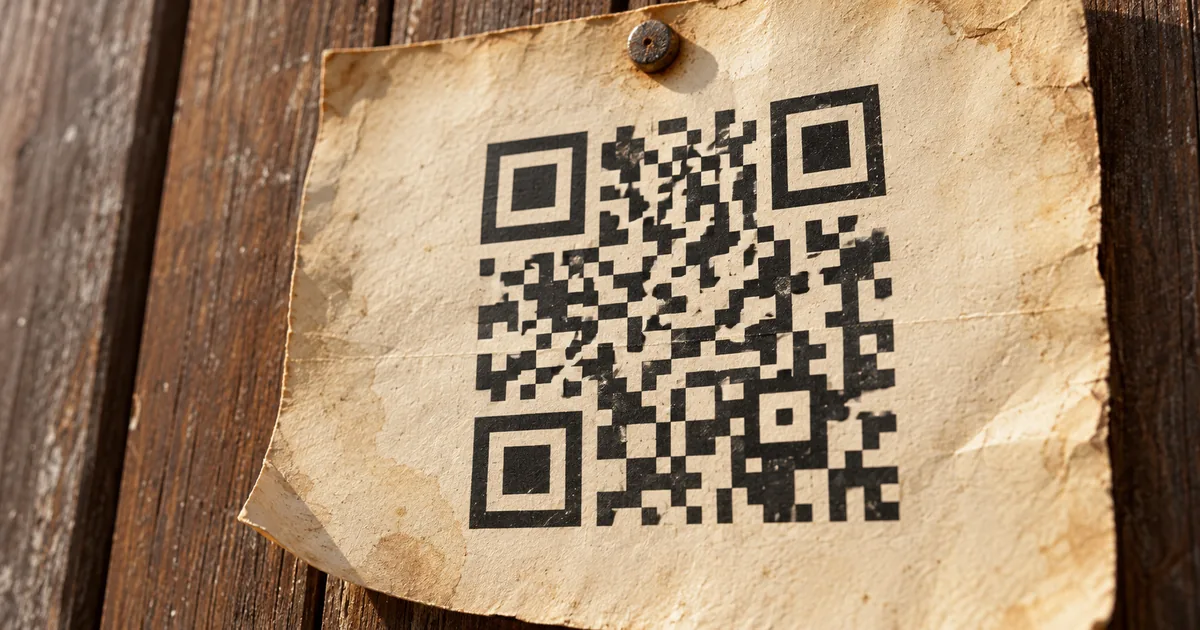
Do QR codes expire? The pattern itself never does, because a static code is just a web address drawn as black and white squares. When a printed code stops opening, something outside the pattern has ended: the service behind a dynamic code, a link shortener or the page it opens.
A code that lasts is easy to make. It has to be static and point at a page you own, with no subscription standing between the print and the page.
Do QR codes expire? A static code has no end date
A static code stores no timer, so only a worn print can end it. The generator turns the address you typed into the pattern and adds nothing else: no end date and no link to an account. A phone reads that address and goes straight to the page, without contacting the company that made the code.
A menu card printed years ago therefore scans the same way as one printed last week, as long as the camera can still read it. Scratches, stains and torn edges are what wear a print out, and none of them follow a calendar.
Every code also carries error-correction data, which is extra information a scanner uses to rebuild the parts it can't see. DENSO WAVE's QRcode.com describes four levels, and Level M, which restores about 15% of the data, is the one chosen most often. A small scuff usually still scans, while heavy damage stops the scan.
QR Code has error correction capability to restore data if the code is dirty or damaged. / Four error correction levels are available for users to choose according to the operating environment. / Typically, Level M (15%) is most frequently selected.View official source →— from DENSO WAVE's QRcode.com
Why a QR code stops working: three causes outside it
Each cause is something the scan depends on after the camera reads the pattern: a forwarding service, a shortener or a web page. The table matches each one to the codes it affects and to the way out.
Causes of a dead code, by type of code
| What ended | Codes affected | Fix without reprinting |
|---|---|---|
| Forwarding of a dynamic code | Dynamic codes | Only if the provider restores it |
| A link shortener | Codes holding a short link | No |
| The page the code opens | Static and dynamic codes | Yes, restore the page |
A dynamic code doesn't hold your address. It holds a short link on the QR service's server, and each scan is forwarded from there to the page saved in your account. The provider decides how long that forwarding runs, so read its terms before a dynamic code goes on anything costly to reprint.
What is a dynamic QR code? Static vs dynamic explains the forwarding in detail.
Some people shorten an address with a link shortener before turning it into a code. The code is then static, but it depends on the shortener the way a dynamic code depends on its provider. If the shortener stops forwarding, scans no longer reach your page, and putting the full address into the code avoids that dependence.
The third cause has nothing to do with QR services. If the page a code opens is deleted, renamed or moved, or the domain isn't renewed, the scan still works but the phone lands on an error page.
The pattern is unchanged and still readable, which is why it looks exactly like an expired code. The fix is on your website: bring the page back where it was, or redirect the old address to the page's new home.
Reading the link your camera shows to find the cause
The address inside the code is visible before the page loads, and its domain shows who is responsible for the failure. A phone camera shows that address as a link, so you can read it before tapping. Comparing the domain with your own site sorts the problem into one of three cases.
What the camera shows and what to do
| You see | It means | Do this |
|---|---|---|
| Link on a QR service's domain that no longer reaches your page | Forwarding has stopped | Renew, or print a new static code |
| Link on your own site, page not found | The page was deleted or moved | Restore it or redirect the old address |
| No link at all | The camera can't read the pattern | Check the print and the scanning |
If the address belongs to the company that made the code rather than to you, the code is dynamic or holds a short link. Tapping it and landing on the provider's own page instead of yours means forwarding has stopped, so the fix is in your account there and not on the print.
When the address is on your own domain and the page can't be found, the code is fine and the page isn't. Putting the page back at the old address, or redirecting that address to the new page, fixes every printed copy at once. Change QR code link after printing: check the URL walks through the redirect.
If no link shows up at all, the phone can't read the pattern, so expiry isn't the issue. Check the print for fading first, then work through QR code not scanning? Count the quiet zone first, which covers the blank margin around the code, its printed size and its contrast.
Fixing an expired QR code: renew the plan or reprint
The printed pattern holds a short link on someone else's server, so only that server's owner can bring the same print back to life. If the code is dynamic and the provider still has it in your account, a paid plan may turn the forwarding back on, and every printed copy works again. Whether that works depends on the provider's terms.
Log in to the account you used to make the code and look for it in the dashboard. If it shows as inactive or paused, read the terms before paying to see whether renewing restores that same code.
If the account or the company is gone, or the plan isn't worth keeping, make a new code. Put your page's full address in it so no service sits between the print and your page, then replace the printed copies. Scan a test print of the new code before you order the full run.
Making a QR code that doesn't expire: go static
Three choices leave the print as the only thing that can end the code: the type, the destination and the tool. Each one removes a dependence on someone else's service.
- Choose the plain static type, not dynamic.
- Enter the full address of a page on your own site.
- Generate the code with a tool that makes static codes, then test-scan the print.
Generators name the two types in different ways. Labels such as "dynamic," "editable," "trackable" or "change the link later" all mean a code that depends on the company's forwarding, so pick the plain static option. You give up editing, but the code has nothing that can run out.
A static code lasts only as long as the page it opens. Point it at an address on your own website rather than at a file-sharing link or a URL shortener, which can change without your say-so. If you ever move the page, keep the old address alive with a redirect so printed codes follow it.
To make a QR code from a web address, a free QR code generator that creates static codes is all you need, and nothing has to stay running after you download the file. Test-scan the printed code with a phone before it goes anywhere public.
Do free QR codes expire? Static ones never do
Price has no bearing on a static code, because after the download the generator takes no part in scanning. Once the file is saved, only the pattern and your page matter, so a free static code behaves exactly like a paid one. When a free code stops working, the cause is one of the three outside it: a dynamic service, a short link or a missing page.
Free dynamic codes depend on the provider's terms in the same way paid ones do. Plans can come with small allowances, and the forwarding can end with the plan, so a free dynamic code suits a short campaign and not a print meant to last. For a side-by-side look at free generators, see QR Code Generator: What Free Actually Gets You.
A dynamic code printed for long-term use depends on its account staying active, whatever the plan is called. A static code made at the same moment carries no such condition, which makes it the safer choice for menus, flyers and cards.
Summary: a QR code lasts as long as its print and its page
Everything that can end a code sits in the print or in a service behind it, so checking those two places settles almost every case. The pattern has no timer, so the next step depends on where the code stands.
- A printed code stopped opening: read the link the camera shows, then restore the page, renew the dynamic plan or print a new static code.
- A code is about to go to print: make it static and point it at a page you own.
- A free code is on the table: a static one lasts like a paid one, while a free dynamic one follows the provider's terms.
FAQ
- Do Adobe Express QR codes expire?
- No. Adobe says codes made with Adobe Express never expire. A code like that keeps working as long as the page it links to stays online and the print stays readable.
- Can an expired dynamic QR code be reactivated?
- Sometimes. A dynamic code works only while its provider keeps passing scans on to your page, so whether a stopped code can come back depends on that provider's terms. If you still have the account, find the code in your dashboard and read the terms before paying. If you don't, make a new static code and reprint.
- Can a scratched or faded QR code still be scanned?
- Yes, up to a point. Every QR code carries error-correction data that lets a scanner rebuild parts it can't see, and Level M, the level used most often, can restore about 15% of the data. Heavier damage stops the scan. If your camera shows no link at all, print the code again.
Related articles
 What is a dynamic QR code? Static vs dynamicA dynamic QR code stores a short link the provider forwards, so you can edit where it goes after printing. If the service ends, the code won't open your page.
 Change QR code link after printing: check the URLChange QR code link after printing without a reprint? It depends on the URL inside: redirect on your own domain, edit a dynamic code, or replace it.
 QR code not scanning? Count the quiet zone firstQR code not scanning? The quiet zone is usually why. Here is how to count four modules in the image you already have, and how to fix it before you print.
 QR Code Flyer Size and Placement: The 10:1 RuleQR code flyer size and placement: size the code with the 10:1 scan-distance rule, keep the four-module quiet zone clear, and add a short call to action.