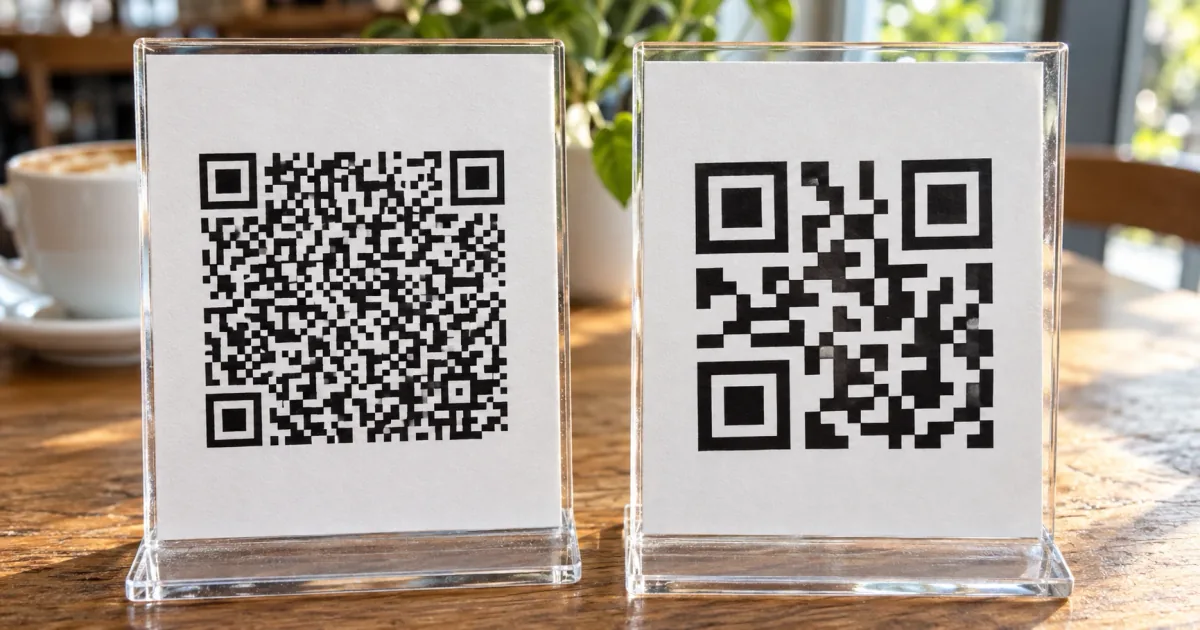
A dynamic QR code is a QR code whose destination you can change after it has been printed. Its pattern holds a short link run by the company that made the code, and that company forwards every scan to the page you picked.
That forwarding is what lets you edit the destination and count scans. It also means the printed code works only while the service keeps running. If the page you link to will never move, a static QR code does the job without that dependency.
What is a dynamic QR code? A link you edit after printing
A dynamic QR code stores a short link instead of your actual web address. When someone scans it, their phone opens the short link first, and the QR service sends them on to the destination saved in your account. Change that saved destination and the same printed code opens a different page.
- The printed pattern never changes; only the forwarding rule behind it does
- "Editable" and "trackable" QR codes are other names for a dynamic code
- For in-store payments, "dynamic QR code" means something unrelated
Editable and trackable are other names for dynamic codes
QR services describe dynamic codes by what they let you do. The QR Code Generator, for example, describes static codes as fixed data and dynamic codes as editable and trackable. When a service's dashboard offers an "editable QR code" or a "trackable QR code," it is offering a dynamic one.
Anything that is not dynamic is a static QR code. The terms work as a pair: static codes carry their data as-is, and dynamic codes carry a link that can be pointed somewhere else later.
Modern QR Codes can be static (fixed data) or dynamic (editable and trackable), making them useful for both one-time and ongoing campaigns. / Dynamic QR codes let you edit the destination later and track scans.View official source →— from the-qrcode-generator.com
In payments, dynamic means a new code for every transaction
Payment standards use the same two words for a different idea. Under EMVCo's merchant-presented mode, the payment-industry specification that Hong Kong's common specification follows, a static payment code is fixed and reused for many purchases. A dynamic payment code is created for one purchase and includes details such as the amount to pay.
| Where you see the term | What "dynamic" means | What changes |
|---|---|---|
| Flyers, cards, packaging | A code whose destination can be edited later | The page that opens |
| Paying in a shop with a phone | A code created for a single transaction | The code itself, every time |
A florist's counter sign that customers scan to pay is a static payment code. The code the shop's terminal shows with this sale's total is a dynamic one. Neither has anything to do with editing a link on a printed flyer, so if you saw the term on a checkout screen, it's the payment meaning.
The information encoded in a static QR codes are fixed and used for multiple transactions while a dynamic QR code contain additional transaction details such as payment amount and is used for specific transactions. / A typical use case of static QR code is payment to small merchants.View official source →— from the industry working group's specification hosted by the Hong Kong Monetary Authority, based on EMVCo's merchant-presented mode
How it works: a short link forwards each scan to your page
From scan to your page with a dynamic QR code
1. A phone scans the printed code
↓
2. The short link on the QR service's server opens
↓
3. The service looks up the destination saved in your account
↓
4. The phone is forwarded to your page
A short link is a brief web address that stands in for a longer one. When you visit it, the server that owns it sends you on to another address, and that hand-off is called a redirect. A dynamic QR code is built on this: the address in its pattern belongs to the QR service, and the service decides where each scan ends up.
- What the pattern contains is the service's short link, not your page's address
- Every scan passes through the service's server on the way to your page
- Where it goes is a setting in your account, not something printed
The pattern holds a short link on the provider's server
When a phone camera reads a dynamic code, the address it opens is on the QR service's domain. The service checks which destination that short link should lead to and forwards the phone there. For the person scanning, the steps are the same as with any other QR code.
This is why some people hesitate before scanning. The QR Code Generator points out that people trust a code less when it leads to a generator's redirect domain rather than the brand's own website. That is one reason it lets users put their URLs straight into static codes.
However, many tools, unlike TQRCG (The QR Code Generator) put dynamic features behind a paywall or use short URLs you can't control. / Users generally don't trust QR codes that point to a QR generator's redirect domain.View official source →— from the-qrcode-generator.com
Changing the destination leaves the printed pattern as it is
To send people somewhere new, you sign in to the QR service and replace the saved destination. The short link inside the pattern stays the same, so the image file and every flyer already handed out keep working. The next person who scans lands on the new page.
| Part | Can it change? | Where you change it |
|---|---|---|
| Short link inside the pattern | No | — |
| Destination behind the short link | Yes | Your account on the QR service |
| Printed code | No | — |
Bitly works this way too: on its paid plans, a Bitly QR code is tied to a short link, and editing where the code goes updates that short link along with it. To work out which kind of code you already printed and change where it goes, follow Change QR code link after printing: check the URL.
This also redirects the associated Short Link.View official source →— from Bitly Support
Static vs dynamic QR codes side by side
The difference between static and dynamic QR codes comes down to what goes into the pattern. A static code carries your page's address itself, while a dynamic code carries a short link that someone else's server forwards. Editing, scan counts, expiry, and who keeps the code alive all follow from that one choice.
- Static: your address is in the pattern, so it can't be edited but depends on no one
- Dynamic: a forwarding link is in the pattern, so it can be edited but depends on the provider
A static code carries your link itself and never expires
Whatever you typed when you made a static code becomes the pattern. There is no way to rewrite a pattern after the fact, so a new address means a new code and new prints. A typo in the URL is just as permanent.
In return, nothing sits between the scan and your page. A static code has no account to renew and no plan to cancel, and it keeps opening your page for as long as that page exists.
Codes made with the sakuttoAI QR Code Generator are static. It turns your URL into a pattern inside your browser, with no forwarding address in front of it. You don't need to sign up.
All generated QR codes will work forever, do not expire and have no scanning limits like you see at other commercial QR code generators. / The created QR codes are static so the only limitation is that you can't edit the QR code again.View official source →— from qrcode-monkey.com
Editing, scan counts, expiry, and who keeps it working
Put side by side, the two kinds differ in four practical ways. The last row matters most for anything you print in bulk.
| Static QR code | Dynamic QR code | |
|---|---|---|
| Editing the destination | Not possible; make a new code | Change it in the service's dashboard |
| Scan counts | Not from the code alone | Shown in the provider's dashboard |
| Expiry | None | Set by the provider's terms |
| Who keeps it working | Nobody; your page just has to stay online | The QR service, for as long as it forwards |
A static code can still be measured indirectly: the analytics on your website see the visits. What they can't tell you is which of those visits came from the printed code rather than from somewhere else.
Static QR Codes never expire and work as long as the linked content is available. / Dynamic QR Codes can be updated, but their validity depends on the provider's terms.View official source →— from the-qrcode-generator.com
What you gain: edits, scan counts, and a simpler pattern
Everything a dynamic code adds comes from the service holding the forwarding rule instead of the print. That gives you three things a static code cannot offer.
- Fix or update the destination without printing again
- See how often the code has been scanned
- Keep the pattern simple however long the real address is
Fix a wrong or outdated link without reprinting
If you spot a typo after a thousand business cards arrive, a dynamic code lets you fix the destination in the dashboard, and every card already handed out starts opening the right page. The same goes for a website redesign that moves a page, or a promotion that ends and should now point to the regular product page. Nothing has to be reprinted or handed out again.
Count how many times the code was scanned
Because every scan passes through the service, the service can log it. The QR Code Generator names scan tracking alongside editing as the two things dynamic codes let you do.
Printing a separate code for each flyer drop or each store lets you compare which placement actually gets scanned. What gets recorded varies by provider, so check the feature list before you rely on a particular number.
Keep the pattern simple even when the real URL is long
The more data a QR code holds, the more of its small black-and-white squares, called modules, it needs. DENSO WAVE, the company that invented the QR code, explains that larger data means more modules and a larger symbol. A long URL full of campaign tags produces a dense pattern whose squares get very small when printed at business-card size.
A dynamic code only ever holds its short link, so the pattern stays the same however long the destination is. For how small you can print one, see QR code minimum size: how small can it be?
(The module refers to the black and white dots that make up QR Code.) / In other words, as the amount of data increases, more modules are required to comprise QR Code, resulting in larger QR Code symbols.View official source →— from DENSO WAVE, the developer of the QR code
The trade-off is that the code depends on the provider
The same forwarding that makes a dynamic code flexible also ties it to the company running it. The printed pattern still scans after the service stops, but the short link no longer sends anyone to your page. Vendor comparisons rarely spell this out, because the vendor is the dependency.
- Canceling the plan, or the service closing, stops the forwarding
- Free plans cap how many codes you can edit, and some trials end by switching codes off
When the service ends, printed codes stop opening your page
If you stop paying, or the provider shuts down, the short link in every code you printed with it stops forwarding. People can still scan the code; it just won't take them to your page. Flyers and cards already in circulation can't be recalled, so the longer a printed piece stays out there, the more this matters.
Short links have been switched off at scale before. In July 2024, Google announced that links from its goo.gl URL shortener would stop responding after August 25, 2025.
An update on August 1, 2025, narrowed the plan: goo.gl links still in use would stay live, and only those with no activity in late 2024 would be deactivated. The change spared links people were still using, but both times the decision was Google's alone. If you ever leave a QR service, replace its codes on your print materials first.
Any developers using links built with the Google URL Shortener in the form https://goo.gl/* will be impacted, and these URLs will no longer return a response after August 25th, 2025. / Nine months ago, we redirected URLs that showed no activity in late 2024 to a message specifying that the link would be deactivated in August, and these are the only links targeted to be deactivated. / All other goo.gl links will be preserved and will continue to function as normal.View official source →— from the Google Developers Blog
Free plans limit how many codes you can edit
Because the destination stays editable for as long as the code exists, providers usually charge for dynamic codes, and free allowances are small. Two providers publish exact numbers:
| Provider | Free allowance | Can you edit the destination for free? |
|---|---|---|
| The QR Code Generator | 2 dynamic codes, free for good | Yes |
| Bitly | 2 QR codes a month | No; Custom Redirects start on paid plans |
The QR Code Generator also warns about tools that advertise a free trial and later switch codes off or start charging. Before you print, find out what happens to your codes when the trial ends. For a wider comparison of free generators, see QR Code Generator: What Free Actually Gets You.
However, The QR Code Generator offers 2 lifetime free dynamic QR Codes to its users. / Look out for tools that offer a "free trial" but later deactivate your QR codes or start charging unexpectedly.View official source →— from the-qrcode-generator.com
2 QR Codes/month / Change the destination page for links and QR CodesView official source →— from Bitly's pricing table
Static or dynamic: decide by whether the link will change
Ask one question: will the page need to change after the code is printed? If it will, use a dynamic code, or a static code pointing at a redirect you control. If it won't, a static code is the simpler choice, with nothing to renew and no expiry date to keep track of.
| What you're printing | What might change | Better fit |
|---|---|---|
| Business cards | Your job, your portfolio, your social handle | Dynamic, or static with your own redirect |
| Flyers and posters for a promotion | The offer ends | Dynamic, or static with your own redirect |
| Event materials | Sign-up page before, map on the day, survey after | Dynamic |
| Shop signs and packaging that point to your homepage | Nothing | Static |
Pick dynamic when the destination will change after printing
Business cards get printed in batches and handed out for years, while jobs and profiles change. Promotional flyers point at an offer that will end.
Event materials are the clearest case: people need one page before the event, another on the day, and a third afterward. With a dynamic code, one printed code can follow all three.
Pick static when the link will stay the same
A sign in a shop window or the homepage printed on your packaging doesn't need a forwarding rule. A static code keeps opening that page for as long as it exists, and nothing a provider decides later can switch it off. You can make one with the sakuttoAI QR Code Generator in your browser.
Point a static code at a redirect on your own domain
If you have a website, you can get the editability without a provider. Create an address on your own domain just for the code, such as https://example.com/qr/flyer, and set a permanent (301) redirect from it to the page you want.
Put that address in a static code. When the promotion ends, change the redirect on your server, and every printed code follows.
This keeps the flexibility and drops the middleman, as long as your domain and hosting stay active. Scan counts come from your own analytics on that redirect address. For setup steps, see Change QR code link after printing: check the URL.
The 301 and 308 status codes mean that a page has permanently moved to a new location.View official source →— from Google Search Central
FAQ
- Can I turn a static QR code into a dynamic one?
- No, you can't. A static code has your link built into its pattern, and nothing can edit that pattern after it is made. What you can do is change where the link goes: if the address in the code is on your own website, a redirect on that address sends scans to a new page, and the printed code keeps working.
- Do dynamic QR codes expire?
- They can. A dynamic code keeps working only while the provider keeps forwarding its short link, so whether and when it stops working is set by that provider's terms. Read them before you print, and check what happens to your codes when a free trial ends or you cancel a paid plan.
- Can you make a dynamic QR code for free?
- Yes, but providers give away only a few. The QR Code Generator gives each user 2 dynamic codes that stay free for good. Dynamic codes usually cost money because their destination stays editable after they are made, so a free plan is enough to try the idea, not to run a whole print campaign.
- Does Bitly make dynamic QR codes on the free plan?
- You can make QR codes, but you can't edit where they point. Bitly's Free plan includes 2 QR codes a month. Changing where a link or QR code points is a Custom Redirects feature, and the Free column of the pricing table doesn't include it. Editing the destination starts on the paid plans.
Related articles
 Do QR codes expire? How to make one that won'tDo QR codes expire? A QR code never does, but a dynamic code stops when its provider turns off forwarding. Find the cause, fix it, and make a code that lasts.
 Change QR code link after printing: check the URLChange QR code link after printing without a reprint? It depends on the URL inside: redirect on your own domain, edit a dynamic code, or replace it.
 QR code not scanning? Count the quiet zone firstQR code not scanning? The quiet zone is usually why. Here is how to count four modules in the image you already have, and how to fix it before you print.
 QR Code Flyer Size and Placement: The 10:1 RuleQR code flyer size and placement: size the code with the 10:1 scan-distance rule, keep the four-module quiet zone clear, and add a short call to action.