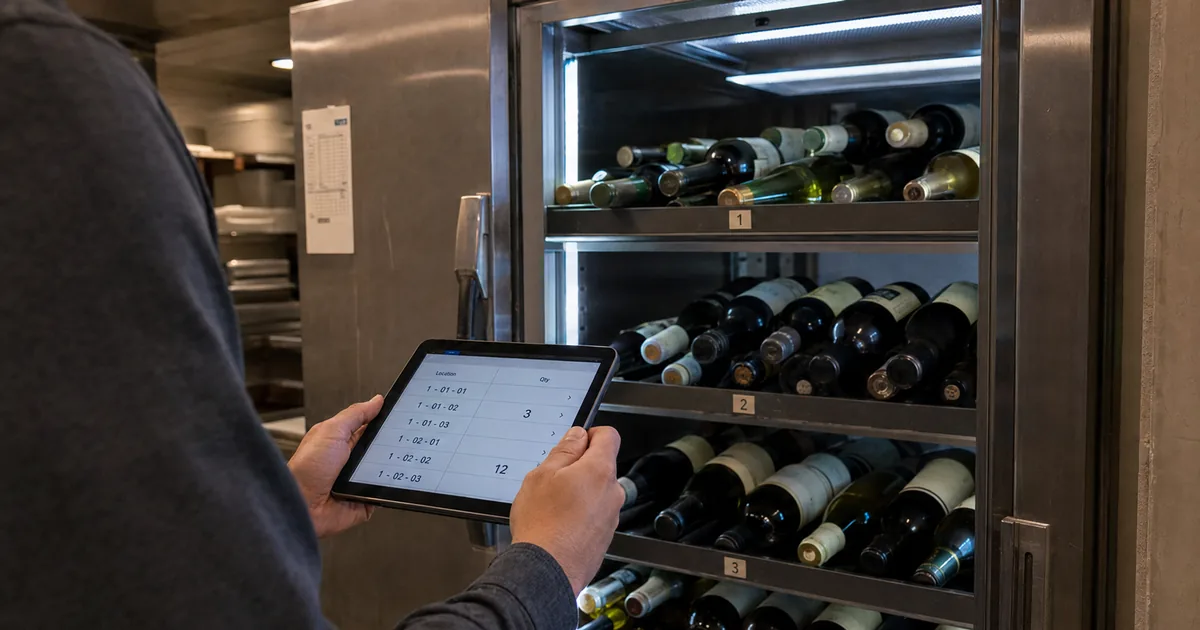
Bar inventory for wine: the receiving records TTB requires
The Alcohol and Tobacco Tax and Trade Bureau (TTB) publishes a guide to the federal rules for retail liquor dealers. Three parts of that guide touch the way a restaurant or bar keeps its wine records: receiving records, large sales and inspection.
What TTB's retail dealer guide asks for
Retail dealers log what they receive or keep every invoice
A retail dealer has a choice of two record types. One is a book record that shows the date and quantity of the wine, beer and spirits received on the premises, and who supplied them. The other is a file of every invoice and bill for those deliveries.
Either record covers what comes in the door, so a count of what is on the shelf does not replace it. A sale of 20 wine gallons or more to the same person at the same time needs its own record. That record shows the date, the buyer's name and address, and the kind and quantity sold.
TTB can inspect stock, and missing records carry penalties
The guide sets two levels of penalty for a dealer who does not keep the required records. Without fraudulent intent, the limit is a fine of $1,000, 1 year in prison, or both. With fraudulent intent, the limits rise to a $10,000 fine and 5 years in prison.
TTB officers with proper credentials can inspect a retail dealer's premises and its stock of liquors, and they are authorized to examine the records. The page describes federal rules only. The full regulations sit in Title 27 of the Code of Federal Regulations, which includes Part 31 on alcohol beverage dealers.
All retail dealers must either keep a record in book form showing the date and quantity of all distilled spirits, wine and beer received on their premises, and from whom received, or keep all invoices of, and bills for all distilled spirits, wine or beer received. / A dealer who, with fraudulent intent, fails or refuses to keep the required records, is subject to a fine of not more than $10,000 and imprisonment for not more than 5 years, and a dealer who, without fraudulent intent, fails to keep the required records is subject to a fine of not more than $1000, imprisonment for not more than 1 year, or both. / A retail dealer's place of business and the stock of liquors are subject to inspection by TTB officers having proper credentials. — From section 8 on required records and section 9 on inspectionView official source →
Value your inventory at the start and end of each tax year
The tax side comes from IRS Publication 538, which covers accounting periods and methods. It says a business needs an inventory to show its income clearly when making, buying or selling goods is part of how it earns money.
What IRS Publication 538 says about inventory
A restaurant or bar that keeps an inventory follows this rule. For wine, the rule means putting a dollar value on the bottles on hand on the first and the last day of the tax year. The publication also requires the method to follow generally accepted accounting principles for similar businesses and to stay the same from year to year.
Small business taxpayers can choose not to keep an inventory
Publication 538 lets a small business taxpayer skip the inventory. That business still needs a method of accounting for inventory that clearly reflects income.
The publication defines who counts as a small business taxpayer further down the same page, so check that definition before dropping the start-and-end valuation. The rest applies to a business that keeps an inventory.
Adjust a book inventory to match a physical count
Publication 538 says a business can figure the cost of goods on hand by a perpetual or book inventory, as long as it is kept by sound accounting practices. The business must take a physical inventory at reasonable intervals and adjust the book amount to agree with the actual stock.
To figure taxable income, you must value your inventory at the beginning and end of each tax year. / If you are a small business taxpayer (defined below), you can choose not to keep an inventory, but you must still use a method of accounting for inventory that clearly reflects income. / You must take a physical inventory at reasonable intervals and the book amount for inventory must be adjusted to agree with the actual inventory. — From the Inventories section, its small business exception, and the part on perpetual or book inventoryView official source →
Split lines by vintage and set a rule for open bottles
Once the book amount has to agree with a physical count, the way the sheet is built starts to matter. The two points that follow are team practices, not rules set by TTB or the IRS. Give each vintage its own line, and agree on when an open bottle leaves the count.
Two things that can throw a wine count off
Two vintages of the same wine need separate inventory lines
A vintage is the year the grapes for a wine were harvested. The same wine from the same producer can sit on the shelf in more than one vintage.
A sheet with one line per label cannot show how many bottles of each vintage are left, so add a vintage column and give each label and year its own line. For column layouts, see "Wine Inventory Excel: Columns and Where It Breaks".
Decide when an open by-the-glass bottle leaves the count
A bottle sold whole leaves the count in one step. A bottle poured by the glass goes out over several orders, so the team has to pick the moment it stops being counted.
A team that has not agreed on that moment can count the same shelf differently, so pick one point, such as when the bottle is opened or when it is empty, and write it into the counting instructions. Whichever point the team picks, everyone should use it for every count.
Let your staff work from one shared wine inventory list
When several people count and sell from the same cellar, each of them needs to see the same numbers. Two cellar apps let more than one person work on the same list, and they go about it in different ways. One lets an owner give specific users full control, and the other invites staff with a QR code.
How two cellar apps share one list
CellarTracker logs which account made a change
CellarTracker lets an owner give specific users complete control over the cellar, including adding, editing and deleting bottles and tasting notes. Sharing is set up on the full desktop website.
The service keeps no detailed audit logs, but its transaction log records which user account made a change. Other apps handle shared access differently, as compared in "Wine Inventory App Sharing: Four Apps Compared".
with account sharing, you can allow specific users to have complete control over your cellar, including the ability to add, edit and delete bottles and tasting notes. / Additionally, while CellarTracker does not maintain detailed audit logs, we do track the actual user account that made a change in the transaction log . — From the opening of the article and the Notes sectionView official source →
Shelvin uses QR code invites, with team sharing in Premium
On the Shelvin App Store listing, an owner shows a dedicated QR code to a person, who registers and receives the cellar information. The listing adds that inventory is shared between authorized users, and it names families and restaurant staff as a good fit.
The Shelvin site says a whole family or all store staff share inventory in real time, including what is in the back room and what has been opened. The site lists team sharing in the Premium column of its pricing table, and the App Store lists the Premium plan at $6.99 for one month.
QR Code Invitation: Simply present a dedicated QR code to the desired user to easily register and share cellar information. / Permission Management: Inventory information can be shared between authorized users, making it ideal for use among families and restaurant staff. / Price: $6.99 (USD) — From the "Smooth Sharing and Invitation" section and the subscription details of the listingView official source →
Summary: keep the records, count by vintage, share one list
For bar inventory in a wine program, TTB requires a retail dealer to keep a book record of what it receives, or every invoice and bill. Missing records can lead to fines or prison time, and officers can inspect the stock. For taxes, a business that keeps an inventory values it at the start and end of each tax year and adjusts a book inventory to a physical count.
On the count sheet, give each vintage its own line and agree on when an open by-the-glass bottle leaves the count. For a team that counts and sells from one cellar, CellarTracker records which account made a change, and in Shelvin staff join with a QR code.
If your team needs to check back-room stock and open bottles while working the floor, you can try Shelvin. Get it on the App Store: Shelvin (App Store)
FAQ
- What wine records does TTB ask a retail dealer to keep?
- TTB's guide for retail dealers gives two options. A dealer either keeps a book record of the wine, beer and spirits it receives (the date, the quantity and who sent them) or keeps every invoice and bill for those deliveries. Sales of 20 wine gallons or more to one person at one time need their own record.
- What happens if a dealer does not keep those records?
- TTB lists two levels of penalty. Without fraudulent intent, the penalty is a fine of up to $1,000, up to 1 year in prison, or both. With fraudulent intent, the limits are a $10,000 fine and 5 years in prison.
- Can TTB officers look at a dealer's wine stock?
- Yes. TTB says officers with proper credentials can inspect a retail dealer's place of business and its stock of liquors. They can also examine the dealer's records.
- How often does a business need to count its inventory for taxes?
- IRS Publication 538 gives two timing rules, one for valuing and one for counting. A business that must keep an inventory values it at the beginning and end of each tax year. A business that keeps a book inventory also takes a physical inventory at reasonable intervals and adjusts the book amount to match. Small business taxpayers can choose not to keep an inventory, but they still need a method of accounting for inventory that clearly reflects income.
- How can bar staff share one wine inventory list?
- Use an app that lets several people work on the same cellar. In CellarTracker you can give specific users full control over your cellar, and its transaction log records which account made a change. Shelvin's App Store listing says inventory can be shared between authorized users and calls this suited to families and restaurant staff.
Related articles
 Wine Inventory App Sharing: Four Apps ComparedCompare wine inventory app sharing in Shelvin, InVintory, CellarTracker and Vinotag: how you add a partner or staff, what they can change and what it costs.
 Build Apps With AI: Testing a Wine Tracker PromptCan you build apps with AI? We gave Claude Sonnet 5 one prompt for a wine cellar tracker. The first file ran unedited, but at phone width words broke apart.
 Wine Inventory Excel: Columns and Where It BreaksBuild a wine inventory Excel sheet from five columns: producer, wine, vintage, quantity and location. Add dropdowns, a table and a ready-to-drink color rule.
 Wine Cellar Temperature: One Number, Held SteadySet your wine cellar temperature to 12°C (54°F) for every wine and hold it. Full-bodied reds at 18°C and dry whites at 8°C are for serving, not storage.