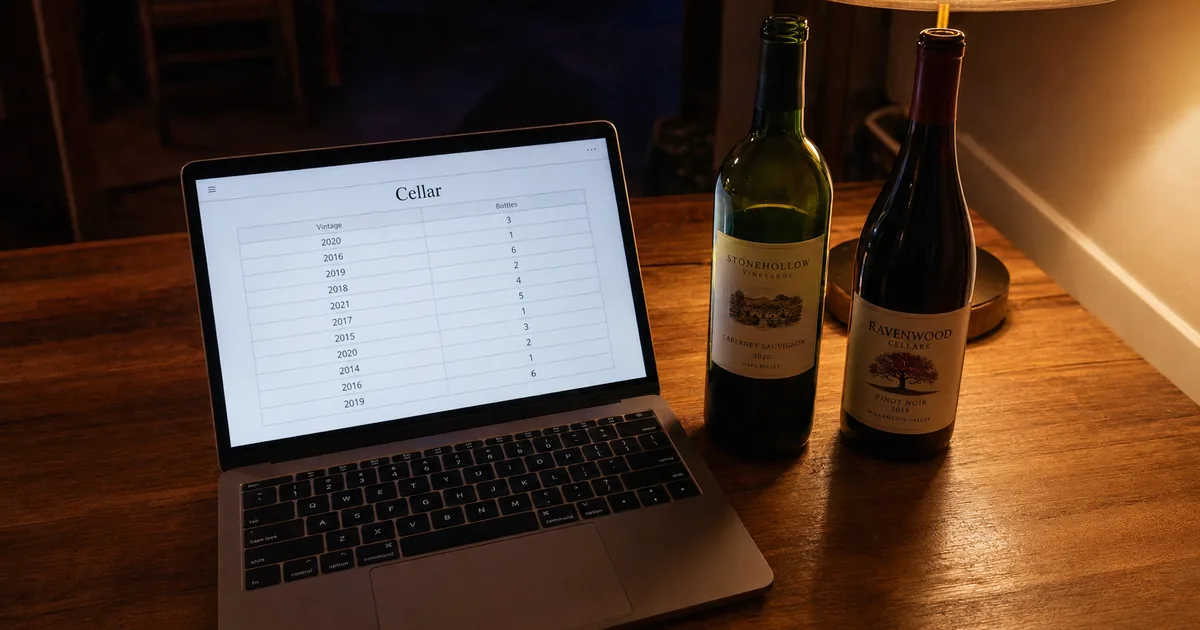
We tried to build an app with AI, and it ran without edits
The test was whether one plain chat prompt could produce a working app for someone who does not code. A single HTML file is a web page you open in a browser, with its design and code inside.
It can be opened straight from a folder, and one of our checks opened the test file that way. We described a home wine cellar tracker in six short sections and sent that to Claude Sonnet 5.
What the first file put on screen
Claude Sonnet 5 answered one prompt with a 618-line file
A fresh Claude Sonnet 5 session received only the prompt, and we saved its first reply without touching it. The reply held HTML, CSS and JavaScript in one 618-line file.
Opened in a browser, the file let us add wines, filter, search, delete and export. Where it departed from the prompt was the phone layout.
The page stacks four totals, search, a form and the table
The page is headed Home Wine Cellar Tracker, and the four blocks in the figure above run down it in that order. The Add a Wine form sits between the search box and the table, and it can be collapsed.
Send a six-section prompt and save the code as .html
The prompt has six sections, shown below with what each one asks for. The result is checked against each section in the pages that follow.
The six sections of the prompt
The file loads no outside code, so nothing needs installing
The prompt says no external libraries or CDNs, and the file we got loads no outside scripts, stylesheets or URLs at all. That left nothing to download or install alongside the file.
Here is the full prompt, exactly as we sent it
It reads as a plain list of what the page should do, not as code. The section names are the ones in the figure above.
Build a tool for tracking the wine I keep at home.

Output format
- One single HTML file (put the CSS and JavaScript in the same file)
- No external libraries or CDNs
- It must work by double-clicking the file to open it in a browser

Fields
Wine name / Producer / Vintage (year) / Type (red, white, rosé, sparkling, other) /
Bottles / Shelf location / Drink from (year) / Drink until (year) / Price per bottle (USD)

Automatic behavior
- Highlight rows where this year falls between "drink from" and "drink until"
- Gray out rows whose "drink until" year is earlier than this year and label them "Past peak"
- Label rows whose "drink from" year is later than this year "Hold"
- Show four numbers at the top: total bottles, bottles ready to drink,
  bottles past peak, and total value (price per bottle × bottles)
- When the list is filtered, calculate the four numbers from the visible rows only

Actions
- Search by wine name or producer
- Filter by type
- Delete a row
- Export to CSV (it should open in Excel without garbled characters)

Storage
- Save to localStorage so the data survives closing the browser

Display
- On a phone-width screen, avoid horizontal scrolling by turning each row into a stacked card
- Show everything in English
Two prompt lines spell out total value and filtered totals
Two lines under Automatic behavior pin down the arithmetic. One defines total value as price per bottle × bottles.
The other says that, when the list is filtered, the four numbers come from the visible rows only. In this run, total value and filtered totals came out as asked: $345.00 for the full list, and 4, 2, 1 and $200.00 for Red.
The saved file worked when opened straight from the folder
The whole reply goes into a file with a .html extension. We opened ours in Chromium as a local file, which is the same as a double-click.
Entering a Chablis, 3 bottles, gave totals of 3, 3, 0 and $105.00, and the row was still there after a reload. The browser reported no JavaScript errors.
The math checked out, but the phone layout did not
We entered five wines, nine bottles in all, with prices per bottle in US dollars. With 2026 as the current year, the mix covers all three statuses.
Results for 5 wines and 9 bottles
Every wine got the status its drinking window called for
Bordeaux Red, Chablis and Cava were labeled Ready on a light green background. Barolo, which isn't ready until 2028, was labeled Hold on light yellow, and Beaujolais Nouveau, past its 2025 window, was grayed out as Past peak.
The code marks a wine Past peak when its drink-until year is before this year, Hold when its drink-from year is after this year, and Ready otherwise. Those are the three rules in the prompt.
Total value multiplied price by bottles, as the prompt asked
By hand, the five wines come to 2 × $40 + $90 + $30 + 3 × $35 + 2 × $20, the same $345.00. After we deleted the Beaujolais Nouveau, the totals dropped to 8, 7, 0 and $315.00. Delete asks for confirmation.
Filtering by type recalculated the totals from visible rows
Filtering by Red left three wines on screen, and the totals changed to 4 bottles, 2 ready, 1 past peak and $200.00. Searching for Producer D left only the Chablis, with totals of 3, 3, 0 and $105.00. After a reload, all five rows and the totals remained.
At 375 px, the table hid four columns and broke words apart
The prompt asked for each row to become a stacked card on a phone-width screen. On a 375 × 812 px screen the page did not scroll sideways, but the table stayed a table: it hid Producer, Shelf Location, Drink From and Drink Until, and squeezed the other seven columns into 341 px.
Words broke apart, with a vintage year cut into "201" over "6" and Delete cut into "Dele" over "te", and header labels ran together. Each row came out about 133 px tall.
A Details button under each wine name opens the hidden fields on one line. The model's CSS comment says the four columns are hidden on narrow screens and stay reachable through the per-row Details toggle, and the switch happens at a width of 700 px or less.
@media (max-width: 700px) {
  table { table-layout: fixed; }

  /* Hide secondary columns on narrow screens: Producer(2), Shelf Location(6),
     Drink From(7), Drink Until(8). Their values remain reachable via the
     per-row "Details" toggle below, so no data is lost. */
  th:nth-child(2), td:nth-child(2),
  th:nth-child(6), td:nth-child(6),
  th:nth-child(7), td:nth-child(7),
  th:nth-child(8), td:nth-child(8) {
    display: none;
  }
}
Our file kept data in one browser and did not scan labels
The list stayed in the browser profile that opened the file, and each wine went in by hand through the form. The figure sets out what the run showed and what it did not.
Sharing, losing data and label scans in our single-file tracker
The same file in another browser profile showed no wines
The tracker saves to localStorage, which MDN describes as storage tied to the document's origin that is held across browser sessions. When we opened the same file in a second, fresh browser profile, the list was empty and every total read zero, while the first profile still held the Chablis row.
We did not try other phones or computers. Apps with sharing built in are compared in "Wine Inventory App Sharing: Four Apps Compared".
The localStorage read-only property of the window interface allows you to access a Storage object for the Document's origin; the stored data is saved across browser sessions. — From the definition of localStorageView official source →
Chrome's Site data deletion removes Web Storage data
MDN says localStorage data has no expiration time. The run covered a page reload only, not closing the browser.
Chrome's help page lists Web Storage data among what deleting Site data removes. For a private or incognito window, MDN says the data is cleared when the last private tab is closed. We did not clear Site data in Chrome or test a window of that kind.
localStorage is similar to sessionStorage, except that while localStorage data has no expiration time, sessionStorage data gets cleared when the page session ends — that is, when the page is closed. / localStorage data for a document loaded in a "private browsing" or "incognito" session is cleared when the last "private" tab is closed. — From the comparison with sessionStorage and the note on private browsing, in that orderView official source →
Site data: HTML5-enabled storage types including application caches, Web Storage data, Web SQL Database data, and Indexed Database data are deleted. — From the list of what each browsing-data type removesView official source →
Export to CSV saved a backup file with a BOM
The Export to CSV button saved wine-cellar-export.csv. The file starts with a BOM, a marker that stops Excel garbling text.
Line 1 holds the field names, and line 2 is the Chablis row entered earlier: Chablis,Producer D,2022,White,3,2-02,2024,2028,35.00. The file's contents were checked; opening it in Excel was not tested. Working with a list like this in a spreadsheet is covered in "Wine Inventory Excel: Columns and Where It Breaks".
Vivino and Shelvin identify a wine from its label
Our file had no label scanning, and the prompt did not ask for it. Vivino says its scanner identifies a wine within a second or two, and its database holds over 16 million wines.
Shelvin's App Store listing says its cloud reads the brand, vintage, country of origin and type from a label photo and finishes the registration in seconds. How accurate label scanning is, and when it misses, is covered in "Vivino App: Ratings, Scanning and the Cellar".
Within a second or two, the wine is identified and its full profile appears on screen. / With over 16 million wines in our database, most scans return an instant result. — From the sections on how to scan a label and what happens when a wine can't be identifiedView official source →
Instant Wine Registration: Simply snap a photo of the wine label, and our Cloud will automatically identify the brand, vintage, country of origin, and type, completing the registration in seconds. — From the label scanning section of the listingView official source →
Build your own for one device and use a cellar app to share
From the six-section prompt, Claude Sonnet 5 returned a working wine cellar tracker in one HTML file. Its statuses, totals and filtered totals came out as asked. The phone layout did not: the file hid columns and broke words instead of stacking cards.
The data stayed in one browser profile, and sharing and label scanning were not in our file. For one person on one device, the file covered adding, searching, filtering, deleting and exporting wines. Apps such as Shelvin offer shared lists and label scans, and five apps of that kind are compared in "Wine Inventory Apps: 5 Cellar Trackers Compared".
Shelvin's Free plan lets you register up to 16 bottles and scan 2 labels a week. Shelvin invites people with a QR code, and team sharing is listed under its Premium Plan at $6.99 a month.
If you want a cellar list that other people can share, with bottles added from a label photo, Shelvin is on the App Store. Shelvin (App Store)
セラー登録 16本まで / チーム共有機能 — From the Free and Premium plan columns, in that order (Japanese is the page's default display/locale-specific display/ロケール別表示)View official source →
(Note: Free users can scan up to 2 times/week; Premium users can scan up to 50 times/month). / QR Code Invitation: Simply present a dedicated QR code to the desired user to easily register and share cellar information. / Price: $6.99 (USD) — From the label scanning, smooth sharing and invitation, and subscription sections, in that orderView official source →
FAQ
- Can you build an app with AI without knowing how to code?
- It worked for a small personal tool in our test. We gave Claude Sonnet 5 a prompt for a wine cellar tracker, written in English rather than code, and its first reply was a single 618-line HTML file that ran in a browser with no edits. The data is kept in the browser's localStorage, which MDN describes as storage tied to the page's origin.
- Does a single-file app keep its data after you close the browser?
- MDN says localStorage data has no expiration time, unlike sessionStorage, which is cleared when the page is closed. Our tracker still showed all five wines after a page reload, but we did not test closing the browser. Its Export to CSV button saves a copy of the list.
- Can family members see the same wine list?
- Not with our file. When we opened it in a second browser profile, the list was empty, because each profile keeps its own storage. Shelvin, an app with sharing built in, invites people with a QR code.
- Can a self-built app read wine labels from a photo?
- Ours cannot, and the prompt did not ask for it. Vivino's label scanner does this with a database of over 16 million wines, and Vivino says most scans get a result right away.
Related articles
 Bar Inventory for Wine: Records, Vintages, SharingBar inventory for wine: TTB wants a log of what you receive or every invoice. See what the IRS asks, why each vintage needs a line and how staff share a list.
 Wine Inventory Excel: Columns and Where It BreaksBuild a wine inventory Excel sheet from five columns: producer, wine, vintage, quantity and location. Add dropdowns, a table and a ready-to-drink color rule.
 Wine Inventory App Sharing: Four Apps ComparedCompare wine inventory app sharing in Shelvin, InVintory, CellarTracker and Vinotag: how you add a partner or staff, what they can change and what it costs.
 How to Store Wine at Home, Unopened and OpenedHow to store wine: keep it at a steady 10–14°C (50–57°F) with humidity near 70%, lay corked bottles flat, and finish opened wine in 2 days to a week.