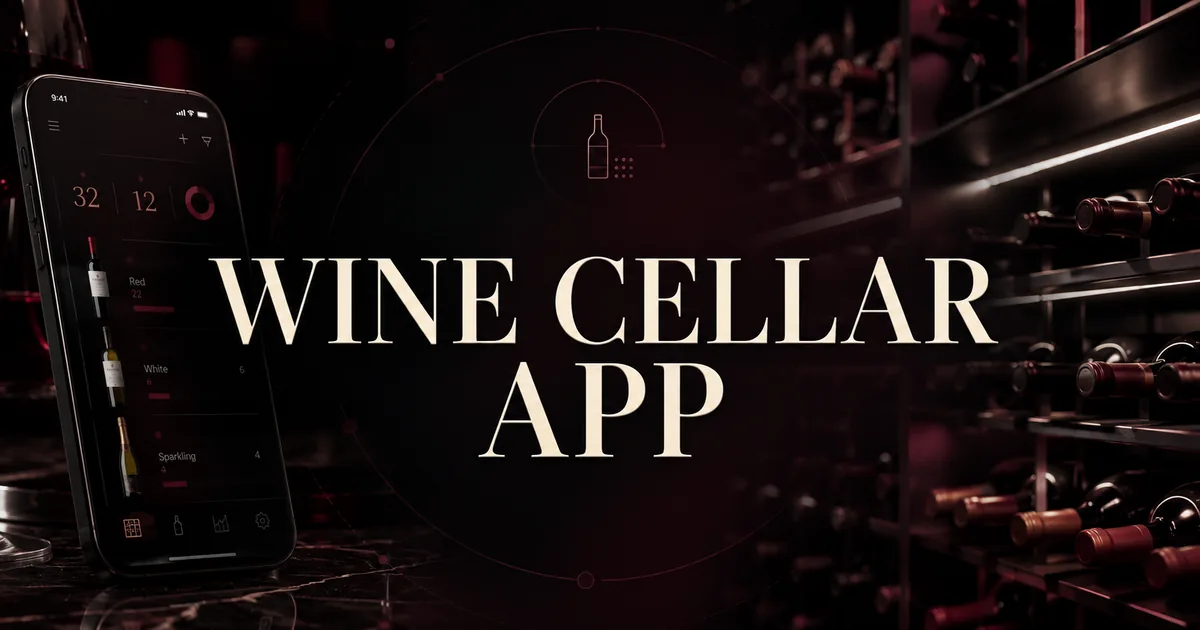
Inventory apps track bottles, locations and drinking windows
A wine inventory app tracks three things: which bottles you have, where each one is stored, and when it is ready to open. Not every app handles all three, so it helps to see who covers what before comparing them head to head.
What each of the five apps tracks
Bottle lists built from label scans and searches
Every app here can start an entry from the camera. Point Shelvin at a label and it enters the wine's type, region, vintage and brand, so a new bottle goes in without typing a producer name.
Shelvin's inventory report then groups the collection by type and region. InVintory draws on a database of more than 2 million wines, so a bottle can be found either by scanning its label or by typing a name.
The label scanning will automatically fill in the brand, vintage, region, and type, making cellar management faster than ever. / Inventory Reports: Visually check the total number of wines you currently own, as well as a breakdown by type (red, white, sparkling, etc.) and region of origin, using graphs and other features. — From the version history note on label scanning and the Reports & History section, in that orderView official source →
Track every bottle with precision using a sommelier-curated database of over 2 million wines. / Add bottles by scanning labels or searching instantly — From "The most advanced wine inventory app" section (locale-specific display on the same URL)View official source →
Where each bottle sits, down to the rack and shelf
Four of the five apps let you attach a location to a bottle, and they do it at different levels of detail. Shelvin works at the level of the shelf itself: you register each cellar, then mark the row and tier a wine sits in.
InVintory files a bottle by cellar and then by rack, bin or case, or under a location name of your own. CellarTracker keeps a storage location for each wine even when the collection is split between several places, while Oeni lays bottles out inside a 3D model of your cellar. For ways to plan the layout itself, see "Wine Cellar Organization: Zones and Coordinates".
Cellar Registration and Allocation Recording: Register multiple cellars and visually record which wines are located on which shelf (row/tier). — From the Graphical Cellar Management sectionView official source →
Organize by cellar, rack, bin, wine case, or custom location — From "The most advanced wine inventory app" section (locale-specific display on the same URL)View official source →
Track storage locations and pending deliveries / Manage wine inventory collections across multiple storage sites — From the "EFFORTLESSLY MANAGE YOUR CELLAR" sectionView official source →
Discover our immersive 3D wine cellar feature to easily visualize and organize your bottles, as if you were there! — From the "Manage your inventory" sectionView official source →
Drinking windows and notes on the bottles you open
Guidance on when to open a bottle comes in several forms. Oeni works out when a bottle should be opened as soon as you enter its vintage. InVintory's free plan shows drinking windows for select wines in its database, and CellarTracker reserves its enhanced drinking windows and alerts for subscribers.
Vivino's US listing ties opening times to its cellar, so anything you add there is listed with its drinking window next to the rest of your stock. Since version 1.9.0, Shelvin also keeps a tasting log with ratings, notes and food pairings for bottles opened at home or ordered at a restaurant. For the aging side of the question, see "When to Drink Wine: Drinking Window and Aging".
Specify their vintage: By adding the vintage of your bottles, Oeni will be able to recommend the ideal time to open them. — From the "Manage your inventory" sectionView official source →
Get ideal drink windows on select wines in our database — From the Free plan's "Ideal drink windows" featureView official source →
Drinking windows with enhanced coverage for nearly all of your wines / Drinkability Alerts — From the free-versus-subscriber table, rows marked as subscriber featuresView official source →
Add bottles to your cellar to keep track of what you own and when to drink them — From the feature listView official source →
Beautifully record and rate wines you've enjoyed—whether opened from your cellar or savored at a restaurant—complete with tasting notes and dish pairings. — From the Tasting Logs sectionView official source →
Four points decide which wine cellar app to pick
The five apps differ most on four points: how precisely they record location, how bottles get added, what the free tier covers against the paid price, and which devices they run on. Deciding your answer on each point first makes the comparison table much quicker to read.
Four points to compare before picking an app
Shelvin maps shelves for free; InVintory charges for 3D
If the goal is to stop hunting through racks, look at the smallest unit of location each app supports. Shelvin records row and tier, and that shelf mapping is part of its free plan.
InVintory's 3D view rebuilds your cellars and wine fridges on screen so you can spot a single bottle inside them. That view belongs to Premium at $149.99 a year. Multiple storage locations, on the other hand, come with every plan.
セラー位置管理・検索機能 — From the Free plan column (Japanese is the page's default display/locale-specific display/ロケール別表示)View official source →
Multiple storage locations / Build digital 3D fridges, racks, and bins in seconds / Visually locate a specific bottle in your 3D cellar or fridge in seconds / $149.99 — From "All plans include" and the Premium plan's "Everything in Free, plus" list, in that orderView official source →
Ways to add bottles beyond pointing the camera at a label
All five apps can add a bottle from a scan, so the camera alone won't separate them. CellarTracker widens the options: besides its wine scanner, it reads barcodes and accepts forwarded digital receipts.
Add wines via wine scanner, barcode, label scan, or digital receipt forwarding — From the "EFFORTLESSLY MANAGE YOUR CELLAR" sectionView official source →
Free tiers range from 16 bottles to no cap at all
Free plans range from a small starter allowance to no cap at all. Shelvin's free plan holds 16 bottles, and its Premium Plan removes the limit for $6.99 a month in the US. InVintory's free plan has no bottle limit and allows up to 10 cellars or fridges.
CellarTracker keeps inventory free and charges for extras such as market prices and automatic valuation. The yearly price follows cellar size: $40 for up to 100 bottles, $60 for up to 250 and $80 for up to 500. Vivino Premium costs $4.99 a month or $47.90 a year in the US, and Oeni lets you try Oeni Plus free for 30 days.
セラー登録 16本まで / セラー登録本数 無制限 — From the Free and Premium plan columns, in that order (Japanese is the page's default display/locale-specific display/ロケール別表示)View official source →
Duration: 1 month (auto-renewal) / Price: $6.99 (USD) — From the About Subscriptions sectionView official source →
Add unlimited bottles to your collection / Up to 10 cellars & fridges — From the Free plan feature listView official source →
Wine prices (market, auction, community average) / Automatic cellar valuation / Up to 100 bottles / Up to 250 bottles / Up to 500 bottles — From the subscriber-only rows and the annual price table ($40, $60 and $80 for those three tiers), in that orderView official source →
iOS: 4.99 USD/month, 47.9 USD/year, Android: 4.99 USD/month, 47.9 USD/year — From the United States row of the price-per-region listView official source →
Yes, Oeni is a freemium app, meaning that part of the app is completely free. Additionally, you can try Oeni Plus premium features for free for 30 days. — From the answer to "Can I try Oeni for free?"View official source →
Four of the five also run on Android or the web
Platform support splits the list in two. InVintory runs on iOS, Android and the web, Vivino and Oeni both offer Android apps, and CellarTracker works on desktop, mobile web and its app for every user.
Shelvin is distributed through the App Store for iPhone, iPad, Macs with Apple M1 or later, and Apple Vision, and its listing mentions no Android version. If your household runs on Android, look at the other four.
Available on iOS, Android, and web — From the answer to "Is InVintory available on Android?"View official source →
All users will continue to have access to all CellarTracker platforms—desktop, mobile web/app, desktop classic—regardless of subscription status. — From the explanation of free members and subscribersView official source →
iOS: 4.99 USD/month, 47.9 USD/year, Android: 4.99 USD/month, 47.9 USD/year — From the United States row, which lists both iOS and AndroidView official source →
The 5 best wine inventory apps compared side by side
Putting the five apps against those four points gives the table below. Short profiles follow, each ending with the kind of collector the app suits.
Location and platforms
| App | Location detail | Platforms |
|---|---|---|
| Shelvin | Shelf row and tier (free plan included) | iPhone, iPad, Mac, Apple Vision |
| InVintory | Cellar, rack, bin or case; 3D view on Premium | iOS, Android, web |
| CellarTracker | Storage locations across multiple sites | App, desktop, mobile web |
| Oeni | 3D cellar | iOS, Android, Apple Vision |
| Vivino | Not described in the listing | iOS, Android |
Free tier and US price
| App | Free tier | Paid plan |
|---|---|---|
| Shelvin | Up to 16 bottles | $6.99 a month |
| InVintory | Unlimited bottles, up to 10 cellars or fridges | $149.99 a year |
| CellarTracker | Inventory tracking | $40 to $500 a year by cellar size |
| Oeni | Part of the app | Oeni Plus, 30-day free trial |
| Vivino | Core app | $4.99 a month or $47.90 a year |
Shelvin: shelf rows and tiers, free for up to 16 bottles
Shelvin is built around the physical shelf. You register one or more cellars, place each wine on a row and tier, and switch its status between "In Storage" and "Available" so open slots show up once a bottle is gone.
The free plan holds 16 bottles and allows two label scans a week. Premium, at $6.99 a month in the US, removes the bottle limit and raises scans to 50 a month; the app itself is available in English and Japanese.
It suits collectors on Apple devices who want to walk to the right shelf without searching, and who can start small before paying. Shelvin (App Store)
You can also instantly check shelf availability after finishing a wine. / (Note: Free users can scan up to 2 times/week; Premium users can scan up to 50 times/month). / English and Japanese — From the Graphical Cellar Management and Label Scanning sections and the Languages field, in that orderView official source →
セラー登録 16本まで / セラー登録本数 無制限 — From the Free and Premium plan columns, in that order (Japanese is the page's default display/locale-specific display/ロケール別表示)View official source →
InVintory: no bottle cap on the free plan, 3D is paid
InVintory's free plan puts no limit on bottles, which makes it an easy place to load a large collection without paying. It also allows up to 10 cellars or fridges and lets you add family members or other collaborators.
Premium costs $149.99 a year and brings the 3D cellar, bottle-finding inside that model and up to 20 cellars or fridges. It runs on iOS, Android and the web. InVintory fits collectors who want every bottle logged for free, or who manage their wine from an Android phone or a web browser.
Add collaborators or family members and adjust access level / Up to 20 cellars & fridges / Locate bottles in 3D / $149.99 / Available on iOS, Android, and web — From the Free plan list, the Premium plan list and price, and the Android FAQ, in that orderView official source →
CellarTracker: free inventory, paid tiers by cellar size
CellarTracker pairs inventory tracking with a database of more than 5 million wines. Inventory tracking stays free. The app also covers storage locations and stock held across several sites.
The subscription price climbs with cellar size, reaching $160 for up to 1,000 bottles, $320 for up to 2,500 and $500 beyond that. You can also pay a different amount, and going over your tier carries no penalty. It suits collectors who want a very large wine database and are comfortable paying by the size of their cellar.
CellarTracker is the most current, accurate, and comprehensive wine database globally with over 5 million unique wines to explore — From the opening of the listingView official source →
However, you can always select a different payment amount, and there is no penalty for exceeding the cellar size for your purchased tier. / Up to 1,000 bottles / Up to 2,500 bottles / 2,500+ bottles — From the pricing explanation and the annual price table ($160, $320 and $500 for those tiers), in that orderView official source →
Oeni: a 3D cellar with suggested times to open
Oeni places your bottles inside a 3D cellar and suggests when to open each one once its vintage is entered. It also refreshes the market value of your bottles every month.
Part of the app is free, and Oeni Plus can be tried for 30 days. The iPhone app needs iOS 13.0 or later, and Oeni offers an Android app too. It fits collectors who care most about opening bottles at the right moment and following what the cellar is worth.
Know the value of your cellar: Every month, Oeni retrieves the market price of your bottles to continuously update the value of your cellar. / Requires iOS 13.0 or later. — From the "Track the financial value of your cellar" section and the Compatibility field, in that orderView official source →
Yes, Oeni is a freemium app, meaning that part of the app is completely free. Additionally, you can try Oeni Plus premium features for free for 30 days. — From the answer to "Can I try Oeni for free?"View official source →
Vivino: ratings first, with a cellar for bottles you own
Vivino is mainly a ratings and discovery app: it scans labels and even whole restaurant wine lists. Its cellar lists the bottles you own with their drinking windows, broken down by type, grape and region.
Vivino Premium costs $4.99 a month or $47.90 a year in the US. The listing doesn't mention recording which shelf a bottle is on. Vivino suits people who mostly look up ratings and want a simple record of what they have at home.
Scan full restaurant wine lists to quickly spot the best bottles for your taste / Your digital Cellar got a big upgrade. Get a complete overview of your wines broken down type, grapes, regions and drinking windows — From the feature list and version history, in that orderView official source →
iOS: 4.99 USD/month, 47.9 USD/year, Android: 4.99 USD/month, 47.9 USD/year — From the United States row of the price-per-region listView official source →
Moving an existing collection into a new app
Once an app is chosen, the first job is getting your current bottles into it. How smooth that is depends on whether you already track wine in a spreadsheet, plan to scan bottle by bottle, or share the cellar with other people.
Three things that decide how the move goes
Importing a spreadsheet or another app into InVintory
A collection already kept in a spreadsheet shouldn't have to be retyped. InVintory's free plan imports a spreadsheet or another platform's export through a template, and it can pull collections from CellarTracker or Vivino.
It also exports your data as a CSV file, so the list isn't locked in. If your spreadsheet still needs tidying before the move, "Wine Inventory Excel: Columns and Where It Breaks" covers the column setup.
Import your data from a spreadsheet or another platform following our template / Download your data in CSV — From the Free plan's "Direct import" and "Export collection" featuresView official source →
Import your collection from CellarTracker, Vivino, or spreadsheets — From "The most advanced wine inventory app" section (locale-specific display on the same URL)View official source →
Scanning labels one at a time on a free plan
Without a spreadsheet, bottles go in one at a time by scan or search, and free plans may ration scans. Shelvin's free plan allows two label scans a week, so filling its 16-bottle allowance by camera alone takes eight weeks. Premium raises the scan limit to 50 a month.
(Note: Free users can scan up to 2 times/week; Premium users can scan up to 50 times/month). — From the Label Scanning sectionView official source →
Sharing one cellar with family members or staff
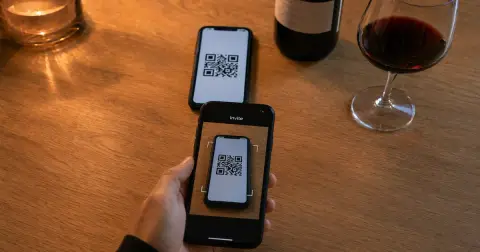
If more than one person pulls bottles from the cellar, check which plan includes sharing. Shelvin invites people by showing them a QR code, and its pricing lists team sharing under Premium.
InVintory's free plan already lets you add family members or collaborators with access levels you set. For a closer look at four apps side by side, see "Wine Inventory App Sharing: Four Apps Compared".
QR Code Invitation: Simply present a dedicated QR code to the desired user to easily register and share cellar information. — From the Smooth Sharing and Invitation sectionView official source →
セラー登録本数 無制限 / 飲んだ記録 無制限 / ラベルスキャン(月50回まで) / チーム共有機能 — From the Premium plan column (Japanese is the page's default display/locale-specific display/ロケール別表示)View official source →
Add collaborators or family members and adjust access level — From the Free plan's "Add collaborators" featureView official source →
Your devices and cellar size decide the best wine cellar app
Pick by how you store and use your wine. Shelvin fits Apple users who want each bottle tied to a shelf row, and InVintory fits large collections you want to log for free or manage from Android and the web.
CellarTracker suits collectors who want its large database and don't mind paying by cellar size. Oeni is for anyone focused on opening times and cellar value, and Vivino for people who mainly check ratings.
If spending nothing matters most, InVintory's free plan takes unlimited bottles and CellarTracker's free membership also tracks your inventory. Because Shelvin's free plan includes shelf mapping, you can try it on a handful of bottles before deciding. Shelvin (App Store)
FAQ
- Is there a free wine inventory app?
- Yes. InVintory's free plan has no cap on bottles and allows up to 10 cellars or fridges. CellarTracker lets free members track their inventory, and Shelvin's free plan holds 16 bottles with shelf locations included.
- Which wine cellar app tracks where each bottle is stored?
- Shelvin records the shelf by row and tier across several cellars. InVintory sorts bottles by cellar, rack, bin or case and adds a 3D view on Premium, CellarTracker tracks storage locations, and Oeni places bottles in a 3D cellar.
- Does Vivino have a cellar tracker?
- Yes. According to its US App Store listing, bottles you add to Vivino's cellar appear with their drinking windows alongside the rest of your stock. The listing does not describe recording which shelf a bottle is on.
- Is CellarTracker free?
- The site and app are free, and free members can track their cellar. A paid subscription adds features such as market prices and enhanced drinking windows, priced by cellar size from $40 a year for up to 100 bottles.
Related articles
 Wine Inventory App Sharing: Four Apps ComparedCompare wine inventory app sharing in Shelvin, InVintory, CellarTracker and Vinotag: how you add a partner or staff, what they can change and what it costs.
 Wine Inventory Excel: Columns and Where It BreaksBuild a wine inventory Excel sheet from five columns: producer, wine, vintage, quantity and location. Add dropdowns, a table and a ready-to-drink color rule.
 Build Apps With AI: Testing a Wine Tracker PromptCan you build apps with AI? We gave Claude Sonnet 5 one prompt for a wine cellar tracker. The first file ran unedited, but at phone width words broke apart.
 Bar Inventory for Wine: Records, Vintages, SharingBar inventory for wine: TTB wants a log of what you receive or every invoice. See what the IRS asks, why each vintage needs a line and how staff share a list.