The essay is finished, the limit is 2,000 words, and the number on screen is 1,980 in one place and 2,050 in another. Nothing in the brief says whether spaces count, what happens to line breaks, or which of the figures on a counter you are supposed to trust.
Words and characters are separate figures, and the character count on its own gives more than one number. Pasted into the counter on this site, a line of 15 characters plus a space and a line break came back as 17 with spaces and line breaks, and 16 with spaces excluded.
Three things move the number: spaces, line breaks and emoji. Once you know how each is treated, the figures stop looking arbitrary and you can pick the one your brief is asking for.
The number depends on which count you read
A counter shows several figures for one piece of text. None of them is wrong; each one counts something the others leave out, and no counter can tell you which one your brief means.
Take a short test: fifteen characters, one space in the middle, one line break. Nothing exotic, just the ingredients sitting on the first line of any document.
The same text gives 17 with spaces and 16 without
Pasted in, that passage came out as 17 with spaces and line breaks, and 16 with spaces excluded. Fifteen characters of content, plus the space and the break, gives 17; taking the single space away gives 16.
So the second figure removes spaces and leaves line breaks in place. That matters most in a bulleted list, where every item ends in a break that both figures keep counting.
The rule that matters is the one in your brief
Which figure to submit is not something an article can settle. How a word or character limit is counted belongs to whoever set the assignment, so if the brief or the syllabus says, that instruction wins and nothing here overrides it.
When the brief is silent, work to the larger figure. Coming in under the limit on the count that includes spaces and line breaks means you are under it on the other count as well, and you have an answer ready if anyone asks how you counted.
Emoji and fullwidth text move the number
The other reason counts disagree is that some characters look like one thing and are stored as another. Letter width turns out not to matter here. Emoji very much do.
Fullwidth and halfwidth both count as one
The five letters abcde and the same five letters in fullwidth form both came back as 5. Whatever the width on screen, each letter is one character.
The same screen also reports byte counts, which is a different measure entirely. Byte counts matter for file formats and databases, not for the limit on an assignment, so that panel can be ignored here.
One emoji counts as two, a family emoji as eight
Emoji make the number jump. A single smiling emoji came out as 2 with spaces and line breaks, and a family emoji came out as 8.
The reason is the unit being counted. Text is stored in fixed-size pieces called code units, and a single emoji takes two of them. A family emoji is several separate emoji held together by invisible connector characters, and the connectors are stored and counted like everything else.
| What was pasted in | With spaces and line breaks | Spaces excluded |
|---|---|---|
| 15 characters, one space, one line break | 17 | 16 |
abcde in halfwidth |
5 | 5 |
abcde in fullwidth |
5 | 5 |
| One smiling emoji | 2 | 1 |
| One family emoji | 8 | 5 |
Three rows show a gap between the two columns, and in the last two that gap has nothing to do with spaces. Worth knowing before you paste anything out of a chat window, since one family emoji arrives carrying eight characters rather than one.
What Word actually counts
Word has its own counter, and it runs continuously rather than on demand. Microsoft describes what it covers.
Words, pages, paragraphs, lines and characters
Word is not only counting words. It tracks five figures while you type, and the one shown along the bottom of the window is the word count; clicking it opens the rest.
For an essay with a word limit, that bottom-of-window figure is usually the one you need. For anything specified in characters, open the panel instead: the word count on the status bar says nothing about a character limit.
Word counts the number of words in a document while you type. Word also counts pages, paragraphs, lines, and characters. — from the same pageView official source →
Word counts the whole document, not your body text
The figure covers the whole document, title page and reference list included. If your brief excludes those, the number in the corner is not the number to submit.
Select just the body and the count follows the selection, or paste the body into a blank document and count it there. On an essay that is already close to the limit, that one extra step is the difference between comfortably inside and visibly over.
Counting in the browser with nothing to install
Paste and the figures appear. There is no account to create and nothing to download, which matters on a library machine where you cannot install anything.
Three steps from paste to number
- Copy the text you are submitting
- Paste it into the character counter
- Read the figure your brief asks for
Alongside the character counts you get lines, paragraphs, reading time, an English word count, a fullwidth and halfwidth breakdown, and byte counts. Most of that can be ignored; take the one figure you came for.
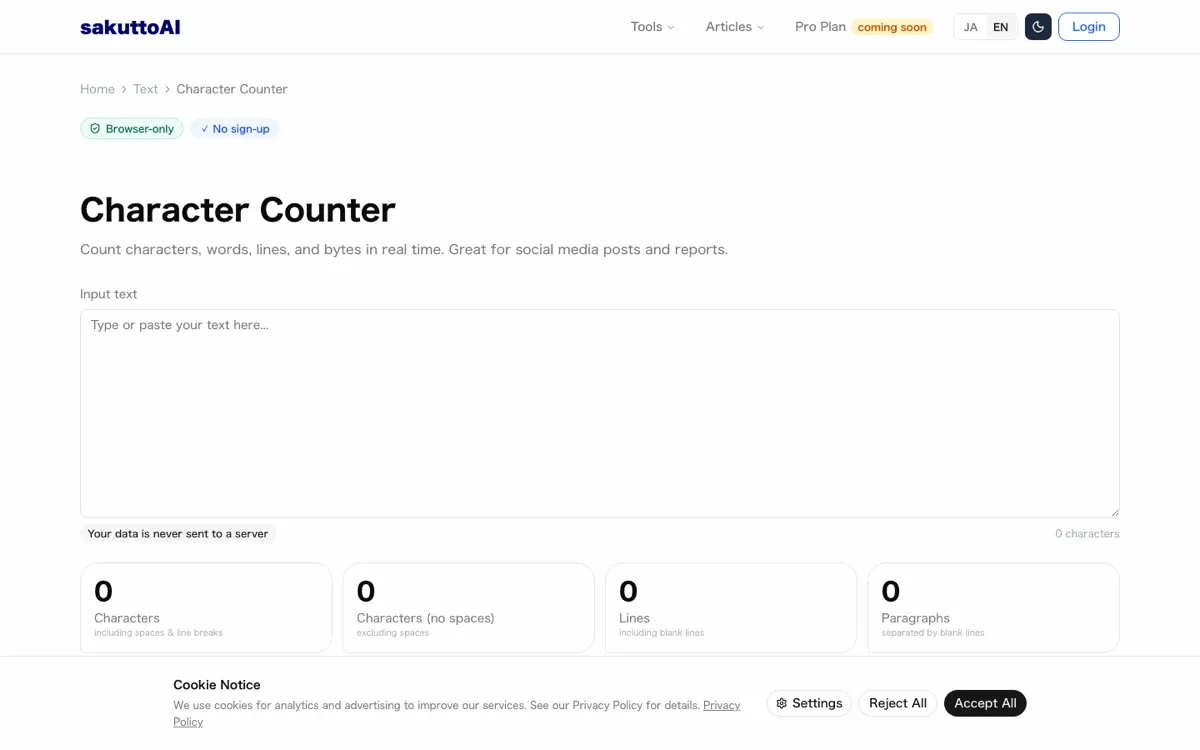
No daily cap, and it works with the network off
Re-counting the same draft never ran into a limit. The PDF tools on this site allow one run a day when you are signed out; the counter has no such cap, so you can check again after every edit.
It also runs with no connection at all. With the network switched off, a nine-character line still came back as 9, and no request carrying the pasted text left the browser during any of the runs.
Before you submit
Two checks are left, and neither takes long. One is about the number itself, the other about the file you are about to hand in.
Produce the number your brief asks for
Find the sentence in the brief that says what is counted, and report that figure and no other. If it names words, use the word count; if it names characters, decide between the two character figures on the evidence above.
If the brief says nothing and nobody answers in time, submit the count that is hardest to argue with: the larger character figure, or the word count from Word itself. Whoever grades the essay can reproduce either one.
When the file is too large to upload
A finished essay with figures and scans can outgrow the upload limit on a submission portal. Reduce PDF file size without wrecking your scans covers what compression actually removes, measured the same way as the counts here.
Keep the original either way. The compressed copy is for sending, and the untouched file is the one you go back to if your instructor asks for a cleaner scan.
FAQ
- Do spaces count toward my word limit?
- Your brief decides, so the counter shows both figures at once. A passage of 15 characters plus one space and one line break came out as 17 with spaces and line breaks, and 16 with spaces excluded. The second figure removes spaces only, so the line break is still in there.
- Why does my count jump when I paste from a chat?
- Emoji look like one character and are not. One smiling emoji came out as 2, and a family emoji as 8, because the count follows the units the computer stores text in rather than what you see on screen.
- Do wide characters count as more than one?
- No. Five halfwidth letters and the same five letters in fullwidth form both came out as 5. Their byte counts differ, but the character count does not.
- Can I count without a connection?
- Yes. With the network switched off, a nine-character line still came back as 9. There is also no daily cap, unlike the PDF tools on this site, so you can keep re-counting a draft as you edit it.
- Does the text I paste get uploaded?
- No request carrying the typed text left the browser during the measurement. The only request seen at all was a 78-byte consent record, so an unpublished draft stays on your machine.
Related articles
 Character Counter Tools vs Word and Google DocsCompare a free online character counter tool with Word and Google Docs: what each counts, whether limits include spaces, and where your text goes.
 Character Counter Online: With or Without SpacesCharacter counter tool: see how many characters your text has with and without spaces, plus lines, bytes and character types. Free and in your browser.
 Claude Fable 5.2: 20% price cut, up to 30% fasterAnthropic released Claude Fable 5.2 on November 9, 2026. API prices fall 20% to $8/$40 per million tokens, and output is up to 30% faster than Fable 5.1.
 PayPay security and passkeys in 10 Japan pay appsPayPay security compared with 9 other Japanese payment apps: passkeys, extra checks to send or pay, and fraud compensation deadlines.