What Embedding Gemma Transcribe is
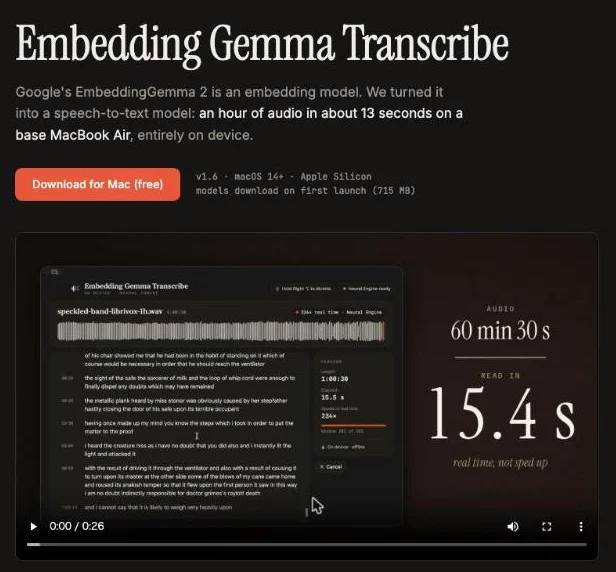
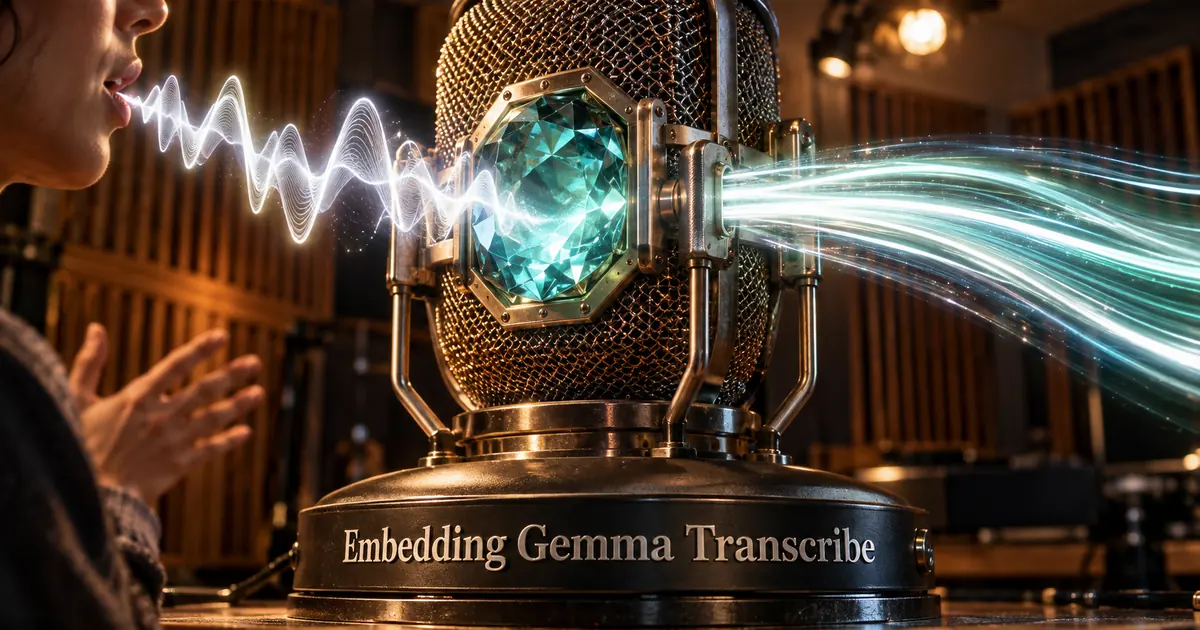
Embedding Gemma Transcribe is a free Mac app that uses Google's EmbeddingGemma 2 as a speech-to-text model. You can drop in a recording to get a transcript, or use it for dictation in any app.
Its selling point is speed. On the developers' own test, a base M3 MacBook Air turned an hour of English audio into text in 12.6 seconds, and the audio never left the Mac.
The trade-offs are just as clear. It makes more mistakes than the best speech recognition models, and it only writes English. It suits people who want quick, private English transcripts rather than perfect ones.
EmbeddingGemma 2 places a spoken word next to its text
An embedding model turns content into a list of numbers, called a vector, so that things with similar meaning end up close together. That is what lets search tools find a match even when the words differ.
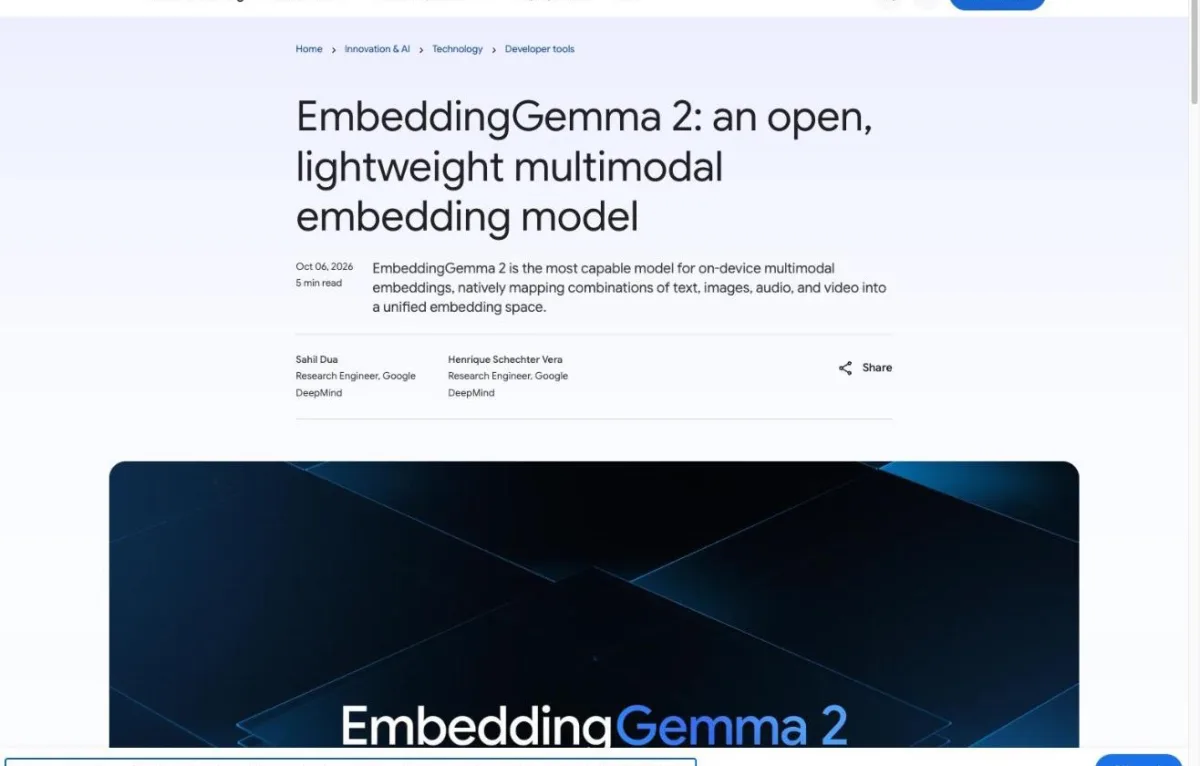
Google DeepMind released EmbeddingGemma 2 on October 6, 2026 under the Apache 2.0 license. It maps text, images, audio and video into one shared space, and it can take up to 5.5 minutes of audio in a single call. Say a word out loud and its audio lands right next to the written word.
The developers saw a shortcut in that. If speech already lands next to the right word, reading the nearest word back out gives you a transcript. For more on the base model, see EmbeddingGemma 2: open multimodal embedding model.
"EmbeddingGemma 2 is a multimodal embedding model: text, images, audio and video in one shared space."/"Say a word out loud and its audio lands close to the written word."/"So we tried reading words straight out of that space."— from Embedding Gemma TranscribeView official source →
"Features an 8K token context window (4x larger than EmbeddingGemma 1), allowing it to process up to 5.5 minutes of audio, 29 images, 58 video frames, or interleaved combinations thereof directly on local hardware."— from GoogleView official source →
An independent project, not a Google app
Embedding Gemma Transcribe is not a Google product. The footer of its site says it is an independent project that is not affiliated with or endorsed by Google, even though "Gemma" is in the name.
Google's part is the model underneath. Google has its own Mac app built on EmbeddingGemma 2, Google AI Edge Foresight, and that is a separate product.
The site does not state a license for the app or link to its source code. If you plan to install it on a work Mac, check your company's software policy first.
"EmbeddingGemma 2 is made by Google DeepMind and released under Apache 2.0. This is an independent project, not affiliated with or endorsed by Google."— from Embedding Gemma TranscribeView official source →
How an embedding model transcribes speech
From audio to text in four steps
- EmbeddingGemma 2's audio encoder reads the audio, unchanged
- A small reader maps each short slice into the text space
- The nearest English word is picked for each slice
- A tiny model adds punctuation and capital letters
The app leaves EmbeddingGemma 2's audio encoder exactly as Google built it and adds one small trained part, which the developers call the reader. The reader takes short slices of audio and maps each one into the model's text space, the region where written words sit.
A typical speech recognition model, such as OpenAI's Whisper, is trained from audio all the way to text. This app skips most of that work by reusing what the embedding model already knows.
"EmbeddingGemma 2's audio encoder stays exactly as it is."/"A small reader moves each short slice of audio into the model's text space."— from Embedding Gemma TranscribeView official source →
The closest of about 229,000 English words wins
Once a slice of audio is in the text space, the app picks the closest match from about 229,000 English words. The chosen words, in order, form the transcript. A raw string of words has no sentence breaks, so a second, tiny model adds punctuation and capital letters afterward.
None of this was part of the original plan for EmbeddingGemma 2. The base model was never trained for speech to text; it was built for search, and the app uses that search space as a lookup table for words.
"The closest of ~229,000 English words wins, and the slices become a transcript."/"A tiny extra model adds punctuation and capitals."/"The base model was never trained for speech-to-text."— from Embedding Gemma TranscribeView official source →
Only a small reader was trained
The reader is the only part the developers trained, and it took under two hours on 8 Nvidia H100 GPUs. The training data was openly licensed English speech.
Building a speech recognition model from scratch takes far more audio and compute than that. Reusing Google's encoder is what kept the job small.
The flip side is that the reader has only ever heard English. That choice sets the language limit covered further down.
"Only the reader is trained: under two hours on 8×H100, on openly licensed English speech."— from Embedding Gemma TranscribeView official source →
How fast is it on a MacBook Air?
Speed on the same base M3 MacBook Air (8 GB), in × real time
On the same Mac, Embedding Gemma Transcribe runs almost twice as fast as IBM Granite Speech 5.0 TurboCTC: 12.6 seconds versus 25.7 seconds for an hour of audio.
 Embedding Gemma Transcribe
 Granite Speech 5.0 TurboCTC
Very fast: the developers measured 288× real time on a base M3 MacBook Air with 8 GB of memory, which is an hour of audio in 12.6 seconds. The headline on the site rounds this to "about 13 seconds." "× real time" means seconds of audio handled per second of processing, so 288× clears 288 seconds of audio every second.
That run used the Mac's Neural Engine. For comparison, the developers also ran IBM's Granite Speech 5.0 TurboCTC on the same Mac's GPU through MLX. It reached about 150× and took 25.7 seconds for the same hour.
"an hour of audio in about 13 seconds on a base MacBook Air"/"288×"/"1 hour in 12.6 s"/"~150×"/"1 hour in 25.7 s"/"× real time: seconds of audio per second of processing. Rows 1–2: our tests on the same base M3 MacBook Air."— from Embedding Gemma TranscribeView official source →
Parakeet and other figures are only a rough guide
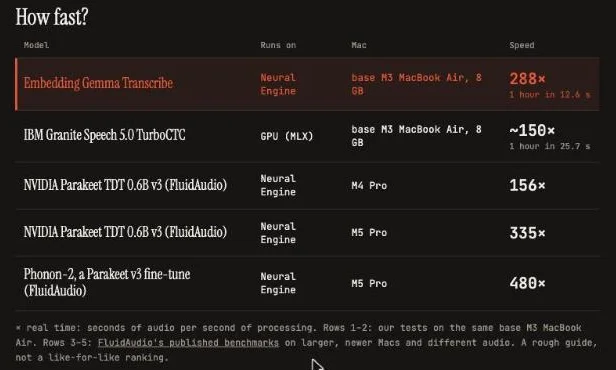
The site's speed table also lists NVIDIA's Parakeet TDT 0.6B v3 and a fine-tuned version, but those numbers come from different Macs. They are FluidAudio's published benchmarks, run on larger, newer Macs with different audio.
The official speed table
| Model | Mac | Speed |
|---|---|---|
| Embedding Gemma Transcribe | M3 MacBook Air | 288× |
| Granite Speech 5.0 TurboCTC | M3 MacBook Air | ~150× |
| Parakeet TDT 0.6B v3 | M4 Pro | 156× |
| Parakeet TDT 0.6B v3 | M5 Pro | 335× |
| Phonon-2 | M5 Pro | 480× |
Phonon-2, a Parakeet v3 fine-tune, posts the highest figure in "The official speed table" at 480× on an M5 Pro. The developers themselves call rows 3 to 5 a rough guide rather than a like-for-like ranking.
So "The official speed table" does not show which model is fastest. Only the first two rows share a Mac and audio, and those are the ones to compare.
"156×"/"335×"/"480×"/"Rows 3–5: FluidAudio's published benchmarks on larger, newer Macs and different audio. A rough guide, not a like-for-like ranking."— from Embedding Gemma TranscribeView official source →
Accuracy and language limits
Accuracy and language support
Word error rate (WER) is the share of words a transcript gets wrong, and Embedding Gemma Transcribe sits at about 5% as of October 2026. That works out to roughly 5 mistakes in every 100 words. Lower is better.
Next to its speed, accuracy is the weak spot. The developers believe a better-trained reader can close the gap with leading models, and that is what they are working on next.
"Its word error rate is about 5% right now, against 2–3% for leading speech models. We believe a better-trained reader can close that gap; that's the next iteration."— from Embedding Gemma TranscribeView official source →
About 5% word error rate against 2–3% for leading models
By the developers' own comparison, leading speech models make 2 to 3 errors per 100 words. At about 5%, Embedding Gemma Transcribe makes roughly twice as many.
For context, Google's Gemini 3.5 Transcribe, released in August 2026, averaged 2.6% on recorded audio and 4.0% in streaming mode, as measured by Artificial Analysis. More detail is in Gemini 3.5 Transcribe: pricing and API limits.
Those tests used different audio and methods, so the figures cannot be ranked against the 5%. For meeting minutes or anything you will quote, expect to proofread. For getting the gist of a long recording quickly, the error rate matters less.
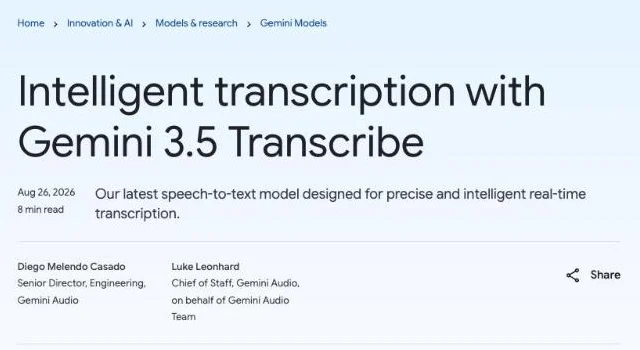
"More precise transcription: As measured by Artificial Analysis, achieves an average Word Error Rate (WER) of 4.0% for streaming and 2.6% for non-streaming use-cases."— from GoogleView official source →
English is the only language it writes
Every word Embedding Gemma Transcribe outputs comes from its list of about 229,000 English words. The reader was also trained only on English speech. Speech in another language will not come out as text in that language.
The site never says "English only" in so many words, but the design leaves no other option. For Spanish, French, Japanese or other languages, a multilingual tool such as a Whisper-based app is the better fit.
"The closest of ~229,000 English words wins, and the slices become a transcript."/"Only the reader is trained: under two hours on 8×H100, on openly licensed English speech."— from Embedding Gemma TranscribeView official source →
How to set up and use it for dictation on a Mac
Requirements and cost
Embedding Gemma Transcribe runs on Apple Silicon Macs with macOS 14 or later, and it costs nothing. Download it with the "Download for Mac (free)" button on its download page.
Intel Macs are not supported. If you are not sure which chip your Mac has, check that before you download.
"Download for Mac (free)"/"v1.6 · macOS 14+ · Apple Silicon"— from Embedding Gemma TranscribeView official source →
Requirements and the 715 MB first download
On first launch, the app downloads 715 MB of models. That is the only time it needs an internet connection.
If your Mac is short on space, free some up before you open the app. After the download, everything else happens on the Mac.
"models download on first launch (715 MB)"— from Embedding Gemma TranscribeView official source →
Hold Right Option to dictate into any app
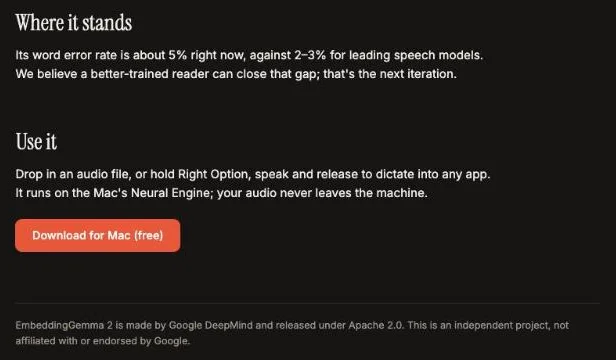
There are two ways to use it. The first is to drop an audio file onto the app to get a transcript, which suits recorded English interviews and lectures.
The second is dictation: hold the Right Option key, speak, then let go. Your words appear in whatever app you are typing in. That makes it a stand-in for built-in macOS dictation, as long as you are speaking English.
"Drop in an audio file, or hold Right Option, speak and release to dictate into any app."— from Embedding Gemma TranscribeView official source →
The Neural Engine keeps it offline
The Neural Engine is the part of Apple Silicon built for AI workloads, and Embedding Gemma Transcribe does all its work there. That is why it keeps working with no internet connection.
Your audio never leaves the Mac. That matters for confidential meetings or interviews you would rather not upload to a cloud service.
"It runs on the Mac's Neural Engine; your audio never leaves the machine."— from Embedding Gemma TranscribeView official source →
A free local transcriber that is fast on a base Mac
Embedding Gemma Transcribe is a free Mac app built on EmbeddingGemma 2 that transcribes an hour of English audio in 12.6 seconds on a base MacBook Air. It does this with a word error rate of about 5%, and it only writes English.
It is a good fit if you want fast English transcripts or dictation without sending audio to the cloud. If you need near-perfect accuracy or another language, use a different speech recognition model, such as a Whisper-based app for audio that is not in English.
If you save the official site or other English pages for reference, converting each web page to Markdown keeps its headings and lists intact. You can then edit the text or paste it into your notes without fixing the layout.
FAQ
- Does Embedding Gemma Transcribe work with languages other than English?
- No. It picks every word from a list of about 229,000 English words, and its reader was trained on English speech. If you need to transcribe other languages, use a multilingual tool such as a Whisper-based app.
- Is Embedding Gemma Transcribe made by Google?
- No. The site says it is an independent project that is not affiliated with or endorsed by Google. Google DeepMind made the underlying model, EmbeddingGemma 2, and released it under Apache 2.0.
- Is Embedding Gemma Transcribe free?
- Yes. The download is free. You need an Apple Silicon Mac running macOS 14 or later.
- Does it need an internet connection?
- Only once, to download 715 MB of models on first launch. After that, transcription runs on the Mac's Neural Engine and your audio never leaves the machine.
Related articles
 What is LLM quantization? 4-bit vs 8-bit explainedLLM quantization stores a model's weights in fewer bits, such as 4 instead of 16, to cut memory. Learn how it works, what Q4_K_M means and how accuracy drops.
 Keyboard symbols: names and how to type all 33Keyboard symbols: names and the keys that type them in a searchable list, plus Alt codes and Mac Option shortcuts for special characters not on the keyboard.
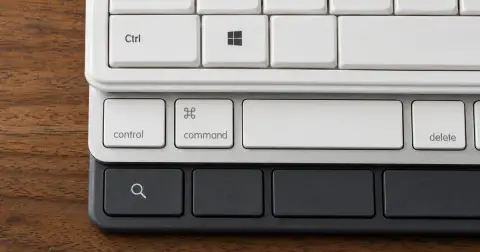 Mac keyboard shortcuts vs Windows: 58 comparedMac keyboard shortcuts mapped to the Windows keys they replace, 58 in one searchable table with Chromebook alongside, plus the two places that mapping breaks.
 DiffusionGemma: Google's open diffusion LLMDiffusionGemma is Google's open-weight diffusion LLM: about 1,500 tokens per second on one H100, but Gemma 4 regains the throughput lead near 32 users.