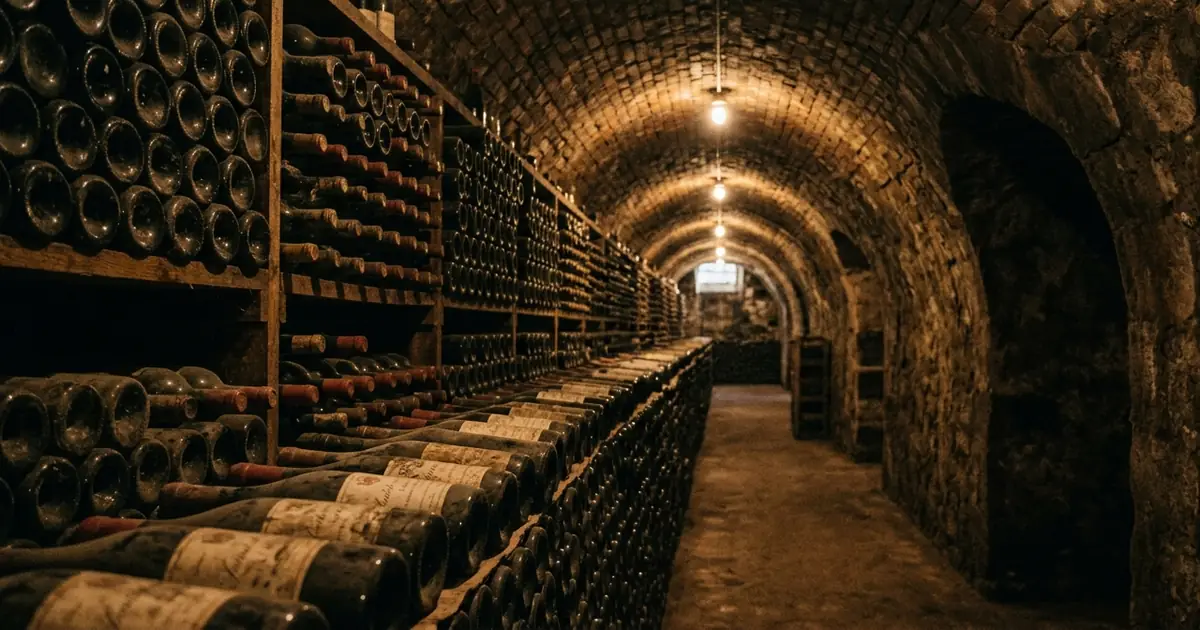
What CellarTracker is: tasting history and cellar inventory
CellarTracker is a tool for tracking the wines a person has tasted as well as the wines they are storing. The official support page gives that definition. It adds that CellarTracker offers numerous fields, so a user can record as little or as much about a wine collection and its tasting history as they want.
It tracks wines you have tasted and wines you store
Tasting history is the record of wines already drunk, and a cellar inventory is the list of bottles still on hand. The support page describes both in one sentence, so the definition covers the two records together rather than one of them.
A user can fill in as few or as many fields as they like. Someone who wants only a count of bottles can stop there, and someone who wants detailed notes on every wine can add more.
"CellarTracker is a tool that you can use to track the wines you have tasted as well as the wines you are storing."/"It provides numerous fields to let you track as little or as much data as you want about your wine collection and tasting history."View official source →
The shared database holds more than 3 million wines
At the core of CellarTracker is a database of more than 3 million wines, and the support page says most wine enthusiasts will find about 99% coverage in it. Both figures are the support page's own wording.
The same page says all wine-related actions begin with searching this database. A bottle is added by finding its wine in the database first, and the official search tip below covers that step.
"At the core of CellarTracker is a very comprehensive database of more than 3 million wines."/"Generally speaking, most wine enthusiasts will find about 99% coverage using the existing wine database."/"All wine-related actions on CellarTracker begin with searching the database."View official source →
CellarTracker app languages: English only on the App Store
The App Store listing for the CellarTracker app names one language, English. The Google Play description on the Japanese storefront is written in Japanese. The listings do not describe the in-app menus beyond the Languages field.
The App Store listing shows English as the only language
The information table on the App Store listing has a Languages field with a single entry: English. By comparison, the Shelvin listing in the Summary below lists two languages in the same field.
"English"View official source →
Google Play shows a Japanese description in Japan
On the Japanese storefront of Google Play, the About this app text of the CellarTracker app is written in Japanese. The quote below is that Japanese text, left in the original.
Its opening sentence gives three figures. CellarTracker calls itself a top-rated wine app with a 4.9 rating out of 5 stars, more than 13.6 million wine ratings and reviews, and more than 8.8 million users worldwide. These are figures CellarTracker states about itself, not the rating the store displays.
The Japanese description shows the language of the listing text, not of the app's screens. The App Store Languages field, which reads English, is the one that records the app's languages.
"CellarTrackerは、5つ星中4.9の評価、1,360万件以上のワイン評価とレビュー、そして世界中で880万人以上のユーザーを誇る、最高評価のワインアプリです。"View official source →
Official search tip: type only the first few characters
The support page advises typing as little as possible when searching. The most efficient search uses just the first few characters of the critical words: the name of a winery, the variety, the appellation, or the vineyard. That makes a search most likely to find and match an existing wine.
"All wine-related actions on CellarTracker begin with searching the database."/"It is most efficient to type as little as possible, just the first few characters of the critical words (e.g. the name of a winery, the variety, the appellation, the vineyard), so that you are most likely to find and match an existing wine."View official source →
How to add bottles to CellarTracker: four ways to start
The official How to add bottles page lists four ways to find a wine and begin adding it in the mobile app. Each one starts from the same step the page names first: find the wine.
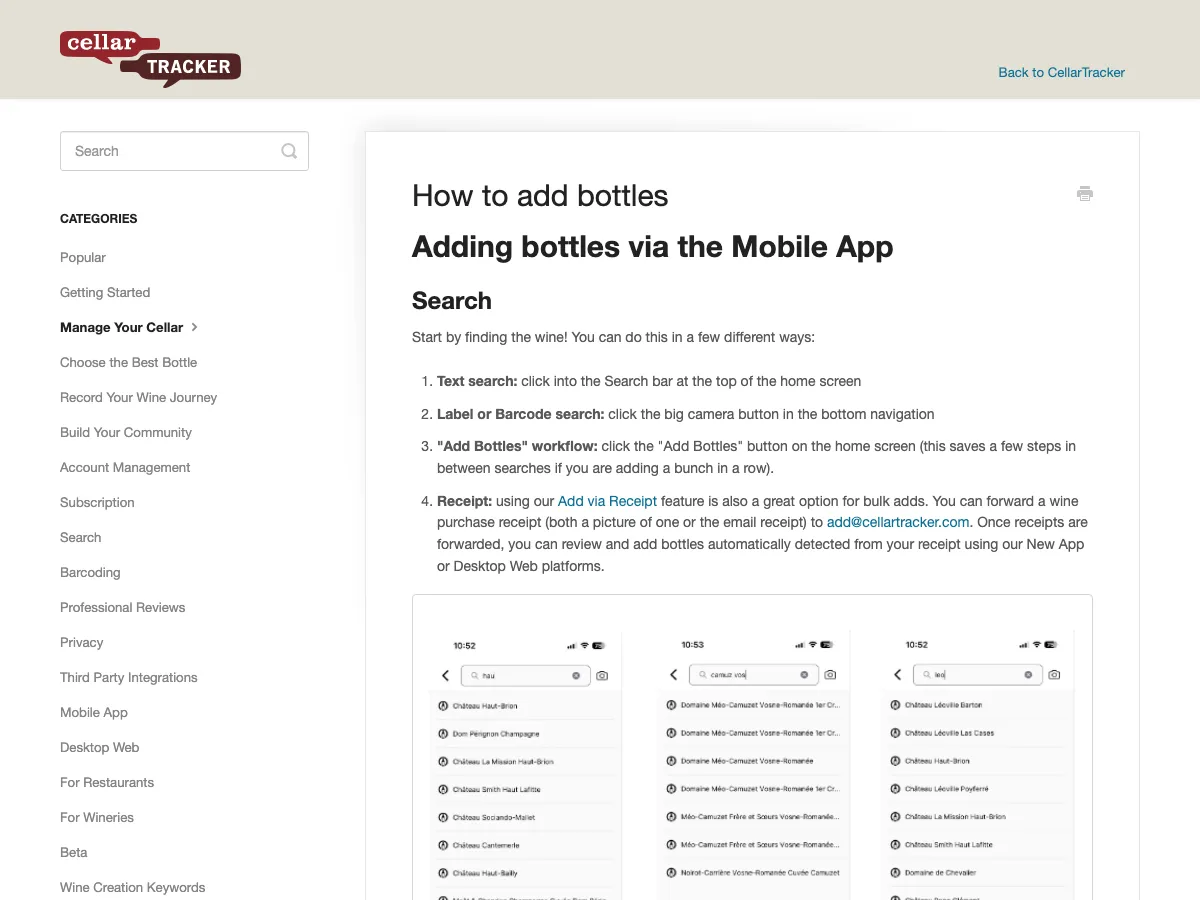
Four ways to add a wine to your cellar
The four ways are text search, label or barcode search, the Add Bottles workflow, and forwarding a receipt. They appear here in the order the help page gives them.
- Text search finds a wine from a short typed query.
- Label or barcode search starts from the wine's label or its barcode instead of typed words.
- The Add Bottles workflow is the third item on the help page's list, named as a workflow rather than a search.
- Forwarding a receipt starts an addition from a purchase record.
"Start by finding the wine! You can do this in a few different ways:"View official source →
Label search sometimes misses the exact wine
Label search tries to identify the wine automatically, and CellarTracker says it does not always get the match exactly right. The app attempts to identify the wine from the label, then searches the database for the correct match. When the match is not exact, the page says CellarTracker has tried to make it easy to reach the right wine quickly.
"When searching by label, the app attempts to automatically identify the wine, and search CellarTracker's vast database to find the correct match."/"Sometimes, we won't get it exactly right – and in those cases, we've tried to make it easy for you to get to the right one quickly and easily."View official source →
The legacy app no longer accepts new downloads
CellarTracker has a new app and a legacy app, and the legacy app no longer accepts new downloads. The support page says the company is no longer investing in the legacy app. The company plans to keep the legacy app running in parallel with the new app until the time is right to deprecate it, meaning retire it.
"With the launch of our new app, we are no longer investing in or accepting new downloads of the legacy app."/"We plan to keep the legacy app running in parallel to the new app until the time is right to deprecate it."View official source →
CellarTracker cost: free tier and prices by cellar size
CellarTracker is free to use, with a paid subscription for additional features, and that subscription can be bought through the CellarTracker website or through Apple. The support page has a separate section for each route. The price depends on cellar size, meaning the number of bottles stored.
Is CellarTracker free? A free site and app with paid extras
Yes, the CellarTracker site and app are free, and a paid subscription gives access to additional features. The support page says a buyer can always select a different payment amount, and that there is no penalty for exceeding the cellar size of the tier purchased.
The page names the paid part only as "additional features". It does not list them.
"CellarTracker is a free site/app with paid subscription to access additional features."/"Subscription pricing is based on your cellar size."/"However, you can always select a different payment amount, and there is no penalty for exceeding the cellar size for your purchased tier."View official source →
Subscription prices run from $40 to $500 by cellar size
The support page lists six tiers, from $40 for up to 100 bottles to $500 for more than 2,500 bottles. The page gives no billing period for these prices.
CellarTracker subscription price by cellar size
| Cellar size | Price |
|---|---|
| Up to 100 bottles | $40 |
| Up to 250 bottles | $60 |
| Up to 500 bottles | $80 |
| Up to 1,000 bottles | $160 |
| Up to 2,500 bottles | $320 |
| 2,500+ bottles | $500 |
A cellar of 1,000 bottles falls in the $160 tier. A cellar of 300 bottles falls in the $80 tier, since the $60 tier stops at 250.
"Up to 100 bottles $40"/"Up to 250 bottles $60"/"Up to 500 bottles $80"/"Up to 1,000 bottles $160"/"Up to 2,500 bottles $320"/"2,500+ bottles $500"View official source →
The site bills in US dollars, and iOS offers monthly plans
All CellarTracker payments are in US dollars. CellarTracker supports all major credit cards, PayPal, Venmo, Apple Pay, and Google Pay.
On iPhone and iPad, the new app also supports monthly in-app subscriptions. Apple manages those subscriptions directly, so you cancel one from your Apple account settings.
"We support all major credit cards, PayPal, Venmo, Apple Pay, and Google Pay."/"All payments are in US dollars."/"Also, in our new app on iOS (iPhone and iPad) devices we also support monthly in-app subscriptions that are managed directly by Apple."View official source →
Canceling a CellarTracker subscription and your data
Where a CellarTracker subscription is canceled depends on where it was bought, and the data a user entered stays accessible either way. A subscription bought through Apple is canceled through Apple. A subscription bought on the website has its own section on the support page.
Apple-managed subscriptions are canceled through Apple
A subscription bought through Apple is canceled in Apple's subscription management, not in the CellarTracker app. On an Apple device, the path is Settings, then iCloud Profile, then Subscriptions, where CellarTracker should appear.
CellarTracker says it has no control over that subscription. For the website route, the support page links a page called Manage Subscription.
"Please on your phone, navigate to Settings -> iCloud Profile -> Subscriptions and you should see CellarTracker and be able to cancel."/"(This is not in CellarTracker app. It is in the Apple subscription management. We have no control over the subscription, so need you to cancel it with Apple directly)."View official source →
Data you entered stays accessible after a lapse
Any data entered in CellarTracker remains accessible regardless of subscription status. The support page opens its answer with a plain yes. A lapsed or canceled subscription therefore does not remove the bottles and notes a user typed in.
"Yes, any data you’ve entered remains accessible regardless of subscription status."View official source →
What to know before you log wines in CellarTracker
CellarTracker records the wines a person has tasted and the wines they store, on a shared database of more than 3 million wines. Its App Store listing shows English as the only language. Bottles can be added four ways, and the site and the app are free, with a paid subscription priced from $40 to $500 by cellar size.
For an app whose App Store Languages field lists English and Japanese, Shelvin (App Store) is one example. Wine Inventory Apps: 5 Cellar Trackers Compared covers other wine inventory apps, and Wine Inventory Excel: Columns and Where It Breaks covers keeping an inventory in a spreadsheet. Sharing a cellar between people is covered in Wine Inventory App Sharing: Four Apps Compared.
FAQ
- Does CellarTracker support languages other than English?
- The Languages field on the CellarTracker App Store listing shows English and nothing else. The Google Play description on the Japanese storefront is written in Japanese. The listings do not describe the in-app menus beyond the Languages field.
- Is CellarTracker free?
- Yes, the site and the app are free. CellarTracker adds a paid subscription for additional features, and the price is based on cellar size. The support page does not list which features are paid.
- How much does CellarTracker cost?
- The support page lists six tiers by cellar size, from $40 for up to 100 bottles to $500 for more than 2,500 bottles. It also states there is no penalty for exceeding the tier you purchased. The page gives no billing period for these prices.
- Are CellarTracker payments always in US dollars?
- Yes. CellarTracker states that all payments are in US dollars. On iOS, the new app also supports monthly in-app subscriptions that Apple manages directly.
- If you stop paying for CellarTracker, do you lose your data?
- No. The support page states that any data you have entered remains accessible regardless of subscription status.
- Is photographing the label an accurate way to add a bottle?
- Not always. The app tries to identify the wine from the label and searches the database for a match. CellarTracker says it sometimes does not get the match exactly right, and that it has tried to make it easy to reach the right wine quickly.
- Are there wine inventory apps that work in Japanese?
- Yes. Shelvin lists English and Japanese in the Languages field of its App Store listing.
Related articles
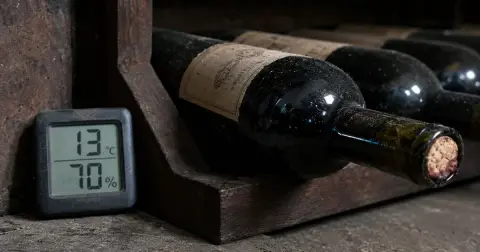 How to Store Wine at Home, Unopened and OpenedHow to store wine: keep it at a steady 10–14°C (50–57°F) with humidity near 70%, lay corked bottles flat, and finish opened wine in 2 days to a week.
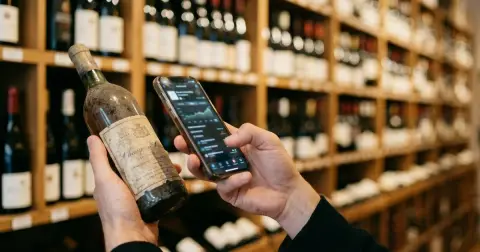 Vivino App: Ratings, Scanning and the CellarThe Vivino app shows ratings from buyers of the bottle you scan. A scan takes a second or two, search covers failed scans, and the cellar tracks what you own.
 Wine Cellar Organization: Zones and CoordinatesWine cellar organization starts with how many bottles fit. Then sort wines by temperature zone, keep them out of light and number each slot to log a bottle.
 Wine Inventory Excel: Columns and Where It BreaksBuild a wine inventory Excel sheet from five columns: producer, wine, vintage, quantity and location. Add dropdowns, a table and a ready-to-drink color rule.