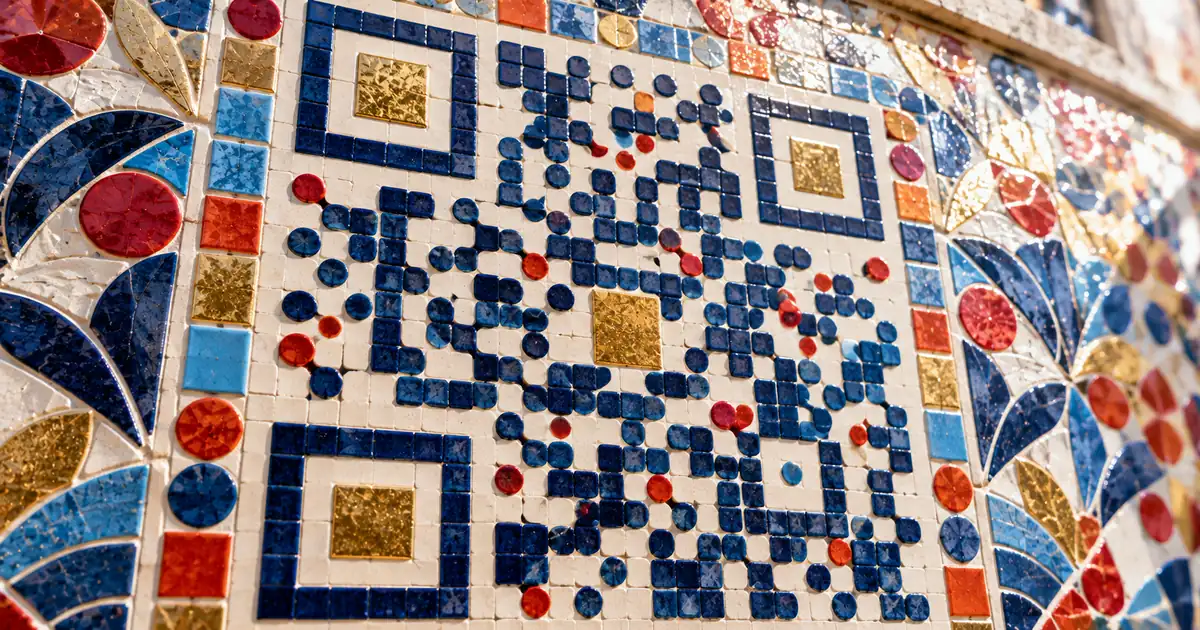
A custom QR code design swaps black for brand colors, adds a logo, reshapes the dots, or wraps the code in a frame, and the code still scans when each change stays inside a limit. The limits are dark modules on a light background, a logo that stays inside the repair budget, modules large enough to print, and a blank margin of 4 modules.
What is a custom QR code design?
Error correction, the extra data every QR code carries to rebuild parts that are dirty, damaged, or covered, is the reason a restyled code still scans. A custom design is an ordinary code with brand colors instead of black, a logo in the middle, rounded modules, or a frame with a call to action. Each of those changes spends some of the repair capacity or leans on the scanner's tolerance.
Error correction has 4 levels, L, M, Q and H, and the level is fixed when the code is generated. A higher level repairs more, but the repair data takes space too, so the same content produces a bigger code. DENSO WAVE says Level M (15%) is the level selected most frequently.
A module is the smallest square that makes up a QR code, and the whole code is a grid of them. Color changes the contrast the camera depends on, a logo hides modules outright, and unusual dot styles make each module harder to read when it is printed small. That gives four limits to respect: color, logo, dot size, and margin.
QR Code has error correction capability to restore data if the code is dirty or damaged./Four error correction levels are available for users to choose according to the operating environment./Raising this level improves error correction capability but also increases the amount of data QR Code size./Typically, Level M (15%) is most frequently selected. — From the opening of the error correction pageView official source →
Which colors keep a branded QR code scannable?
Dark modules on a light background stay readable because the scanner needs a strong difference in reflected light between the two. DENSO WAVE says QR Code scanners use red light to capture the image, so a red code on a white background cannot be read, and neither can a blue code on a green background. Its basic advice is to print black on white, and the darkest shade of a brand palette is the one to give the modules.
Phone cameras are a separate question. DENSO WAVE directs questions about reading with mobile phones to the carriers or manufacturers, and says that how well a phone reads a code depends in many cases on its camera. A printed proof scanned on real phones settles what a table of rules cannot.
Color pairings and what DENSO WAVE says about them
| Modules | Background | Result |
|---|---|---|
| Black | White | DENSO WAVE's basic advice |
| Navy | White | Dark on light, so the same rule applies |
| Dark green | White | Dark on light, so the same rule applies |
| Red | White | Cannot be read |
| Blue | Green | Cannot be read |
These rules follow from the contrast logic and cover gradients and photo backgrounds, which DENSO WAVE does not address directly. They are editorial advice, not DENSO WAVE requirements:
- Make the modules darker than the background, never the other way round.
- Keep a gradient inside dark tones, so no part of the code fades toward the background.
- Put a solid light backing behind the code when it sits on a photo or pattern.
If red is the main brand color, use it in the frame around the code rather than in the modules. The frame sits outside the code, so it leaves the contrast the scanner relies on untouched.
QR Code scanners use red light to capture the image of a QR Code./It is impossible to read a QR Code with the combination of white background and a red QR Code or with a green background and blue QR Code./Basically, please print out your QR Codes with black on a white background./If printed out QR Codes are designed to be read with mobile phones, please direct this question to the mobile phone carriers or manufacturers as well./How well QR Code can be read with a mobile phone depends, in many cases, on the capability of its camera feature. — From the FAQ on printing QR Codes in colors other than black and white, and the FAQ on reading with a mobile phoneView official source →
Logo size and error correction in a QR code with logo
Whatever sits on top of the modules counts as damage to the scanner, so every bit of overlay draws on the repair data the code carries. DENSO WAVE measures that repair capacity in codewords, the units a code's data is built from. In its worked example, the code pairs data codewords with an equal number of Reed-Solomon codewords and can correct a quarter of the total, which is 25%, the rate of Level Q.
DENSO WAVE worked example: codewords in one code
| Codewords | Count |
|---|---|
| Data | 100 |
| Reed-Solomon | 100 |
| All together | 200 |
| Correctable | 50 |
Those percentages are not a logo allowance. Whatever a logo uses is gone before a scratch, a fold, or glare adds its own damage, and DENSO WAVE warns that a deformed code can fail on even a tiny missing or smeared part, or respond slowly. DENSO WAVE also suggests Level Q or H for a dirty setting such as a factory floor, and Level L only for a clean one with a lot of data.
A logo's width and the area it covers are different numbers, because area grows with the square of the width. The table gives the calculated area for three logo widths. For a code with a logo, choose a higher level than a plain code needs, keep the logo near the narrow end of the table, and scan the proof before anything is printed.
Logo width and the share of the code area it covers (%)
| Logo width | Area covered |
|---|---|
| 15 | 2.25 |
| 20 | 4 |
| 30 | 9 |
In this case, the total codewords are 200, 50 of which can be corrected. Thus, the error correction rate for the total codewords is 25%. This corresponds to QR Code error correction Level Q./Typically, Level M (15%) is most frequently selected./Level Q or H may be selected for factory environment where QR Code get dirty, whereas Level L may be selected for clean environment with the large amount of data. — From the worked example and the section on selecting the error correction levelView official source →
If it is deformed, the QR Code's error correction function is invoked where even a tiny missing or smeared part renders the reading operation impossible, or the response of the operation may become slow. — From the FAQ on colors and inserted illustrationsView official source →
Which QR code shapes still scan reliably?
Dot style stays a matter of looks until the modules get too small to print, and the limit comes from how much of each square the style leaves filled. On a common laser printer, DENSO WAVE puts the minimum printable module size at about 0.17 mm. A style that fills less of each square reaches that floor sooner than a plain square does.
The three large squares in the corners, the finder patterns, tell the camera where the code is and which way up it sits. A circle inscribed in a square module fills about 78.5% of it, and a diamond fills 50%, so the table shows why circles and diamonds ask for a larger print than squares do.
Share of each module that a dot style fills (%)
| Dot style | Fill |
|---|---|
| Square | 100 |
| Circle | 78.5 |
| Diamond | 50 |
For a code printed small, square modules are the safe choice. Circles and diamonds suit codes printed large, where each module is still well above the printer floor.
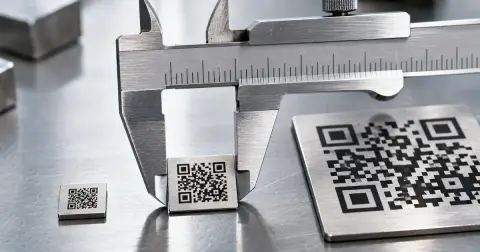
The smallest code has 21 x 21 modules, so at 0.17 mm per module it cannot be smaller than about 3.57 mm. That is the floor a printer sets, not a size a phone reads from arm's length. For sizes that work at real scanning distances, see QR code minimum size: how small can it be?.
The module size is the size of the modules making up the QR Code (the smallest square areas that make up a QR Code)./With a common laser printer, the minimum printable module size is about 0.17 mm./The smallest version has 21 x 21 modules./Given the above, the minimum size of a QR Code is 0.17 mm x 21, that is, 3.57 mm or so. — From the FAQ "How large is QR Code?"View official source →
Frames and CTA text for a custom QR code
Anything placed on top of the modules, or inside the blank margin around them, risks a failed read, so decoration goes outside both. DENSO WAVE warns that laying an illustration or design over a code can stop it reading or slow the response, and asks to be consulted beforehand about designs that involve one. A frame leaves the modules untouched.
The quiet zone is the blank margin of 4 modules that DENSO WAVE says a code needs around it in actual use. Measure it in modules, so it grows with the code, and start the frame's inner edge beyond it. The call-to-action (CTA) text goes in the frame's own band, above or below the code.
A bare code gives a scanner no reason to stop, so the CTA names what the scan delivers. A few short examples by placement:
- "Scan for the menu" on a table stand
- "Scan to get your coupon" on a shelf tag
- "Scan to check in" on an event ticket
- "Scan for English" on multilingual signage
Coupons and check-ins usually need scan counts, which takes a dynamic code whose link can change after printing. For the difference, see What is a dynamic QR code? Static vs dynamic.
Users of QR Code must be careful about deforming the code by overlaying it with an illustration or putting a a design on it./If you are contemplating arranging an illustration or design involving a QR Code, please consult with DENSO WAVE about your project beforehand./If it is deformed, the QR Code's error correction function is invoked where even a tiny missing or smeared part renders the reading operation impossible, or the response of the operation may become slow./a white space worth 4 modules is needed around it if you actually want to put it to use — From the FAQ on colors and inserted illustrations, and the FAQ on printing a QR Code (the source repeats "a a")View official source →
Minimum size, paper and proof testing for a personalized QR code
Printed width is the module count multiplied by the module width, so more data packs more modules into the same space and shrinks each one. DENSO WAVE's example is Version 2, which has 25 x 25 modules: at 0.5 mm per module the code measures 12.5 x 12.5 mm, before the quiet zone. Each version step up adds 4 modules per side, up to Version 40.
A higher correction level also enlarges the code, so a long link and a logo both push the modules smaller at the same printed width. Export the largest image available and place it at its final size, because stretching a small raster image blurs the module edges. For where to put the code on flyers and posters, see QR Code Flyer Size and Placement: The 10:1 Rule.
Shine is the other print risk. DENSO WAVE says glistening on vinyl or similar transparent material may interfere with reading, and its fix is to print a white background under the code.
Because a phone's reading ability depends in many cases on its camera, a code that scans on one phone proves little. A short test covers the gap:
- Print a proof at the final size, on the final paper or material.
- Scan it with the built-in camera app on at least one iPhone and one Android phone.
- Hold each phone at the distance people will actually stand.
- Try it under the lighting where the code will hang, including any glare.
- Open the link each time and confirm it lands on the right page.
Version 2 QR Code, for instance, is made up of 25 x 25 modules. Provided the size of a module is 0.5 mm, the size of this version of the code is 12.5 x 12.5 mm/For a one step larger version of the code, the number of modules on the side increases by 4, and the largest version is 40./If the trasparent material is vinyl or the like, any glistening on this material may interfere with the reading of the QR Code./To make this kind of QR Code as readable as possible, print a white background as well as black areas./How well QR Code can be read with a mobile phone depends, in many cases, on the capability of its camera feature. — From the FAQ sections on printing a QR Code and on reading with a mobile phone (the source spells it "trasparent")View official source →
Raising this level improves error correction capability but also increases the amount of data QR Code size. — From the opening of the error correction pageView official source →
Summary: the limits to check before you publish
A custom QR code design scans when color, logo, dots, and margin all stay inside their limits, and a printed proof confirms it. The table puts each limit next to the habit that breaks it.
What to do and what to avoid before printing
| Do | Don't |
|---|---|
| Dark modules on a light background, black on white when in doubt | Red modules on white, or blue on green |
| A higher correction level before adding a logo | A logo that uses up the whole repair budget |
| A blank margin of at least 4 modules on every side | A frame, CTA, or background touching that margin |
| Modules above the printer floor, and well above it for phones | Dot styles that fill little of each module in a small print |
| A white background under the code on transparent material | Glossy vinyl with no white backing |
| A printed proof scanned on more than one phone | A design checked only on screen |
Two of these checks come after the design already looks finished, which makes them easy to skip. A frame added late in the layout can creep into the quiet zone, and a proof scanned only on the designer's own phone says little about other cameras.
If a printed code still won't scan, see QR code not scanning? Count the quiet zone first for the causes. To build a code with your own colors and logo, a QR code generator lets you test each choice on a phone before the file goes to print.
FAQ
- Will a custom QR code still scan after I change its design?
- Yes, if the changes stay within its limits. Error correction repairs the parts a logo or restyled dots obscure, but DENSO WAVE warns that a deformed code can stop reading or read slowly. Keep dark modules on a light background, pick a higher correction level before adding a logo, and test the print.
- What colors can I use for a custom QR code?
- Use a dark color for the modules and a light one for the background. DENSO WAVE's basic advice is black on white, and it says a red code on a white background can't be read, because QR Code scanners use red light to capture the image.
- How big can a logo be on a QR code?
- There's no fixed percentage. A logo uses up error correction capacity, which DENSO WAVE measures in codewords: 25% at Level Q and 15% at Level M. Keep the logo well inside that budget, pick a higher level before adding it, and scan the result before printing.
- How small can a custom QR code be printed?
- DENSO WAVE puts the minimum at about 3.57 mm: the smallest version's 21 modules per side at about 0.17 mm each, the finest a common laser printer can print. That's a printer limit, not a size phones read comfortably, so print codes meant for phones much larger and test them.
- How much blank space does a QR code need around it?
- Leave a blank margin, the quiet zone, of 4 modules on every side. DENSO WAVE states this for any code put into actual use. Frames, CTA text and background images all belong outside it.
Related articles
 QR Code Business Card: Size and PlacementQR code business card done right: what to link to, how small it can be, where to place it, and how to design it so recipients actually scan it.
 QR Code Flyer Size and Placement: The 10:1 RuleQR code flyer size and placement: size the code with the 10:1 scan-distance rule, keep the four-module quiet zone clear, and add a short call to action.
 QR code for fundraising at a school fairQR code for fundraising at a school fair: short links on flyers, pre-filled Google Form check-in, and PayPal or Venmo booth sales taken the right way.
 QR code minimum size: how small can it be?QR code minimum size is about 2 cm in practice, but the physical floor is 3.57 mm. See how module size, version and error correction set your own limit.